
This page is not an official page of the app or its developer, but an independent editorial publication created for informational and commentary purposes. Unless expressly stated otherwise, neither the app nor its developer is affiliated with, endorsed by, sponsored by, authorized by, or otherwise officially connected with MWM, Apple, Google Play, the app publisher, or the app's developer, and nothing on this page implies that the app was developed using MWM's services. Any trademarks, logos, screenshots, and other content remain the property of their respective owners.

3D Superimpose
Seamlessly overlay STL, PLY, and RTD models onto real-world photos. The essential mobile tool for engineers, medical technicians, and 3D specialists requiring precise manual alignment and spatial context.
Downloads
0User Rating
Total Ratings
0Publisher
Category
Photo & VideoLocales
2Latest Version
1.4.3Size
0.8 MBFirst Released
Oct 11, 2016Precision 3D Visualization Tools
Bridge the gap between your 3D scanning hardware and field documentation. 3D Superimpose allows engineers and medical professionals to visualize complex models in real-world environments without the need for physical markers.
Industrial Format Support
Directly import STL, PLY, and RTD files exported from professional hardware like Artec, Sense, and Microsoft Kinect scanners for immediate mobile utility.
Markerless Superimposition
Achieve perfect spatial alignment with manual 3D controls including alpha-blending, perspective adjustment, and multi-axis rotation for technical accuracy.
The following screenshots and description are sourced directly from the app's official store listing and are the property of the app developer.
App Store
Screenshots
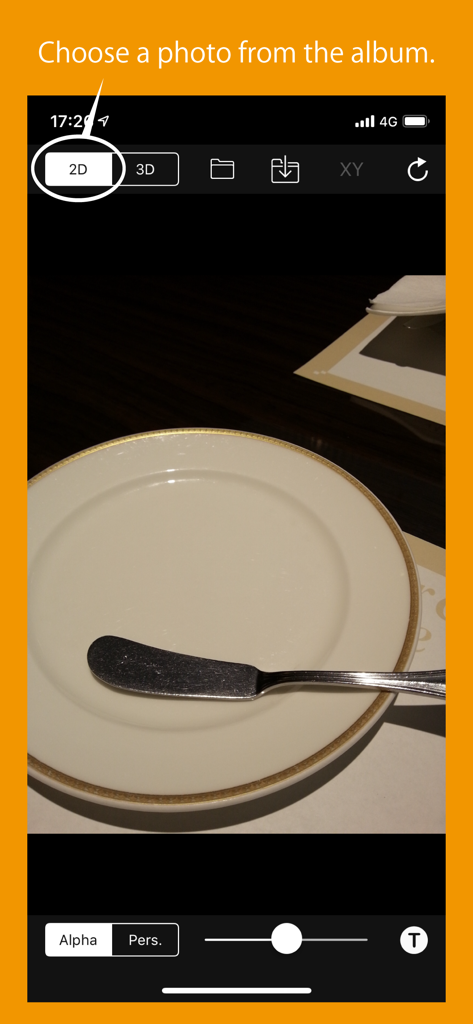
Interface of 3D Superimpose app showing a 2D background photo selection of a plate and butter knife
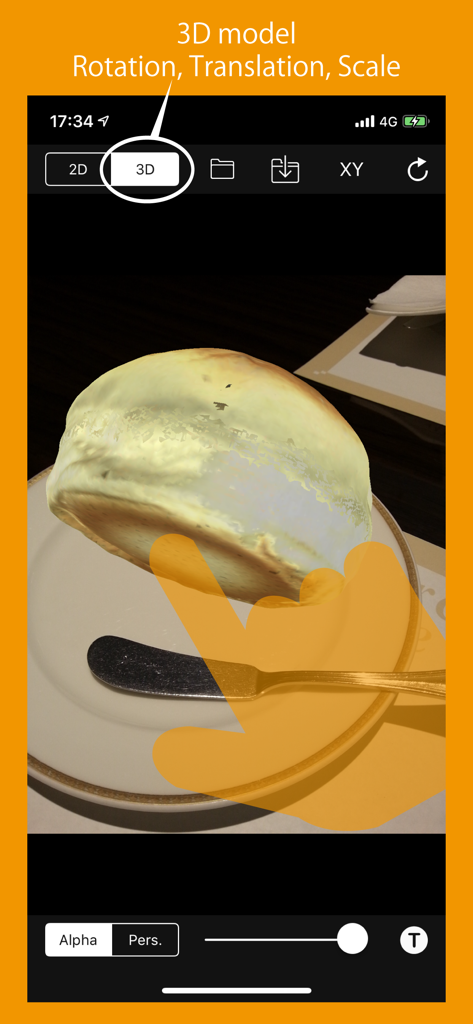
Interface of the 3D Superimpose app showing a 3D model of bread placed on a plate photo with rotation and scale controls
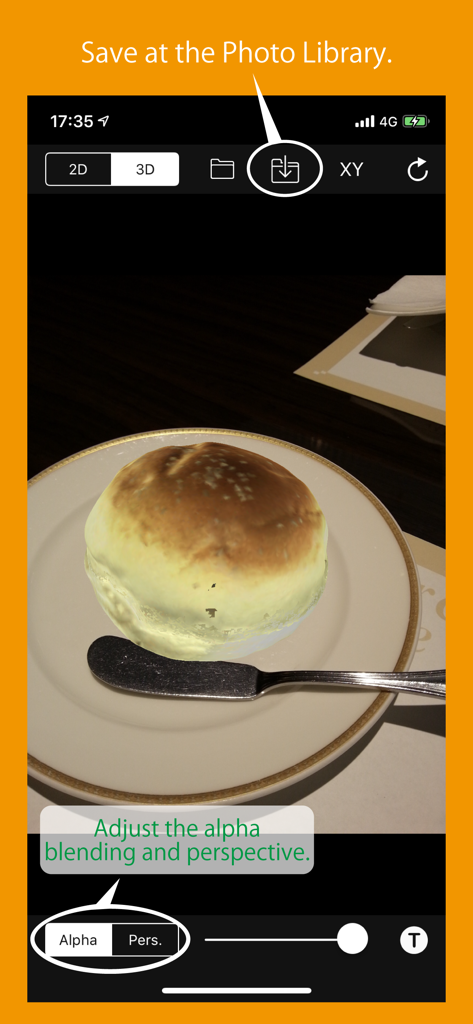
Interface of 3D Superimpose app showing a 3D bread model on a plate with highlighted options to adjust alpha blending and save to the photo library.
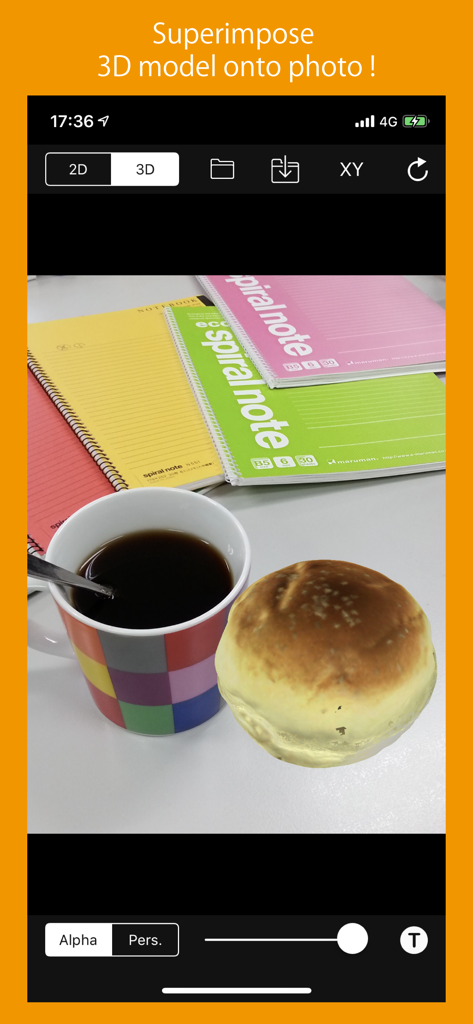
Screenshot of the 3D Superimpose app interface showing a 3D bread roll model placed on a photo of a coffee mug and notebooks.
Description
Download
More Like This
Top-ranked apps in the same category

CapCut: Photo & Video Editor
BYTEDANCE PTE. LTD.

YouTube
Google LLC

Instagram, Inc.

Canva: AI Photo & Video Editor
Canva Pty Ltd

快手
Beijing Kwai Technology Co., Ltd.

Snapchat
Snap, Inc.

Edits: Video Editor
Instagram, Inc.

Meta AI - Vibes & AI Glasses
Meta Platforms, Inc.

Google Photos: Backup & Edit
Google LLC
This page is not an official page of the app or its developer, but an independent editorial publication created for informational and commentary purposes. Unless expressly stated otherwise, neither the app nor its developer is affiliated with, endorsed by, sponsored by, authorized by, or otherwise officially connected with MWM, Apple, Google Play, the app publisher, or the app's developer, and nothing on this page implies that the app was developed using MWM's services. Any trademarks, logos, screenshots, and other content remain the property of their respective owners.