737 Virtual Panel LITE

737 Virtual Panel LITE

Logo of 737 Virtual Panel LITE

737 Virtual Panel LITE: Master Every Switch in the Boeing 737 Cockpit

The ultimate interactive study tool for pilots and simulator enthusiasts. Explore 1,534+ functional buttons, HD diagrams, and system manuals—all offline with no subscription fees.

Publisher

Jorge Gonzalez Galvan

Category

Utilities

Downloads

100+

User Rating

1.0/5

Total Ratings

0

Locales

1

Your Virtual Flight Deck

Discover the interface used by 100+ users.
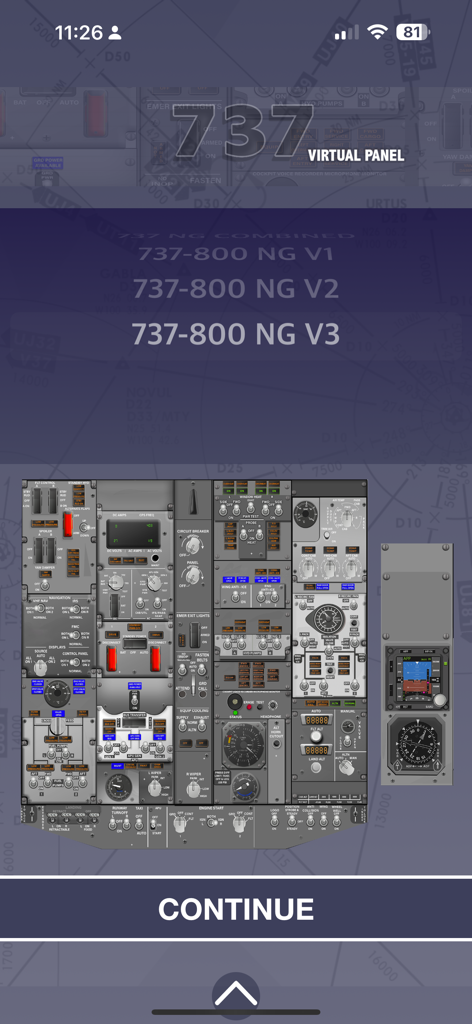
Boeing 737 Virtual Panel LITE app selection screen showing various 737-800 NG cockpit versions and a detailed panel layout.

Boeing 737 Virtual Panel LITE app selection screen showing various 737-800 NG cockpit versions and a detailed panel layout.

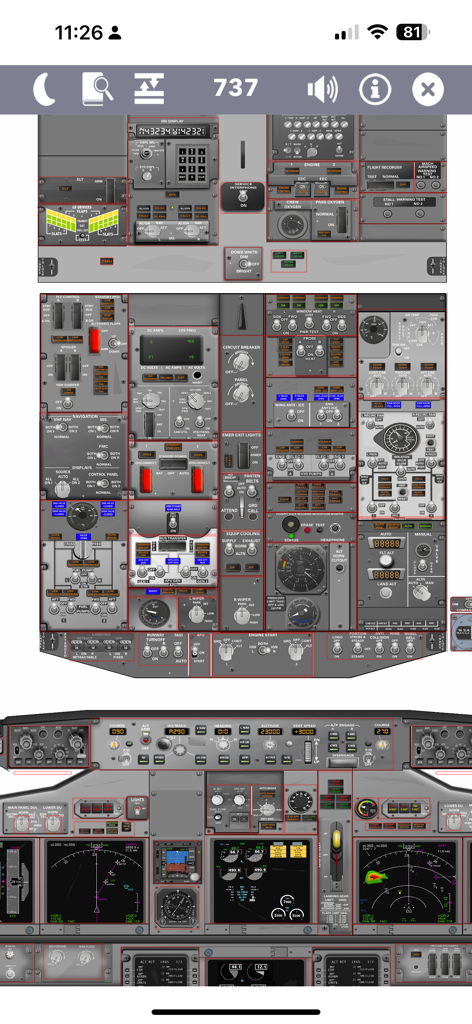
Detailed view of Boeing 737 virtual cockpit instrument and overhead panels

Detailed view of Boeing 737 virtual cockpit instrument and overhead panels

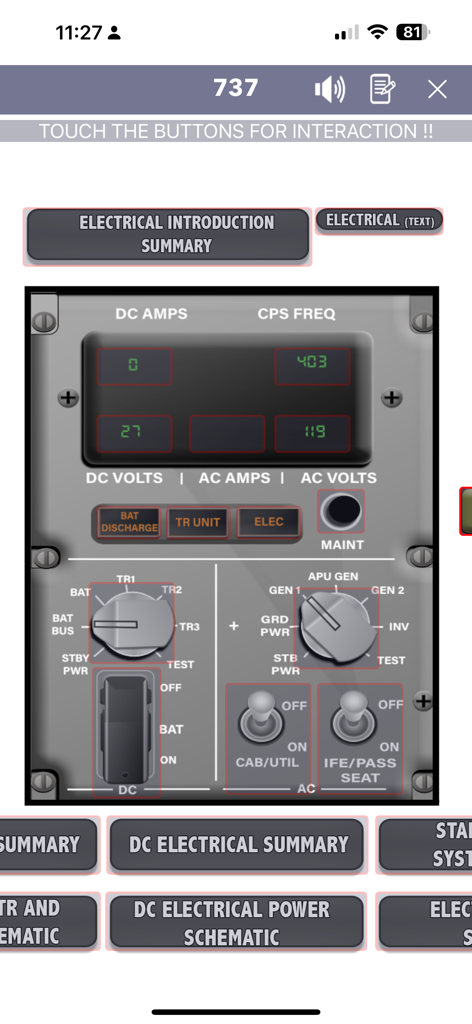
Interactive Boeing 737 electrical panel showing DC and AC gauges and power switches for pilot training

Interactive Boeing 737 electrical panel showing DC and AC gauges and power switches for pilot training

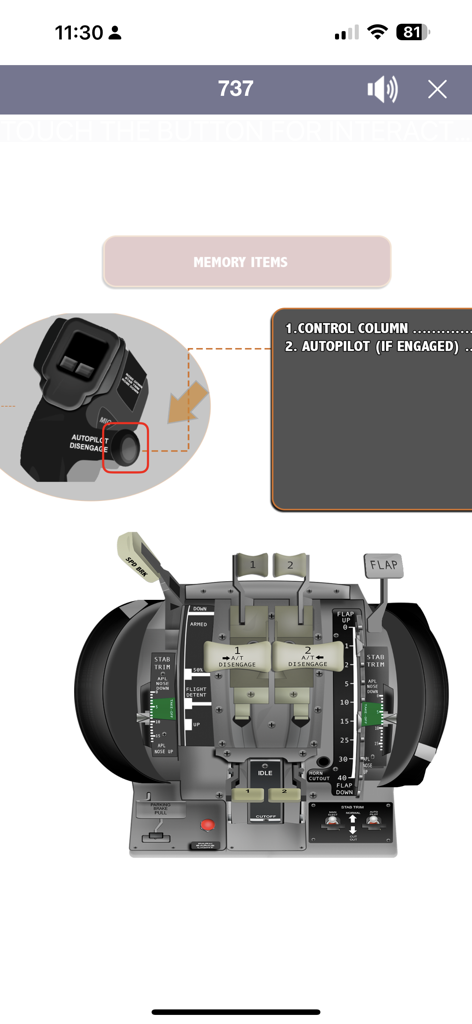
Boeing 737 throttle quadrant and cockpit memory items displayed in the Virtual Panel LITE app

Boeing 737 throttle quadrant and cockpit memory items displayed in the Virtual Panel LITE app

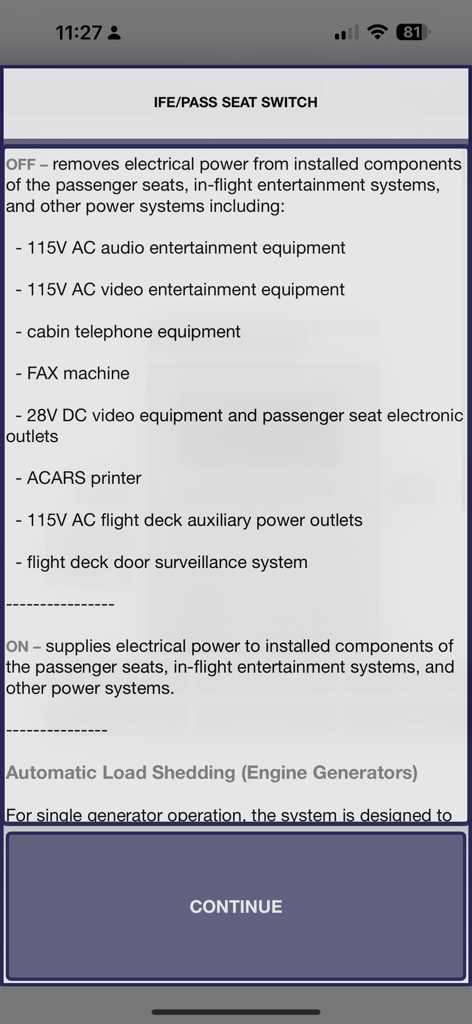
Technical description of the IFE and Passenger Seat Switch functionality within the Boeing 737 Virtual Panel app

Technical description of the IFE and Passenger Seat Switch functionality within the Boeing 737 Virtual Panel app

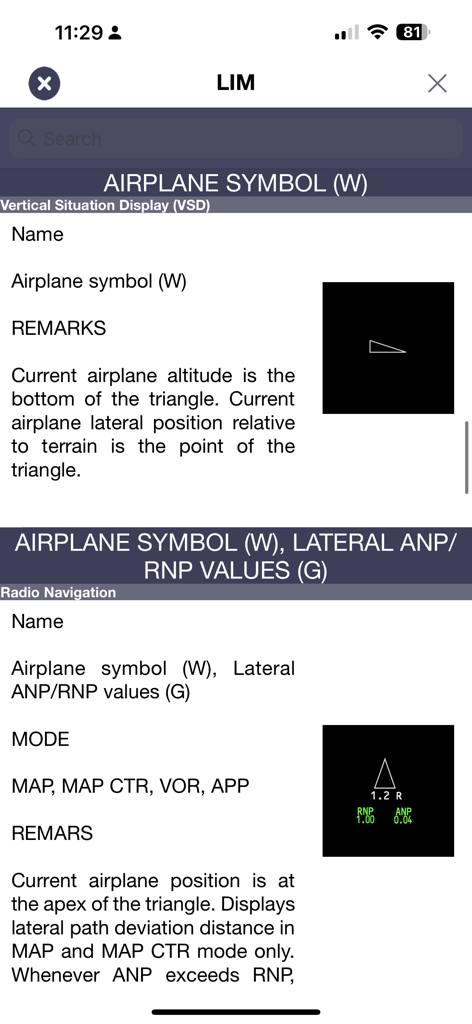
Boeing 737 airplane symbols and navigation values explanation screen

Boeing 737 airplane symbols and navigation values explanation screen

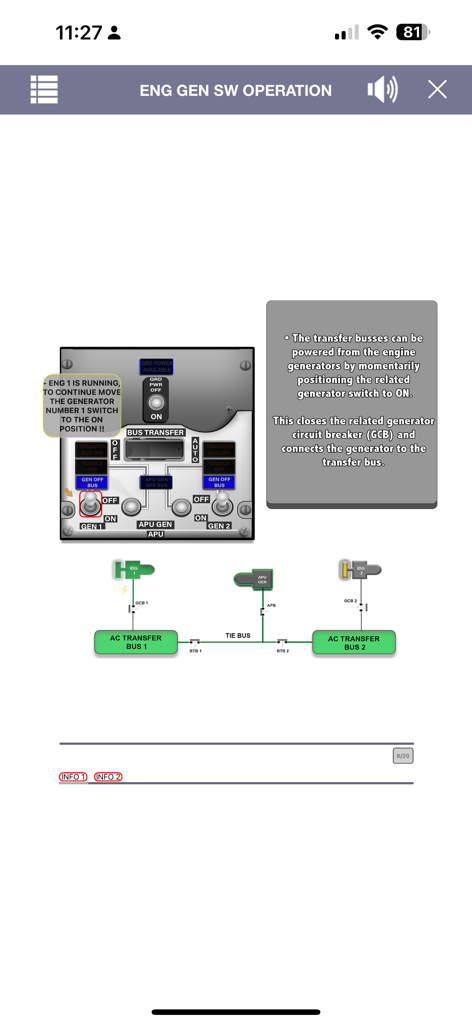
Interactive training screen for Boeing 737 engine generator switch operation and electrical system diagram

Interactive training screen for Boeing 737 engine generator switch operation and electrical system diagram

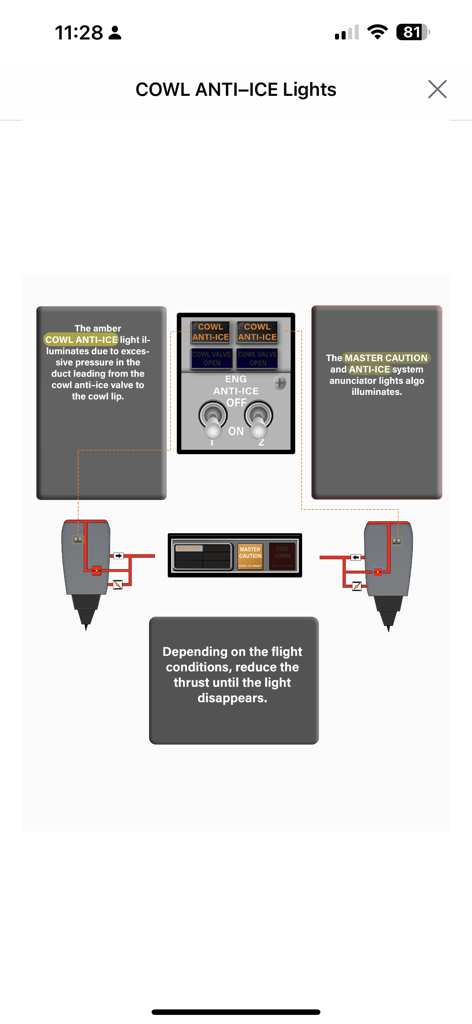
Interactive diagram explaining the Boeing 737 Cowl Anti-Ice system and indicator lights

Interactive diagram explaining the Boeing 737 Cowl Anti-Ice system and indicator lights

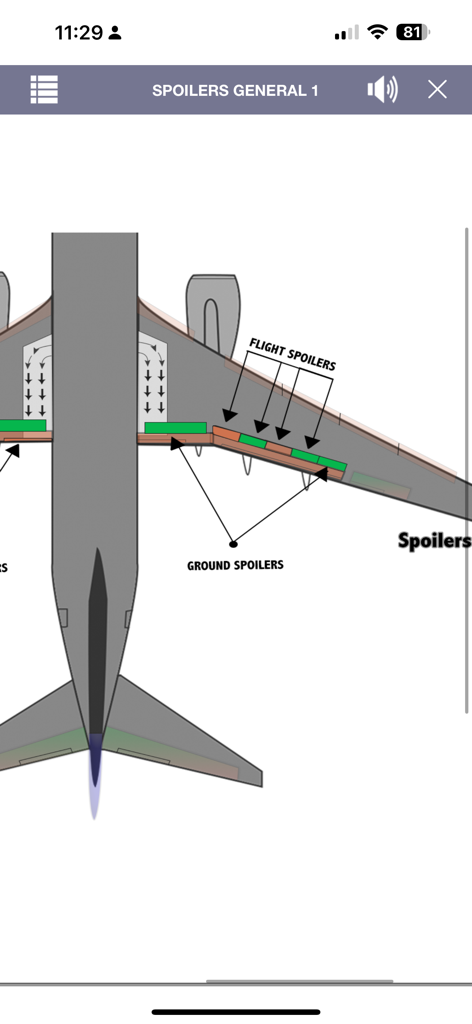
A detailed technical diagram of a Boeing 737 wing showing the location of flight and ground spoilers

A detailed technical diagram of a Boeing 737 wing showing the location of flight and ground spoilers

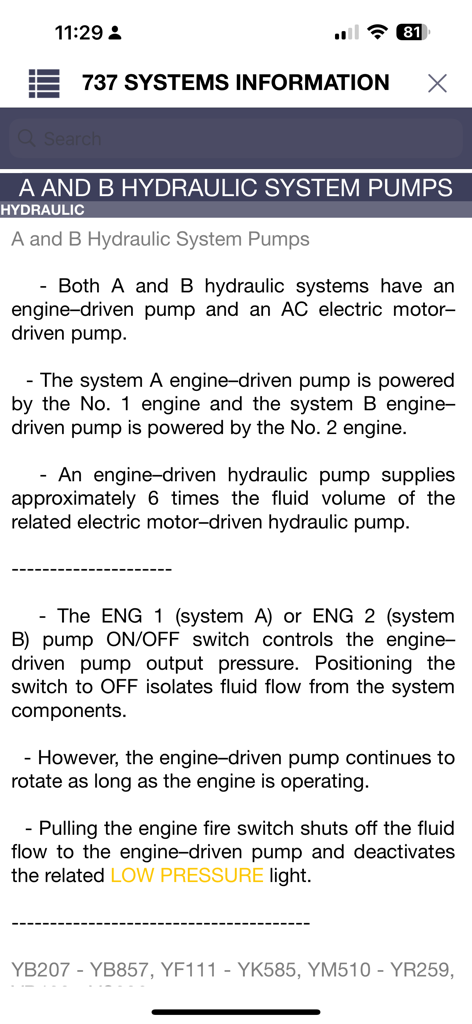
A screenshot of the 737 Virtual Panel app showing technical information about Boeing 737 hydraulic system pumps.

A screenshot of the 737 Virtual Panel app showing technical information about Boeing 737 hydraulic system pumps.

Master Every Switch and System

The tools that make this app stand out, trusted by 100+ users.

🔘

1,534+ Interactive Controls

Explore every cockpit button with functional explanations and pan-and-zoom capabilities, making it the perfect tool for practicing flows and procedures on your iPad.

📐

Professional-Grade Diagrams

Access high-fidelity system pictures and HD diagrams updated to the latest official manuals, ensuring you have the most accurate data for your next check-ride.

📵

Always Ready, Fully Offline

Study anywhere from long-haul flights to hotel rooms with 100% offline access. Enjoy lifetime value with a one-time payment—no recurring subscription fees.

About the app

Everything you need to know about 737 Virtual Panel LITE.

Description

- 737 Virtual Panel provides a limited selection of content in the free version. - The full version unlocks complete access to systems, emergencies, diagrams, and much more. - Forget about subscription fees — the PRO version requires only a one-time payment to unlock everything permanently. - If you enjoy the app, please consider purchasing the full version on the App Store. -------------------------------- ONE-TIME PAYMENT APP BENEFIT. The 737 Virtual Panel App is the ultimate study tool for Boeing 737 NG & MAX pilots, students, and simulator enthusiasts. Designed as a modern, visual alternative to textbooks, this app helps you learn faster and smarter. - Access 1,534+ cockpit buttons and switches with detailed explanations - Explore virtual panel pages for realistic training - Study HD system diagrams & cockpit pictures - All information updated to the latest official manuals - Ideal for 737 type rating, pilot training, and exam preparation Whether you’re a student pilot, airline pilot, or simulator enthusiast, this app helps you learn every system in the Boeing 737 NG & MAX. Perfect for self-study, flight school, or simulator sessions. Explore interactive virtual panel pages for realistic training and gain access to over 1,534 cockpit buttons and switches with detailed explanations. Study HD system pictures, updated to the latest manuals, and deepen your understanding of every Boeing 737 system. ------------------------ 737 NG Virtual Panel APP Includes: 1534 Fully Functional Buttons with Explanations - Images - References. Pan and Zoom capabilities. Fully interactive panels. 737 NG Detailed buttons with explanation and references. 737 NG Limitations (Fast Search / Edit / Add / Delete) 737 NG Definitions (Fast Search / Edit / Add / Delete) 737 Glossary. 737 Systems Manual Information. More than 2500 High-fidelity images. More than 340 Virtual Screens. Dark mode. Save your notes and keep them even when your device is off. All the content is available offline. Master the Boeing 737 cockpit with the most complete all-in-one training companion—no subscriptions, just one payment. The iPad's screen size offers several advantages that enhance app usability; therefore, using an iPad is recommended. Gain access to all features without recurring costs, ensuring long-term value. 737 MAX FULL PANEL COMPATIBILITY WILL BE ADDED SOON.

Latest Version

1.1

Size

2.0 GB

First Released

Sep 14, 2025

Ready for Your Next Check-Ride?

Download the ultimate interactive 737 NG & MAX study companion. Gain instant offline access to 1,534+ functional buttons and HD system diagrams with a one-time payment—no subscriptions required.

App information, icons, screenshots, and descriptions displayed on this page are sourced from the Apple App Store and are the property of their respective developers. Download estimates and rankings are based on MWM's proprietary models and may not reflect actual figures. This page is provided for informational and analytical purposes only.

Believe this page infringes your intellectual property? File a dispute