Ace Trace - Shot Tracker

Ace Trace - Shot Tracker

Download on App StoreDownload on Google Play
Logo of Ace Trace - Shot Tracker

Ace Trace: The Ultimate Shot Tracker for Pro-Level Highlights

Transform your golf, disc golf, and baseball clips into viral-ready videos. Add stunning tracers and distance labels in under a minute—no tripod or editing skills required.

Publisher

AI Photo Editor Lab SRL

Category

Sports

Downloads

313K+

User Rating

4.4/5

Total Ratings

1K+

Locales

1

Visualize Your Victory

Discover the interface used by 313K+ users.

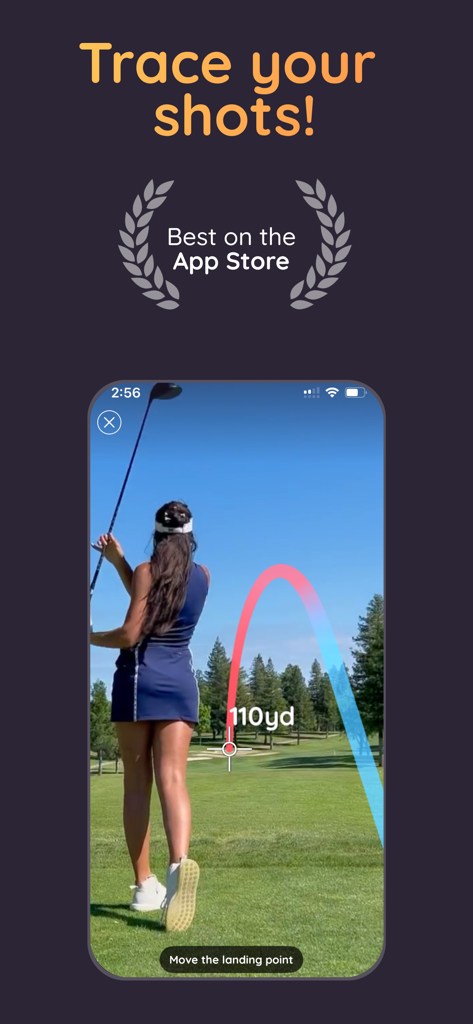
A female golfer using the Ace Trace app to visualize a 110 yard shot trajectory with a colorful line
A female golfer using the Ace Trace app to visualize a 110 yard shot trajectory with a colorful line

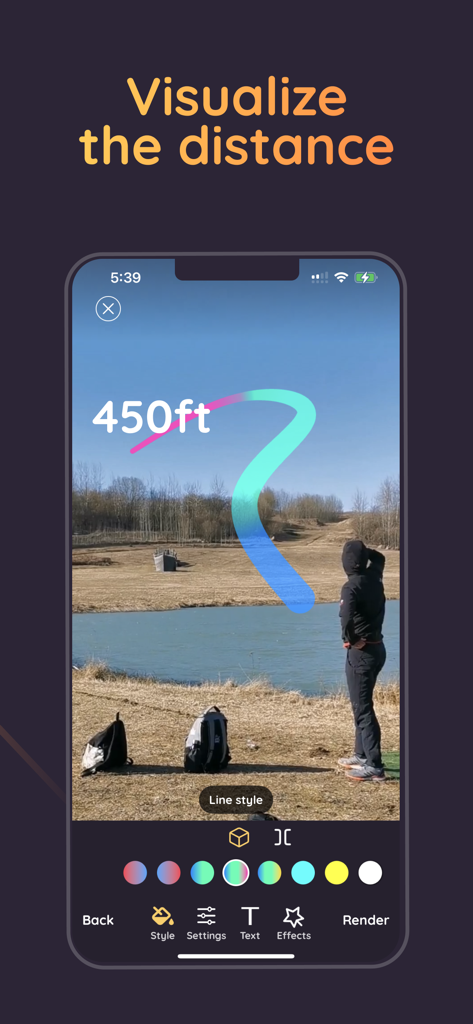
Ace Trace mobile app showing a colorful shot trace line with a 450 feet distance label over a landscape
Ace Trace mobile app showing a colorful shot trace line with a 450 feet distance label over a landscape

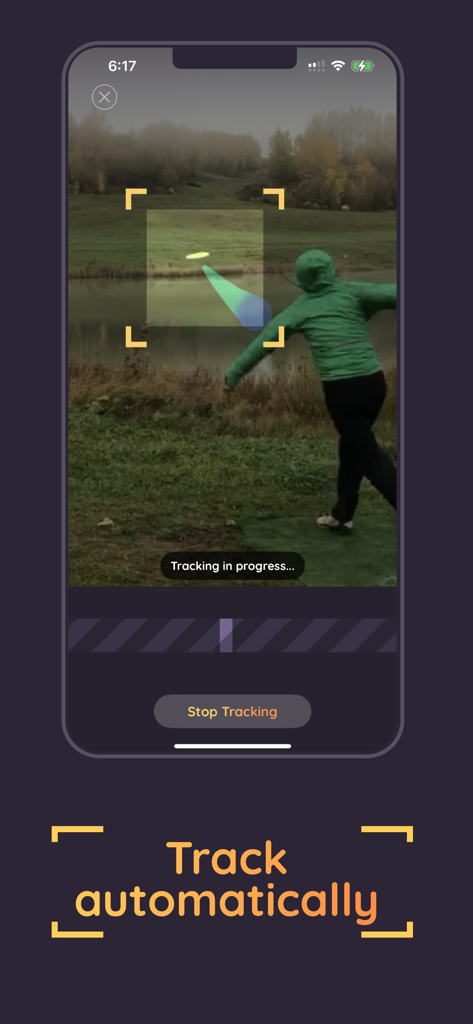
Automatic disc golf shot tracking feature in the Ace Trace app
Automatic disc golf shot tracking feature in the Ace Trace app

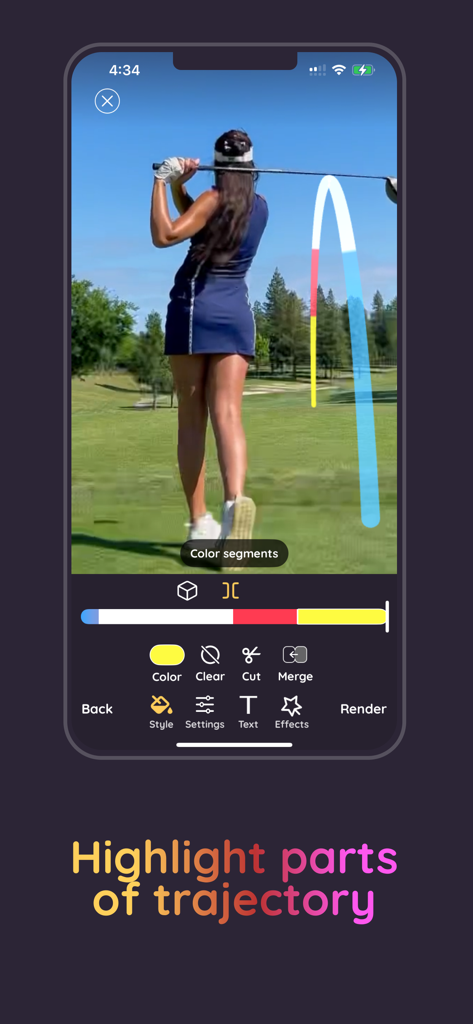
Ace Trace app interface showing a golfer with a colorful multi-segmented shot trajectory trace
Ace Trace app interface showing a golfer with a colorful multi-segmented shot trajectory trace

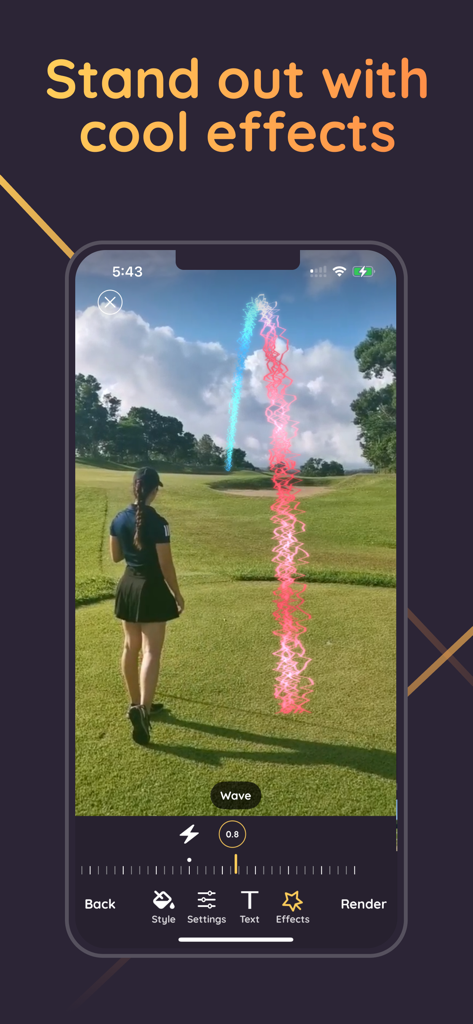
Ace Trace app interface showing a colorful wavy shot tracer on a golf course video

Ace Trace app interface showing a colorful wavy shot tracer on a golf course video

Turn Every Swing Into a Viral Highlight

The tools that make this app stand out, trusted by 313K+ users.

🤳

Steady Handheld Tracing

Film freely without a tripod. Our advanced AI keeps your shot line perfectly aligned even with shaky handheld footage.

Instant Pro Results

Go from raw video to a polished sports highlight in under 60 seconds. Perfect for sharing before you even reach the next hole.

📏

Custom Stats & Style

Overlay real distance labels and vibrant trace effects to prove your power and make your content stand out from the crowd.

Review Analysis

Insights from user reviews.

Sentiment Score

33%
Negative

Summary

Users have a mixed but generally negative experience with the app, appreciating its potential for shot tracing in golf and disc golf, and some find manual editing features intuitive and easy to use. However, the app faces widespread criticism primarily due to its expensive subscription model and restrictive paywall, which often prevents users from saving videos or utilizing features without costly upgrades. The AI tracking system is frequently deemed inaccurate and unreliable, often failing to trace shots correctly and leading to app crashes, further exacerbated by general stability issues. Many users also expressed the need for more customizable editing options and improved basic functionalities like specific album saving and consistent performance across devices.

Common Themes

Subscription & Pricing(20)
AI Tracking Accuracy(13)
Overall App Experience(13)
Saving & Exporting(10)
Ease of Use(6)
Manual Editing Features(5)
App Stability(4)

About the app

Everything you need to know about Ace Trace - Shot Tracker.

Description

Turn Every Shot into a Highlight with Ace Trace! Ace Trace lets you easily trace golf, disc golf, baseball, or even bird flights with stunning visual effects—no tripod or complex editing required. Key Features: - Powerful Shot Tracing: Transform your videos with pro-level shot trails in under a minute, directly on your phone. No editing experience needed. - No Tripod Needed: Capture footage freely—even with camera movement. The trace line stays perfectly aligned with your shot. - Custom Visual Effects: Make your videos pop with vibrant trace lines. Choose from gradients, solid colors, or special effects like electricity and waves. - Distance Labels: Enter your shot’s distance to display a real-time counter along the trace—perfect for sharing impressive plays. - Flexible Tracing Modes: Use Golf Mode for smooth drives or Free Curve Mode for putts, disc throws, or any flying object. Easily adjust and refine your lines. - Full Customization: Change line color, width, opacity, and control how it interacts with objects or obstacles in your scene. How It Works: 1. Trace manually or let the app auto-detect the trajectory. 2. Choose your style and fine-tune your visuals. 3. Add distance and effects. 4. Export and share your masterpiece instantly. Download Ace Trace now—make every shot unforgettable. Subscribe to access to premium app features; subscription details are the following: - Length: weekly, yearly - Your payment will be charged to your iTunes Account as soon as you confirm your purchase - You can manage your subscriptions and turn off auto-renewal from your Account Settings after the purchase - Your subscription will renew automatically, unless you turn off auto-renew at least 24 hours before the end of the current period - The cost of renewal will be charged to your account in the 24 hours prior to the end of the current period - When canceling a subscription, your subscription will stay active until the end of the period. Auto-renewal will be disabled, but the current subscription will not be refunded - Any unused portion of a free trial period, if offered, will be forfeited when purchasing a subscription Terms of Use: https://www.apple.com/legal/internet-services/itunes/dev/stdeula/

Latest Version

8.12

Size

118.6 MB

First Released

Jun 11, 2021

Ready to Trace Your Best Shot?

Join over 313,000 athletes turning their mobile videos into pro-level highlights in seconds. No tripod, no complex editing—just pure performance.

Download on App StoreDownload on Google Play

App information, icons, screenshots, and descriptions displayed on this page are sourced from the Apple App Store and are the property of their respective developers. Download estimates and rankings are based on MWM's proprietary models and may not reflect actual figures. This page is provided for informational and analytical purposes only.

Believe this page infringes your intellectual property? File a dispute