
This page is not an official page of the app or its developer, but an independent editorial publication created for informational and commentary purposes. Unless expressly stated otherwise, neither the app nor its developer is affiliated with, endorsed by, sponsored by, authorized by, or otherwise officially connected with MWM, Apple, Google Play, the app publisher, or the app's developer, and nothing on this page implies that the app was developed using MWM's services. Any trademarks, logos, screenshots, and other content remain the property of their respective owners.


Postparty
The ultimate highlight reel for Fortnite and Rocket League. Sync your best moments directly to your phone, trim the action, and show your squad what you’re made of in seconds.
Downloads
1M+User Rating
Total Ratings
37K+Publisher
Category
EntertainmentLocales
16Latest Version
1.7.1Size
55.0 MBFirst Released
Feb 9, 2023Turn Your Gameplay Into Hype
The seamless way to capture, edit, and share your Fortnite and Rocket League highlights directly from your phone.
One-Button Capture
Never miss a clutch play again. Just press and hold to automatically send your best gaming moments from console to mobile.
Pro-Level Trimming
No complex software needed. Trim your clips in seconds to highlight the exact moment you secured the victory.
Frequently Asked Questions
Everything you need to know about Postparty
What is the Postparty app?
Postparty is an application designed to capture, store, edit, and share gaming moments. It helps users save their personal highlight reels from supported games and easily share gameplay clips with friends and followers.
How does Postparty help capture gaming moments?
Postparty assists by allowing users to capture moments from Epic Games Fortnite or Psyonix Rocket League with a simple button press. It saves, stores, and organizes the content within the app for easy access.
Can users edit video clips within Postparty?
Yes, users can edit video clips in Postparty. The app provides tools to trim clips, enabling users to select and save only the best moments before sharing. Screenshot #1 demonstrates this trimming functionality.
Which games are compatible with Postparty for clip capturing?
Postparty is compatible with Epic Games Fortnite and Psyonix Rocket League. Users can capture and manage gaming moments specifically from these two titles.
Is an Epic Games account necessary to use Postparty?
Yes, an Epic Games account is necessary to use Postparty. Users must log in with their Epic Games account to directly upload and manage content within the application.
How can I share my gaming clips from Postparty?
Users can share their gaming clips from Postparty through various methods. Options include social media, messages, or email, allowing flexible distribution of captured moments. Screenshot #2 shows a prominent "Share" button.
Does Postparty store captured gameplay videos?
Yes, Postparty stores captured gameplay videos. The app saves and organizes personal highlight reels, making clips easily accessible for rewatching or sharing whenever desired. Screenshot #3 indicates building a "vault of awesome."
The following screenshots and description are sourced directly from the app's official store listing and are the property of the app developer.
App Store
Screenshots
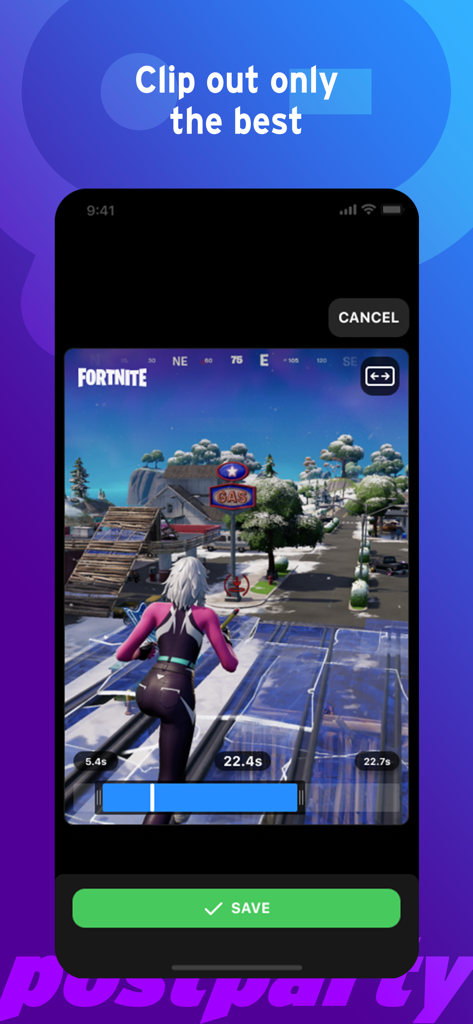
Postparty app interface for trimming and saving Fortnite gameplay clips
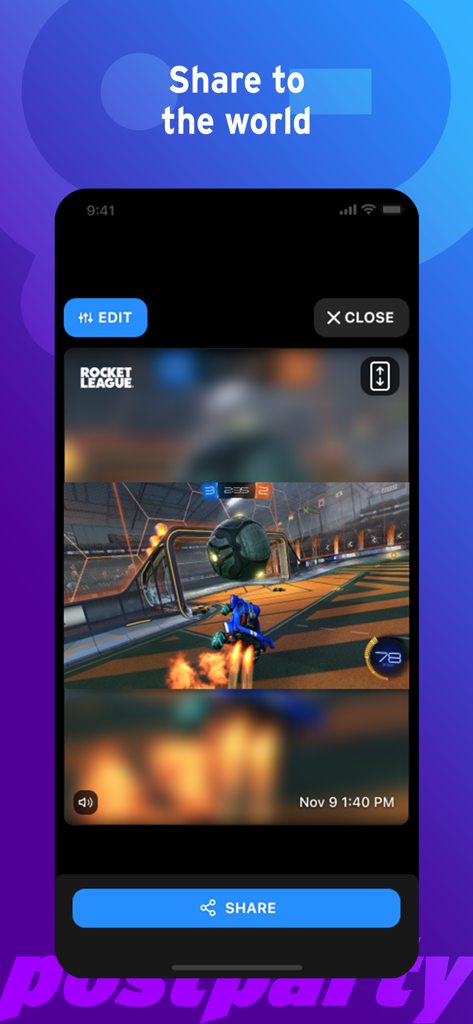
A Rocket League gameplay clip in the Postparty mobile app ready to be edited and shared.
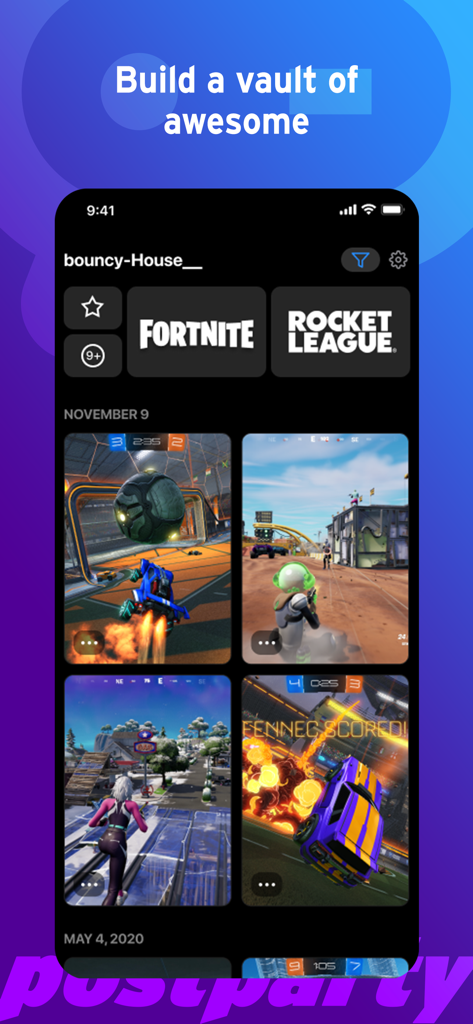
Postparty app interface showing a vault of saved Fortnite and Rocket League game clips
Description
Download
More Like This
Apps with similar features and user experience

Rematch – Sports Highlights
La Passe Video

Filma Eu
Endorfine Tecnologia LTDA

Gravae
Gravae Tecnologia LTDA

Allstar.gg
Allstar Gaming, Inc

Ace Trace - Shot Tracker
AI Photo Editor Lab SRL

GolfCam: Golf Video Editor
HONG KONG GOLFING CREATIVE LIMITED

Spash App
NGTV Experience
PUSHIT.
PUSHIT REPLAYS LTD
This page is not an official page of the app or its developer, but an independent editorial publication created for informational and commentary purposes. Unless expressly stated otherwise, neither the app nor its developer is affiliated with, endorsed by, sponsored by, authorized by, or otherwise officially connected with MWM, Apple, Google Play, the app publisher, or the app's developer, and nothing on this page implies that the app was developed using MWM's services. Any trademarks, logos, screenshots, and other content remain the property of their respective owners.