
This page is not an official page of the app or its developer, but an independent editorial publication created for informational and commentary purposes. Unless expressly stated otherwise, neither the app nor its developer is affiliated with, endorsed by, sponsored by, authorized by, or otherwise officially connected with MWM, Apple, Google Play, the app publisher, or the app's developer, and nothing on this page implies that the app was developed using MWM's services. Any trademarks, logos, screenshots, and other content remain the property of their respective owners.

ActiveCaptain®
Seamlessly connect your mobile device to your boat's electronics to sync charts, plan routes, and access a global community of boaters. From remote monitoring to on-water control, experience the power of the Garmin ecosystem in the palm of your hand.
Downloads
1M+User Rating
Total Ratings
4K+Publisher
Category
NavigationLocales
31Latest Version
42.0Size
188.6 MBFirst Released
Nov 7, 2017Command Your Experience from Helm to Home
Seamlessly connect your mobile device to your Garmin chartplotter to sync premium charts, plan your next voyage, and stay informed with real-time community intelligence.
Smart Trip Planning & Sync
E-scout new fishing spots and plan complex routes from your couch, then wirelessly transfer data to your vessel's chartplotter for a seamless departure.
ActiveCaptain Community Intel
Navigate with confidence using crowdsourced reviews on marinas, fuel prices, and local hazards from a global network of experienced mariners.
Frequently Asked Questions
Everything you need to know about ActiveCaptain®
What is the ActiveCaptain app for?
The ActiveCaptain app creates a powerful connection between your mobile device and Garmin chartplotter, charts, and the boating community. It enables wireless transfer of maps, software updates, routes, and waypoints for various marine activities.
Is ActiveCaptain a standalone navigation app?
No, the ActiveCaptain app is not a standalone navigational app. It is designed for Garmin chartplotter owners to enhance their boating experience by connecting to their existing Garmin products.
Can I control my chartplotter with the ActiveCaptain app?
Yes, the ActiveCaptain app features the built-in Helm™ function. This allows you to view and control your compatible Garmin chartplotter directly from your smartphone or tablet, even remotely.
How can I plan trips using the ActiveCaptain app?
The ActiveCaptain app enables you to plan trips or e-scout new fishing spots before you are on the water. You can then transfer your planned routes and waypoints to your Garmin chartplotter.
What types of charts are available in ActiveCaptain?
ActiveCaptain offers Garmin Navionics+™ and premium Garmin Navionics Vision+™ cartography, featuring advanced Auto Guidance+™ technology. Users can also access legacy BlueChart® g3 charts and free NOAA raster cartography.
Does the ActiveCaptain app sync user data?
Yes, the ActiveCaptain app automatically backs up and synchronizes user data. This includes routes, waypoints, and other information, between your mobile device and your Garmin chartplotter.
Can I purchase marine charts through the ActiveCaptain app?
Yes, you can purchase the newest-generation Garmin Navionics+™ and premium Garmin Navionics Vision+™ charts directly from your mobile device using the ActiveCaptain app. These can then be uploaded to registered Garmin chartplotters.
What are the prices for marine charts in ActiveCaptain?
Prices for marine charts in ActiveCaptain vary by region and chart type. For instance, U.K., Ireland & Holland Marine Charts cost $349.99, and Iceland to Orkney Marine Charts cost $249.99, typically including a one-year subscription.
How does ActiveCaptain update chartplotter software?
The ActiveCaptain app provides notifications about available software updates for your Garmin chartplotter. You can then perform wireless updates directly to your chartplotter using the app, ensuring current features.
Is boat monitoring possible with the ActiveCaptain app?
Yes, boat monitoring is possible with the ActiveCaptain app when paired with the OnDeck™ hub. This system allows you to track, monitor, and control boat switches remotely from virtually anywhere.
Does ActiveCaptain display smart notifications from my phone?
Yes, the ActiveCaptain app supports smart notifications. By connecting the app to your Garmin chartplotter, you can view incoming calls, text messages, and other alerts directly on the chartplotter display.
What is the ActiveCaptain Community?
The ActiveCaptain Community connects boaters, providing feedback on marinas, boat ramps, and points of interest. Users can read ratings, reviews, and view pictures, and also contribute their own POI information and insights.
Can I download HD contour maps with ActiveCaptain?
Yes, the ActiveCaptain app allows users to download the latest 1’ HD contour maps from the Garmin Quickdraw™ Community. Users can also upload their own Quickdraw Contours map data.
Does ActiveCaptain support Garmin Navionics+ cartography?
Yes, ActiveCaptain supports the new Garmin Navionics+™ and premium Garmin Navionics Vision+™ cartography. These charts feature a Navionics® style appearance and include advanced Auto Guidance+™ technology.
What is the size of chart downloads in ActiveCaptain?
Chart downloads in ActiveCaptain vary in size depending on the region selected. For example, downloading a specific region of Florida can use 4.72 GB of storage, with 56 GB remaining free.
The following screenshots and description are sourced directly from the app's official store listing and are the property of the app developer.
App Store
Screenshots
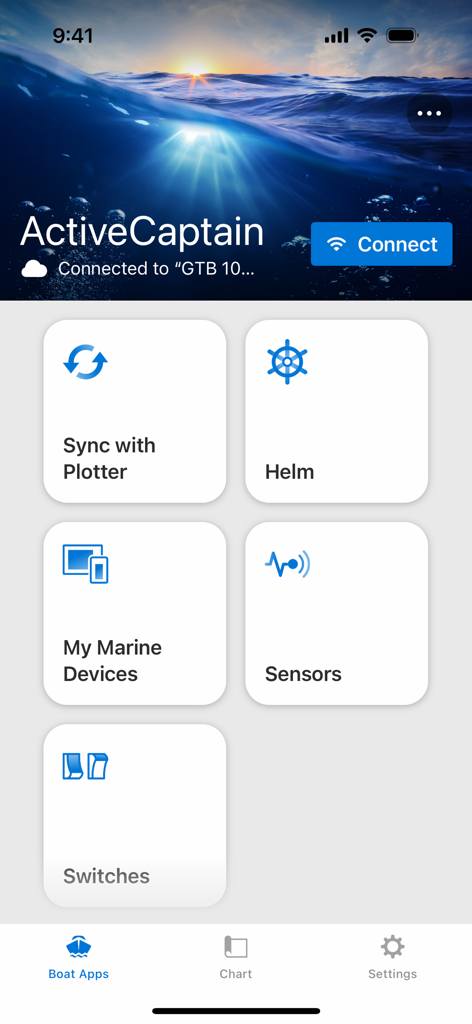
ActiveCaptain app home screen showing dashboard tiles for helm sync with plotter and marine device management
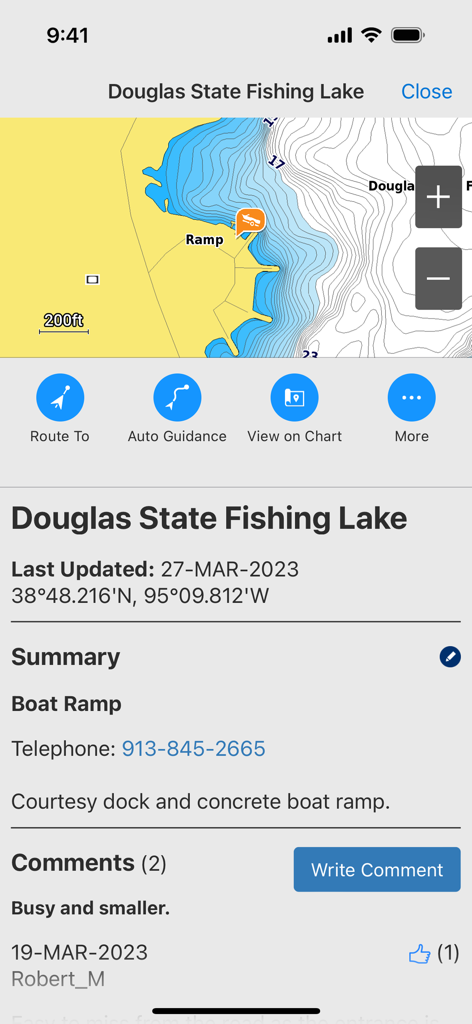
ActiveCaptain app interface displaying map contours and community reviews for a boat ramp at Douglas State Fishing Lake.
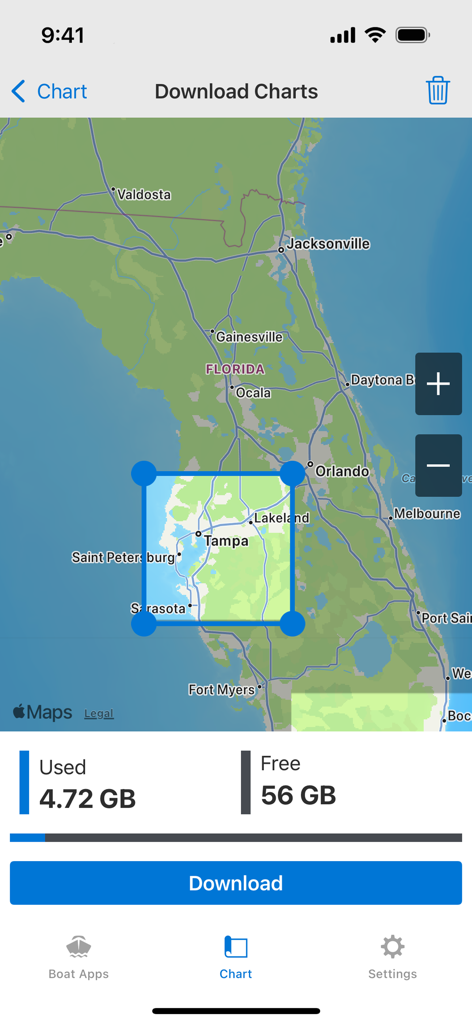
ActiveCaptain app screen for downloading marine charts with a map of Florida
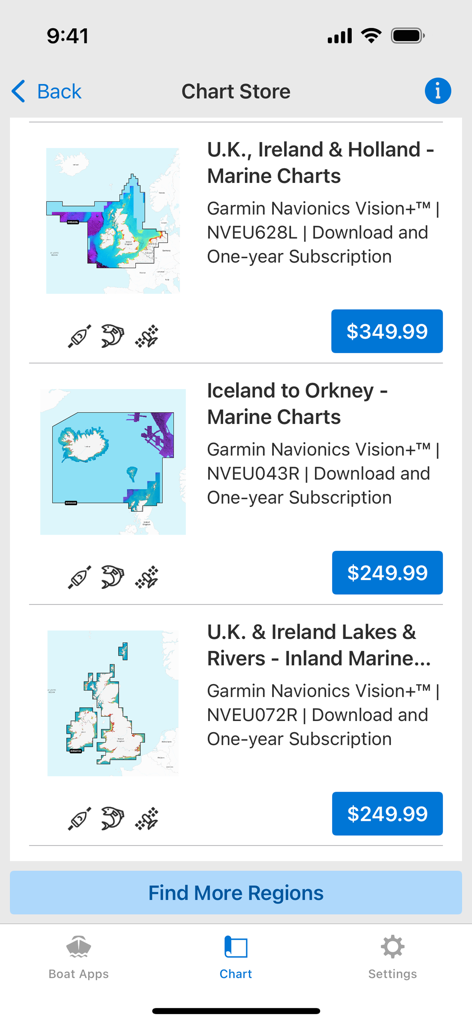
Garmin ActiveCaptain app chart store displaying regional marine maps for purchase
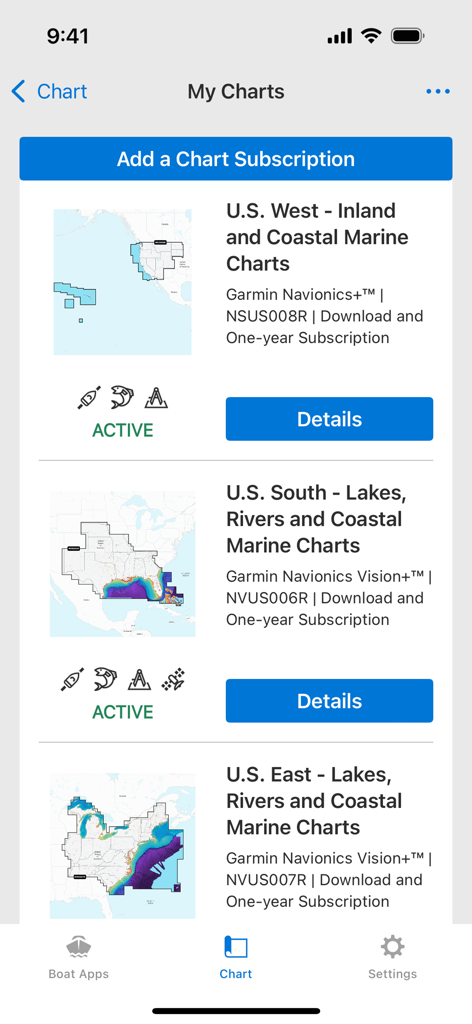
The My Charts screen in the ActiveCaptain app displaying a list of active Garmin Navionics marine chart subscriptions for various US regions
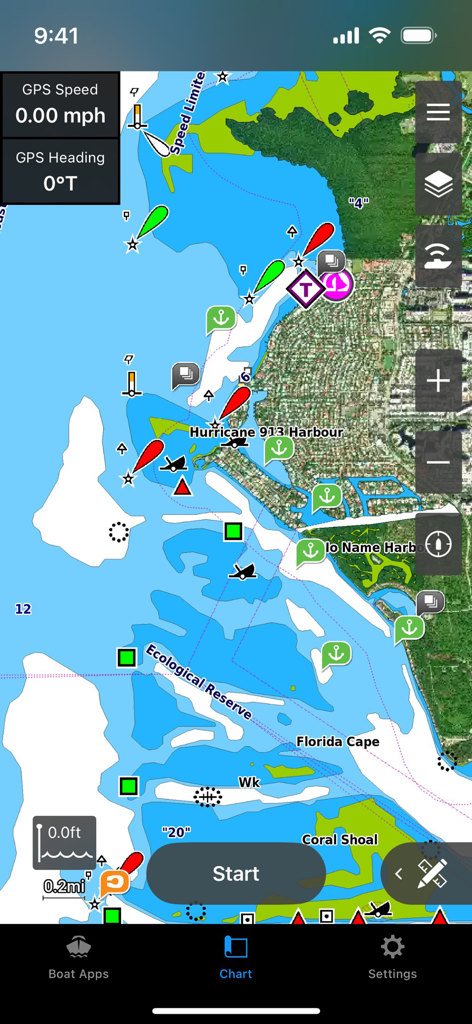
Interface of the Garmin ActiveCaptain app showing a detailed marine navigation chart with coastal markers and GPS data
Description
Download
More Like This
Apps with similar features and user experience
dēzl™
Garmin International

Lowrance: app for anglers
Navico Norway AS
Fusion Audio
Garmin International

NMEAremote
zapfware
RayControl
Raymarine Belgium BVBA

One-Boat Network
Johnson Outdoors Inc

iAIS
Digital Yacht Ltd

Raymarine
Raymarine UK Limited
Boat Instruments
Imray, Laurie, Norie & Wilson LTD
This page is not an official page of the app or its developer, but an independent editorial publication created for informational and commentary purposes. Unless expressly stated otherwise, neither the app nor its developer is affiliated with, endorsed by, sponsored by, authorized by, or otherwise officially connected with MWM, Apple, Google Play, the app publisher, or the app's developer, and nothing on this page implies that the app was developed using MWM's services. Any trademarks, logos, screenshots, and other content remain the property of their respective owners.