Activity Tracker・FitnessView
Download on App Store

This page is not an official page of the app or its developer, but an independent editorial publication created for informational and commentary purposes. Unless expressly stated otherwise, neither the app nor its developer is affiliated with, endorsed by, sponsored by, authorized by, or otherwise officially connected with MWM, Apple, Google Play, the app publisher, or the app's developer, and nothing on this page implies that the app was developed using MWM's services. Any trademarks, logos, screenshots, and other content remain the property of their respective owners.

Logo of Activity Tracker・FitnessView
Download on App Store

Activity Tracker・FitnessView

Transform raw health metrics into actionable insights. Personalize your dashboard, customize deep-dive widgets, and master your fitness goals with the most powerful data visualizer for the Apple ecosystem.

Key Figures

Downloads

963K+

User Rating

4.6/5

Total Ratings

7K+

Publisher

Funn Media, LLC

Category

Health & Fitness

Locales

12

Latest Version

2.8.3

Size

240.6 MB

First Released

Jul 14, 2021
Features

Take Command of Your Health Data

FitnessView transforms Apple Health's complex metrics into a beautiful, actionable dashboard tailored specifically to your unique fitness journey and lifestyle goals.

Personalized Health Dashboard

Create your ultimate control center. Choose from over 50 datasets—like active calories, hydration, and macros—to see exactly what matters to you at a single glance.

Glanceable Widgets & Complications

Bring your progress to the forefront. Use powerful Home Screen widgets and custom Apple Watch complications to monitor your streaks and goals without even opening the app.

The following screenshots and description are sourced directly from the app's official store listing and are the property of the app developer.

App Store

Screenshots
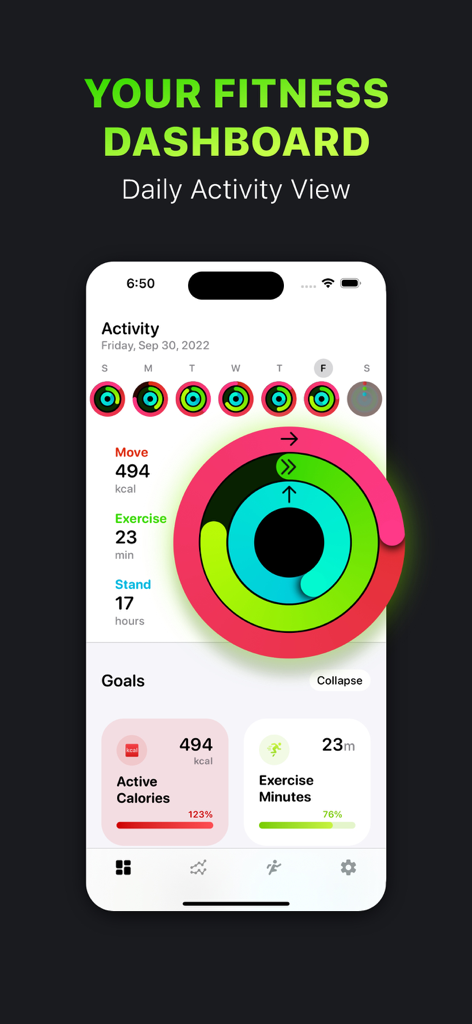
Activity Tracker・FitnessView - FitnessView app interface on an iPhone displaying activity rings and fitness goal progress
FitnessView app interface on an iPhone displaying activity rings and fitness goal progress

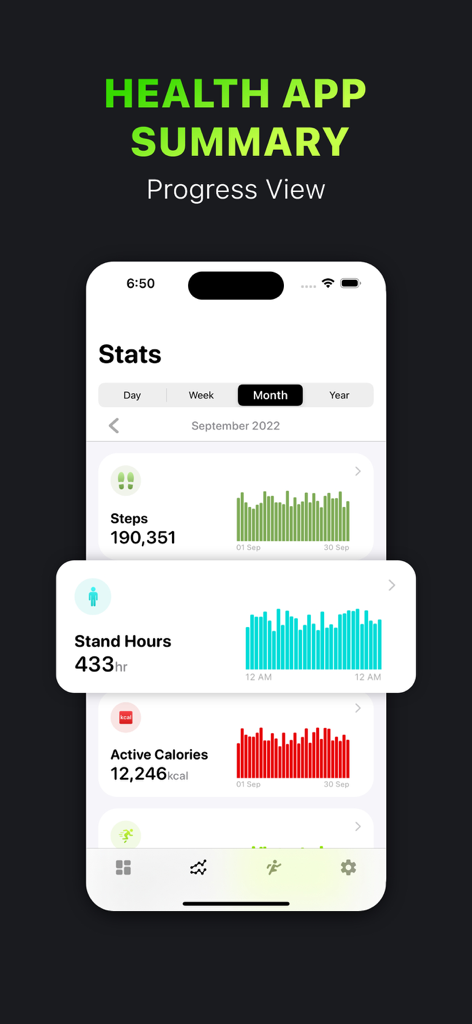
Activity Tracker・FitnessView - FitnessView app monthly health stats dashboard showing steps stand hours and active calories with progress charts
FitnessView app monthly health stats dashboard showing steps stand hours and active calories with progress charts

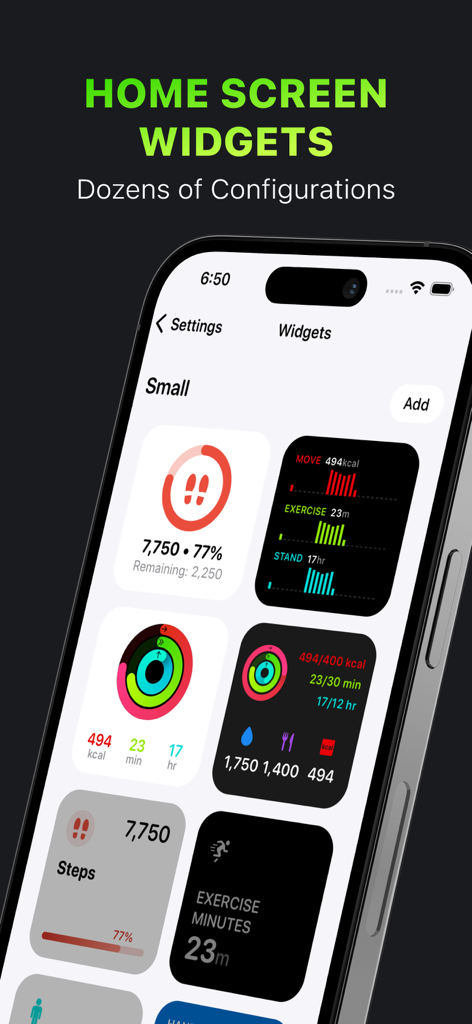
Activity Tracker・FitnessView - A selection of customizable fitness and health tracking widgets for the iPhone home screen
A selection of customizable fitness and health tracking widgets for the iPhone home screen

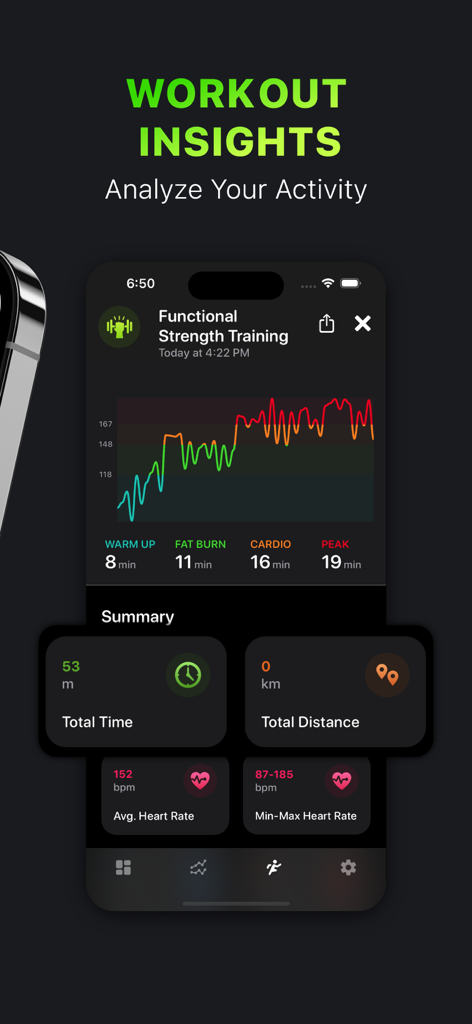
Activity Tracker・FitnessView - FitnessView app screenshot showing workout insights for functional strength training with heart rate graphs and activity statistics
FitnessView app screenshot showing workout insights for functional strength training with heart rate graphs and activity statistics

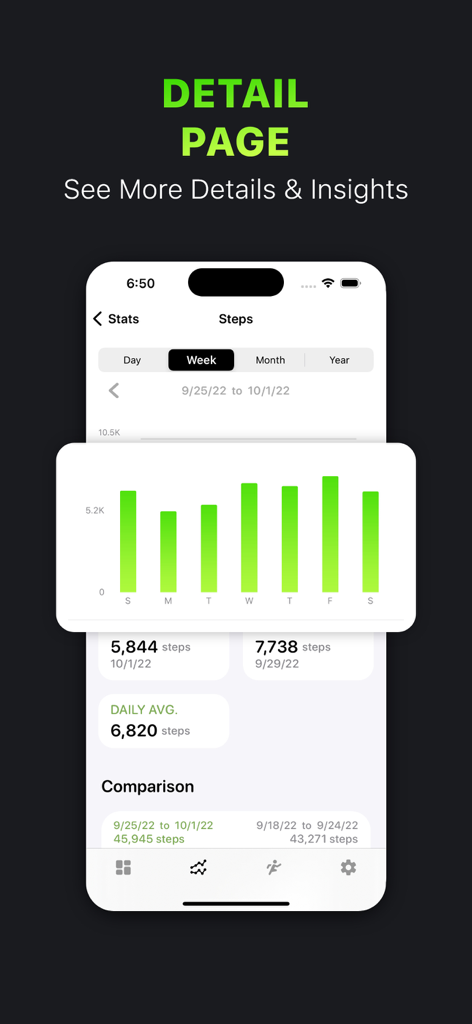
Activity Tracker・FitnessView - FitnessView app showing weekly steps statistics and progress chart
FitnessView app showing weekly steps statistics and progress chart

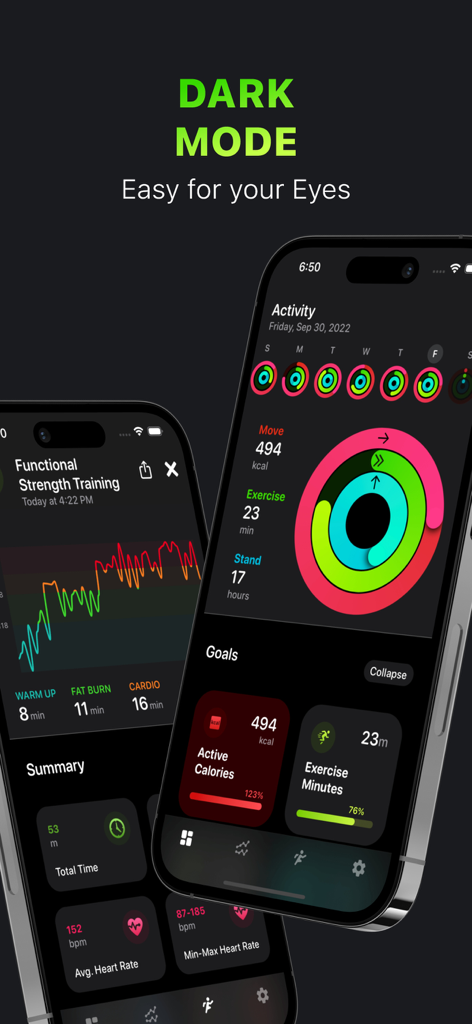
Activity Tracker・FitnessView - FitnessView mobile app interface in dark mode showing activity rings and health statistics
FitnessView mobile app interface in dark mode showing activity rings and health statistics

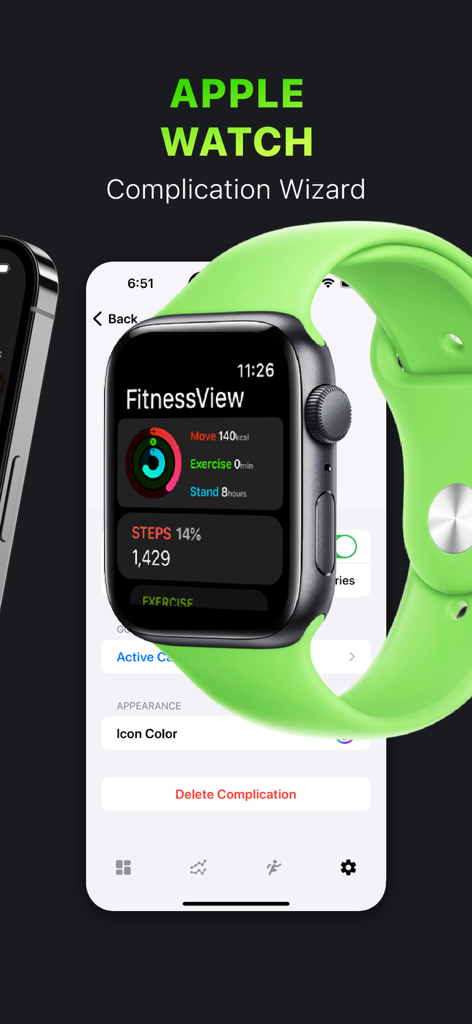
Activity Tracker・FitnessView - Apple Watch displaying FitnessView activity stats next to the iPhone complication wizard settings.

Apple Watch displaying FitnessView activity stats next to the iPhone complication wizard settings.
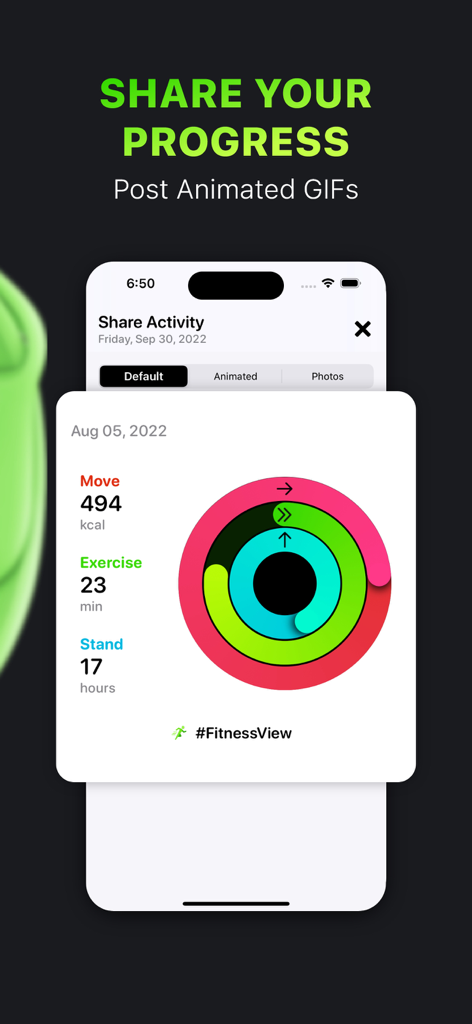
Activity Tracker・FitnessView - iPhone screen showing the share activity feature in the FitnessView app with colorful activity rings and progress data
iPhone screen showing the share activity feature in the FitnessView app with colorful activity rings and progress data

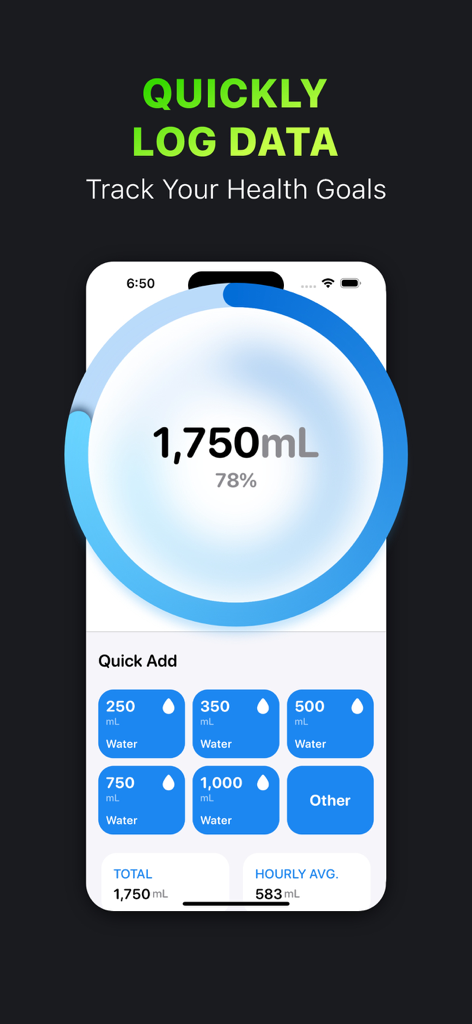
Activity Tracker・FitnessView - FitnessView app interface for tracking daily water intake with a progress ring and quick add volume buttons
FitnessView app interface for tracking daily water intake with a progress ring and quick add volume buttons

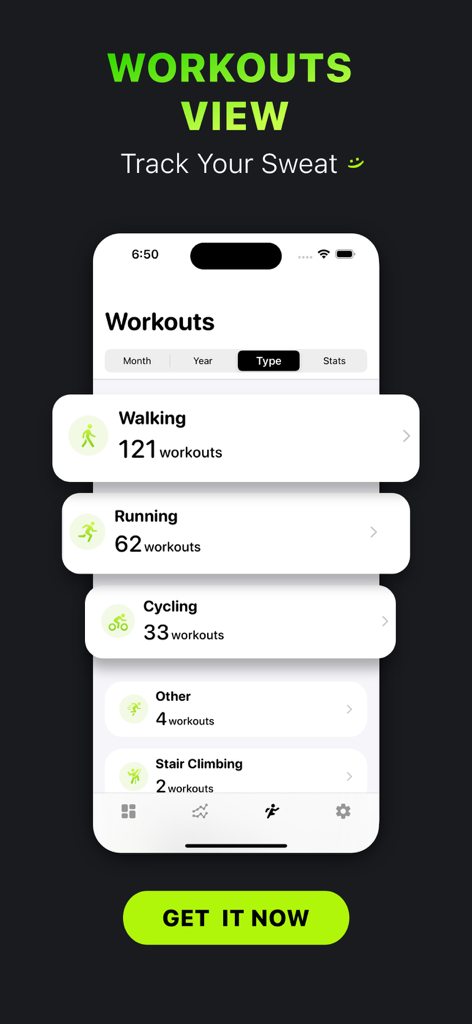
Activity Tracker・FitnessView - FitnessView app interface on an iPhone displaying a summary of workouts categorized by type like walking running and cycling

FitnessView app interface on an iPhone displaying a summary of workouts categorized by type like walking running and cycling

Description

FitnessView integrates with the Watch Activity and Health apps - it allows you to see your health & fitness data in a dashboard style and a different way, by allowing you to drill down to more details in an easy and insightful way! HEALTH & FITNESS APP DASHBOARD Right on the Home Screen of the app, you will be able to see your Activity, Today’s Goals and Recent Workout. Activity area allows you to see at a glance your Activity Rings progress (Move, Exercise, Stand) - you can even see it as a week quick view. Today’s Goals area is where you track your daily health goals like Active Calories, Steps, Hydration, Calories Eaten, Hand Washing and more! You can even log your hydration or calories! Recent Workout shows the last logged workout in your Activity Health app. HEALTH STATISTICS Glance through your Health App data, see a snapshot of the day, week, month or year right in the list! When you tap on the dataset, you will be able to see your health data charts, average line graph and some insights like: total, goal progress, min/max values or completed days - streaks. WORKOUTS VIEW Scroll through All of your logged workouts, see how many you did in a month, what is the total calories burned in a month. View workouts by type, know exactly how many you have logged in past. See general summary stats of your workouts. WATCH FITNESS/HEALTH APP The FitnessView Watch app allows you to see your daily goal summary and more insights. It also allows you to create multiple watch face complications and configure the style, color and which goal to show. View your activity levels from your pedometer data - this feature is very convenient if you want to glance over your activity data quickly. HOME SCREEN WIDGETS See your health and fitness data at a glance right on your Home Screen! Customizable look and feel, view all goals/datasets that you have configured. Widget wizard allows you to change styles, background colors and which health app data to be displayed. See your health, activity and fitness info on a widget! PDF REPORT Export your data into a PDF report that shows your Fitness and Health data. Add a comparison graph to see your progress. This is a great feature if you would like to share your data with a health provider or your fitness coach! EXPORT TO CSV Simple export of your health data in to a CSV file format. Export by type, daily or hourly. PREMIUM FEATURES Unlimited Goals - Configure all available goals (Free version only allows up to three goals). View All Stats - Daily insights, weekly and monthly comparisons, completed days in week or months and more! Watch Complications - Customize your watch face with multiple complication options and features. Widgets - Create and configure dozens of Home Screen widgets. View All Workouts - Better understand your workout data, warm up time, fat burn, cardio and other insights. Log Data - Log data for supported goals from the detail screen like Water, Calories, Macros. Export to CSV PDF Report POPULAR SUPPORTED GOALS/DATASETS: Active Calories Steps Count Walking + Running Distance Exercise Minutes Hand Washing Burned Calories Resting Calories Total Calories Blood Glucose Blood Pressure Body Fat Weight A1C Lean Body Mass Body Temperature Stand Hours Water Workout Time Flights Climbed Pushes Sleep Dietary Calories Caffeine Calcium Carbohydrates Cholesterol Monounsaturated Fat Cycling Distance Fiber Insulin Delivery Iron Mindful Minutes Nike Fuel Ovulation Potassium Protein Saturated Fat Sleep Sodium Swimming Distance Swimming Strokes Vitamin B12, B6 Vitamin C Vitamin D Wheelchair Distance Magnesium Respiratory Rate Cardio Fitness and more! ------------- NOTE: FitnessView reads data only from Apple Health app. No data is being sent outside of your device. Health app access required. Apple Watch device recommended for workout and health tracking. Privacy Policy: https://www.iubenda.com/privacy-policy/73977646 Terms of Use: http://funnmedia.com/fitnessview/terms.html

Download

Download on App Store

This page is not an official page of the app or its developer, but an independent editorial publication created for informational and commentary purposes. Unless expressly stated otherwise, neither the app nor its developer is affiliated with, endorsed by, sponsored by, authorized by, or otherwise officially connected with MWM, Apple, Google Play, the app publisher, or the app's developer, and nothing on this page implies that the app was developed using MWM's services. Any trademarks, logos, screenshots, and other content remain the property of their respective owners.