AdLock: Ads Blocker & Privacy
Download on App Store

This page is not an official page of the app or its developer, but an independent editorial publication created for informational and commentary purposes. Unless expressly stated otherwise, neither the app nor its developer is affiliated with, endorsed by, sponsored by, authorized by, or otherwise officially connected with MWM, Apple, Google Play, the app publisher, or the app's developer, and nothing on this page implies that the app was developed using MWM's services. Any trademarks, logos, screenshots, and other content remain the property of their respective owners.

Logo of AdLock: Ads Blocker & Privacy
Download on App Store

AdLock: Ads Blocker & Privacy

Eliminate intrusive video ads, bypass anti-adblock walls, and stop trackers. Reclaim your digital focus and speed up your browsing experience across iPhone, iPad, and Mac.

Key Figures

Downloads

495K+

User Rating

4.5/5

Total Ratings

9K+

Publisher

Hankuper s.r.o.

Category

Productivity

Locales

13

Latest Version

2.29

Size

108.9 MB

First Released

Jun 30, 2020
Features

Experience the Web Without Limits

AdLock cleans up your digital space, speeds up your browsing, and shields your personal data on all your Apple devices.

Uninterrupted Video Streaming

Skip the pre-rolls and mid-rolls. Enjoy your favorite content on YouTube and Twitch without a single interruption.

Blazing Fast Page Loads

By blocking resource-heavy scripts, websites load up to 2x faster while saving your mobile data and battery life.

The following screenshots and description are sourced directly from the app's official store listing and are the property of the app developer.

App Store

Screenshots
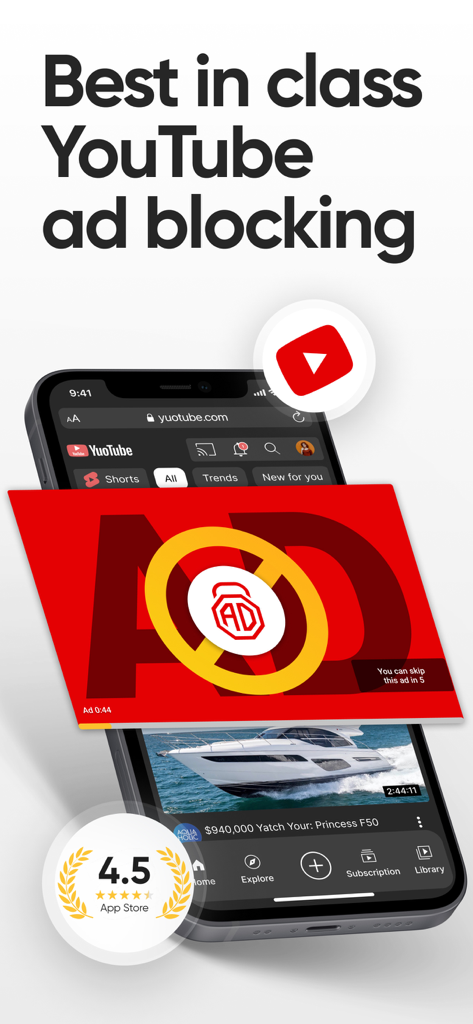
AdLock: Ads Blocker & Privacy - AdLock app interface showing the blocking of a YouTube advertisement on an iPhone screen
AdLock app interface showing the blocking of a YouTube advertisement on an iPhone screen

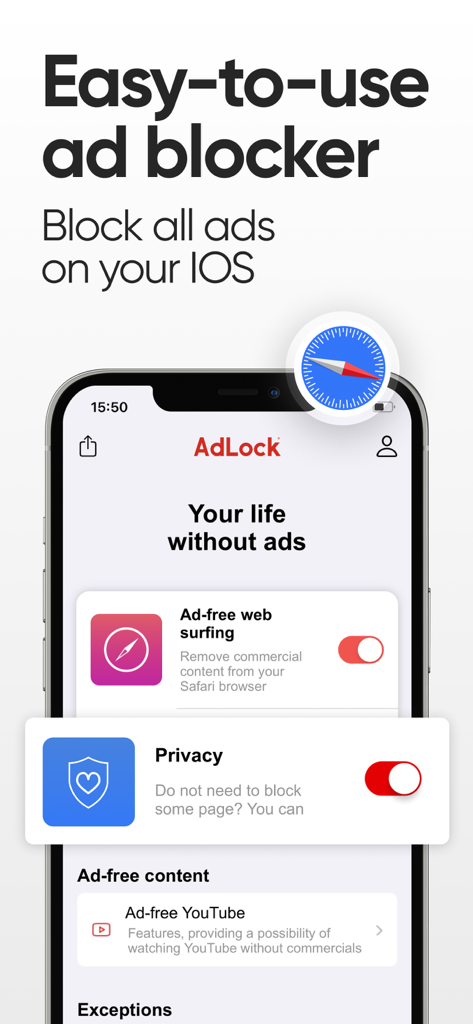
AdLock: Ads Blocker & Privacy - AdLock app interface on iPhone showing ad blocking for Safari and YouTube
AdLock app interface on iPhone showing ad blocking for Safari and YouTube

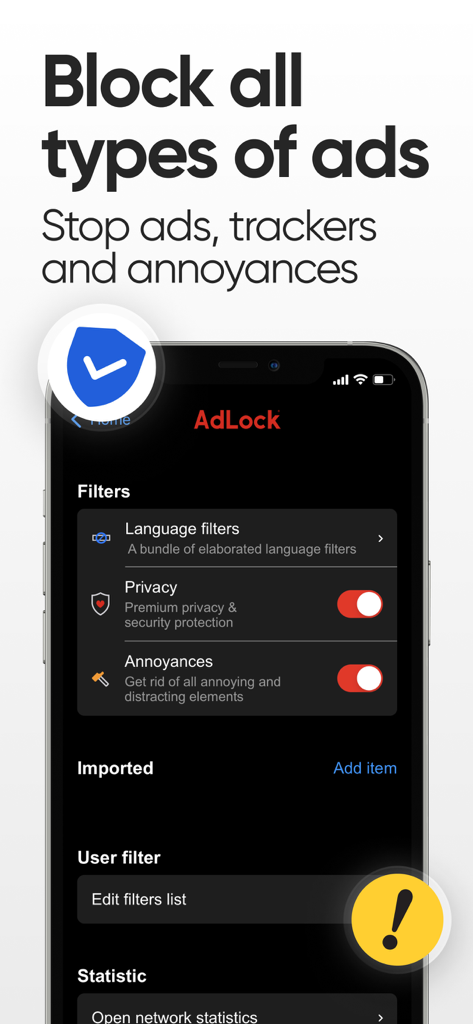
AdLock: Ads Blocker & Privacy - AdLock app interface on iPhone showing privacy and annoyance filters enabled to block ads and trackers.
AdLock app interface on iPhone showing privacy and annoyance filters enabled to block ads and trackers.

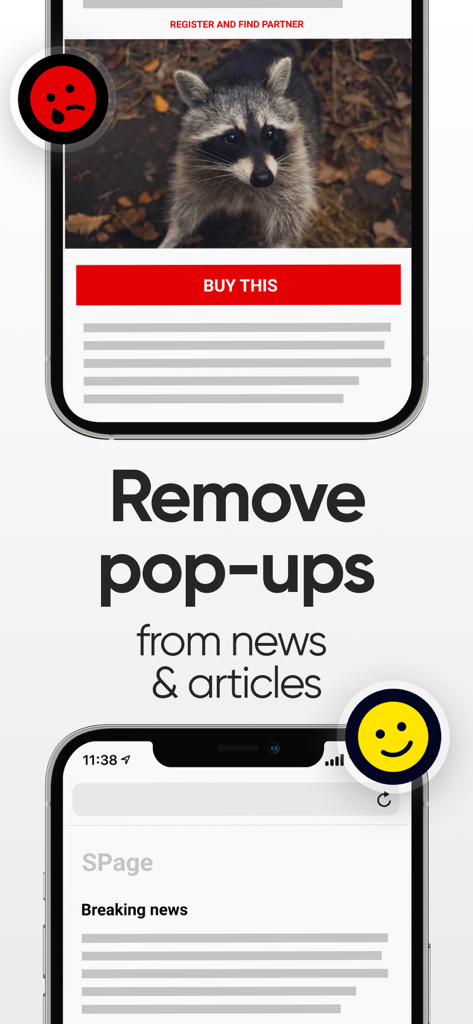
AdLock: Ads Blocker & Privacy - A comparison showing a news article with a large intrusive pop up ad versus a clean version with ads removed by AdLock
A comparison showing a news article with a large intrusive pop up ad versus a clean version with ads removed by AdLock

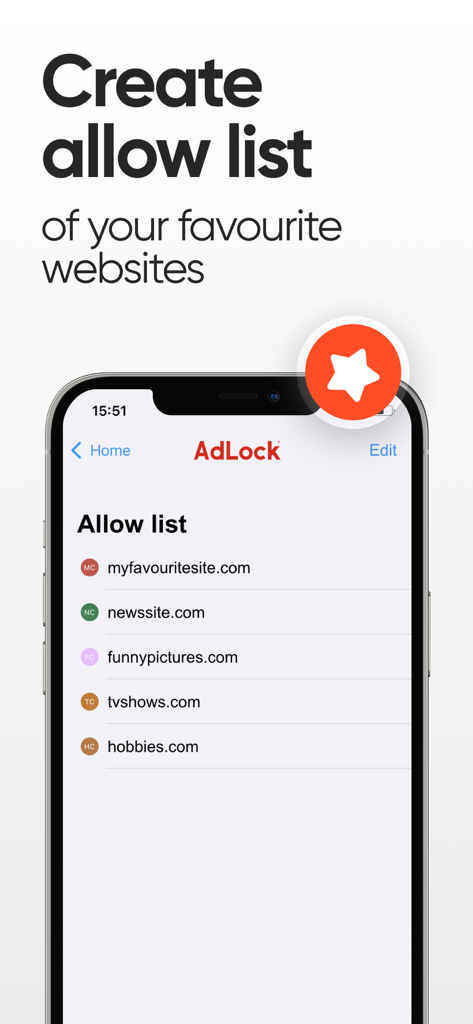
AdLock: Ads Blocker & Privacy - AdLock app screen showing how to create an allow list for favorite websites on iPhone

AdLock app screen showing how to create an allow list for favorite websites on iPhone

Description

AdLock: Ad Blocker for Safari & iOS Privacy AdLock is an advanced ad blocker for iPhone, iPad, and Mac that keeps your browsing experience clean, fast, and private. It blocks all types of ads and trackers on Safari and protects your data across the web. With AdLock for iOS, you get complete control over what you see online. KEY FEATURES • Block pop-ups and banners. AdLock removes all annoying banners, pop-ups, and other intrusive elements from Safari. Enjoy a distraction-free web experience with our powerful ad blocking extension. • Block video and audio ads. No interruptions on streaming platforms. AdLock blocks pre-rolls and mid-rolls on YouTube, Twitch, Crunchyroll, and other media websites. • Remove anti-adblock walls. Some websites detect ad blockers and restrict access. AdLock bypasses anti-adblock scripts so you can access the content you want without limits. • Protect your online privacy. AdLock shields your data from online tracking, analytics, and targeted ads. It stops scripts from Google, Meta, and other ad networks that follow your activity across the web. • Browse safely. Prevent malicious ads, phishing pages, and unwanted redirects. AdLock for iPhone helps you avoid websites that try to install harmful content or collect your information. • Speed up Safari. Blocking heavy ads and scripts makes websites load faster and saves mobile data and battery life. Experience a truly smooth browsing experience. • Customizable filters. Easily adjust filter lists to fine-tune what should be blocked. AdLock offers advanced filter management for expert users. • Whitelist your favorite sites. Want to support a creator or website? Add it to your whitelist in one tap. You can always manage your list from the AdLock settings. ADLOCK SUBSCRIPTION AdLock is a premium ad blocking solution for iOS. A free version offers essential features, while a subscription unlocks full functionality and advanced filter management. Subscriptions are managed through your iTunes account and renew automatically unless canceled at least 24 hours before the renewal date. You can manage your subscription in iTunes Account Settings. WHY ADLOCK • Trusted by thousands of users worldwide • Lightweight and energy-efficient • Regular filter updates • Works seamlessly on iPhone, iPad, and Mac AdLock is your all-in-one ad blocker for Safari and iOS — a fast, secure, and private browsing companion that simply works. Privacy Policy: https://adlock.com/privacy-policy/ EULA: https://adlock.com/eula/

Download

Download on App Store

This page is not an official page of the app or its developer, but an independent editorial publication created for informational and commentary purposes. Unless expressly stated otherwise, neither the app nor its developer is affiliated with, endorsed by, sponsored by, authorized by, or otherwise officially connected with MWM, Apple, Google Play, the app publisher, or the app's developer, and nothing on this page implies that the app was developed using MWM's services. Any trademarks, logos, screenshots, and other content remain the property of their respective owners.