Adobe Premiere: Video Editor

Adobe Premiere: Video Editor


Download on App Store
Logo of Adobe Premiere: Video Editor

Adobe Premiere: Video Editor – Professional Content Creation Powered by AI

Elevate your social media presence with frame-accurate editing, studio-quality sound, and Firefly-powered generative tools. Create scroll-stopping videos for TikTok, Reels, and YouTube with no watermarks and total creative control.

Publisher

Adobe Inc.

Category

Photo & Video

Downloads

2M+

User Rating

4.7/5

Total Ratings

25K+

Locales

28

Studio Power, Simplified

Discover the interface used by 2M+ users.
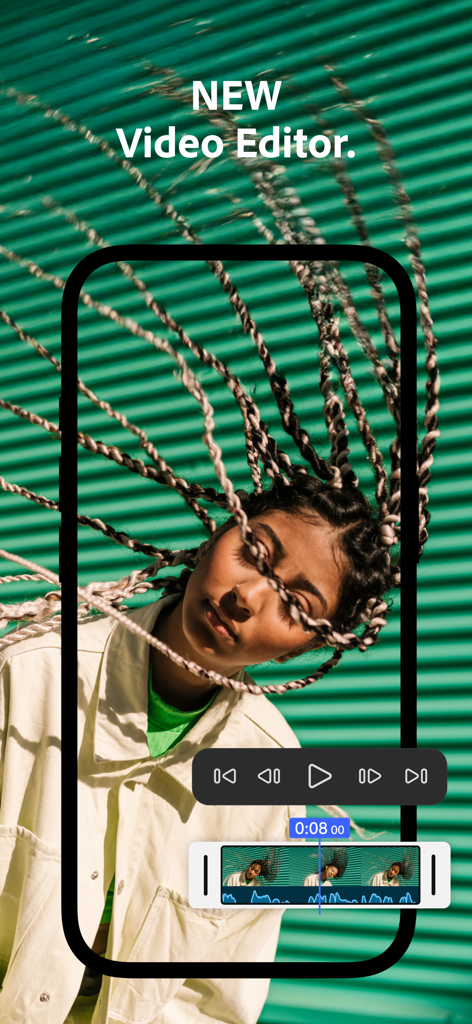
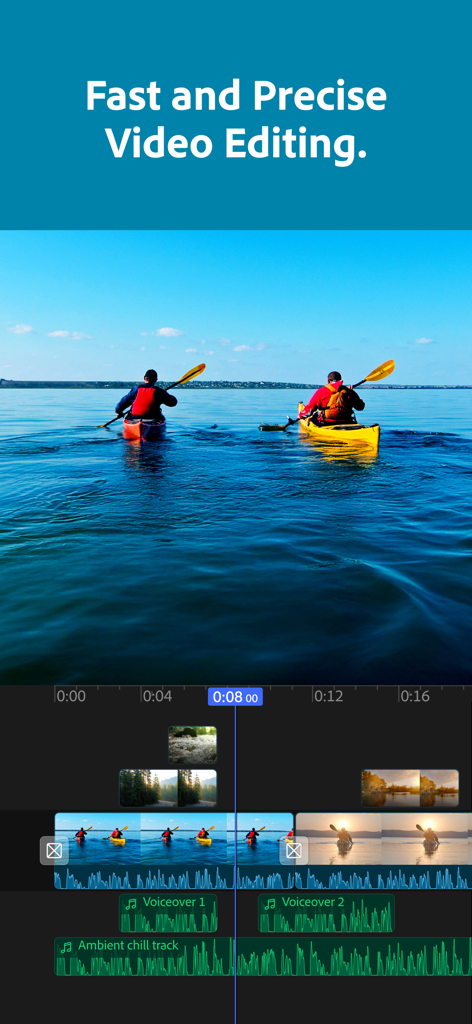
Adobe Premiere mobile video editor interface showing a video timeline with audio waveforms and playback controls over a portrait clip.

Adobe Premiere mobile video editor interface showing a video timeline with audio waveforms and playback controls over a portrait clip.

Multi-track video editing timeline in the Adobe Premiere mobile app showing video and audio clips

Multi-track video editing timeline in the Adobe Premiere mobile app showing video and audio clips

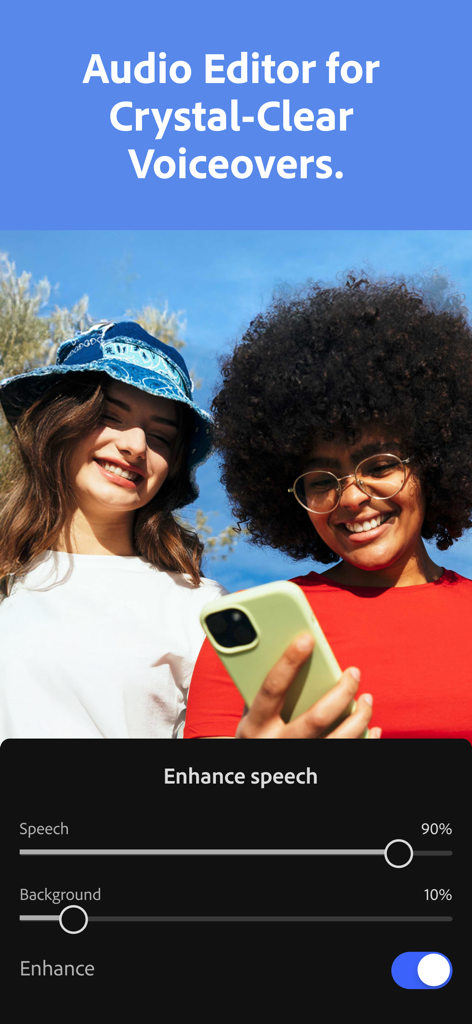
Adobe Premiere app interface showing AI speech enhancement feature

Adobe Premiere app interface showing AI speech enhancement feature

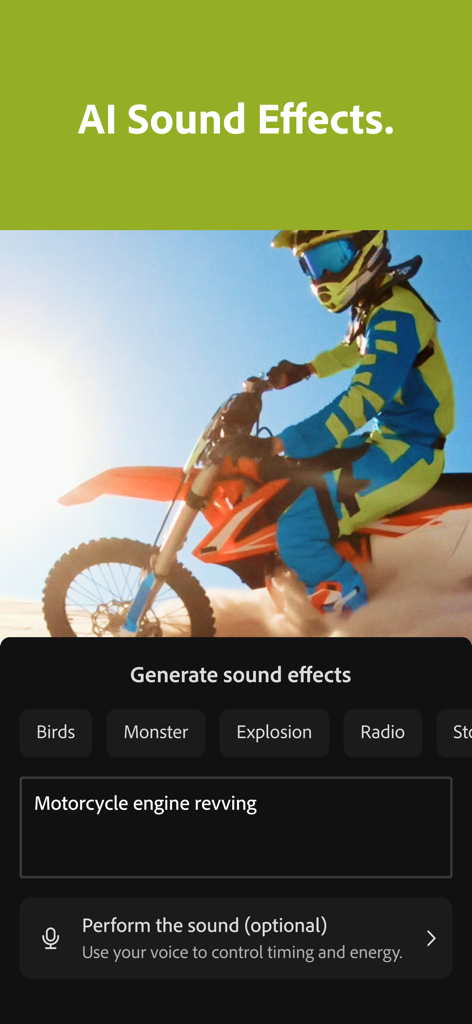
Interface of Adobe Premiere Video Editor app showing AI sound effects generation for a motorcycle video clip

Interface of Adobe Premiere Video Editor app showing AI sound effects generation for a motorcycle video clip

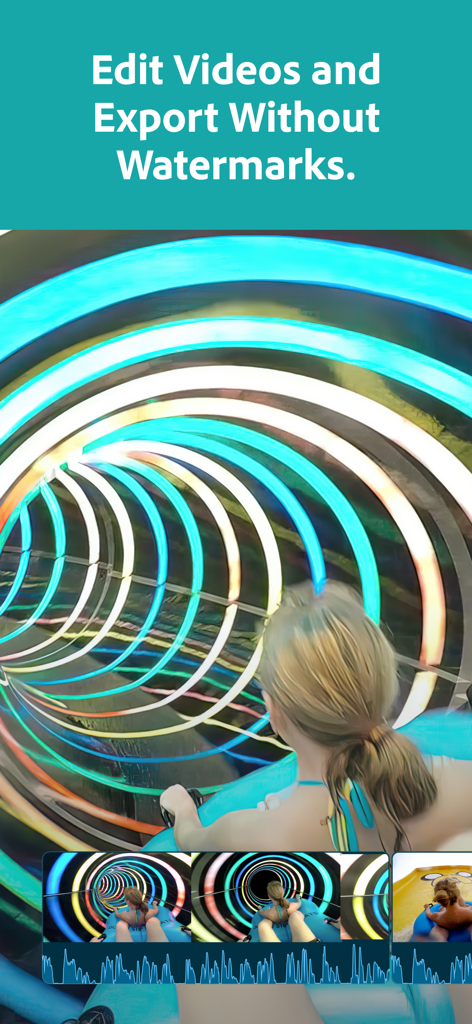
Adobe Premiere app interface showing video editing with no watermarks

Adobe Premiere app interface showing video editing with no watermarks

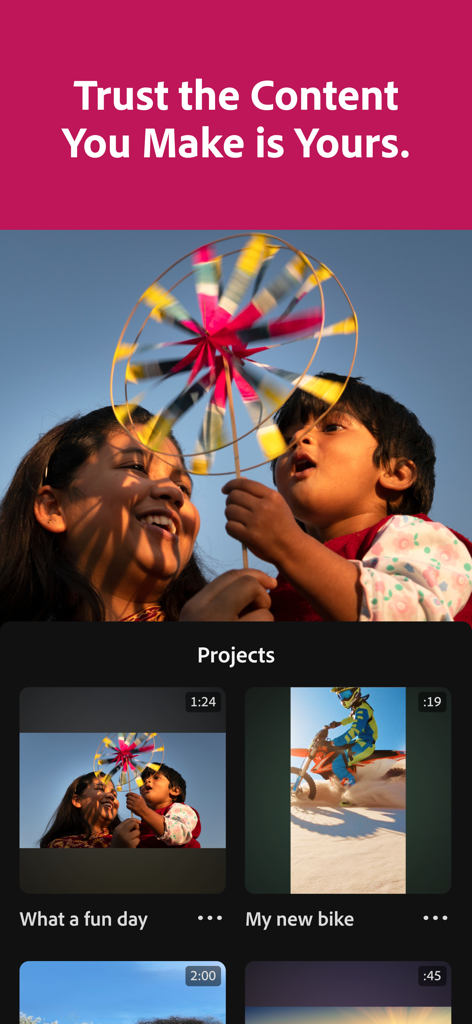
Adobe Premiere mobile app interface displaying a list of video projects under a headline about content ownership.

Adobe Premiere mobile app interface displaying a list of video projects under a headline about content ownership.

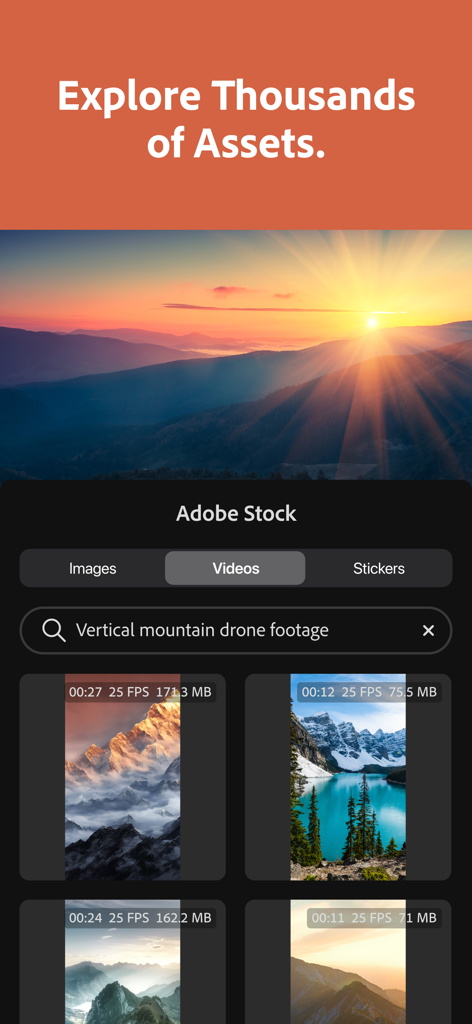
Adobe Premiere app interface showing the Adobe Stock asset library with a search for vertical mountain drone footage

Adobe Premiere app interface showing the Adobe Stock asset library with a search for vertical mountain drone footage

Edit Like a Pro, Anywhere

The tools that make this app stand out, trusted by 2M+ users.

AI Magic for Every Cut

Auto-generate captions and enhance speech to studio quality with one tap using industry-leading AI.

🎬

Precision Multi-Track Editing

Gain total control with a frame-accurate timeline and unlimited tracks for overlays, titles, and effects.

🎨

Infinite Creative Assets

Access a massive library of royalty-free music, stickers, and Lightroom presets to find your unique aesthetic.

About the app

Everything you need to know about Adobe Premiere: Video Editor.

Description

Effortless editing. Total control. Meet the fast, free, and focused mobile video editing app that's powerful enough for any idea, yet simple enough for anyone to use. Edit videos from wherever you are, with no ads or watermarks. Premiere offers unmatched speed on a precise multi-track timeline and studio-quality audio featuring crystal clear voice recordings and perfectly timed AI sound effects -- plus Firefly-powered visuals to create stand out videos. Tell your story with unique, scroll-stopping videos. Level up your content with AI editing tools and create stand out edits to share on TikTok, YouTube, Instagram, Facebook, and more. Record voiceovers and achieve studio-quality audio with crystal clear voice recordings and perfectly timed AI sound effects. Get inspired and kickstart your project with Adobe’s massive library of free creative assets. Speed up your editing with Adobe Firefly AI-generated sound effects, images, videos, and stickers. Capture the moment and create trends with Adobe Premiere. FEATURES: LIGHTNING-FAST TIMELINE • Frame-Accurate Edits: Trim, split, or merge video clips with the industry’s most accurate video editor. • AI Auto Captions: generate captions and add attention grabbing animations in seconds. • Smooth Speed Effects: speed up, slow down, reverse or freeze key moments. • Unique Color Presets: Apply Adobe Lightroom presets and fine tune to fit your aesthetic. • Instant Background Removal: Cut out subjects with one tap. Create overlays, title effects, and more. PRECISION CONTROL • Unlimited Tracks: Overlay clips and organize your timeline with no limits to your creativity. • Resize and Post to Any Platform: Adjust videos to fit any aspect ratio and share anywhere easily. • Advanced Clip Controls: Flip, fit, fill, or extract audio to customize every cut. STUDIO QUALITY SOUND • AI Enhance Speech: Create studio quality voiceovers with the help of AI. • DIY Sound Effects: Use your voice to generate your own sounds. GENERATIVE AI ASSETS • AI Text to Image Generation: create unique, commercially safe images from a simple text prompt with Adobe Firefly. • Stickers That Pop: Generate your own AI stickers or select from the free in-app library. • AI Background Expansion: Extend, enhance, or replace backgrounds with a prompt. FREE LIBRARY OF CREATIVE ASSETS • Get going with quality images, sounds, music, and video from the Adobe library. • Add Music to Your Videos: Select from a library of free and royalty free tracks. • Respects Creator Content Ownership: Adobe never trains on user content. SPEED AND PERFORMANCE • Built natively on iOS for a fast, smooth, editing experience. • Import your assets directly from your device or favorite cloud storage provider. • Edit without distracting pop-up ads, clutter, or watermarks. FREE TO DOWNLOAD AND USE • Everything you need to create great videos is available for free. Only pay when you need Firefly generative AI credits. TERMS & CONDITIONS: Your use of this application is governed by the Adobe General Terms of Use http://www.adobe.com/go/terms_linkfree_en and the Adobe Privacy Policy http://www.adobe.com/go/privacy_policy_linkfree_en Do not sell or share my personal information: www.adobe.com/go/ca-rights-linkfree

Latest Version

25.12.0

Size

97.2 MB

First Released

Sep 30, 2025

Create Without Limits. Edit Without Watermarks.

Join millions of creators using Adobe’s AI-powered tools to turn every idea into a professional, scroll-stopping video. Fast, free, and focused on your story.

Download on App Store
FAQ

Frequently Asked Questions

Everything you need to know about Adobe Premiere: Video Editor

Is Adobe Premiere: Video Editor free to use?

Yes, Adobe Premiere: Video Editor is free to download and use, providing essential video editing features without cost. Users only pay if they require additional Firefly generative AI credits.

Does Adobe Premiere: Video Editor add watermarks to exported videos?

No, Adobe Premiere: Video Editor does not add watermarks to exported videos. Users can edit and export their creations without any distracting watermarks.

Can Adobe Premiere: Video Editor generate captions automatically?

Yes, Adobe Premiere: Video Editor can automatically generate AI Auto Captions. This feature allows users to add attention-grabbing animated captions to their videos in seconds.

Does Adobe Premiere: Video Editor include AI-powered sound effects?

Yes, Adobe Premiere: Video Editor includes AI-powered sound effects. Users can generate their own sounds using their voice or select from a variety of AI-generated options.

Can users access stock assets within Adobe Premiere: Video Editor?

Yes, Adobe Premiere: Video Editor provides access to Adobe’s massive library of free creative assets. This includes quality images, sounds, music, and video to kickstart projects.

Does Adobe Premiere: Video Editor use user content for AI training?

No, Adobe Premiere: Video Editor does not train its AI models on user content. Adobe respects creator content ownership, ensuring user projects remain private and are not used for training.

How does Adobe Premiere: Video Editor handle speech enhancement?

Adobe Premiere: Video Editor features AI Enhance Speech, allowing users to create studio-quality voiceovers. It includes controls for adjusting speech and background sound levels for clarity.

Can I remove backgrounds from videos in Adobe Premiere: Video Editor?

Yes, Adobe Premiere: Video Editor offers Instant Background Removal. Users can cut out subjects with one tap, enabling the creation of overlays and title effects.

Does Adobe Premiere: Video Editor support multi-track editing?

Yes, Adobe Premiere: Video Editor supports unlimited tracks for multi-track editing. Users can overlay clips and organize their timeline without creative limits.

App information, icons, screenshots, and descriptions displayed on this page are sourced from the Apple App Store and are the property of their respective developers. Download estimates and rankings are based on MWM's proprietary models and may not reflect actual figures. This page is provided for informational and analytical purposes only.

Believe this page infringes your intellectual property? File a dispute