
This page is not an official page of the app or its developer, but an independent editorial publication created for informational and commentary purposes. Unless expressly stated otherwise, neither the app nor its developer is affiliated with, endorsed by, sponsored by, authorized by, or otherwise officially connected with MWM, Apple, Google Play, the app publisher, or the app's developer, and nothing on this page implies that the app was developed using MWM's services. Any trademarks, logos, screenshots, and other content remain the property of their respective owners.


Videoshop - Video Editor
Join 12 million+ creators using the ultimate mobile studio to trim, add music, and apply viral effects. From TikTok trends to professional vlogs, edit your story in seconds and share it instantly.
Downloads
12M+User Rating
Total Ratings
420K+Publisher
Category
Photo & VideoLocales
8Latest Version
84.5.6Size
190.2 MBFirst Released
Jun 6, 2013Everything you need to go viral
From quick trims to green-screen magic, Videoshop puts a professional-grade production studio right in your pocket, designed for the next generation of creators.
Fast & Fluid Editing
Cut, merge, and adjust speed with intuitive gestures designed for creators who need to edit and post on the move.
Viral-Ready Effects
Master every trend with Chroma Key (Green Screen), Lip Sync, and Stop Motion features that make your content stand out.
Frequently Asked Questions
Everything you need to know about Videoshop - Video Editor
What is Videoshop - Video Editor?
Videoshop - Video Editor is a free and easy video editor application. It offers fast editing tools, filters, and various effects for personalizing videos.
Can I add music to my videos in Videoshop - Video Editor?
Yes, Videoshop - Video Editor allows you to add music to your videos from your iPod library or by purchasing clips from the Videomall.
Does Videoshop - Video Editor support slow motion effects?
Yes, Videoshop - Video Editor supports slow motion. Users can adjust the video or audio speed to create both slow motion and fast motion effects.
What sharing options are available in Videoshop - Video Editor?
Videoshop - Video Editor allows direct sharing to Snapchat, Instagram, Facebook, YouTube, Vimeo, Dropbox, WhatsApp, or via E-mail. Users can also make a GIF.
Is Videoshop - Video Editor free to use?
Yes, Videoshop - Video Editor is a free application. It also offers an optional Unlimited Access Subscription for additional features and content.
Can I merge multiple video clips with Videoshop - Video Editor?
Yes, Videoshop - Video Editor allows you to merge multiple video clips into one combined video. It also supports cutting and copying clips.
Does Videoshop - Video Editor offer animated titles and filters?
Yes, Videoshop - Video Editor offers animated titles to introduce videos and a selection of filters to enhance video appearance.
How does the Unlimited Access Subscription work in Videoshop - Video Editor?
The Unlimited Access Subscription provides access to all features and content. It bills monthly or annually, or a one-time payment is available. Payment charges to the iTunes Account.
How can I manage my Videoshop - Video Editor subscription?
Users can manage their Videoshop - Video Editor subscription and turn off auto-renewal through their Account Settings after purchase.
Is Videoshop - Video Editor compatible with all video types?
No, Videoshop - Video Editor is compatible only with iPhone and iPad videos. Using videos from other platforms may cause instability or crashes.
Can I add text to my videos using Videoshop - Video Editor?
Yes, Videoshop - Video Editor allows users to type their own text, choose colors, and select from various fonts to add to their videos.
Does Videoshop - Video Editor support green screen features?
Yes, Videoshop - Video Editor includes Chroma features, which provide green screen capabilities and fun backgrounds for selfies.
The following screenshots and description are sourced directly from the app's official store listing and are the property of the app developer.
App Store
Screenshots
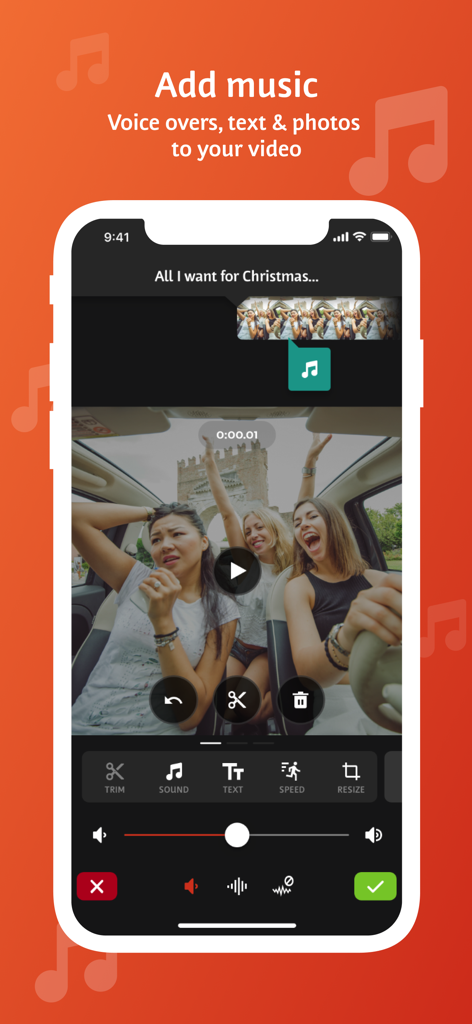
Videoshop app interface showing tools to add music voice overs and text to a video clip
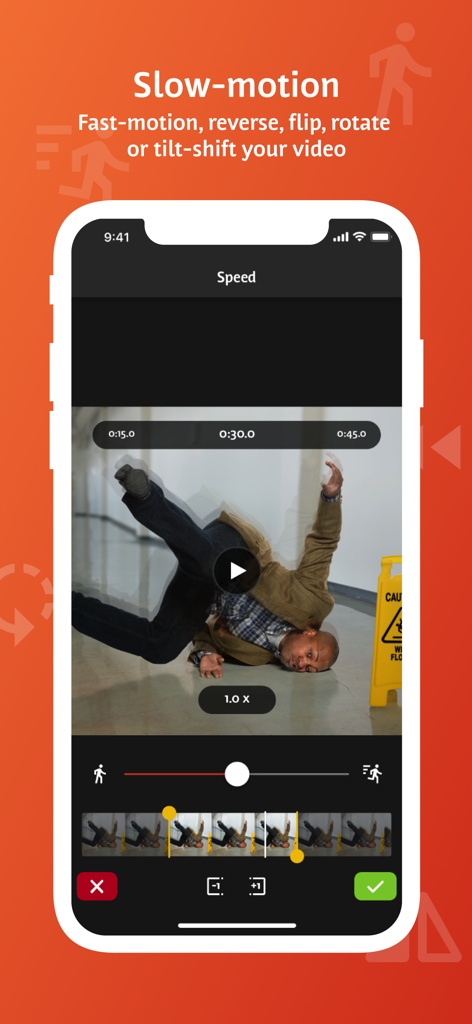
Videoshop mobile app interface showing slow motion and video speed adjustment features.
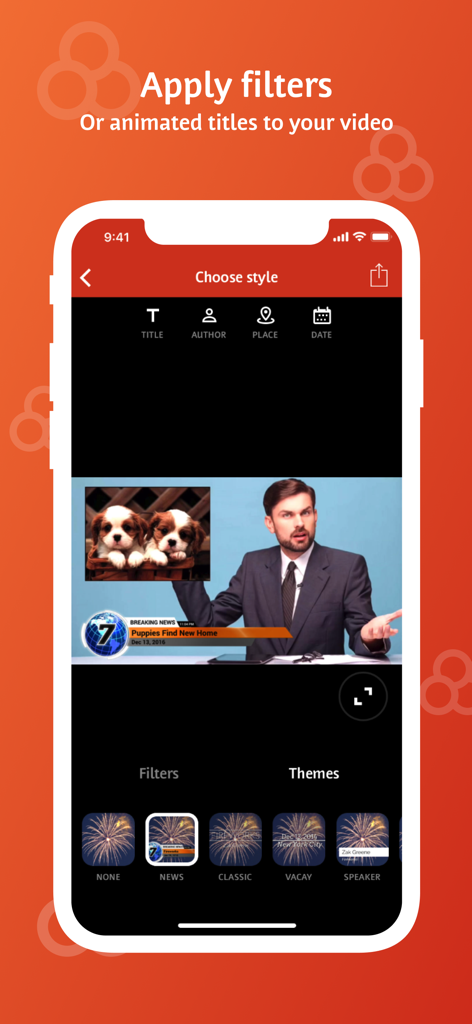
Videoshop app interface showing animated titles and news theme options for mobile video editing
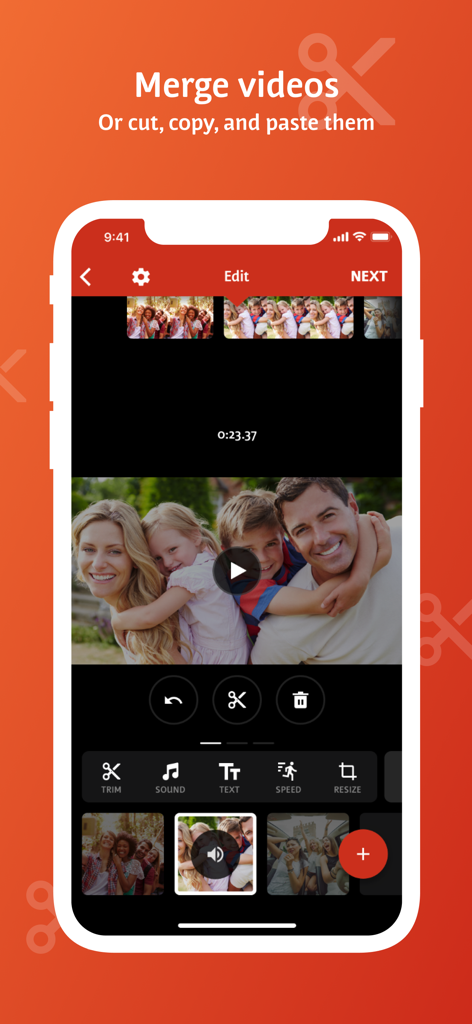
Mobile video editor interface showing options to merge, cut, and paste video clips
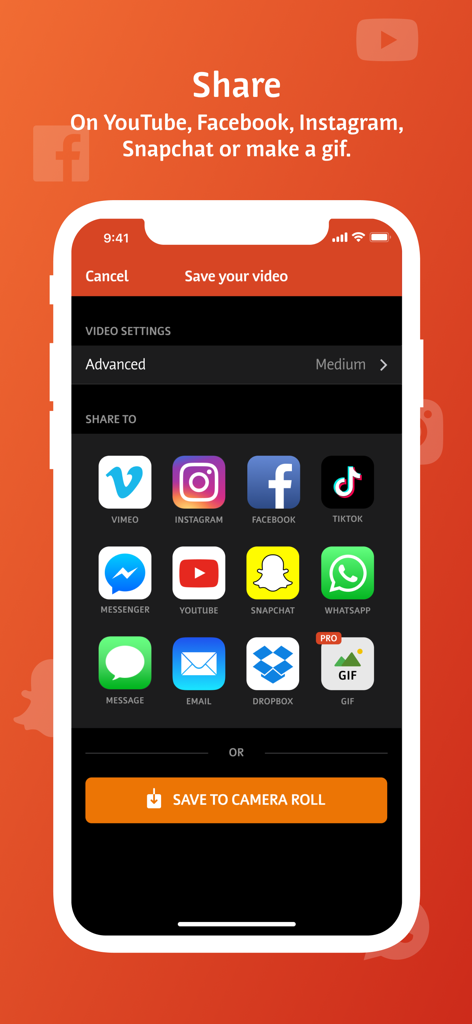
Videoshop app share screen showing icons for social media platforms like TikTok Instagram and YouTube
Description
Download
More Like This
Apps with similar features and user experience

Edits: Video Editor
Instagram, Inc.

VLLO- Video Editor, Vlog Edits
vimosoft

YouCut - AI Video Editor
SHANTANU PTE. LTD.

必剪-B站官方出品
Shanghai Bilibili Animation Co.,Ltd

剪影 - 视频剪辑 & 卡点影集制作
Shanghai Jian Ji Software Technology Co., Ltd

VDIT - Video Maker & Editor
ImgBase, Inc.

Video Editor with Music・VidLab
Onelight Apps CY Ltd

Video Maker-movie maker&Editor
Changsha Fugui Bamboo Network Technology Co., Ltd.

一键水印-专业水印视频编辑大师
Chongqing tuanshui technology Co., Ltd.
This page is not an official page of the app or its developer, but an independent editorial publication created for informational and commentary purposes. Unless expressly stated otherwise, neither the app nor its developer is affiliated with, endorsed by, sponsored by, authorized by, or otherwise officially connected with MWM, Apple, Google Play, the app publisher, or the app's developer, and nothing on this page implies that the app was developed using MWM's services. Any trademarks, logos, screenshots, and other content remain the property of their respective owners.