
This page is not an official page of the app or its developer, but an independent editorial publication created for informational and commentary purposes. Unless expressly stated otherwise, neither the app nor its developer is affiliated with, endorsed by, sponsored by, authorized by, or otherwise officially connected with MWM, Apple, Google Play, the app publisher, or the app's developer, and nothing on this page implies that the app was developed using MWM's services. Any trademarks, logos, screenshots, and other content remain the property of their respective owners.


Downloads
6M+User Rating
Total Ratings
432K+Publisher
Category
Photo & VideoLocales
2Latest Version
2.91.0Size
288.8 MBFirst Released
Jul 24, 2020Create Like a Pro, Connect with the World
The official creator toolkit from Bilibili, designed to help you craft high-quality content and grow your audience with AI-powered ease.
Seamless Bilibili Integration
Directly sync your account and publish with one click. Access the exclusive stickers, fonts, and music that define the Bilibili aesthetic.
AI Game Highlight Detection
Automatically identify and edit your most epic gaming moments. Ideal for sharing high-performance gameplay from titles like Genshin Impact.
Frequently Asked Questions
Everything you need to know about 必剪-B站官方出品
What is 必剪 (Bcut)?
必剪 (Bcut) is an official video editing tool from Bilibili. It is designed for content creators, enabling them to edit and publish videos directly to the Bilibili platform efficiently.
Can users publish videos directly to Bilibili from the 必剪 (Bcut) app?
Yes, 必剪 (Bcut) supports one-click publishing of edited videos directly to Bilibili. This feature allows creators to submit their content quickly and conveniently.
Does 必剪 (Bcut) offer screen recording capabilities?
Yes, 必剪 (Bcut) provides HD screen recording functionality. Users can capture high-quality footage with customizable settings for resolution, bitrate, and frame rate.
What types of templates are available in 必剪 (Bcut)?
必剪 (Bcut) offers a wide array of templates, including video templates and cover templates. Its Template Center provides various styles and categories to assist in video creation.
Does 必剪 (Bcut) include AI-powered features for video creation?
Yes, 必剪 (Bcut) integrates AI-powered features such as intelligent cover cutout, game highlight recognition, and an AI assistant for smart video title suggestions.
What kind of materials does the 必剪 (Bcut) material library contain?
The 必剪 (Bcut) material library is extensive. It contains music, sound effects, transitions, filters, subtitles, stickers, professional visual effects, backgrounds, and fonts for comprehensive video enhancement.
Can 必剪 (Bcut) convert text into videos?
Yes, 必剪 (Bcut) features a 'Text Video' function. This allows users to transform Bilibili columns into dynamic videos, add stickers, and easily create text-based content.
How can users beautify video covers using 必剪 (Bcut)?
必剪 (Bcut) offers cover beautification tools. These include intelligent person cutout, multiple popular templates, and layer editing capabilities for text, images, and stickers to enhance video covers.
Does 必剪 (Bcut) support Bilibili's "Like, Coin, Favorite" feature?
Yes, 必剪 (Bcut) includes a one-click "Three-Consecutive" component. This allows creators to easily add interactive elements like 'Like', 'Coin', and 'Favorite' to their videos for Bilibili.
What advanced editing features are available in 必剪 (Bcut)?
必剪 (Bcut) provides advanced editing features. These include batch rough cutting, recording teleprompter, text-to-speech, voice-to-subtitle, picture-in-picture, and mask effects for comprehensive video production.
The following screenshots and description are sourced directly from the app's official store listing and are the property of the app developer.
App Store
Screenshots
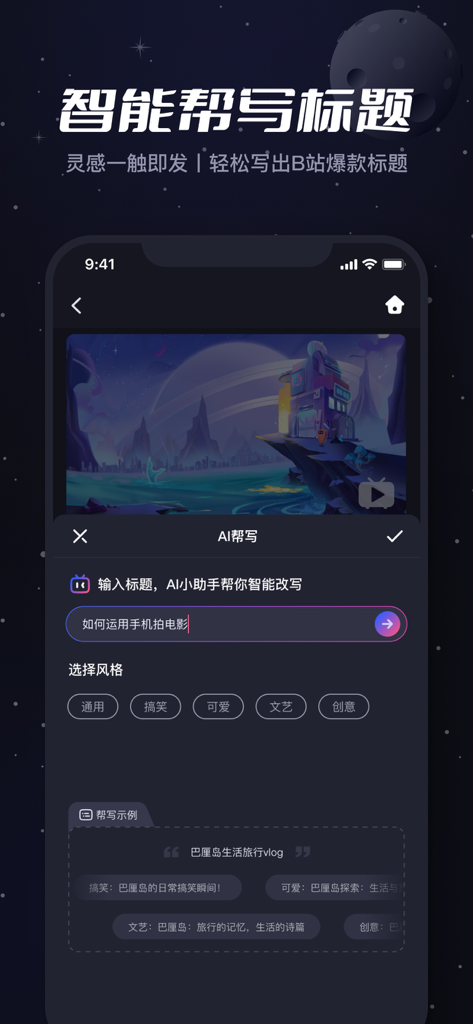
B-Cut mobile app interface featuring the AI smart title writing tool with style options for content creators.
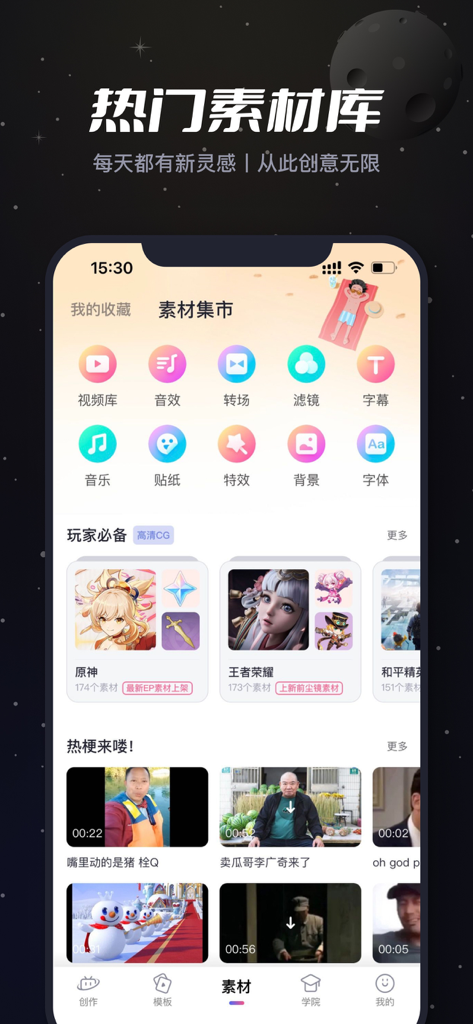
B-Cut app screenshot displaying the material market with video editing assets and gaming content
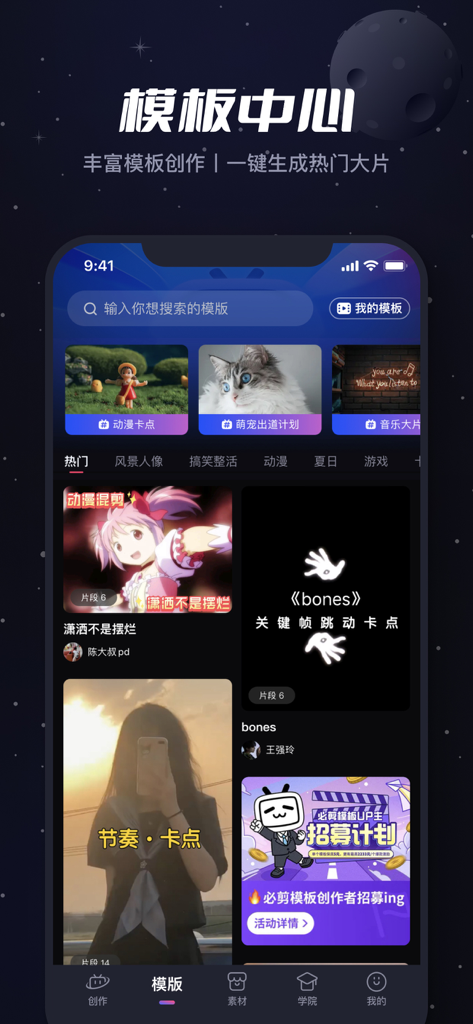
Interface of the B-Cut mobile app showing the video template center with anime and gaming categories for Bilibili creators
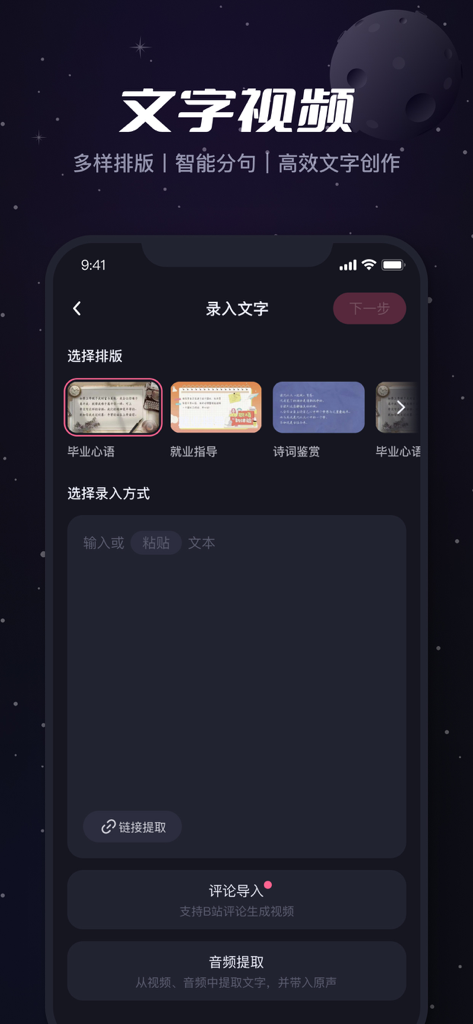
B-Cut mobile app interface showing the text-to-video creation tool with various layout templates and input options.
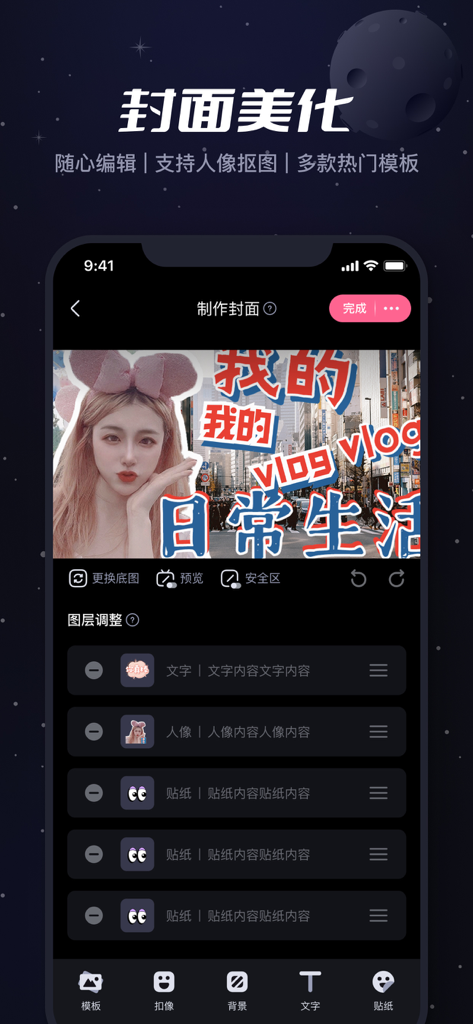
B-Cut mobile app interface for video cover beautification showing a vlog thumbnail edit with text and stickers
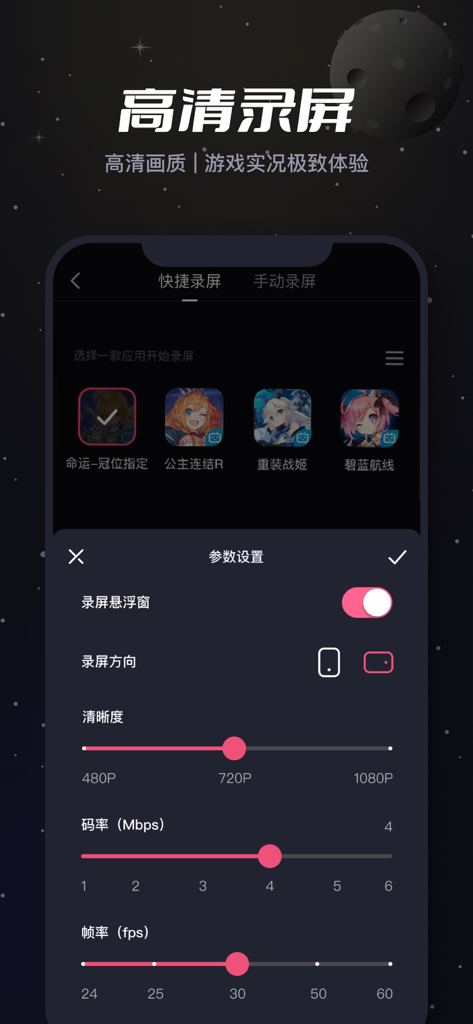
B-Cut mobile app screen recording settings interface showing resolution and frame rate options for gaming videos
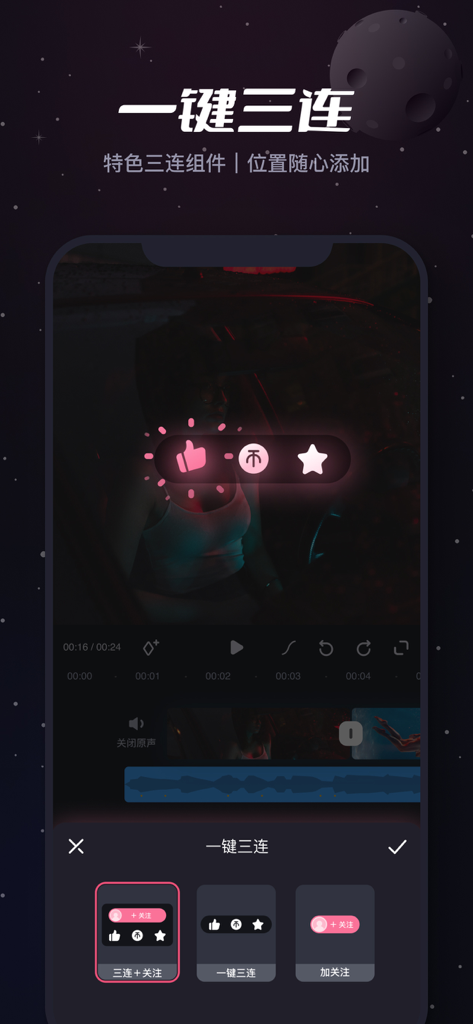
B-Cut video editing interface showing the Bilibili one-click triple action engagement widget options
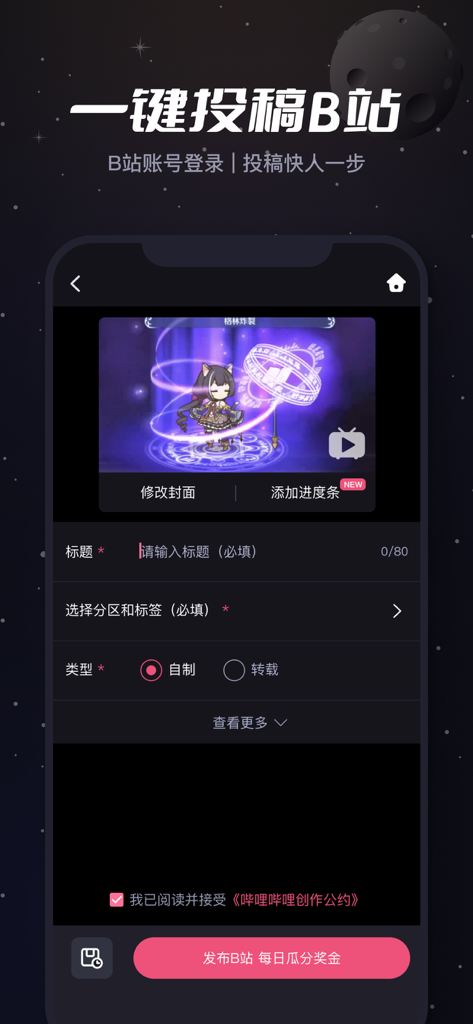
B-Cut mobile app interface showing the one-click video publishing screen for Bilibili with options for title, tags, and category.
Description
Download
More Like This
Apps with similar features and user experience

Edits: Video Editor
Instagram, Inc.

VLLO- Video Editor, Vlog Edits
vimosoft

YouCut - AI Video Editor
SHANTANU PTE. LTD.

剪影 - 视频剪辑 & 卡点影集制作
Shanghai Jian Ji Software Technology Co., Ltd

Videoshop - Video Editor
Jajijujejo Inc.

VDIT - Video Maker & Editor
ImgBase, Inc.

Video Editor with Music・VidLab
Onelight Apps CY Ltd

Video Maker-movie maker&Editor
Changsha Fugui Bamboo Network Technology Co., Ltd.

一键水印-专业水印视频编辑大师
Chongqing tuanshui technology Co., Ltd.
This page is not an official page of the app or its developer, but an independent editorial publication created for informational and commentary purposes. Unless expressly stated otherwise, neither the app nor its developer is affiliated with, endorsed by, sponsored by, authorized by, or otherwise officially connected with MWM, Apple, Google Play, the app publisher, or the app's developer, and nothing on this page implies that the app was developed using MWM's services. Any trademarks, logos, screenshots, and other content remain the property of their respective owners.