
This page is not an official page of the app or its developer, but an independent editorial publication created for informational and commentary purposes. Unless expressly stated otherwise, neither the app nor its developer is affiliated with, endorsed by, sponsored by, authorized by, or otherwise officially connected with MWM, Apple, Google Play, the app publisher, or the app's developer, and nothing on this page implies that the app was developed using MWM's services. Any trademarks, logos, screenshots, and other content remain the property of their respective owners.


AeroADSB
Maximize your situational awareness with real-time GDL 90 data. Connect your Stratux receiver to access traffic, weather, and attitude info—all without an internet connection or monthly fees.
Downloads
83K+User Rating
Total Ratings
100Publisher
Category
NavigationLocales
1Latest Version
1.4Size
20.9 MBFirst Released
May 28, 2021Superior Situational Awareness for Every Flight
Maximize your safety and cockpit efficiency with high-fidelity traffic, weather, and AHRS data powered by your own ADS-B receiver.
Live Traffic Visualization
Track nearby aircraft in real-time using GDL 90 protocols. Stay ahead of the pattern with reliable data delivered directly to your map, no internet required.
Emergency AHRS Backup
Fly with confidence using a secondary digital cockpit. Access critical attitude, heading, and altitude data to serve as a vital backup to your primary instruments.
Frequently Asked Questions
Everything you need to know about AeroADSB
What is the AeroADSB app used for?
The AeroADSB app receives and displays aircraft traffic data on a map from ADS-B receivers supporting the GDL 90 protocol. It also includes an attitude and heading reference system (AHRS).
Does the AeroADSB app require an internet connection to function?
No, the AeroADSB app works entirely independent from an internet connection. It operates solely with an ADS-B receiver, receiving GDL 90 data via UDP on port 4000.
What types of aircraft data does the AeroADSB app display?
AeroADSB displays aircraft traffic data, attitude and heading reference system (AHRS) information, airspeed, altitude, heading, and METAR/TAF weather data after a one-time unlock.
How does the AeroADSB app receive aircraft traffic data?
The AeroADSB app receives aircraft traffic data from ADS-B receivers, such as Stratux, that support the GDL 90 protocol. It requires GDL 90 data sent via UDP to port 4000.
Can AeroADSB display weather information like METAR and TAF?
Yes, AeroADSB can display METAR and TAF weather data. This feature requires a one-time unlock within the app. Users should check region availability before purchasing.
Can the UDP port for GDL 90 data reception be configured in the AeroADSB app?
Yes, the default UDP port 4000, used for GDL 90 data reception by the AeroADSB app, can be changed within the app's settings.
Does the AeroADSB app display nearby aircraft traffic on its map interface?
Yes, the AeroADSB app displays nearby aircraft traffic, including flight identifiers and speeds, on its map interface. It visualizes air traffic directly from ADS-B receiver data.
What flight parameters does the AeroADSB app show for an aircraft?
The AeroADSB app displays flight parameters such as airspeed (kts), altitude (ft), and heading (degrees) for aircraft. This data is part of its comprehensive traffic display.
Is the AeroADSB app compatible with Stratux ADS-B receivers?
Yes, the AeroADSB app is compatible with Stratux ADS-B receivers. It is designed to receive GDL 90 protocol data from such devices.
How can users check the connection status of their ADS-B receiver within the AeroADSB app?
Users can check the connection status by navigating to the 'Status' tab within the AeroADSB app. This section displays device connection, receiver messages, and GPS information.
The following screenshots and description are sourced directly from the app's official store listing and are the property of the app developer.
App Store
Screenshots
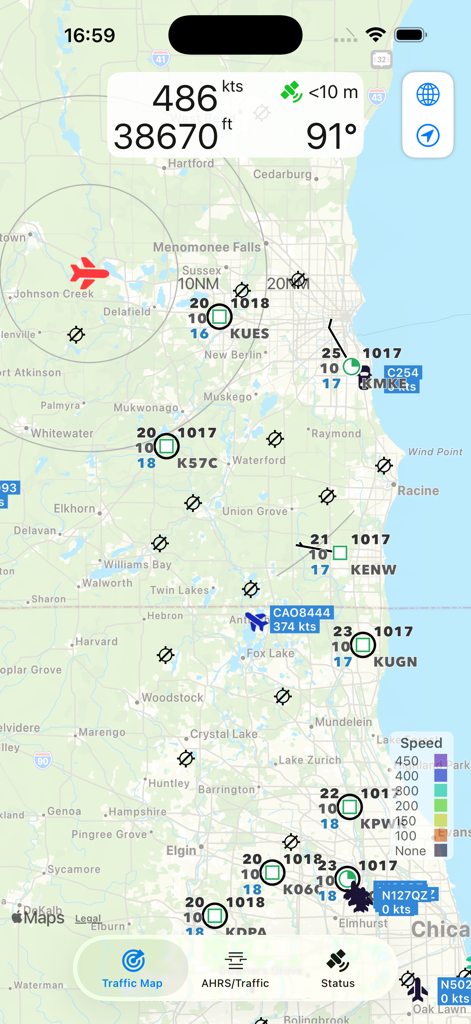
AeroADSB traffic map showing aircraft positions and METAR weather data.
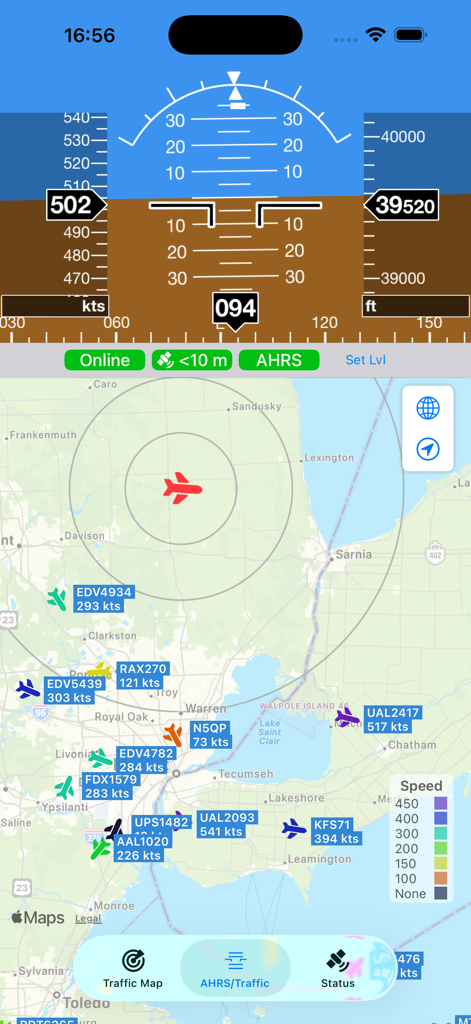
AeroADSB app interface showing AHRS flight instruments and live aircraft traffic map
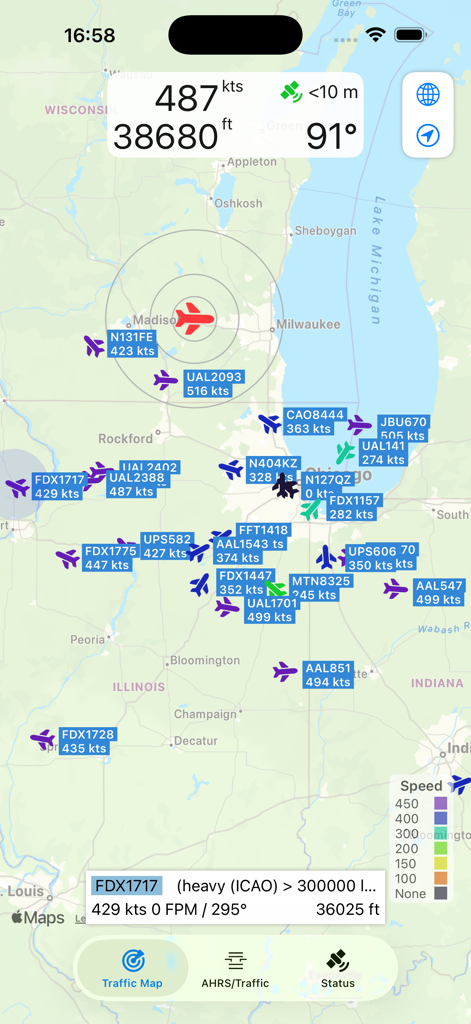
AeroADSB app showing real-time aircraft traffic map and flight telemetry data over the Midwest US.
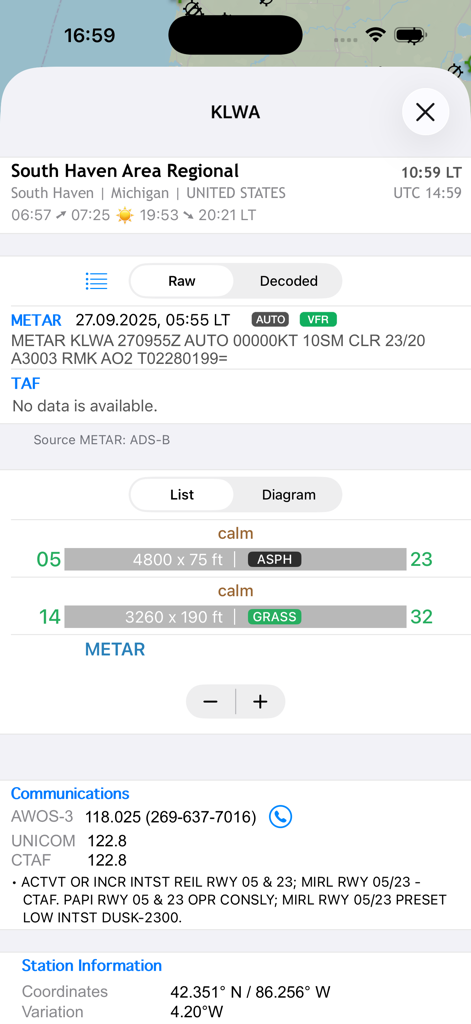
AeroADSB airport information display showing METAR weather and runway details
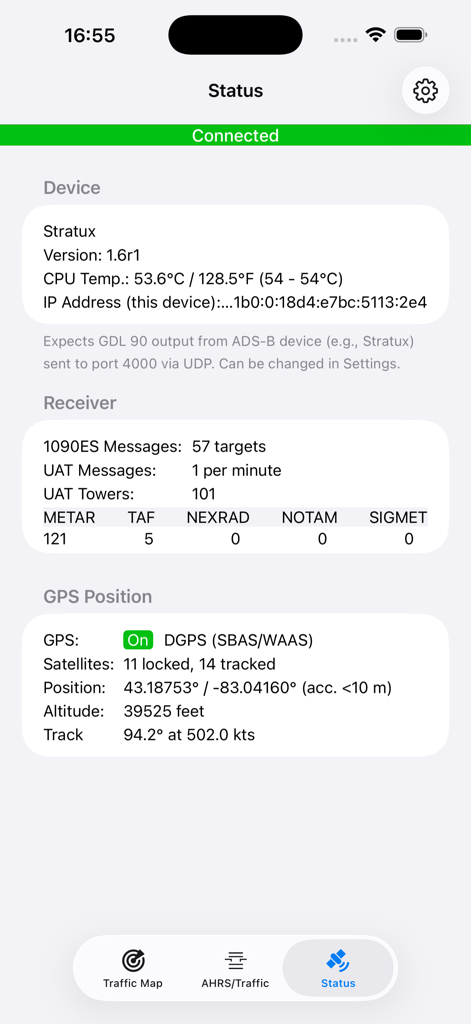
AeroADSB status dashboard showing connected Stratux receiver and GPS data
Description
Download
More Like This
Top-ranked apps in the same category

Google Maps
Google LLC

Waze Navigation & Live Traffic
waze

AMap Global
AutoNavi Information Technology Co. Ltd.

百度地图-路线规划,出行必备
Beijing Baidu Netcom Science & Technology Co.,Ltd

Moovit: Bus & Transit Tracker
Moovit App Global LTD

Transit • Subway & Bus Times
9280-0366 Quebec inc.

ParkMobile: Park. Pay. Go.
Parkmobile USA, Inc

腾讯地图-路线规划,导航地铁打车出行
Shenzhen Tencent Computer Systems Company Limited

Île-de-France Mobilités
Ile de France Mobilites
This page is not an official page of the app or its developer, but an independent editorial publication created for informational and commentary purposes. Unless expressly stated otherwise, neither the app nor its developer is affiliated with, endorsed by, sponsored by, authorized by, or otherwise officially connected with MWM, Apple, Google Play, the app publisher, or the app's developer, and nothing on this page implies that the app was developed using MWM's services. Any trademarks, logos, screenshots, and other content remain the property of their respective owners.