AI Enlarger – Transform Low-Res Photos into Professional 8K Masterpieces
The ultimate all-in-one AI tool for upscaling, face retouching, and batch enhancement. Unlock crystal-clear details with offline GPU-accelerated processing designed for creators, anime fans, and memory-keepers.
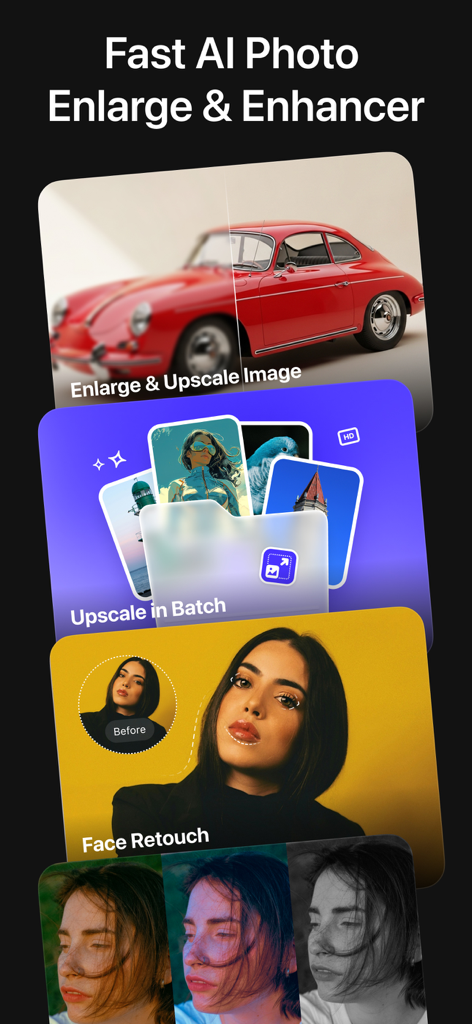
A promotional image for AI Enlarger showing features like image upscaling, batch processing, and face retouching with before and after examples.
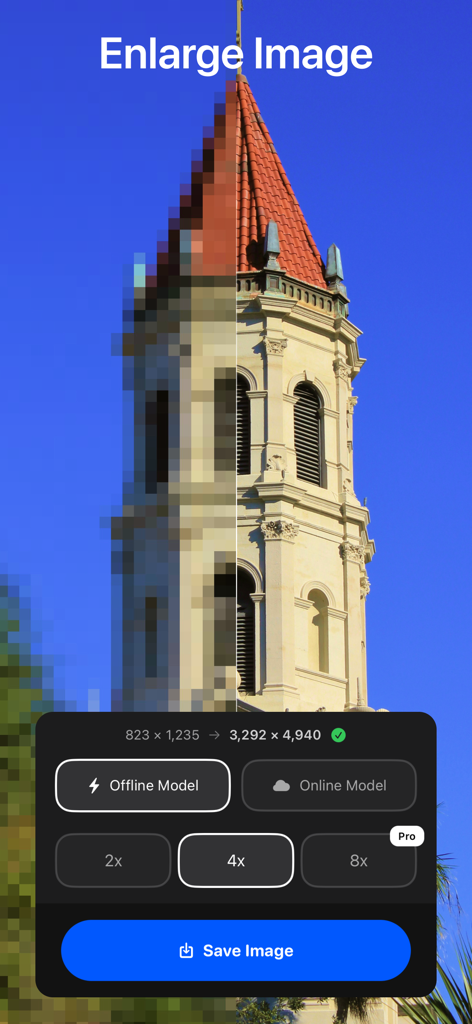
Side by side comparison of a pixelated tower and a sharp high resolution version using AI upscaling
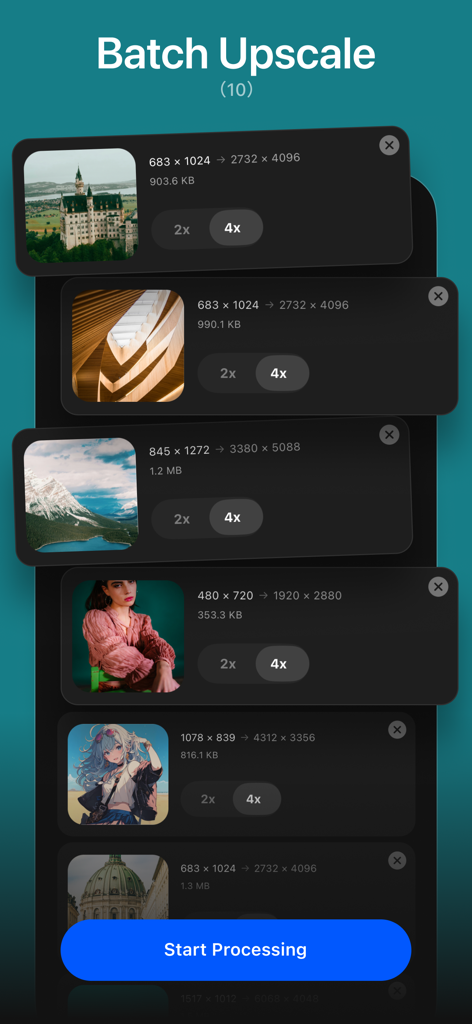
Interface of the AI Enlarger app showing the batch upscale feature with multiple images including photos and anime artwork.
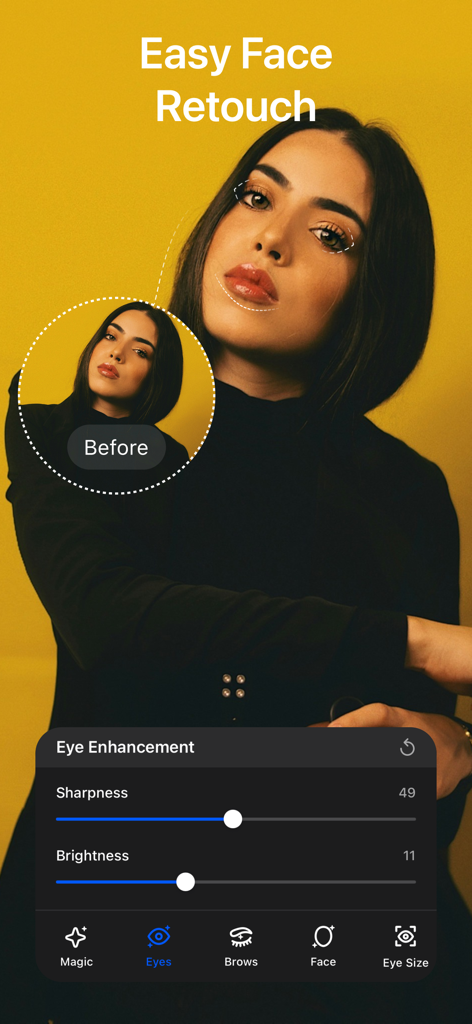
AI Enlarger app interface showing face retouch and eye enhancement features on a portrait photo
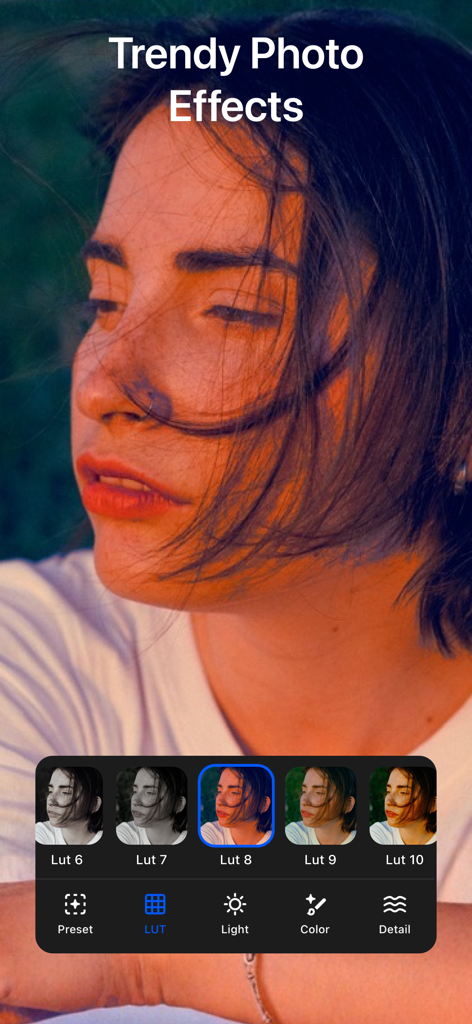
AI Enlarger app interface showing trendy LUT filters and photo effects on a portrait
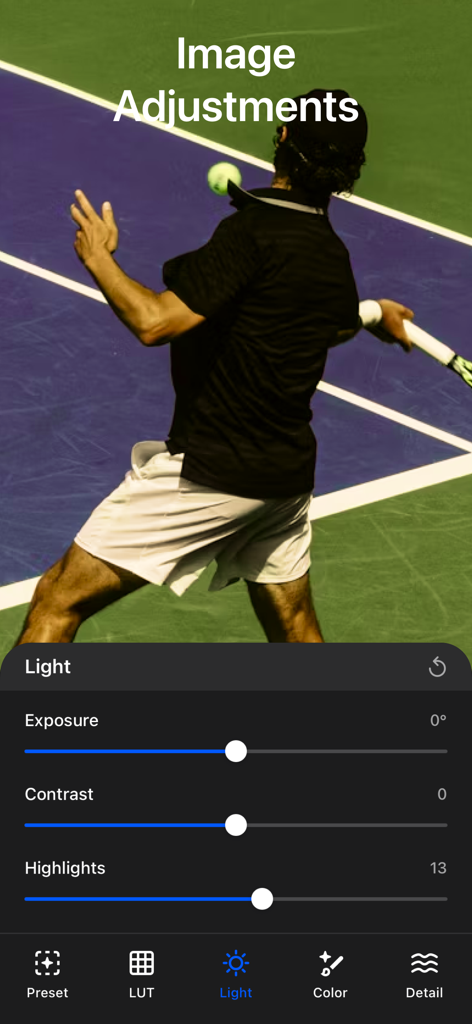
AI Enlarger app interface showing exposure and contrast sliders for a photo of a tennis player.
Professional-Grade AI Enhancement at Your Fingertips
The tools that make this app stand out, trusted by 162K+ users.
🖼️
8K Ultra-HD Upscaling
Blow up your photos by 2x, 4x, or 8x without losing clarity. Perfect for printing, professional wallpapers, or saving high-res versions of your favorite anime and digital art.
✨
Pro-Level Face Retouching
Achieve studio-quality portraits with AI tools that naturally smooth skin, enhance eyes, and refine facial details while maintaining a realistic, professional look.
⚡
High-Speed Batch Processing
Save hours of manual editing by upscaling entire collections at once. Leverage your device’s GPU for lightning-fast, offline processing that keeps your data private and secure.
About the app
Everything you need to know about AI Enlarger – Image Upscaler.
Description
Enhance your photos with the most powerful all-in-one AI upscaler and photo enhancement app. Faster processing on M1/M2/M3/M4, Fully tested on the latest macOS Tahoe 26.
AI Enlarger lets you upscale images by 2×, 4×, or 8×, repair low-resolution photos, retouch faces with professional tools, and apply advanced photo enhancements — all in one simple and beautifully designed interface.
Whether you’re enlarging portraits, restoring old images, sharpening blurry photos, improving anime artwork, or applying cinematic filters, AI Enlarger delivers clean, high-resolution results with incredible detail and clarity.
Now fully updated with a redesigned engine, enhanced AI models, offline 2×/4×/8× scaling, and a brand-new face retouch suite.
Amazing features:
---------------------------
1. AI Image Enlarge & Upscale (2× / 4× / 8×)
Combine “Enlarge” and “Upscale” into one unified tool
Supports both photo and anime upscaling
Choose between Online AI models or Offline GPU-accelerated models
Produce ultra-sharp 4K, 8K, or even 16K results
2. Batch Upscale (2× / 4×)
Upscale multiple images at once
AI quality enhancement applied automatically
Ideal for large collections, manga pages, product photos, and design workflowsPerfect for wallpapers, prints, digital art, e-commerce, and old photos
3. Advanced Face Retouch Suite
Restore and refine portrait photos with powerful and natural-looking AI tools:
Eyes Enhancement (Sharpness / Brightness)
Eyebrows Enhancement (Sharpness / Density / Contrast)
Face Enhancement (Slimminig / Size adjustment)
Face Skin Enhancment (Skin smoothing / Skin tone balance / Highlight & shadow refinement / Beautify & glow)
Eye Size Adjustment (Customize eye size with precision)
Lips Enhancement (Lip color adjustment / Built-in preset lip colors)
4. AI Photo Enhancement Studio
Preset Filters (48 styles, Film, portrait, nature, vintage, anime, cinematic, and more)
LUT Filters (14 LUTs, Cinematic color LUTs for stylized, professional results.)
Lighting Adjustments (Exposure, Contrast, Highlights, Shadows, Whites, Blacks)
Color Adjustments (Auto White Balance, Temperature, Tint, Saturation, Vibrance, Hue Shift.)
Detail Controls (Sharpen, Clarity, Fade, Vignette, Noise Reduction, Dehaze.)
5. Performance Upgrades
Better memory management
Stability improvements for offline upscaling
How to use AI Enlarger
Choose a photo you want to upscale or retouch
Select: Enlarge / Batch Upscale / Face Retouch / Enhance Tools
Choose 2×, 4×, or 8× (for supported modes)
Apply effects, review results, and save in full resolution
Price Plan:
---------------------------
Monthly Plan: $6.99 — Unlimited access
Yearly Plan: $19.99 — Best value
Lifetime Plan: $29.99 — One-time purchase, no renewal
Visit our official website for more information and access to our Privacy Policy and User Terms.
If you have any questions, please get in touch with support@imglarger.com
Privacy Policy: https://imglarger.com/blog/privacy-policy/
User Terms: https://imglarger.com/terms/
Latest Version
3.2.2
Size
61.8 MB
First Released
Nov 12, 2019
Ready to See Your Photos in Stunning 8K?
Join over 162,000 creators and tech enthusiasts using pro-grade AI to upscale memories, art, and portraits. Get started now and enjoy professional clarity with our popular Lifetime Plan.
App information, icons, screenshots, and descriptions displayed on this page are sourced from the Apple App Store and are the property of their respective developers. Download estimates and rankings are based on MWM's proprietary models and may not reflect actual figures. This page is provided for informational and analytical purposes only.
Believe this page infringes your intellectual property? File a dispute