AI Grammar Check: Corrector

This page is not an official page of the app or its developer, but an independent editorial publication created for informational and commentary purposes. Unless expressly stated otherwise, neither the app nor its developer is affiliated with, endorsed by, sponsored by, authorized by, or otherwise officially connected with MWM, Apple, Google Play, the app publisher, or the app's developer, and nothing on this page implies that the app was developed using MWM's services. Any trademarks, logos, screenshots, and other content remain the property of their respective owners.
Logo of AI Grammar Check: Corrector

AI Grammar Check: Corrector

The ultimate AI writing assistant for students and professionals. Instantly detect grammar errors, fix complex tenses, and improve your flow to ensure every essay, report, and email is polished to perfection.

Key Figures

Downloads

0

User Rating

1.0/5

Total Ratings

0

Publisher

Amina Sehar

Category

Education

Locales

1

Latest Version

1.0

Size

39.2 MB

First Released

Mar 17, 2026
Features

Write with Professional Confidence

Whether it is a critical essay or a high-stakes email, our AI ensures your message is polished, persuasive, and error-free.

Precise AI Detection

Go beyond simple typos with advanced tense and structure corrections that protect your professional reputation.

Enhance Clarity & Flow

Improve readability with smart wording suggestions and side-by-side comparisons that help you learn as you edit.

The following screenshots and description are sourced directly from the app's official store listing and are the property of the app developer.

App Store

Screenshots
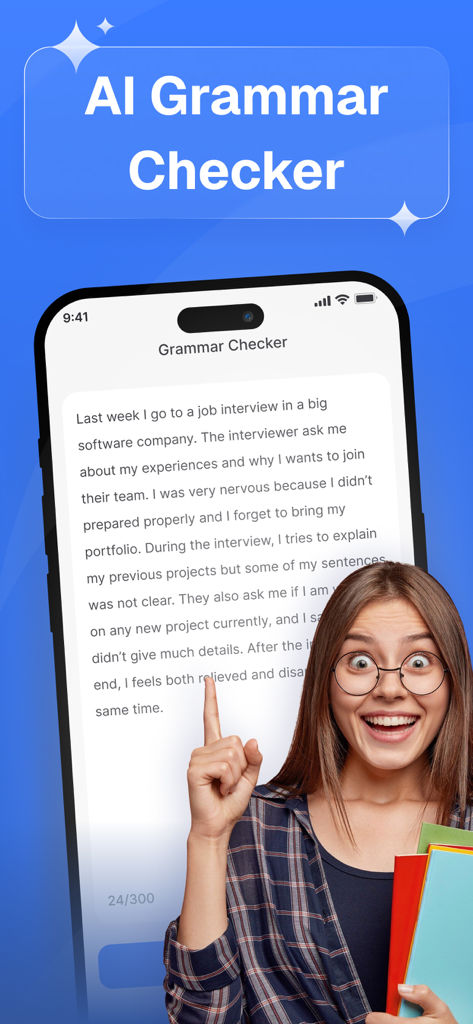
AI Grammar Check: Corrector - A happy student pointing to the AI Grammar Checker mobile app interface
A happy student pointing to the AI Grammar Checker mobile app interface

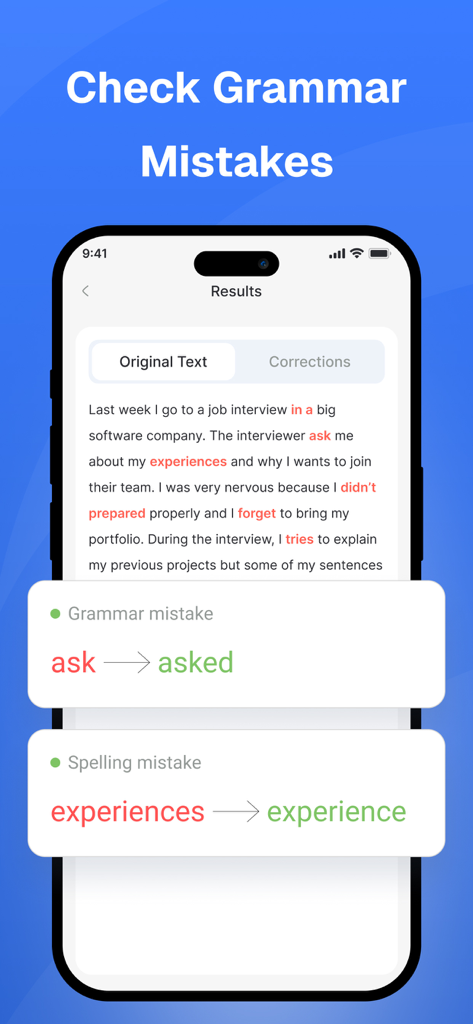
AI Grammar Check: Corrector - AI Grammar Check app interface displaying identified grammar and spelling errors with suggested corrections
AI Grammar Check app interface displaying identified grammar and spelling errors with suggested corrections

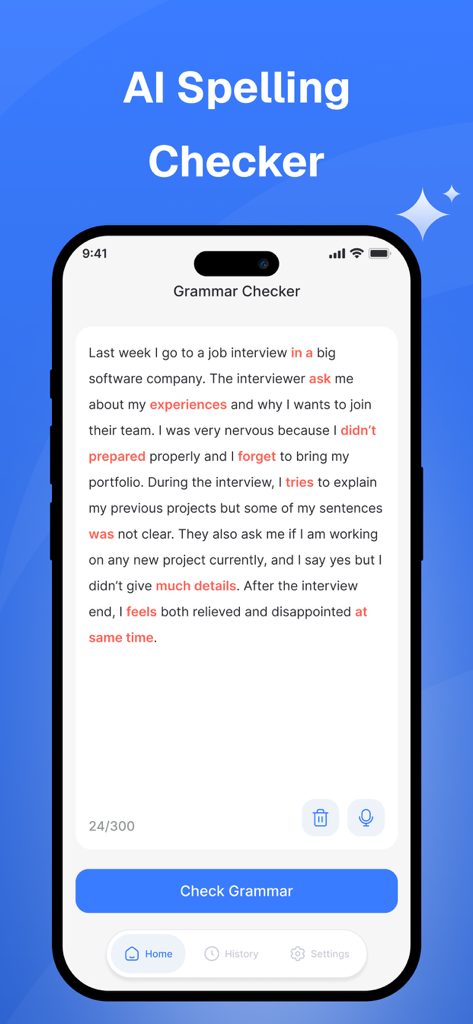
AI Grammar Check: Corrector - AI Grammar Check app interface showing a text editor with red highlighted spelling and grammar errors in a paragraph about a job interview.
AI Grammar Check app interface showing a text editor with red highlighted spelling and grammar errors in a paragraph about a job interview.

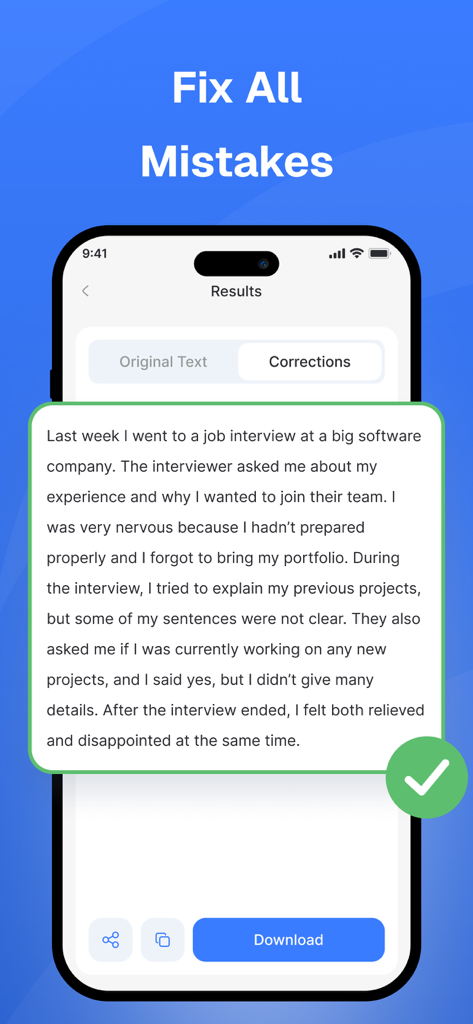
AI Grammar Check: Corrector - Smartphone screen showing corrected text results and the option to fix all mistakes in the AI Grammar Check app.

Smartphone screen showing corrected text results and the option to fix all mistakes in the AI Grammar Check app.

Description

Writing with grammar mistakes can reduce the clarity and professionalism of your content. Small issues such as incorrect punctuation, spelling errors, or wrong word choices can easily change the meaning of a sentence. That’s why our AI-powered English Grammar Checker helps you quickly identify and correct writing mistakes to produce clear, polished, and professional text. - Key Features Our Grammar Checker app is built to help users improve their writing by detecting grammar issues and suggesting better alternatives. It provides more than simple spelling corrections and focuses on improving overall writing quality. 1. Smart Grammar & Tense Detection The AI engine scans your text to detect grammar mistakes, incorrect sentence structures, punctuation errors, tense problems, and wrong word usage. It then provides accurate corrections so your writing becomes grammatically correct and easy to read. 2. Improves Readability and Flow The app analyzes your sentences and recommends better wording, improved sentence structure, and clearer expressions. This helps make your writing more natural, readable, and engaging. 3. Upload Documents Easily Working with longer content like reports, assignments, or research papers? Simply upload files directly from your device and let the app scan them for grammar errors quickly. 4. No Word Limit Check grammar for short messages or long documents without worrying about restrictions. The app allows unlimited word checks so you can review as much content as you need. 5. Grammar Check History Access previously scanned text anytime through the history section. This feature helps users revisit earlier checks and continue editing their documents whenever needed. 6. Side-by-Side Error Comparison View your original text and corrected version together. The comparison feature highlights the detected errors and their corrections so you can clearly see the improvements and learn from your mistakes. How to Use the App Improving your writing takes only a few steps: - Install the app from the App Store. - Paste your text or upload a file. - Tap the Check Grammar button. - Review the suggested corrections. - Save or revisit your results using the history feature. - Why Use This Grammar Checker? Grammar mistakes are common and sometimes difficult to notice while writing. This AI Grammar Checker helps you refine your text by correcting errors, improving sentence structure, and enhancing readability. Whether you are writing emails, assignments, reports, or everyday content, the app helps you create clearer and more professional writing. Note: In this app user enter 200 to 300 words input for free and check result. For increasing the word limit you should buy a premium plan to increase words limit up to 2000 at same time.. if you face any difficulty please contact us at: appsstudio626@gmail.com Privacy Policy: https://www.freeprivacypolicy.com/live/397f5787-d7f1-45d0-a851-deb630be54ec Terms & conditions: https://appsglobalstudio.blogspot.com/2024/07/terms-of-use.html

Download

This page is not an official page of the app or its developer, but an independent editorial publication created for informational and commentary purposes. Unless expressly stated otherwise, neither the app nor its developer is affiliated with, endorsed by, sponsored by, authorized by, or otherwise officially connected with MWM, Apple, Google Play, the app publisher, or the app's developer, and nothing on this page implies that the app was developed using MWM's services. Any trademarks, logos, screenshots, and other content remain the property of their respective owners.