
This page is not an official page of the app or its developer, but an independent editorial publication created for informational and commentary purposes. Unless expressly stated otherwise, neither the app nor its developer is affiliated with, endorsed by, sponsored by, authorized by, or otherwise officially connected with MWM, Apple, Google Play, the app publisher, or the app's developer, and nothing on this page implies that the app was developed using MWM's services. Any trademarks, logos, screenshots, and other content remain the property of their respective owners.

AI Resume Creator: CV Builder
Ditch the formatting stress and blank-page anxiety. Choose from 100+ expert-designed templates and let AI craft a standout resume in minutes. Perfect for your next career move, all from the palm of your hand.
Downloads
807K+User Rating
Total Ratings
2K+Publisher
Category
BusinessLocales
1Latest Version
1.27Size
67.0 MBFirst Released
Oct 13, 2018Build a Career-Winning Resume in Minutes
Stop struggling with complex formatting. Leverage AI and over 100 professional templates to create a stunning CV that catches recruiters' eyes and passes ATS filters effortlessly.
AI-Driven Smart Formatting
Ditch the manual editing. Our AI automatically organizes your skills and experience into a clean, impactful structure that highlights your best assets instantly.
100+ Designer-Crafted Templates
Stand out from the crowd with a library of modern, recruiter-tested layouts tailored for every industry, from high-tech startups to corporate firms.
Frequently Asked Questions
Everything you need to know about AI Resume Creator: CV Builder
How does the AI Resume Creator app help users create resumes?
The AI Resume Creator app helps users create resumes by allowing them to input personal information, which it automatically formats. Users then choose from over 100 professional templates and can export the finished resume in various formats.
What export formats does the AI Resume Creator app support?
The AI Resume Creator app supports exporting resumes in PDF and Image formats. This functionality allows users to conveniently share their resumes digitally, submit them online, or print them for physical applications.
How many resume templates does the AI Resume Creator app offer?
The AI Resume Creator app offers over 100 professional resume templates. These templates are pre-designed and cater to various industries and job positions, providing users with diverse design options.
Does the AI Resume Creator app have a subscription?
Yes, the AI Resume Creator app offers "Resume Creator PRO" Subscriptions. Payment for these subscriptions is charged to your iTunes account upon purchase confirmation, and they auto-renew unless canceled.
Can users edit the resume templates in the AI Resume Creator app?
Yes, users can edit the resume templates in the AI Resume Creator app. The app allows users to input and customize their personal, educational, work experience, and skills information within their chosen template.
How can I contact support for the AI Resume Creator app?
Users can contact support for the AI Resume Creator app by emailing info@optimumbrew.com. This email address serves as the direct channel for addressing any questions or issues encountered while using the application.
How do I cancel my "Resume Creator PRO" subscription?
To cancel your "Resume Creator PRO" subscription, you must manage it through your iTunes account settings after purchase. Auto-renewal must be turned off at least 24 hours before the end of the current billing period.
Does the AI Resume Creator app offer templates for specific industries?
Yes, the AI Resume Creator app offers templates designed for various industries and job positions. These include categories such as IT Professional, Marketing, Artist, Business, and other professional templates.
The following screenshots and description are sourced directly from the app's official store listing and are the property of the app developer.
App Store
Screenshots
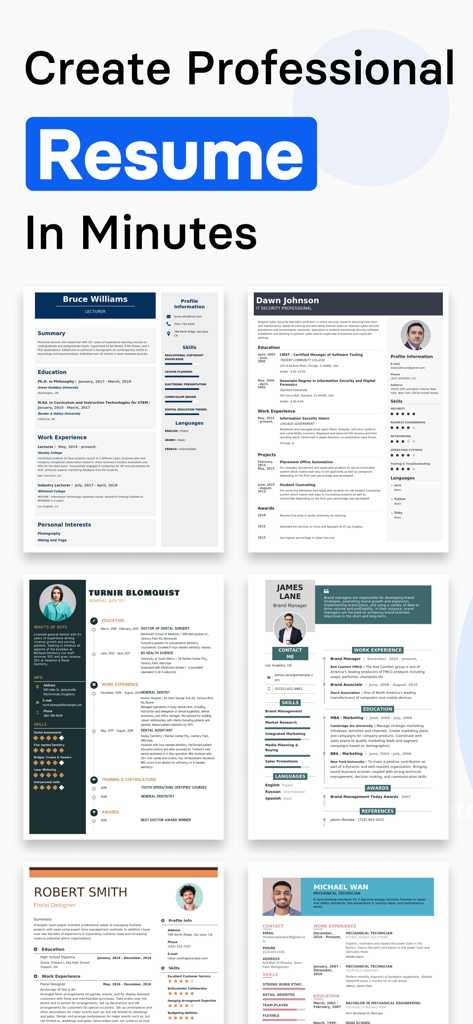
A collection of professional and modern resume templates available in the AI Resume Creator app.
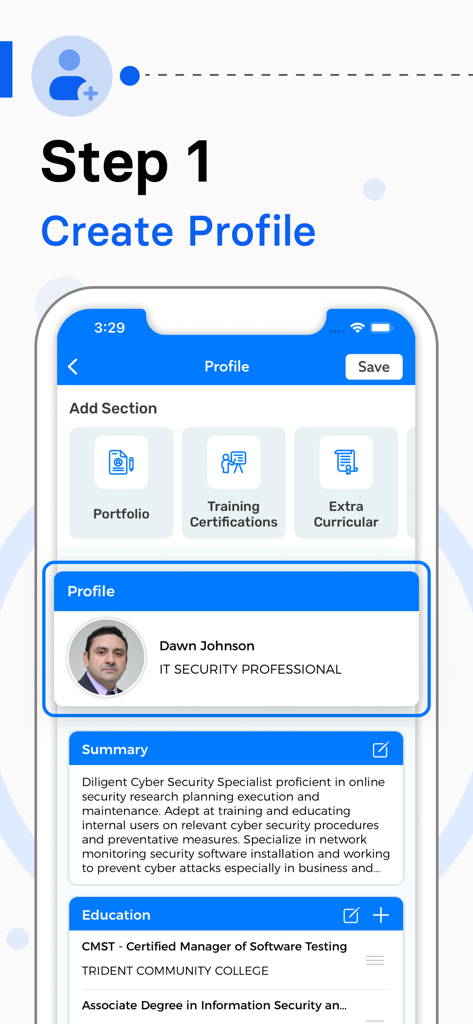
A mobile app interface displaying the first step of creating a professional profile for a resume including summary and education sections.
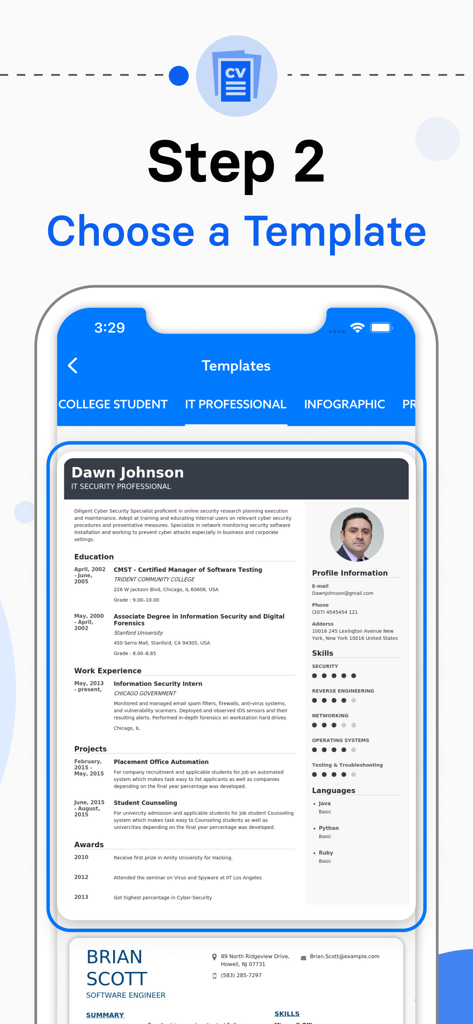
AI Resume Creator app interface showing professional CV templates for different career categories
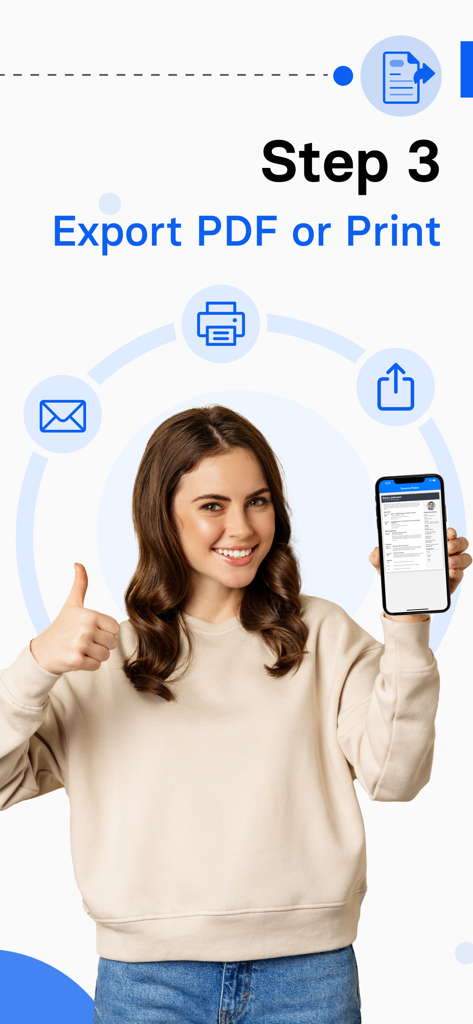
A smiling young professional woman holding a phone showing a resume with options to export as PDF or print
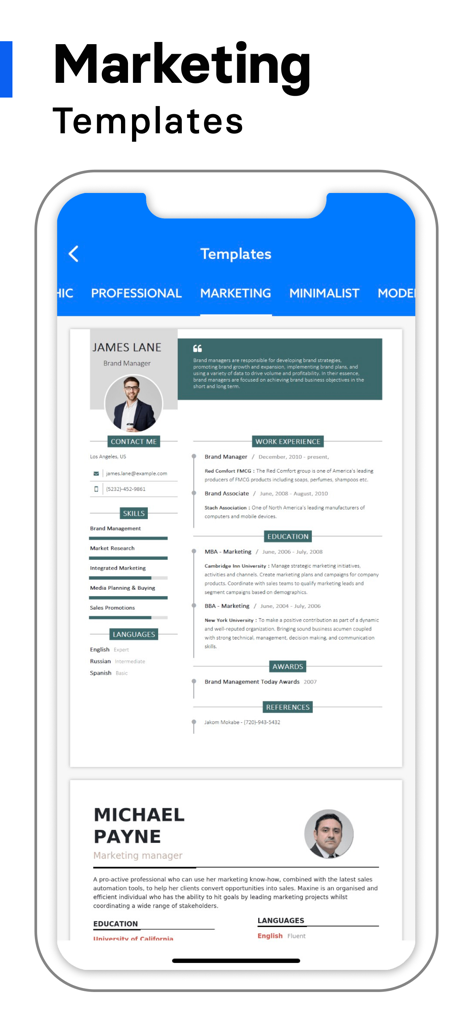
Professional marketing resume templates displayed on a mobile app screen.
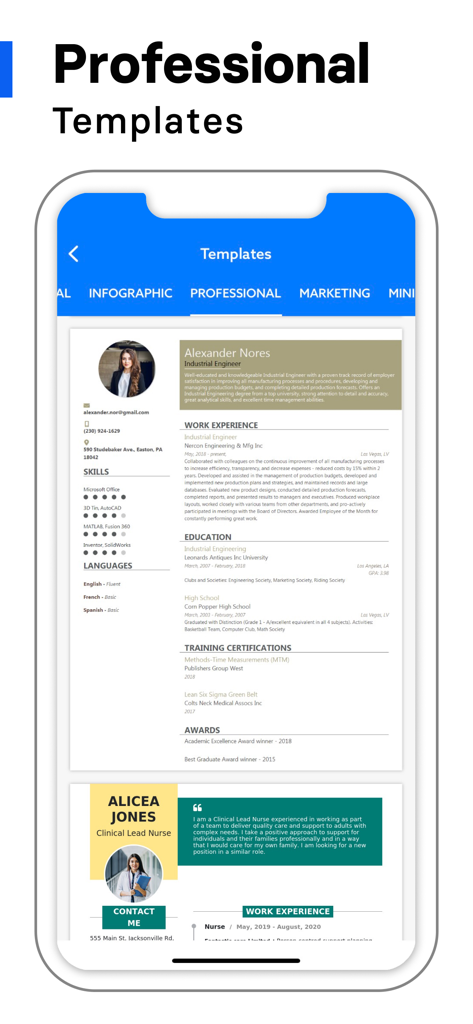
A mobile screen showing professional resume templates in the AI Resume Creator app
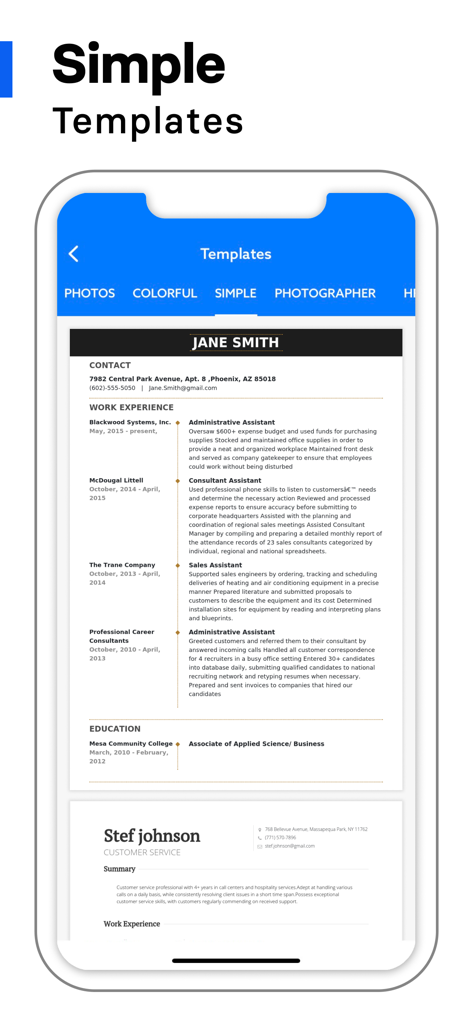
Mobile app screen displaying simple and professional resume templates for quick editing.
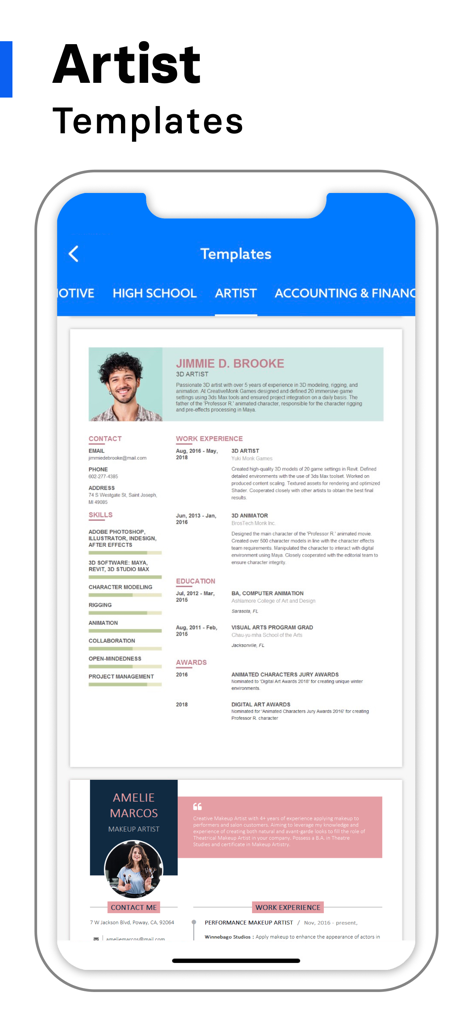
Artist resume templates for creative professionals in the AI Resume Creator app
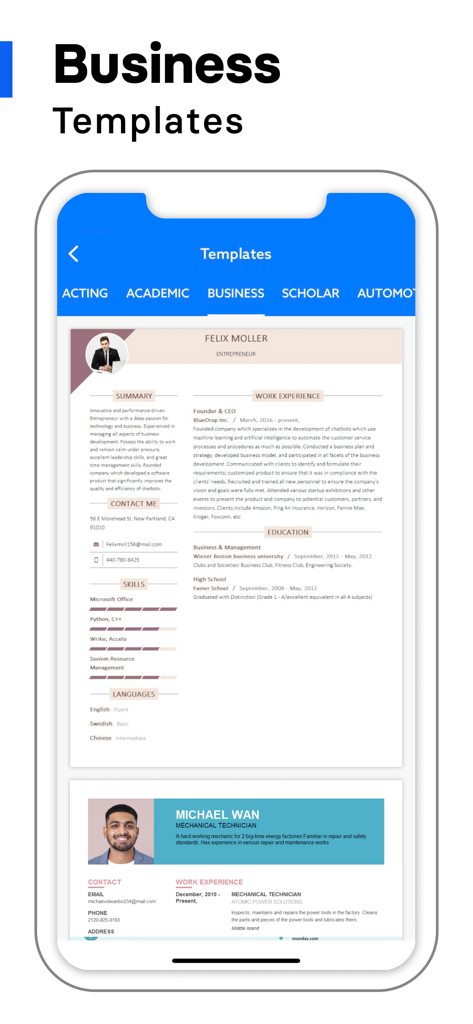
Mobile app interface displaying professional business resume templates
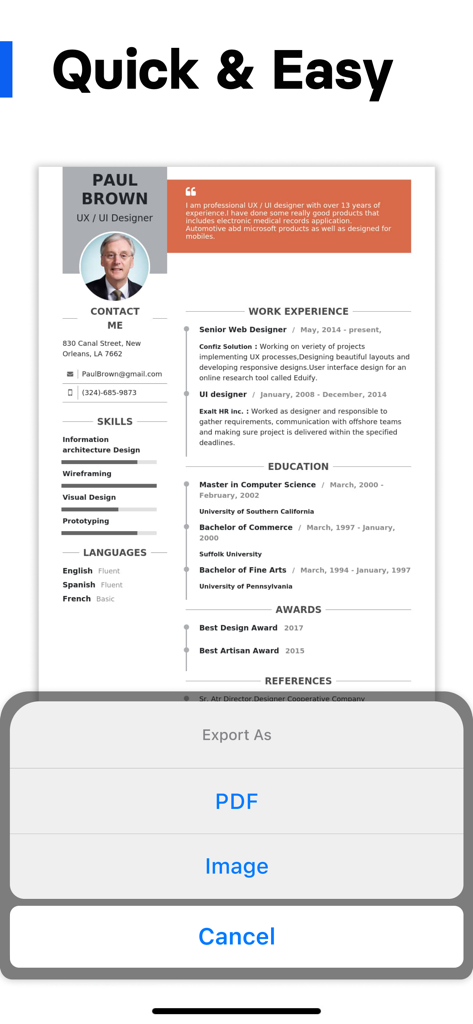
Mobile app interface showing a professional CV template with options to export as PDF or Image
Description
Download
More Like This
Apps with similar features and user experience
Resume : Intelligent CV Maker
Intelligent CV

Resume Builder - CV Creator
Clebson Pereira
Resume Builder - CV Engineer
First Pick Ltd
Resume Builder Pro with AI
Uncaught Exception Inc.
Quick & Easy Resume Builder CV
Wiliam Goncalves Pinto
Resume Maker, CV Job Builder
Oleg Yuriev

Resume Builder⁺
Rounding Squares BV
履歴書作成(インディード)
Indeed Inc.
履歴書作成
WEBDIA INC.
This page is not an official page of the app or its developer, but an independent editorial publication created for informational and commentary purposes. Unless expressly stated otherwise, neither the app nor its developer is affiliated with, endorsed by, sponsored by, authorized by, or otherwise officially connected with MWM, Apple, Google Play, the app publisher, or the app's developer, and nothing on this page implies that the app was developed using MWM's services. Any trademarks, logos, screenshots, and other content remain the property of their respective owners.