Alto’s POS & Inventory System
Download on App Store

This page is not an official page of the app or its developer, but an independent editorial publication created for informational and commentary purposes. Unless expressly stated otherwise, neither the app nor its developer is affiliated with, endorsed by, sponsored by, authorized by, or otherwise officially connected with MWM, Apple, Google Play, the app publisher, or the app's developer, and nothing on this page implies that the app was developed using MWM's services. Any trademarks, logos, screenshots, and other content remain the property of their respective owners.


Logo of Alto’s POS & Inventory System
Download on App Store

Alto’s POS & Inventory System

Ditch the expensive hardware and run your shop or restaurant from your pocket. Track inventory, manage staff, and boost sales with the intuitive tool designed for agile entrepreneurs.

Key Figures

Downloads

13K+

User Rating

4.8/5

Total Ratings

100

Publisher

PromoTek, OSOO

Category

Business

Locales

1

Latest Version

1.7.3

Size

88.6 MB

First Released

Aug 3, 2021
Features

Scale Your Business Without the Overhead

The intuitive, all-in-one POS and inventory system designed for the modern entrepreneur—offering professional-grade tools for free.

Truly Mobile Operations

Process sales on any iPhone, iPad, or Mac and stay open even when the Wi-Fi goes down. Perfect for food trucks, pop-up shops, and busy boutique floors.

Precision Inventory Control

Track stock levels, manage ingredients, and sync across multiple locations in real-time. Use your camera to scan barcodes and save hours on manual stocktaking.

The following screenshots and description are sourced directly from the app's official store listing and are the property of the app developer.

App Store

Screenshots
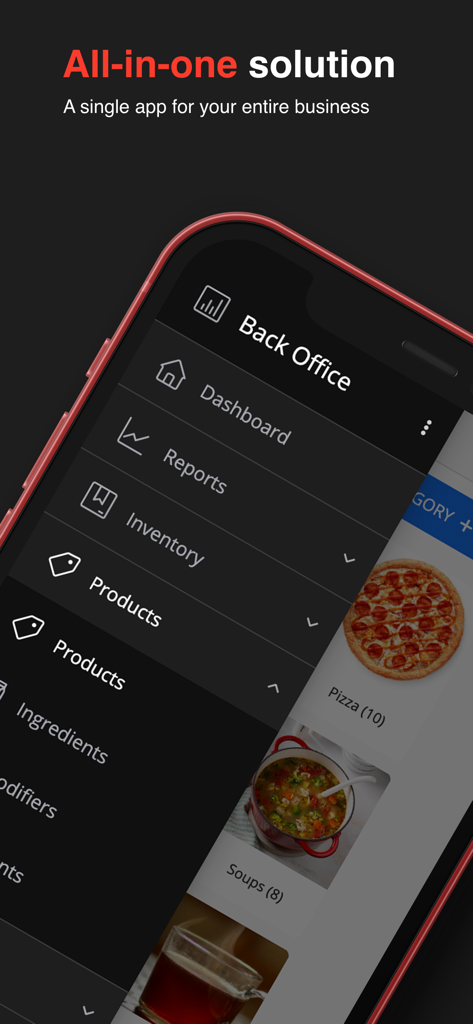
Alto’s POS & Inventory System - Smartphone showing the back office menu of the Altos POS and Inventory System
Smartphone showing the back office menu of the Altos POS and Inventory System

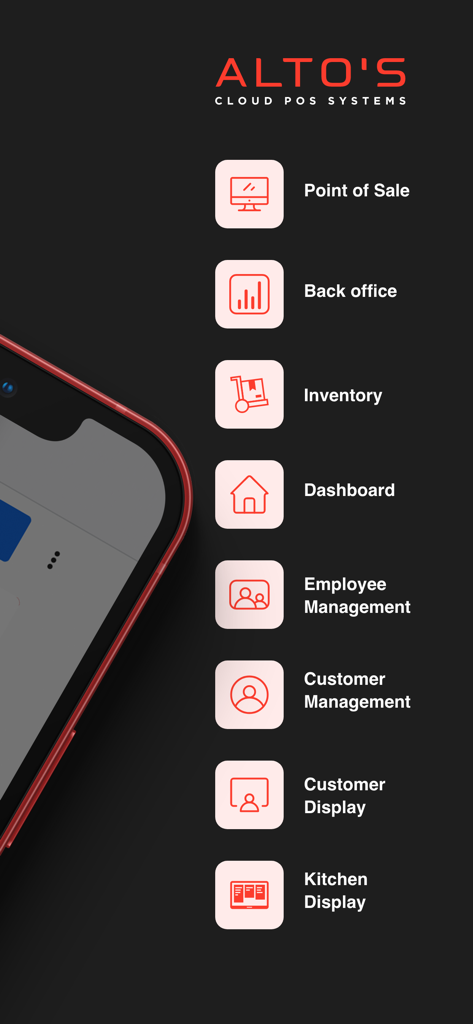
Alto’s POS & Inventory System - Altos POS and Inventory System feature list including point of sale inventory and kitchen display

Altos POS and Inventory System feature list including point of sale inventory and kitchen display
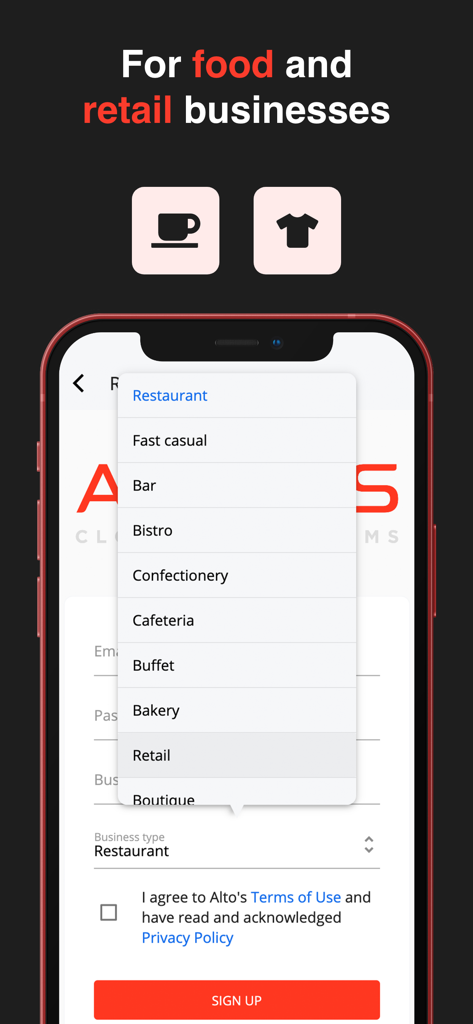
Alto’s POS & Inventory System - Mobile screen showing business type selection for food and retail businesses in Alto POS
Mobile screen showing business type selection for food and retail businesses in Alto POS

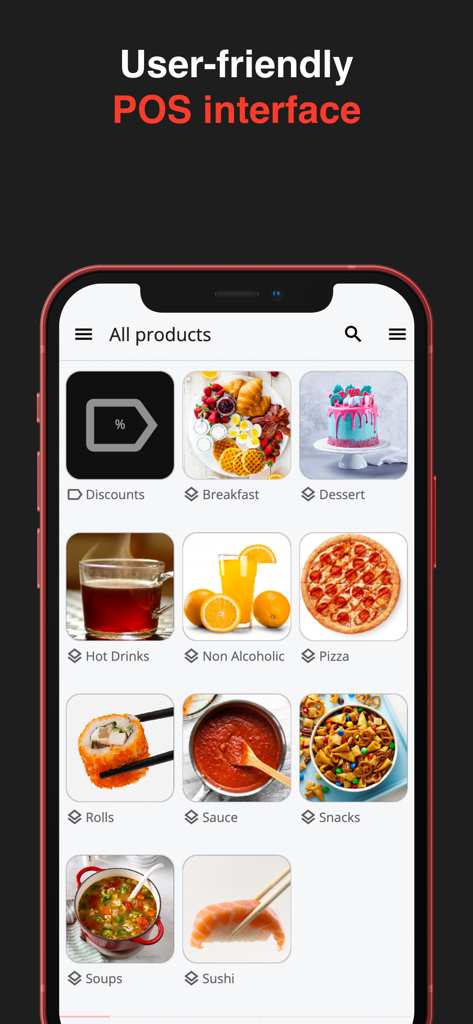
Alto’s POS & Inventory System - Altos POS mobile app screen displaying a user-friendly product category interface for small businesses.
Altos POS mobile app screen displaying a user-friendly product category interface for small businesses.

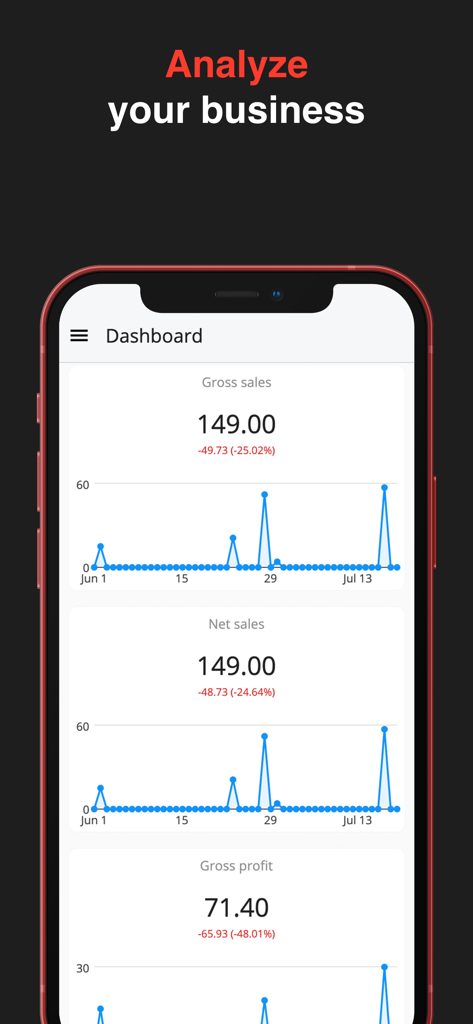
Alto’s POS & Inventory System - Alto POS mobile app dashboard showing gross sales and net sales charts with business performance analytics
Alto POS mobile app dashboard showing gross sales and net sales charts with business performance analytics

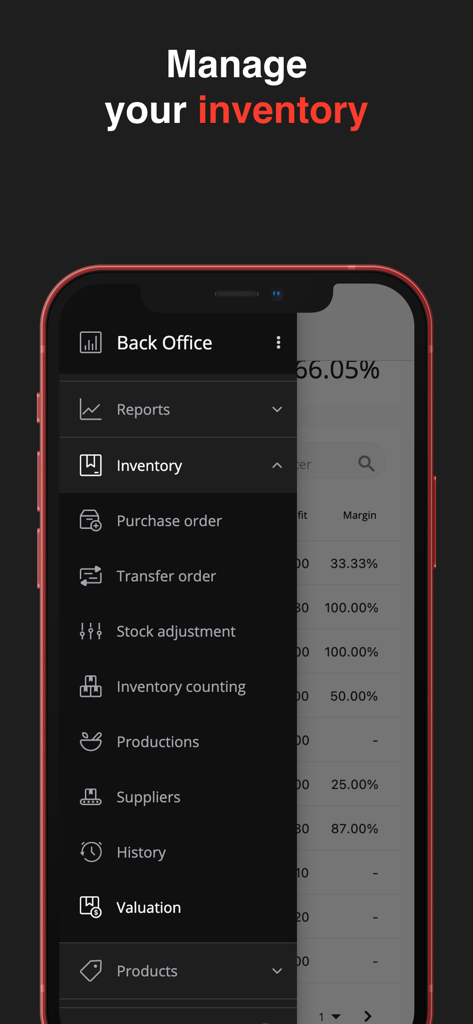
Alto’s POS & Inventory System - Alto’s POS mobile app inventory management side menu showing purchase orders and stock adjustment options
Alto’s POS mobile app inventory management side menu showing purchase orders and stock adjustment options

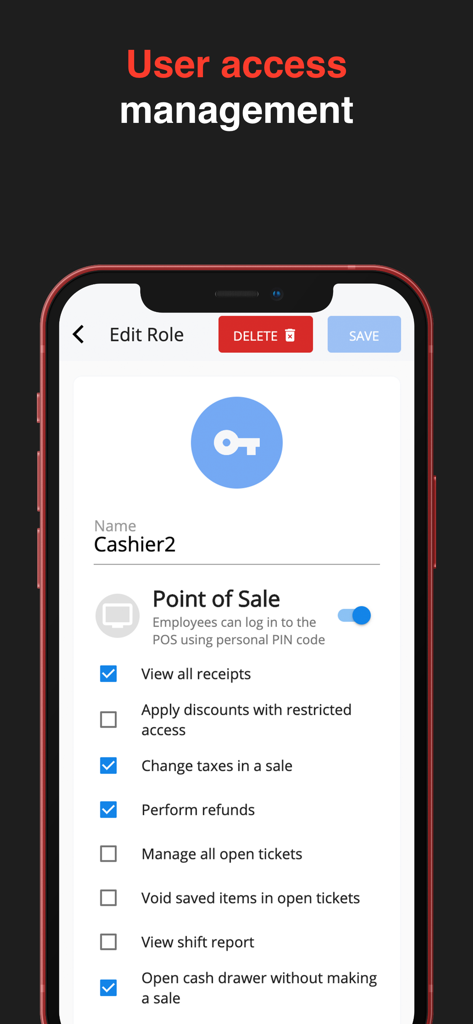
Alto’s POS & Inventory System - Interface of Alto POS showing user access management and employee role permissions settings
Interface of Alto POS showing user access management and employee role permissions settings

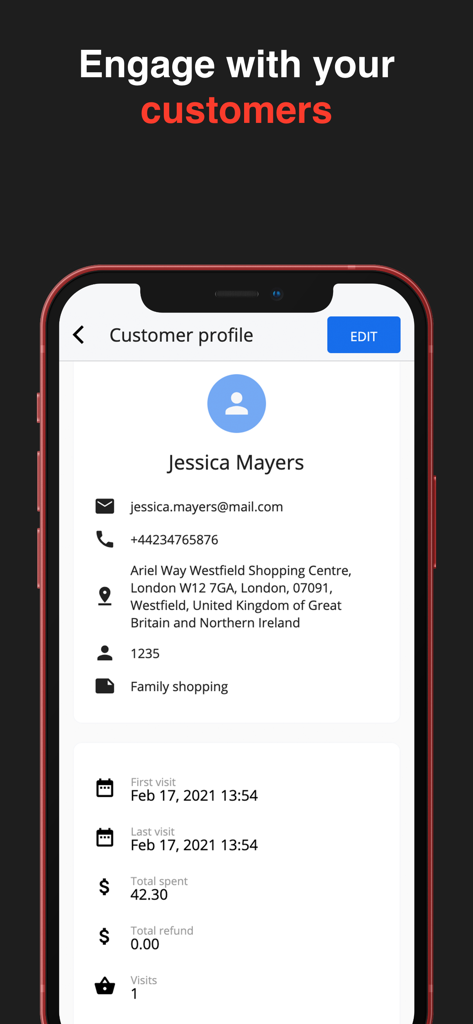
Alto’s POS & Inventory System - Customer profile screen in Alto POS app showing contact information and purchase history
Customer profile screen in Alto POS app showing contact information and purchase history

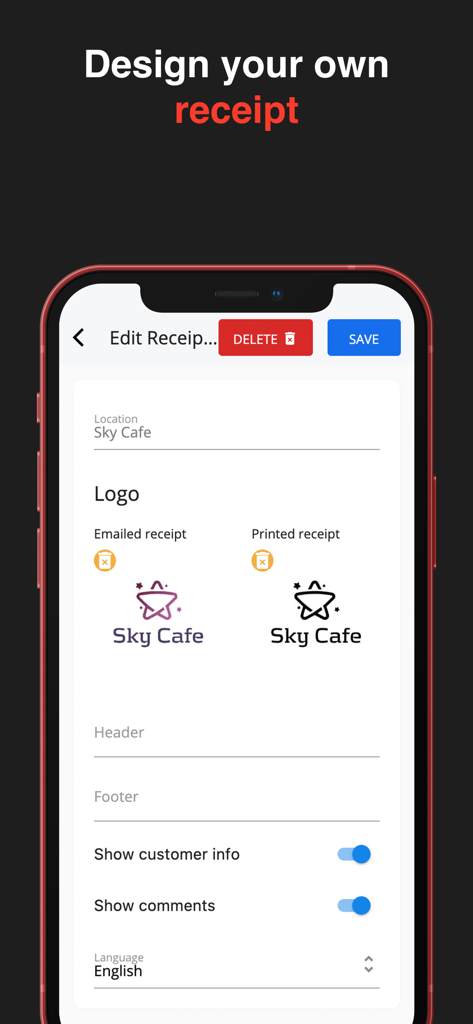
Alto’s POS & Inventory System - Interface for designing custom digital and printed receipts with business logos and brand details in the Alto POS app

Interface for designing custom digital and printed receipts with business logos and brand details in the Alto POS app

Description

Alto’s is a FREE Point of Sale and Inventory management app designed to fit your restaurant or retail business. It’s easy-to-use and intuitive. It offers a valuable set of features to help you increase your business profitability. Point of Sale system: Work with any device - Access your Alto’s POS account on any iPhone, iPad and Mac, as well as on any web browser Returns and refunds - Provide your customers with an option to return items and receive a refund based on the receipt Payment options - Let your customers choose from multiple payment methods: cash, card, or any other integrated payment system Print or send digital receipts - For the convenience of your customers, print out or send receipts via email Keep working even when you are offline Scanning barcodes - Use the built-in camera of your iPhone or iPad to scan barcodes of items during a sale Hardware compatibility - POS system supports Ethernet or Bluetooth receipt printers, Bluetooth or USB barcode scanners, cash drawers and POS terminals Manage inventory from anywhere - Track inventory in one or multiple locations Fast report generation - View real-time sales data and generate reports on a weekly, monthly, or yearly basis Inventory Management: Enjoy automatically generated inventory reports Create purchase orders and instantly share them with your suppliers Stocktaking - Conduct inventory counts manually or with a barcode reader. Reveal and apply changes (damages and losses) in stock levels Production - Create items with multiple components and ingredients Labelling - Print and apply barcode labels on items to speed up sales, purchasing and inventory processes History of inventory movement by product/ingredient Employee Management: • Employee time clock • Analyze data on workload per hour to better manage your personnel • Evaluate employee performance • Set roles and manage access rights for each employee Customer Debt Management: • Allow customers to make partial payments • Set a standard debt limit for all or customize it for individual customers • View outstanding balances and manage customer debt in one place • Record debts seamlessly through credit sales and by splitting charges Sales Analytics: • Sales trend analysis • Tax calculator • Save your time with automated tax reports • Receipts record - Check receipts history to review all transactions • Shift report - Check the cash register and match it against actual sales at the end of the shift • All-level data analysis - Get hourly, daily or weekly business reports on key performance indicators to keep up with the status of your business CRM: Customers & purchase report - Evaluate your customers based on the number of visits and purchases they have made. Get to know them better by looking at their purchase history Loyalty program - Offer motivational bonus points to loyal customers on every purchase they make with their points cards POS Systems for Restaurants and Retail Back Office Inventory Management - Track stock and supply Kitchen printer/display - Help your staff keep track of orders using a kitchen printer or kitchen display system (KDS), or both Dining options - Offer different dining options to your customers: eat-in, takeout and/or delivery --- Alto's is free, but you can subscribe to "Starter", "Advanced" or "Pro" to get more "Business Locations", "POS devices", and "Products". --- Price may vary by location. Subscriptions will be charged to your credit card through your iTunes account. Where applicable, your subscription will automatically renew unless canceled at least 24 hours before the end of the current period. Subscriptions may not be canceled during the active period. Manage your subscriptions in Account Settings after purchase. --- Send feedback: altoscloudpos@gmail.com Get Help: https://www.altospos.com/docs/ Privacy Policy: https://altospos.com/privacy-policy/ Terms of Use: https://www.apple.com/legal/internet-services/itunes/dev/stdeula/

Download

Download on App Store

This page is not an official page of the app or its developer, but an independent editorial publication created for informational and commentary purposes. Unless expressly stated otherwise, neither the app nor its developer is affiliated with, endorsed by, sponsored by, authorized by, or otherwise officially connected with MWM, Apple, Google Play, the app publisher, or the app's developer, and nothing on this page implies that the app was developed using MWM's services. Any trademarks, logos, screenshots, and other content remain the property of their respective owners.