
This page is not an official page of the app or its developer, but an independent editorial publication created for informational and commentary purposes. Unless expressly stated otherwise, neither the app nor its developer is affiliated with, endorsed by, sponsored by, authorized by, or otherwise officially connected with MWM, Apple, Google Play, the app publisher, or the app's developer, and nothing on this page implies that the app was developed using MWM's services. Any trademarks, logos, screenshots, and other content remain the property of their respective owners.


Amazon Alexa
Fragmentation ends here. The app delivers a singular point of command, giving users absolute authority over their connected lives.
Downloads
100M+User Rating
Total Ratings
11.1MPublisher
Category
LifestyleLocales
9Latest Version
2.2.713461.0Size
430.8 MBFirst Released
Dec 10, 2014Amazon Alexa App: Core Capabilities
An evaluation of key functionalities enhancing smart home integration and personal assistance.
Hands-Free Voice Command Interface
It allows users to interact with Alexa by simply saying “Alexa” when the app is active, providing effortless control without physical interaction.
Centralized Smart Home Device Control & Automation
This tool features comprehensive management for compatible smart devices like lights, locks, and thermostats, along with the ability to create routines for home automation.
Personal Organization & Daily Task Management
The app provides functionalities for viewing and editing shopping and to-do lists, managing timers and alarms, and receiving weather and news updates.
Multi-Service Music & Audio Management
It allows users to connect with various music services such as Spotify and Amazon Music, create speaker groups, and play audio across compatible Echo devices.
Alexa Skill Discovery & Management
The app enables users to discover, enable, and manage a vast array of Alexa skills, expanding the device's capabilities and personalizing the user experience.
Intercom & Device Communication
This tool features a 'Drop In' function for instant two-way intercom communication between compatible Echo devices, and allows calling or messaging other Alexa-enabled devices.
Frequently Asked Questions
Everything you need to know about Amazon Alexa
What is the Amazon Alexa app used for?
The Amazon Alexa app manages Alexa-enabled devices, controls music playback, and handles shopping lists, reminders, and timers. It enables hands-free voice control by saying “Alexa” when the app is on screen.
Can I control my smart home devices with the Amazon Alexa app?
Yes, the Amazon Alexa app allows users to set up, control, and check the status of compatible smart lights, locks, and thermostats. It also supports creating routines to automate smart home devices.
Which music services are compatible with the Amazon Alexa app?
The Amazon Alexa app connects to various music services, including Amazon Music, Pandora, Spotify, TuneIn, and iHeartRadio. Users can choose songs or playlists to listen on their Alexa-enabled devices.
Does the Amazon Alexa app support hands-free voice control?
Yes, the Amazon Alexa app supports hands-free voice control. Users can talk to Alexa by simply saying “Alexa” when the app is active on their screen.
Can I manage my shopping lists using the Amazon Alexa app?
Yes, the Amazon Alexa app allows users to view and edit shopping and to-do lists on the go. This feature helps organize daily tasks and purchases efficiently.
Does the Amazon Alexa app allow for communication with other devices?
Yes, the Amazon Alexa app allows users to stay connected. Features include Drop In for instant two-way intercom communication and the ability to call or message supported Alexa-enabled devices at no additional cost.
How does the Amazon Alexa app personalize the user experience?
The Amazon Alexa app adapts to the user's voice, vocabulary, and personal preferences with increased use. It also provides personalized feature recommendations and helps discover and enable recommended Alexa skills.
Can I set alarms and timers within the Amazon Alexa app?
Yes, the Amazon Alexa app allows users to manage timers and alarms directly within the application. This feature helps organize daily schedules and reminders.
What types of devices can the Amazon Alexa app manage?
The Amazon Alexa app manages Alexa-enabled devices, including Echo devices. It also controls compatible smart home devices like lights, locks, thermostats, and cameras, as seen on the dashboard.
Can I use the Amazon Alexa app to create routines for smart home devices?
Yes, the Amazon Alexa app allows users to create routines. These routines automate the actions of compatible smart home devices, enhancing convenience and efficiency.
The following screenshots and description are sourced directly from the app's official store listing and are the property of the app developer.
App Store
Screenshots
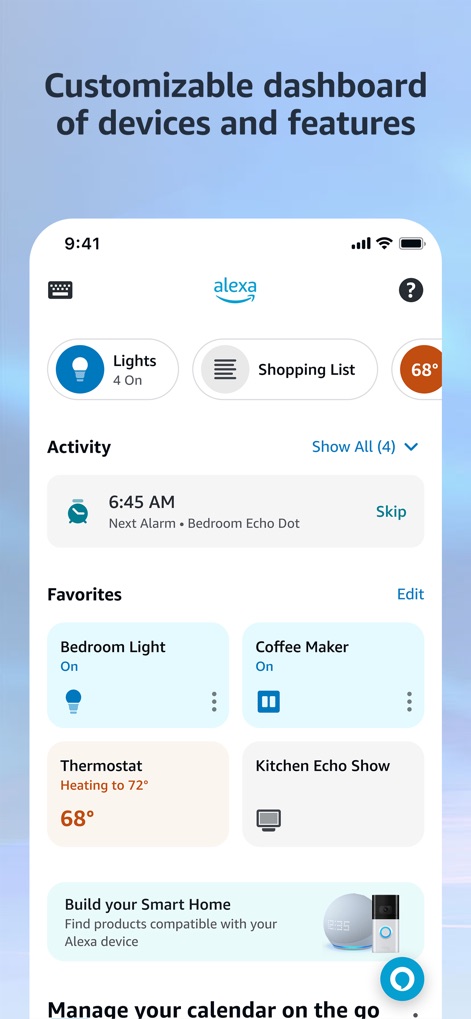
Dashboard Overview
See how the app provides a customizable dashboard with quick access buttons for common actions like "Lights" and a "Shopping List".
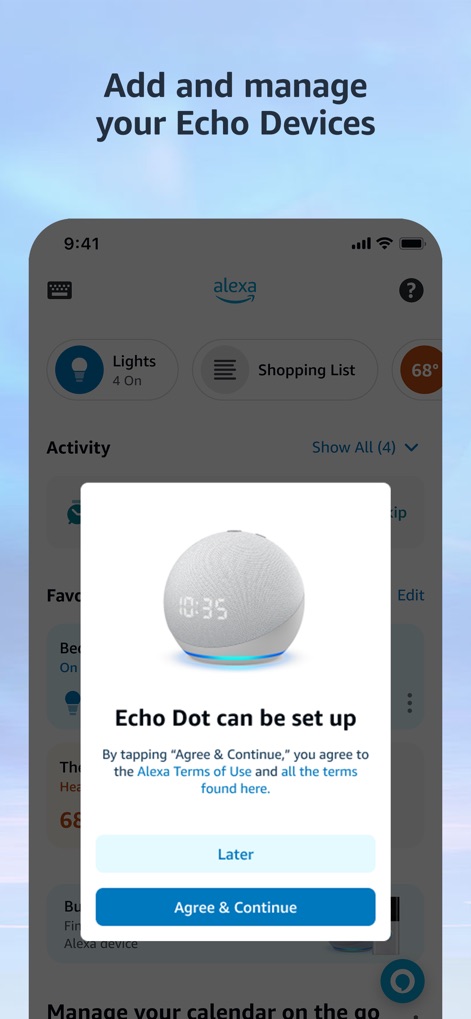
Device Setup
This tool simplifies device setup, as seen with the clear Echo Dot setup interface and its prominent "Agree & Continue" button.

Media Playback
Users can enjoy seamless media playback, featuring vibrant album artwork and intuitive playback controls for a rich listening experience.
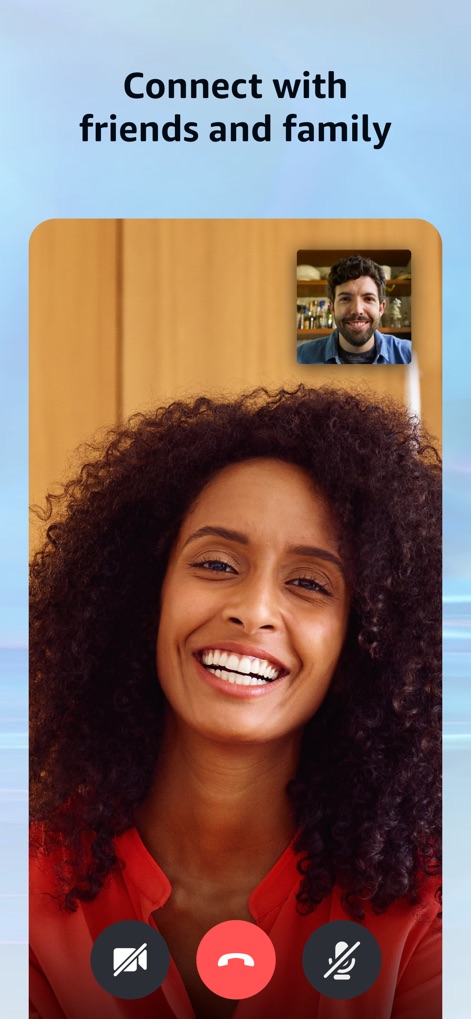
Stay Connected
The app facilitates staying connected through a clear two-way video call interface and easily accessible call control icons.

Smart Home Hub
This tool acts as a central smart home hub, offering categorized device types like "Lights" and "Cameras", and grouped controls for rooms such as "Living Room".

Discover Features
Explore the extensive capabilities of the app through its intuitive "Tap or say Alexa" input field and helpful suggested voice commands.

Shopping Manager
Users can efficiently manage their errands with categorized shopping list items and convenient checkboxes for completion tracking.

User Preferences
The app offers enhanced user experience with its sleek dark mode visual theme and accessible toggle switches for managing alarms.
Description
Download
More Like This
Apps with similar features and user experience

TP-Link Tapo
TP-Link Systems Inc.

Дом с Алисой
DIRECT CURSUS COMPUTER SYSTEMS TRADING LLC

VeSync
Vesync Technology Corporation

Kasa Smart
TP-Link Systems Inc.

ecobee
ecobee Ltd.

Hubspace
Afero, Inc.

ADT Control ®
ADT LLC

First Alert by Resideo
Resideo Technologies, Inc.

Mibo Smart: Casa Inteligente
Intelbras S.A. Ind. de Telecom. Elet. Brasileira
This page is not an official page of the app or its developer, but an independent editorial publication created for informational and commentary purposes. Unless expressly stated otherwise, neither the app nor its developer is affiliated with, endorsed by, sponsored by, authorized by, or otherwise officially connected with MWM, Apple, Google Play, the app publisher, or the app's developer, and nothing on this page implies that the app was developed using MWM's services. Any trademarks, logos, screenshots, and other content remain the property of their respective owners.