
This page is not an official page of the app or its developer, but an independent editorial publication created for informational and commentary purposes. Unless expressly stated otherwise, neither the app nor its developer is affiliated with, endorsed by, sponsored by, authorized by, or otherwise officially connected with MWM, Apple, Google Play, the app publisher, or the app's developer, and nothing on this page implies that the app was developed using MWM's services. Any trademarks, logos, screenshots, and other content remain the property of their respective owners.


AmberTime - Offline Backup
Cloud dependence is a trap. This app empowers users to reclaim their data, offering an ironclad, offline backup directly to physical storage.
Downloads
10k+User Rating
Total Ratings
13Publisher
Category
Photo & VideoLocales
12Latest Version
1.0.2Size
6.2 MBFirst Released
Mar 24, 2026An evaluation of key functionalities for privacy-conscious mobile data preservation.
AmberTime - Offline Backup: Core Features Analysis
100% Offline & Private Backup
The app ensures complete data privacy by operating entirely offline, guaranteeing that user data never touches a server and remains fully under the user's control.
Direct Backup to USB & External Storage
It allows users to back up data directly to physical USB drives and external SSDs, eliminating cloud dependency and recurring fees while providing tangible data ownership.
Comprehensive Media & Folder Backup
This tool supports backing up entire Photo Libraries, including complex media types like HEIC and Live Photos, alongside custom folders, providing flexible and complete data preservation.
Efficient Incremental Backup
The app features incremental backups, transferring only new or changed files, which optimizes backup speed and storage usage by avoiding redundant copies.
Smart & Reliable Operation
It provides robust features like automatic pause/resume, background operation, and support for various drive formats (FAT32, exFAT, APFS), ensuring a smooth and dependable backup experience.
No Subscription for Pro Features
The app offers a one-time purchase for Pro features, granting unlimited backups without the need for recurring subscriptions, appealing to users who prefer ownership over ongoing costs.
The following screenshots and description are sourced directly from the app's official store listing and are the property of the app developer.
App Store
Screenshots
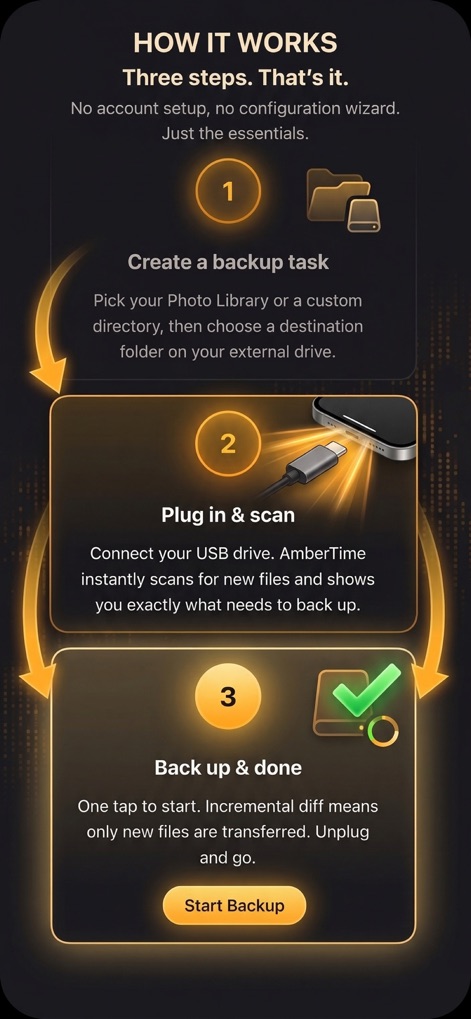
Users can quickly grasp the backup process through the clear three-step outline and initiate transfers with the prominent "Start Backup" button.
Simple Setup Guide
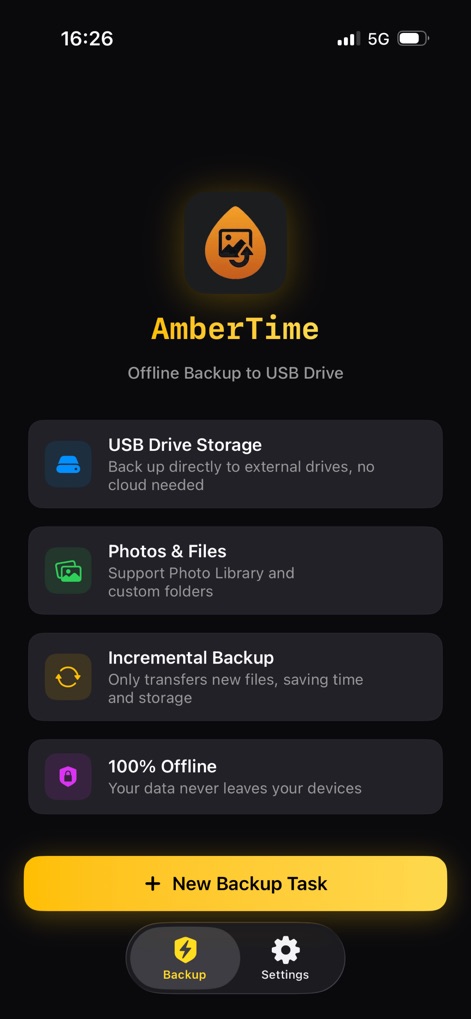
The app highlights its core benefits in easily digestible feature cards, offering quick access to a "New Backup Task" creation.
App At a Glance
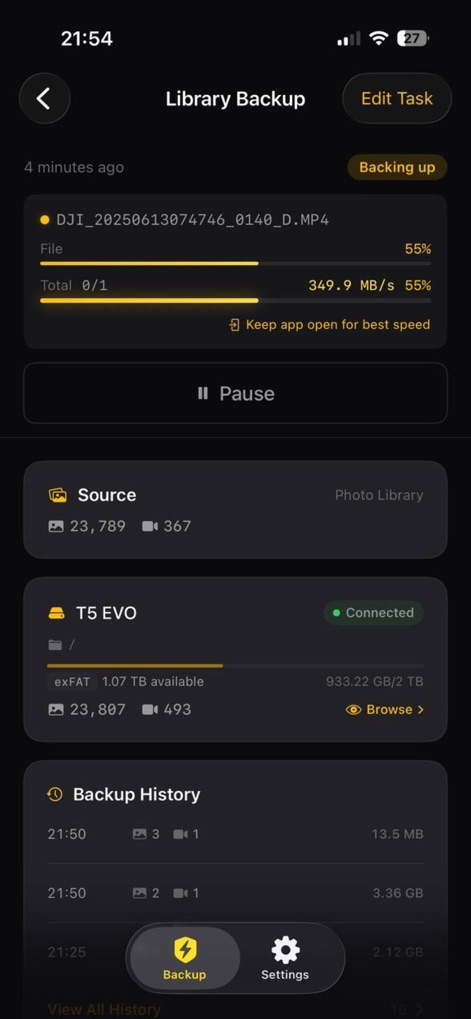
Monitor transfer efficiency with a clear progress bar and review past operations in the detailed "Backup History" section.
Real-time Progress
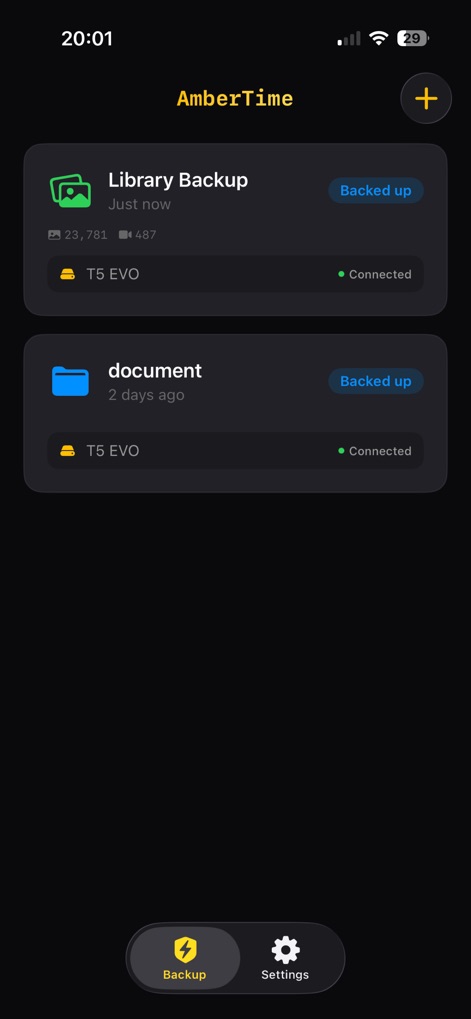
Easily manage and review previous backups with individual task cards and navigate the app using the "Backup" and "Settings" tabs.
Organized Backup History
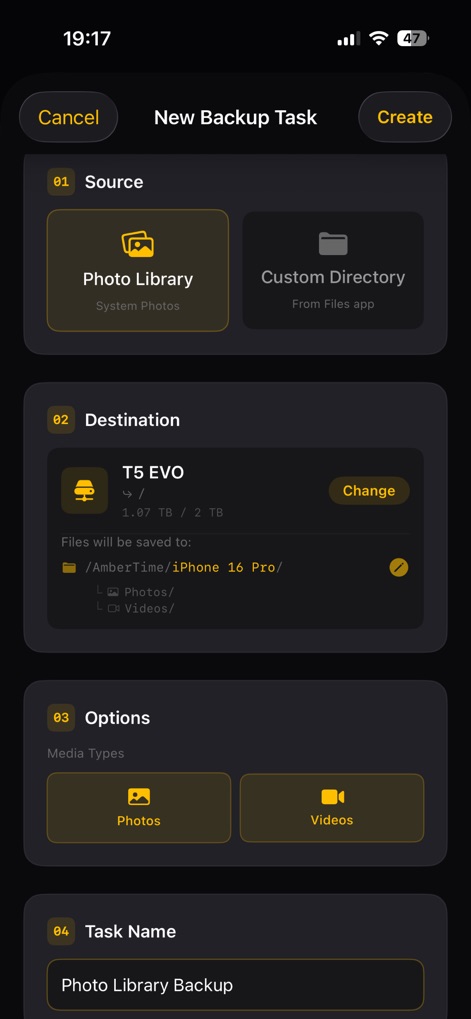
Define backup parameters by selecting a "Source" and "Destination" and personalize tasks with a specific "Task Name."
Customize Your Backup
Description
Download
More Like This
Top-ranked apps in the same category

CapCut: Photo & Video Editor
BYTEDANCE PTE. LTD.

Instagram, Inc.

YouTube
Google LLC

Canva: AI Video & Photo Editor
Canva Pty Ltd

Snapchat
Snap, Inc.

Edits: Video Editor
Instagram, Inc.

快手
Beijing Kwai Technology Co., Ltd.

Meta AI - Vibes & AI Glasses
Meta Platforms, Inc.

Google Photos: Backup & Edit
Google LLC
This page is not an official page of the app or its developer, but an independent editorial publication created for informational and commentary purposes. Unless expressly stated otherwise, neither the app nor its developer is affiliated with, endorsed by, sponsored by, authorized by, or otherwise officially connected with MWM, Apple, Google Play, the app publisher, or the app's developer, and nothing on this page implies that the app was developed using MWM's services. Any trademarks, logos, screenshots, and other content remain the property of their respective owners.