
This page is not an official page of the app or its developer, but an independent editorial publication created for informational and commentary purposes. Unless expressly stated otherwise, neither the app nor its developer is affiliated with, endorsed by, sponsored by, authorized by, or otherwise officially connected with MWM, Apple, Google Play, the app publisher, or the app's developer, and nothing on this page implies that the app was developed using MWM's services. Any trademarks, logos, screenshots, and other content remain the property of their respective owners.

AMT Mobile V3
Get professional-grade control over your Intelbras alarm system. Arm your property, monitor zones in real-time, and receive instant alerts for total peace of mind without the high subscription costs.
Downloads
1M+User Rating
Total Ratings
1K+Publisher
Category
BusinessLocales
3Latest Version
4.4.1Size
40.7 MBFirst Released
Aug 28, 2015Total Control Over Your Property's Security
Manage your home or business alarm system from anywhere. Get real-time alerts and professional-grade monitoring directly on your smartphone, without the high subscription costs.
Remote Arming & Disarming
Secure your property with a single tap. Whether you're at work or traveling, you maintain full control over your alarm system's status at all times.
Instant Push Notifications
Stay informed the second something happens. Receive immediate alerts for sensor triggers or system changes so you can react when it matters most.
Frequently Asked Questions
Everything you need to know about AMT Mobile V3
What is AMT Mobile V3?
The AMT Mobile V3 app monitors residential or commercial properties by connecting to Intelbras monitored central units. It offers real-time monitoring and control via 3G or Wi-Fi.
What are the main features of the AMT Mobile V3 app?
The AMT Mobile V3 app provides real-time monitoring, arm/disarm central unit, push notifications, PGM outputs control, emergency buttons (with/without siren), and zone bypass functionality.
How does the AMT Mobile V3 app connect to the central unit?
The AMT Mobile V3 app connects using 3G or Wi-Fi networks. It requires an Intelbras alarm central unit with an internet connection, either via Ethernet or GPRS.
Can I arm and disarm my alarm system with AMT Mobile V3?
Yes, the AMT Mobile V3 app allows users to remotely arm and disarm their Intelbras alarm central unit directly from their mobile device.
Does AMT Mobile V3 support push notifications?
Yes, the AMT Mobile V3 app delivers push notifications to your mobile device, keeping you informed about your property's security status.
Does the AMT Mobile V3 app include an emergency button?
Yes, the AMT Mobile V3 app features emergency buttons. These include options for triggering a siren or for a silent emergency activation.
Can I control PGM outputs using the AMT Mobile V3 app?
Yes, the AMT Mobile V3 app provides control over the PGM outputs of your Intelbras central unit. This allows for automation of connected devices.
What are the prerequisites for using the AMT Mobile V3 app?
To use the AMT Mobile V3 app, you must have an Intelbras alarm central unit equipped with an internet connection (Ethernet or GPRS).
Where can I find support for the AMT Mobile V3 app?
Support for the AMT Mobile V3 app is available through an in-app user guide, phone at (48) 21060006, or via email at suporte@intelbras.com.br.
Does AMT Mobile V3 manage alarm zones?
Yes, the AMT Mobile V3 app allows for management of alarm zones, including the ability to bypass (nullify) specific zones as needed.
Can I manage multiple partitions with AMT Mobile V3?
Yes, AMT Mobile V3 supports managing multiple partitions (A, B, C, D), allowing for segmented control over different areas of a property.
Is remote access available with AMT Mobile V3?
Yes, AMT Mobile V3 offers remote access capabilities, enabling users to manage their central alarm unit from any location with internet connectivity.
The following screenshots and description are sourced directly from the app's official store listing and are the property of the app developer.
App Store
Screenshots
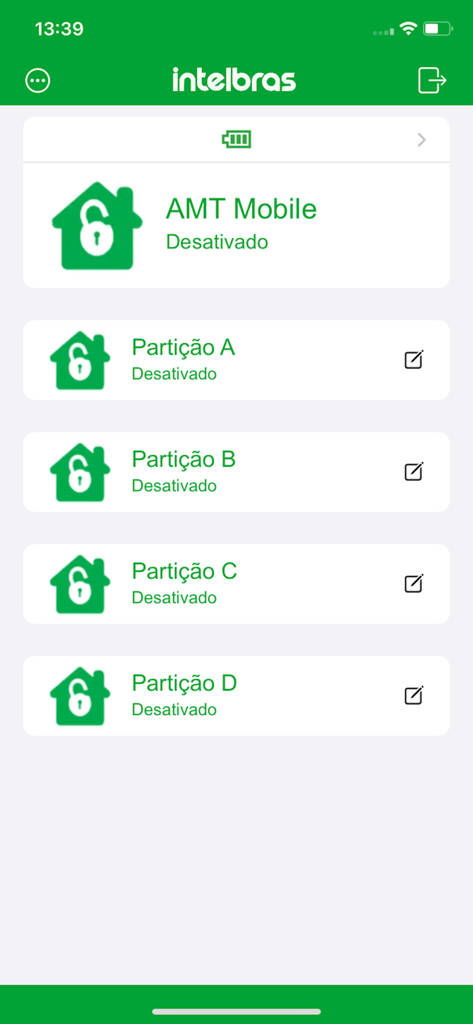
Interface of the AMT Mobile V3 app showing security alarm partitions and their deactivated status
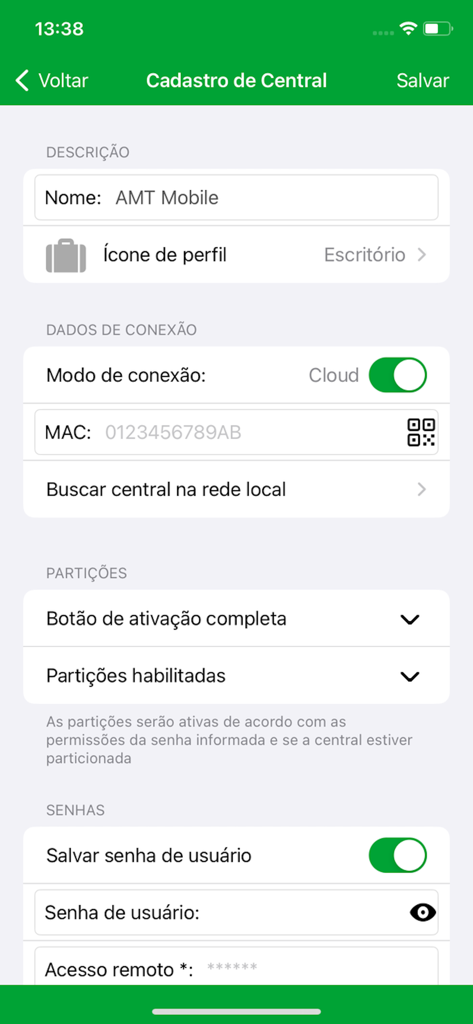
Registration and configuration screen for a security central in the AMT Mobile V3 app.
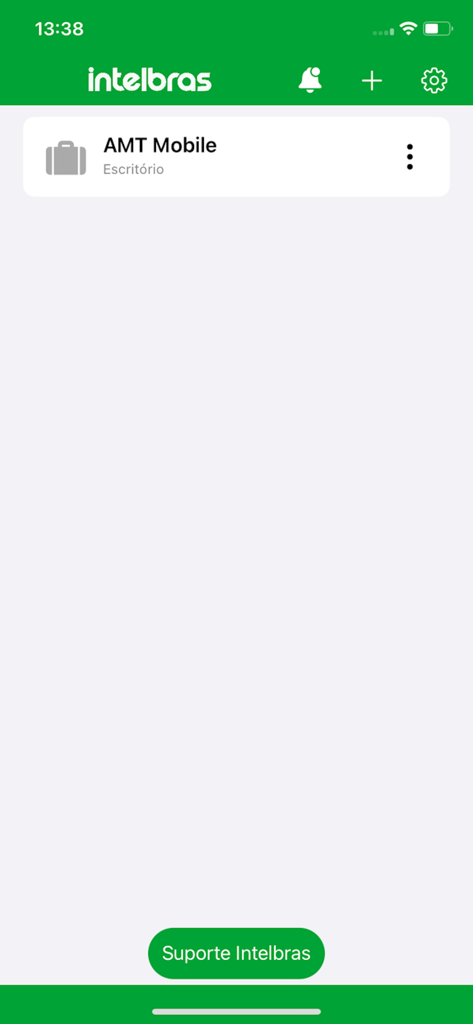
AMT Mobile V3 app home screen showing office security control
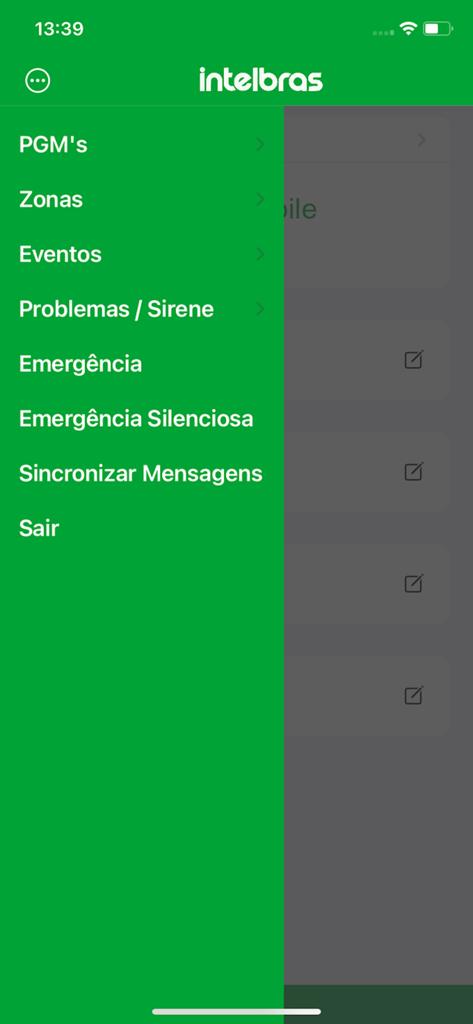
AMT Mobile V3 app sidebar menu displaying security system control options including zones and emergency alerts
Description
Download
More Like This
Apps with similar features and user experience

Skylight App
Glimpse LLC.

Remote Control for Samsung TV・
Red Paket sp. z o.o.

BARDI Smart Home
nadi digital indonesia, pt

LG TV Remote Control Smart TVs
Aleh Piashkou

UPPAbaby Home
Thorley Industries LLC

Calex Smart
Electro Cirkel Retail BV

Remote Control for TV Stick
Pol Nadal Serra

Firestick・Fire TV Remote Stick
Jonathan Reed

Bravia Controller - Sony TV
YONGXING JIN
This page is not an official page of the app or its developer, but an independent editorial publication created for informational and commentary purposes. Unless expressly stated otherwise, neither the app nor its developer is affiliated with, endorsed by, sponsored by, authorized by, or otherwise officially connected with MWM, Apple, Google Play, the app publisher, or the app's developer, and nothing on this page implies that the app was developed using MWM's services. Any trademarks, logos, screenshots, and other content remain the property of their respective owners.