Animation Desk® Draw & Animate

Animation Desk® Draw & Animate


Download on App Store
Logo of Animation Desk® Draw & Animate

Animation Desk® Draw & Animate: Bring Your Characters to Life Anywhere

The ultimate digital flipbook for aspiring creators. Turn your sketches into stunning frame-by-frame animations for TikTok, Instagram, and YouTube with pro-level tools like onion skinning and multi-layer editing.

Publisher

Kdan Mobile Software LTD

Category

Entertainment

Downloads

3M+

User Rating

4.2/5

Total Ratings

15K+

Locales

12

Your Studio in Motion

Discover the interface used by 3M+ users.
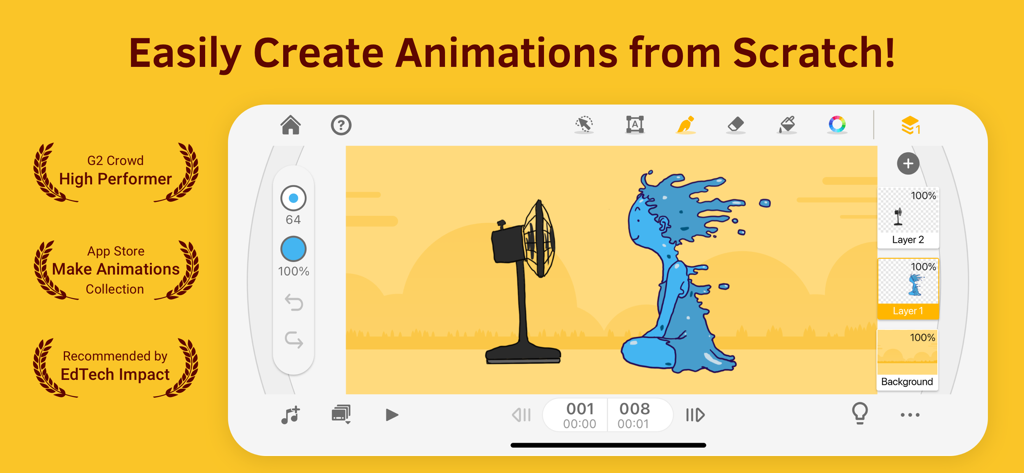
Animation Desk app interface showing the creation of a hand-drawn animation

Animation Desk app interface showing the creation of a hand-drawn animation

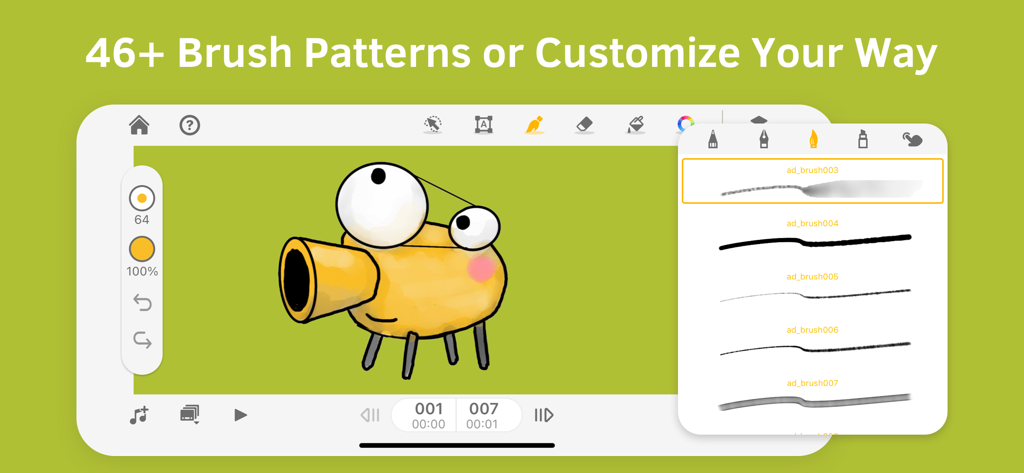
Animation Desk app interface showing brush pattern options and a character drawing

Animation Desk app interface showing brush pattern options and a character drawing

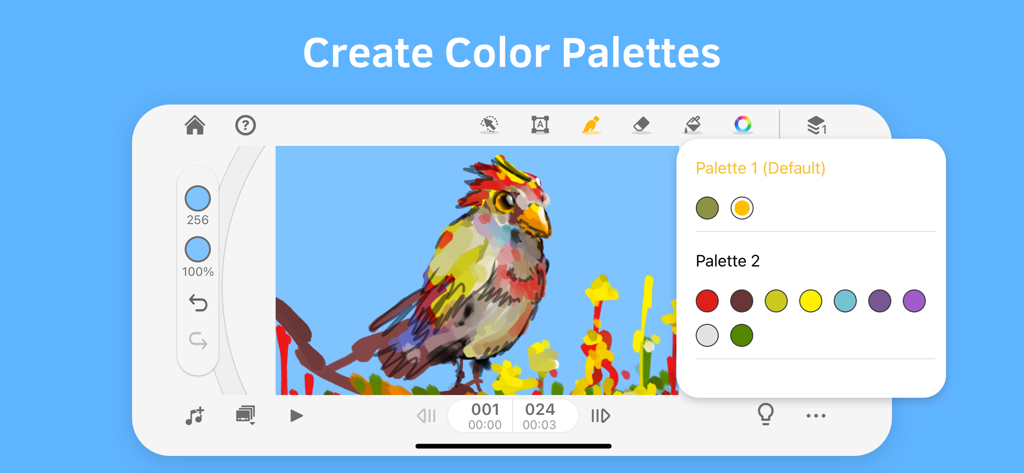
Animation Desk mobile app interface showing the color palette creation tool with a drawing of a colorful bird

Animation Desk mobile app interface showing the color palette creation tool with a drawing of a colorful bird

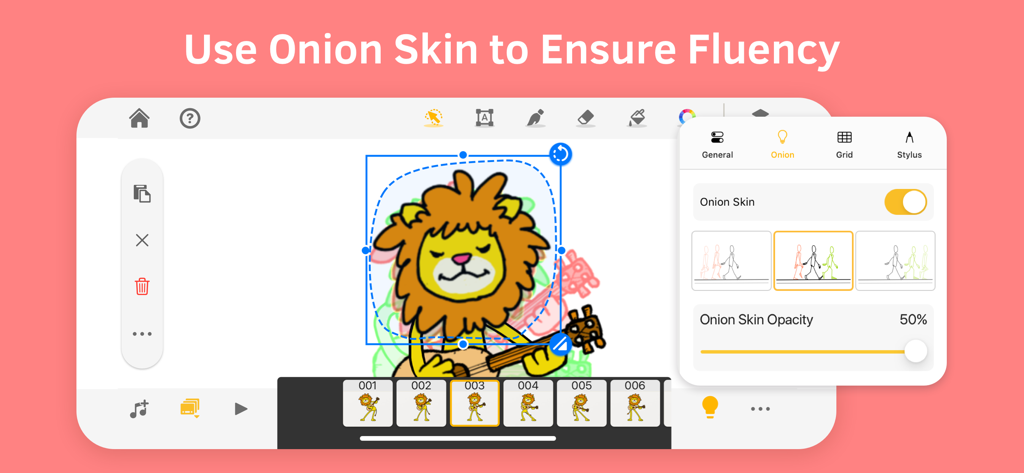
Animation Desk interface showing the onion skinning feature for a cartoon lion animation

Animation Desk interface showing the onion skinning feature for a cartoon lion animation

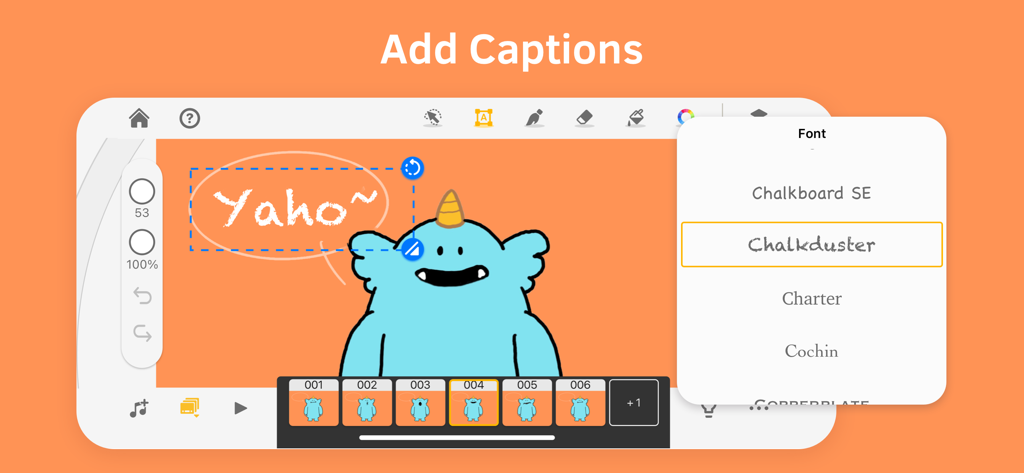
Adding captions to a cartoon monster character in Animation Desk with a font selection menu

Adding captions to a cartoon monster character in Animation Desk with a font selection menu

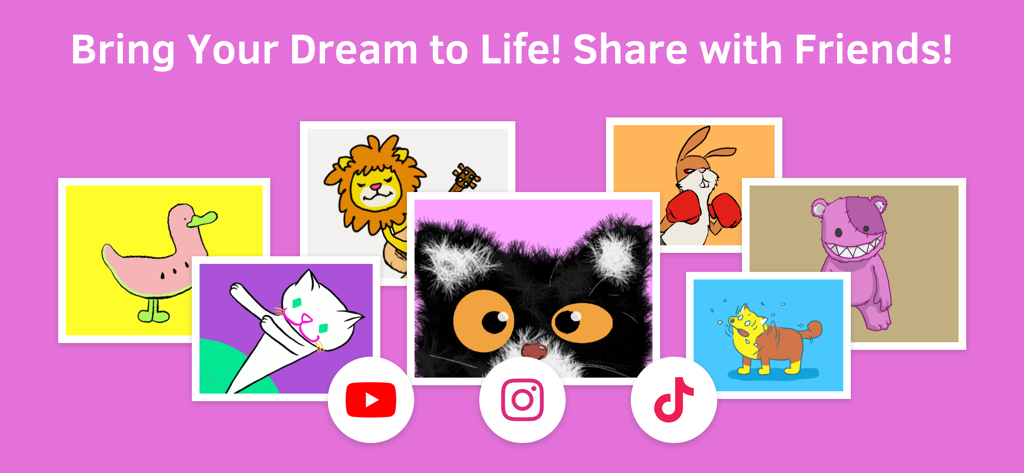
A collection of cartoon character drawings with YouTube Instagram and TikTok icons

A collection of cartoon character drawings with YouTube Instagram and TikTok icons

Bring Your Characters to Life

The tools that make this app stand out, trusted by 3M+ users.

✍️

Fluid Frame-by-Frame Tools

Master smooth motion with intuitive onion skinning and multi-layer support designed for the perfect hand-drawn feel.

🚀

Built for Social Sharing

Export your work instantly as GIFs or HD videos to showcase your animation memes and speed-paints on TikTok and Instagram.

🎨

Pro Workflow for Students

Level up your portfolio with customizable brushes and PSD export, seamlessly moving your projects between iPad and Photoshop.

About the app

Everything you need to know about Animation Desk® Draw & Animate.

Description

Have fun exploring the world of animation. Learn how to make cartoons and animations, and share your videos on YouTube, TikTok, or Instagram. Check out the video tutorials in the app, or get animation tips on our website. AWARDS - Recommended by EdTech Impact, Edshelf, EducationalAppStore.com, All about apps in YOUR classroom, iPad Educators - Featured by Apple on iTunes Home Page - Featured by TechCrunch - Featured by Yahoo Tech HOW TO CREATE FRAME-BY-FRAME ANIMATION Animation Desk works like a digital flipbook. You can start from the first frame or a keyframe. Use the brushes or selection tool to complete their work. CREATE ANIMATION WITH VIDEOS & PHOTOS Import video and photo, and add fantastic animation effects. MANY EDITING TOOLS • Draw with different brushes or customize your own • Add captions or subtitles for your animation • Setup color palettes for characters or scenes • Other editing tools: rulers, selection tools, and more PLAY WITH FRAME & LAYERS • Trace the motion with onion skinning • Easily manage frames in the frame viewer • Duplicate or repeat a frame, set up FPS to control the speed • The basic version includes 3 sketch layers and one background layer Export • Export animation as a video, GIF, and PDF sheet! • Export animation into Photoshop and make advanced editing • Export individual frames as images PLEASE NOTE Animation Desk is free to download and use, and more features are available in the subscription plans. The basic version includes ads. For more information, please refer to the Term of Service below. SUBSCRIPTION OPTIONS • Kdan Cloud 500GB • Animation Desk Pro with 500G Kdan Cloud storage • Animation Desk Pro for students and educators • Creativity 365 with 1 TB Kdan Cloud storage" Any unused portion of a free trial period, if offered, will be forfeited when the user purchases a subscription to that publication, where applicable. Subscriptions will be charged through your iTunes account at the confirmation of purchase. Your subscriptions will automatically renew unless canceled at least 24 hours before the end of the current subscription period. Your iTunes account will be charged for renewal within 24 hours before the end of the current period, for the same duration and at the current subscription price. You may manage your subscriptions in your iTunes Terms of service: https://kdanmobile.com/en/terms_of_service Privacy Policy: https://kdanmobile.com/en/privacy_policy CONTACT US Email: helpdesk@kdanmobile.com Helpdesk: http://support.kdanmobile.com Instagram: https://www.instagram.com/animation_desk Facebook: https://www.facebook.com/animationdesk

Latest Version

9.4.7

Size

398.8 MB

First Released

Jul 30, 2015

Ready to Bring Your Sketches to Life?

Join over 3 million creators making viral TikToks, GIFs, and professional portfolios. Download Animation Desk and start animating your world today.

Download on App Store
FAQ

Frequently Asked Questions

Everything you need to know about Animation Desk® Draw & Animate

How to create animations in Animation Desk?

Animation Desk® works like a digital flipbook. Users create frame-by-frame animation, starting from the first frame or a keyframe. It utilizes brushes and selection tools to draw and refine each frame.

Can I import videos and photos into Animation Desk®?

Yes, Animation Desk® allows users to import videos and photos. This feature enables adding fantastic animation effects to existing media, expanding creative possibilities within the app.

What editing tools does Animation Desk® offer?

Animation Desk® provides various editing tools, including multiple brushes, custom brush creation, captions, subtitles, color palettes, rulers, and selection tools. These features support comprehensive animation design.

Does Animation Desk® support layers for animation?

Yes, Animation Desk® supports layers. The basic version includes three sketch layers and one background layer, allowing for complex and organized animation creation within the app.

What is onion skinning in Animation Desk®?

Onion skinning in Animation Desk® is a feature that traces motion by displaying previous and next frames faintly. This helps users create fluid and accurate frame-by-frame animation.

Can Animation Desk® export animations?

Yes, Animation Desk® exports animations in multiple formats. Users can export as video, GIF, PDF sheets, and individual frames as images. It also supports exporting to Photoshop for advanced editing.

Is Animation Desk® free to use?

Yes, Animation Desk® is free to download and use. Additional features are available through subscription plans. The basic free version includes advertisements.

What are the subscription options for Animation Desk®?

Animation Desk® offers several subscription options: Kdan Cloud 500GB, Animation Desk Pro with 500GB Kdan Cloud storage, Animation Desk Pro for students/educators, and Creativity 365 with 1TB Kdan Cloud storage.

Where can users share animations made with Animation Desk®?

Users can share their animations created with Animation Desk® on popular platforms. The app supports direct sharing to YouTube, TikTok, or Instagram.

Has Animation Desk® received any awards or recognition?

Yes, Animation Desk® has received significant recognition. It is recommended by EdTech Impact and EducationalAppStore.com, featured by Apple, TechCrunch, and Yahoo Tech, and is a G2 Crowd High Performer.

App information, icons, screenshots, and descriptions displayed on this page are sourced from the Apple App Store and are the property of their respective developers. Download estimates and rankings are based on MWM's proprietary models and may not reflect actual figures. This page is provided for informational and analytical purposes only.

Believe this page infringes your intellectual property? File a dispute