
This page is not an official page of the app or its developer, but an independent editorial publication created for informational and commentary purposes. Unless expressly stated otherwise, neither the app nor its developer is affiliated with, endorsed by, sponsored by, authorized by, or otherwise officially connected with MWM, Apple, Google Play, the app publisher, or the app's developer, and nothing on this page implies that the app was developed using MWM's services. Any trademarks, logos, screenshots, and other content remain the property of their respective owners.


Stop Motion Studio
Stop motion once intimidated. Now, this software places precise animation control directly into the user's hand, manifesting any creative vision, frame by perfect frame.
Downloads
12.5M+User Rating
Total Ratings
156.5KPublisher
Category
Photo & VideoLocales
17Latest Version
25.12Size
179.4 MBFirst Released
Sep 7, 2011Stop Motion Studio: Core Feature Analysis
An in-depth evaluation of key functionalities driving user creativity and accessibility.
Ad-Free & Privacy-Focused Experience
The app provides a user-friendly experience free from ads, tracking, and mandatory subscriptions for its core functionalities, ensuring privacy and an uninterrupted creative flow.
Onion Skinning & Animation Guides
The app provides onion skinning and animation guides, which are crucial for precise frame alignment and smooth transitions, making animation accessible even for beginners.
Integrated Tutorials & Creative Tips
It offers comprehensive step-by-step tutorials and creative tips, guiding users through the animation process and fostering skill development.
High-Resolution Export & Direct Sharing
The app supports exporting films in high-resolution 4K or 1080p HD and provides direct sharing options to popular platforms like YouTube and TikTok.
Interactive Timeline & Frame Editing
It features an intuitive interactive timeline and robust frame-by-frame editing capabilities, offering users granular control over their animation sequence.
Voiceover & Audio Integration
The app enables users to record voiceovers and narration directly, and integrate sound effects or background music, enhancing storytelling and engagement.
Full Manual Camera Controls
This tool offers full manual camera controls including focus, exposure, ISO, and white balance, enabling advanced users to capture professional-grade frames.
Green Screen Effects
This tool includes green screen effects, allowing creators to place characters or objects in any desired background, expanding creative possibilities.
Rotoscoping Capabilities
It allows users to utilize rotoscoping, drawing directly over videos for unique effects and integrating various animation styles.
Remote Camera Functionality
It allows users to employ an Apple Watch or another device as a remote camera, providing convenience and stability during frame capture.
Frequently Asked Questions
Everything you need to know about Stop Motion Studio
What is Stop Motion Studio?
Stop Motion Studio is an Apple-featured app for creating stop motion animation films. It offers powerful creative tools designed for both beginners and experienced animators.
Does Stop Motion Studio offer professional editing features?
Yes, Stop Motion Studio provides professional editing features. These include onion skinning, animation guides, an interactive timeline, frame-by-frame editing, and rotoscoping for precision.
Can I record voiceovers and add music in Stop Motion Studio?
Yes, Stop Motion Studio allows users to record voiceovers directly within the app. It also supports adding sound effects, background music, or importing audio from a personal library.
Does Stop Motion Studio support green screen effects?
Yes, Stop Motion Studio includes green screen effects. This feature enables users to place characters or objects onto any desired background, enhancing creative possibilities.
What export options are available in Stop Motion Studio?
Stop Motion Studio offers various export options. Users can export films in 4K or 1080p HD, share directly to YouTube, TikTok, or save as GIFs or iMessage stickers.
Does Stop Motion Studio require a subscription?
No, Stop Motion Studio explicitly states it has "no subscriptions." The app operates on a model of no ads and no tracking, focusing on user privacy.
Are there any in-app purchases in Stop Motion Studio?
Yes, some features in Stop Motion Studio require in-app purchases to unlock. However, all features are included without additional purchases in the Pro version of the app.
Does Stop Motion Studio track user data?
No, Stop Motion Studio affirms that it conducts "no tracking." The app prioritizes user data privacy and ensures that creativity remains private.
Can I use Stop Motion Studio on multiple Apple devices?
Yes, Stop Motion Studio supports cross-device use. Users can begin projects on an iPhone and seamlessly complete them on a Mac, as work stays in sync.
Does Stop Motion Studio provide tutorials for beginners?
Yes, Stop Motion Studio provides resources for beginners. It includes step-by-step tutorials, creative tips, and a built-in manual for quick guidance and inspiration.
Can Stop Motion Studio add facial expressions to characters?
Yes, Stop Motion Studio offers tools to add facial expressions. Users can apply various expressions or layers to characters within their animation projects.
Does Stop Motion Studio have manual camera controls?
Yes, Stop Motion Studio features full manual camera controls. These controls include adjustments for focus, exposure, ISO, and white balance, allowing precise capture.
Can I use a remote device to capture frames in Stop Motion Studio?
Yes, Stop Motion Studio enables users to employ an Apple Watch or another compatible device as a remote camera. This allows for convenient frame capture.
Does Stop Motion Studio include drawing tools?
Yes, Stop Motion Studio incorporates built-in drawing tools. Additionally, it provides features like text cards and speech bubbles to enhance animated films.
The following screenshots and description are sourced directly from the app's official store listing and are the property of the app developer.
App Store
Screenshots
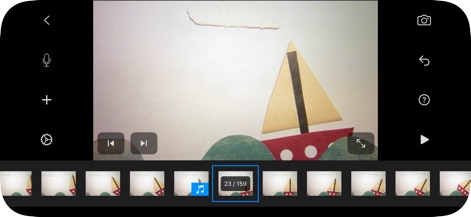
Frame-by-Frame Precision
The app offers an intuitive timeline for frame navigation and displays audio cues for seamless integration of sound.
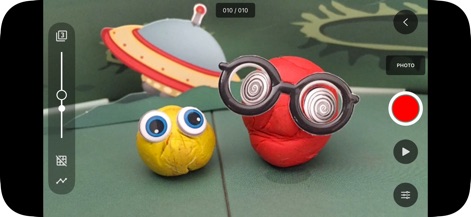
Capture Claymation
Users can precisely control capture settings with a vertical exposure slider and initiate recording using the prominent red record button.

Sound Editing Suite
This tool allows for detailed audio manipulation, featuring a clear waveform display for precise trimming and fading of sound clips.
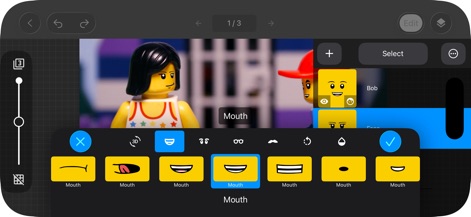
Expressive Character Design
The app provides extensive tools for character customization, showcasing a wide selection of facial expressions and an intuitive interface for applying them.
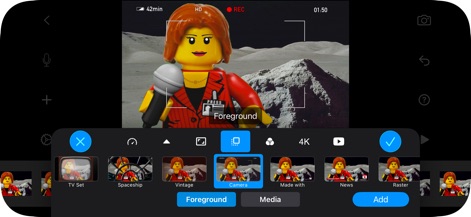
Visual Effects Power
Users can enhance their films with diverse visual effects, exploring options like 'TV Set' filters and seamlessly adding elements via the 'Foreground' tab.
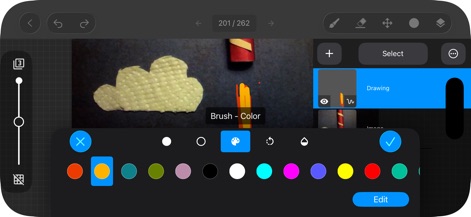
Integrated Drawing Tools
This powerful studio includes built-in drawing capabilities, offering a comprehensive color palette and brush size adjustments for creative overlays.
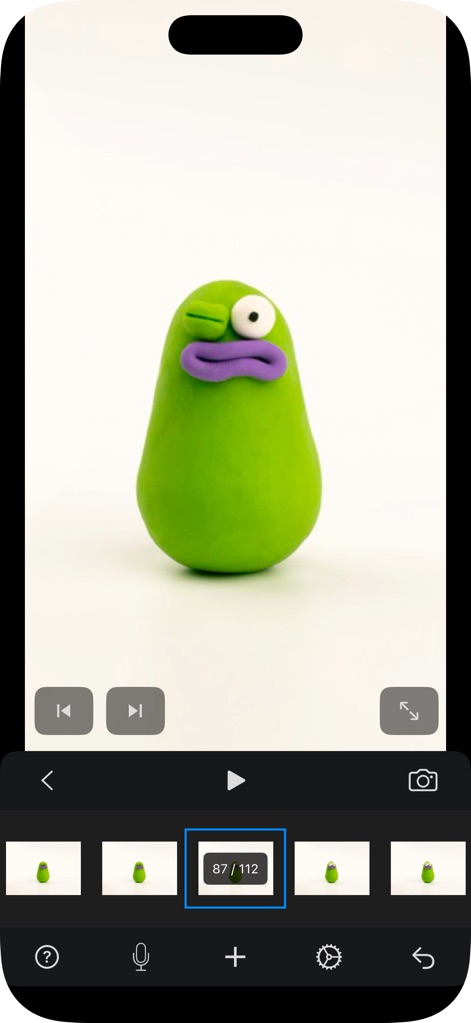
Seamless Playback
Experience smooth playback of your animation projects, easily navigating frames using the timeline display and utilizing intuitive playback controls.
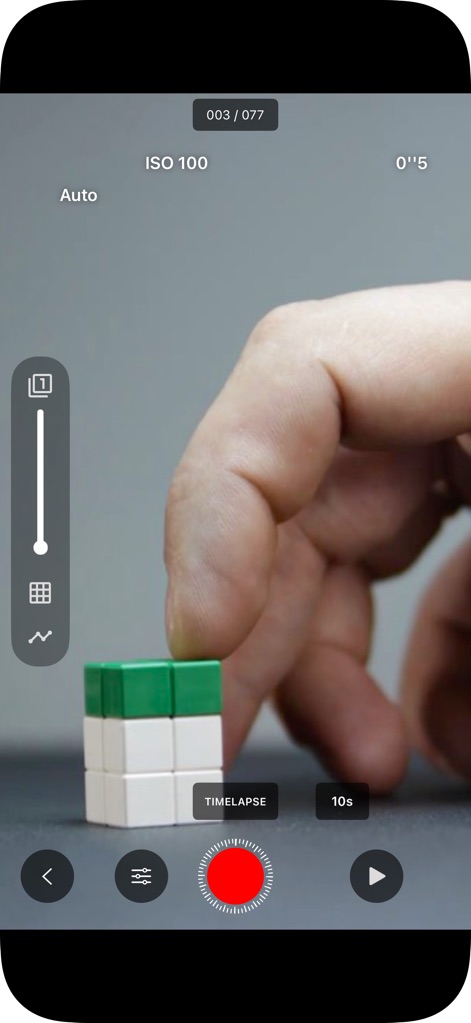
Advanced Capture Modes
The tool supports advanced filming techniques, including a dedicated 'TIMELAPSE' mode and precise manual camera controls like ISO adjustment.
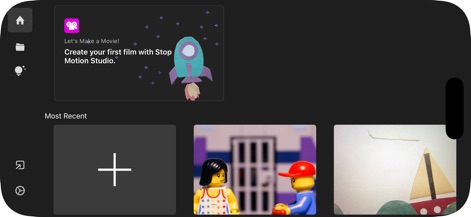
Project Management Hub
The intuitive project management hub allows users to start new films with a clear '+' button and provides helpful tutorial cards for beginners.
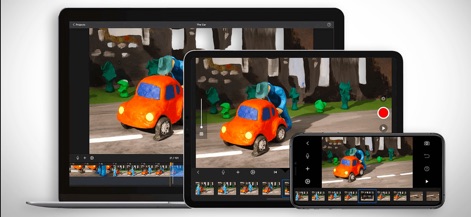
Cross-Device Creativity
The app provides seamless creative continuity across various Apple devices, allowing users to work on projects from an iPhone to a larger Mac screen.
Description
Download
More Like This
Apps with similar features and user experience
Stick Nodes Pro - Animator
ForTheLoss Games, Inc
FlipaClip: Create 2D Animation
Visual Blasters, LLC
Stick Nodes - Animator
ForTheLoss Games, Inc

Stop Motion Studio Pro
CATEATER, LLC

Animation Creator: Flipbook 2D
CEM SOFTWARE COMPANY LIMITED

2d animation creator, stickman
Trang Phi Thi

Stop Motion Factory
壮 董

FlipArtify - 2D Draw Animation
CEM SOFTWARE COMPANY LIMITED

MotionBook - Draw & Animate
亮 彭
This page is not an official page of the app or its developer, but an independent editorial publication created for informational and commentary purposes. Unless expressly stated otherwise, neither the app nor its developer is affiliated with, endorsed by, sponsored by, authorized by, or otherwise officially connected with MWM, Apple, Google Play, the app publisher, or the app's developer, and nothing on this page implies that the app was developed using MWM's services. Any trademarks, logos, screenshots, and other content remain the property of their respective owners.