
This page is not an official page of the app or its developer, but an independent editorial publication created for informational and commentary purposes. Unless expressly stated otherwise, neither the app nor its developer is affiliated with, endorsed by, sponsored by, authorized by, or otherwise officially connected with MWM, Apple, Google Play, the app publisher, or the app's developer, and nothing on this page implies that the app was developed using MWM's services. Any trademarks, logos, screenshots, and other content remain the property of their respective owners.


MotionBook - Draw & Animate
Unleash your creativity with intuitive frame-by-frame tools. Use your iPad and Apple Pencil to design custom stickers, rotoscope videos, and share your unique stories with the world.
Downloads
688K+User Rating
Total Ratings
3K+Publisher
Category
Graphics & DesignLocales
4Latest Version
1.7.1Size
9.7 MBFirst Released
Apr 4, 2018Bring Your Art to Life
Transform your iPad into a portable animation studio. From viral TikTok edits to classic flipbooks, create stunning frame-by-frame animations with ease.
Natural Artistic Tools
Sketch with pressure-sensitive brushes and pencils that respond perfectly to your Apple Pencil for a true-to-life drawing feel.
Animate Over Reality
Import your favorite video clips to use as references for anatomy or to add hand-drawn effects to viral moments.
Frequently Asked Questions
Everything you need to know about MotionBook - Draw & Animate
What is MotionBook - Draw & Animate?
MotionBook is an app designed for creating frame-by-frame flipbook animations on iPad and iPhone, offering digital tools for creative individuals.
What drawing tools does MotionBook provide?
MotionBook provides a natural-feel pen and eraser toolset including Pencil, Inking Pen, Marker, Paint Brush, and Hard & Soft Erasers. It supports Apple Pencil pressure sensitivity.
Can MotionBook users customize colors?
Yes, MotionBook users can customize their own color palettes or use predefined color palettes for their animations.
Does MotionBook support Apple Pencil?
Yes, MotionBook fully supports the pressure sensitivity of Apple Pencil, providing a natural drawing experience for users.
How does MotionBook manage animation pages and FPS?
MotionBook features a 'Timeline' to easily manage all animation pages. Users can also customize the Frames Per Second (FPS) for their projects.
What is the 'Onion Skin' feature in MotionBook?
The 'Onion Skin' option in MotionBook allows users to see previous and next pages as reference while drawing, aiding in smooth animation transitions.
Can MotionBook export animations to video or GIF?
Yes, MotionBook can export animations to video (MP4) or GIF formats. Users can then share them with friends or create their own stickers.
Does MotionBook integrate with iOS Files and iCloud for syncing?
Yes, MotionBook integrates with the iOS Files system, enabling easy management of flipbook files. Files can be stored in iCloud for syncing across iPhones and iPads.
Can MotionBook use video clips as drawing backgrounds?
Yes, MotionBook allows users to use a video clip as a background. This helps in drawing pose/gestures with real-world references or adding hand-drawn elements to videos.
Are there templates available in MotionBook for beginners?
Yes, MotionBook includes various sample templates. These templates help users easily begin their journey into the animation world.
Can users remove the watermark from MotionBook exported videos?
Yes, users can remove the watermark from exported MotionBook videos by unlocking the app's full features.
What advanced editing features does MotionBook offer?
MotionBook provides advanced editing tools to quickly tweak drawing details, copy drawings, paste them to other pages, and paste images from other apps.
The following screenshots and description are sourced directly from the app's official store listing and are the property of the app developer.
App Store
Screenshots
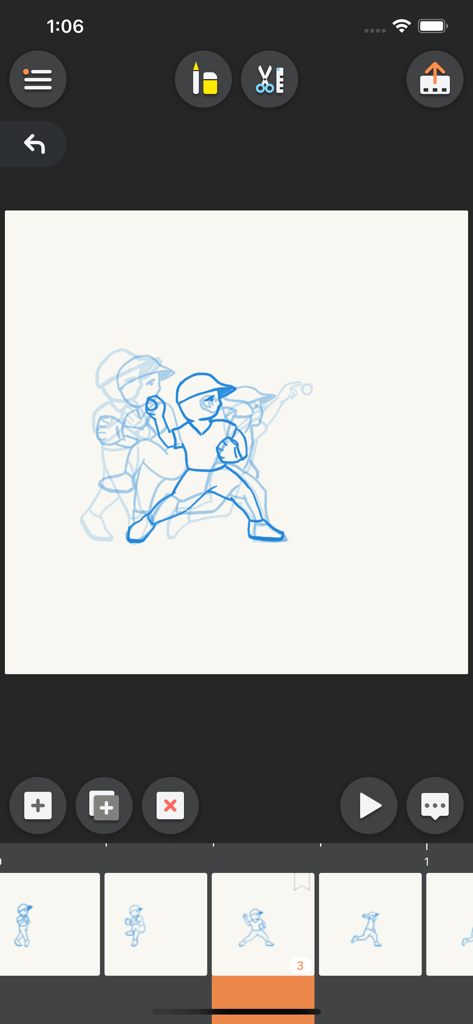
MotionBook app interface showing onion skinning and timeline for a baseball animation.
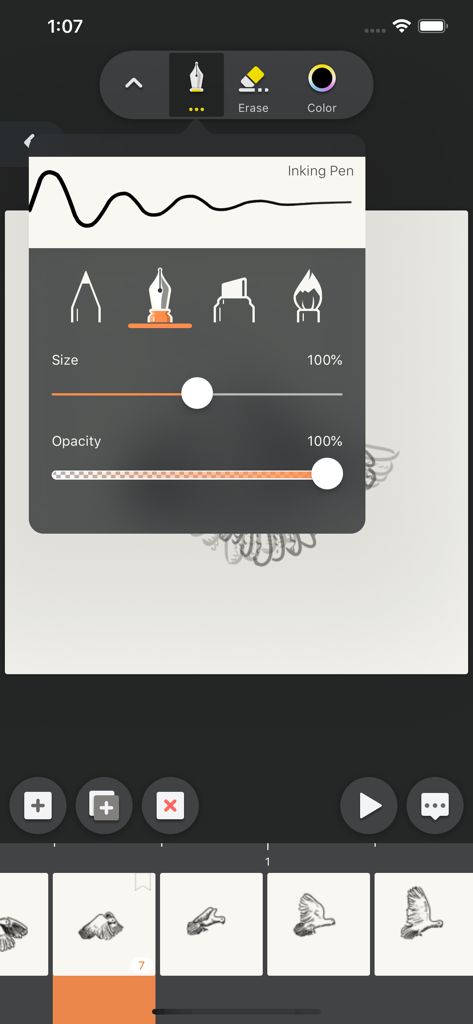
MotionBook app drawing interface with inking pen settings and animation timeline
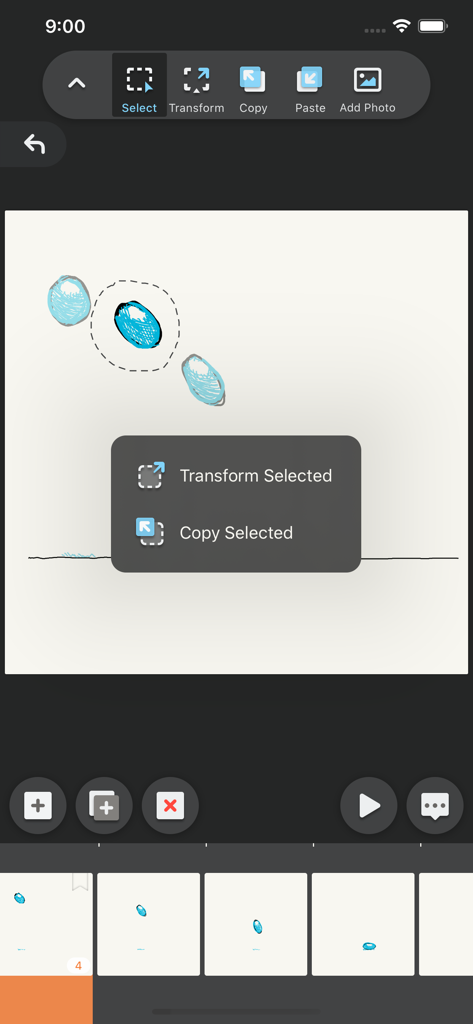
Interface of MotionBook app showing selection and transformation tools for animation frames
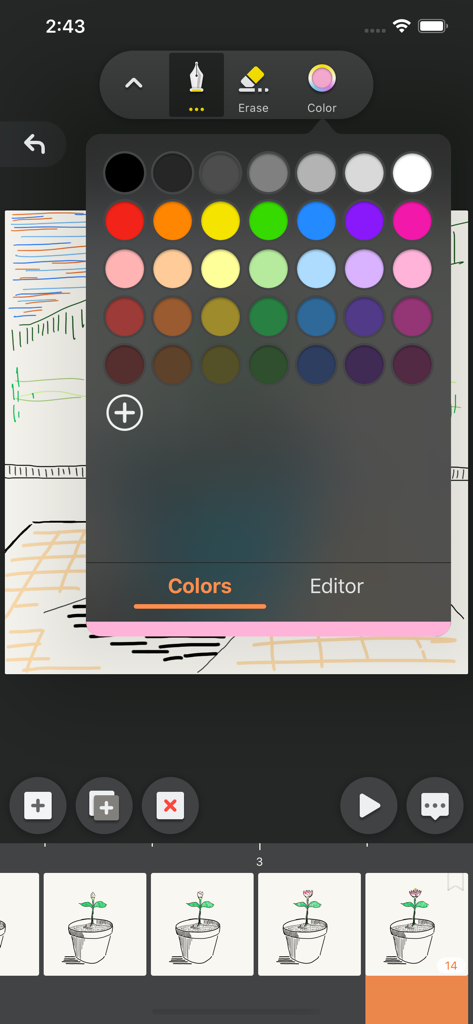
Color selection palette in the MotionBook animation app interface
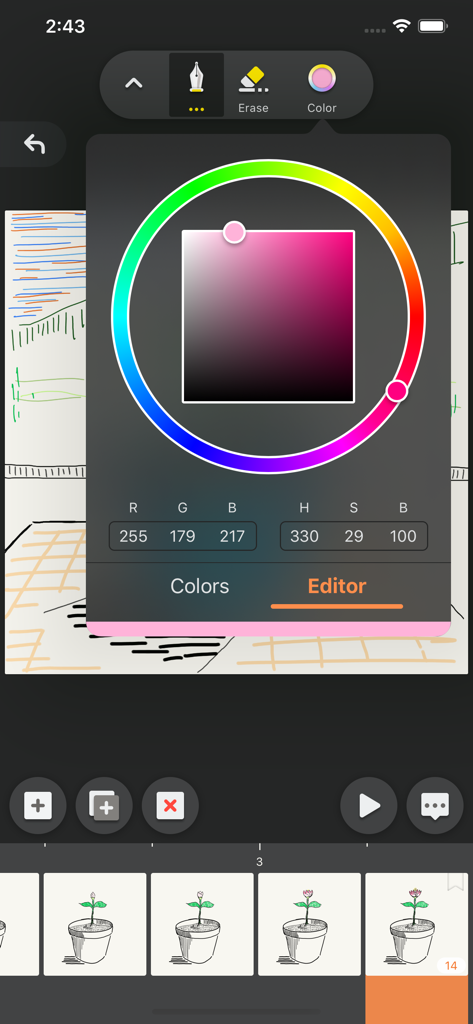
Interface of MotionBook app showing a color picker wheel and drawing tools above an animation frame timeline.
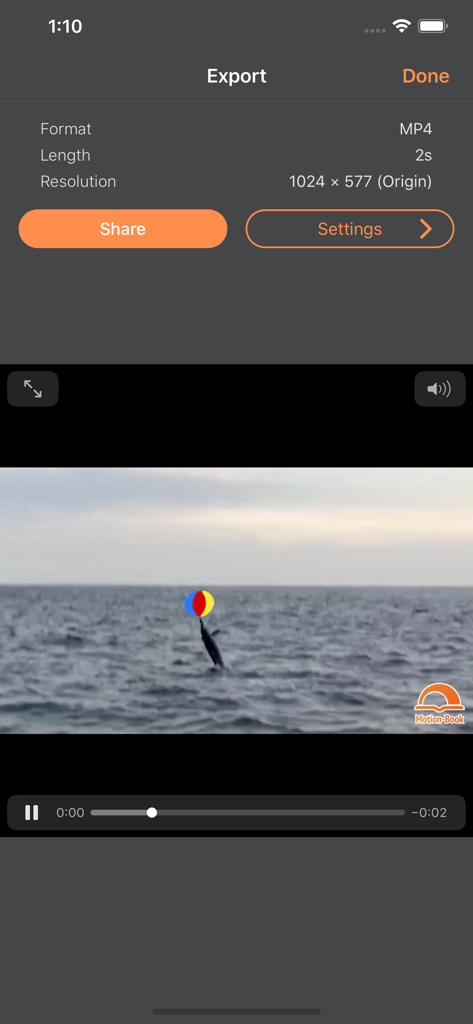
The export screen of the MotionBook app showing video format settings and a preview of a dolphin animation.
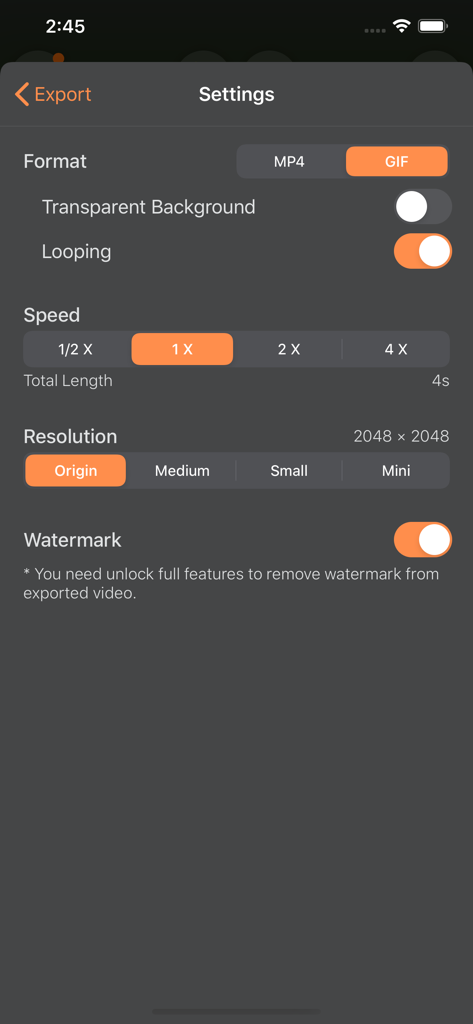
MotionBook export settings screen showing GIF and MP4 format options speed control and resolution settings
Description
Download
More Like This
Apps with similar features and user experience
Stick Nodes Pro - Animator
ForTheLoss Games, Inc

FlipaClip: Create 2D Animation
Visual Blasters, LLC

Stop Motion Studio
CATEATER, LLC
Stick Nodes - Animator
ForTheLoss Games, Inc

Stop Motion Studio Pro
CATEATER, LLC
Animation Creator: Flipbook 2D
CEM SOFTWARE COMPANY LIMITED

2d animation creator, stickman
Trang Phi Thi

Stop Motion Factory
壮 董

FlipArtify - 2D Draw Animation
CEM SOFTWARE COMPANY LIMITED
This page is not an official page of the app or its developer, but an independent editorial publication created for informational and commentary purposes. Unless expressly stated otherwise, neither the app nor its developer is affiliated with, endorsed by, sponsored by, authorized by, or otherwise officially connected with MWM, Apple, Google Play, the app publisher, or the app's developer, and nothing on this page implies that the app was developed using MWM's services. Any trademarks, logos, screenshots, and other content remain the property of their respective owners.