App Lock – Apps Blocker
Download on App Store

This page is not an official page of the app or its developer, but an independent editorial publication created for informational and commentary purposes. Unless expressly stated otherwise, neither the app nor its developer is affiliated with, endorsed by, sponsored by, authorized by, or otherwise officially connected with MWM, Apple, Google Play, the app publisher, or the app's developer, and nothing on this page implies that the app was developed using MWM's services. Any trademarks, logos, screenshots, and other content remain the property of their respective owners.

Logo of App Lock – Apps Blocker
Download on App Store

App Lock – Apps Blocker

The all-in-one solution for high-performance professionals and proactive parents. Protect your private vault, eliminate work distractions, and manage your child’s digital habits with easy one-tap widgets.

Key Figures

Downloads

13K+

User Rating

4.6/5

Total Ratings

400

Publisher

Dindot Network Technology Huizhou Co., Ltd.

Category

Lifestyle

Locales

12

Latest Version

1.7.8

Size

47.1 MB

First Released

Oct 31, 2023
Features

Master Your Digital Boundaries

Tailored tools designed for busy parents and high-performing professionals to reclaim focus and secure private data.

Family Safety First

Take control of your household's digital habits by locking games and preventing unauthorized app downloads or deletions on shared devices.

Ultimate Privacy Vault

Secure your personal photos, contacts, and notes behind an encrypted lock—perfect for peace of mind when lending your phone to others.

The following screenshots and description are sourced directly from the app's official store listing and are the property of the app developer.

App Store

Screenshots
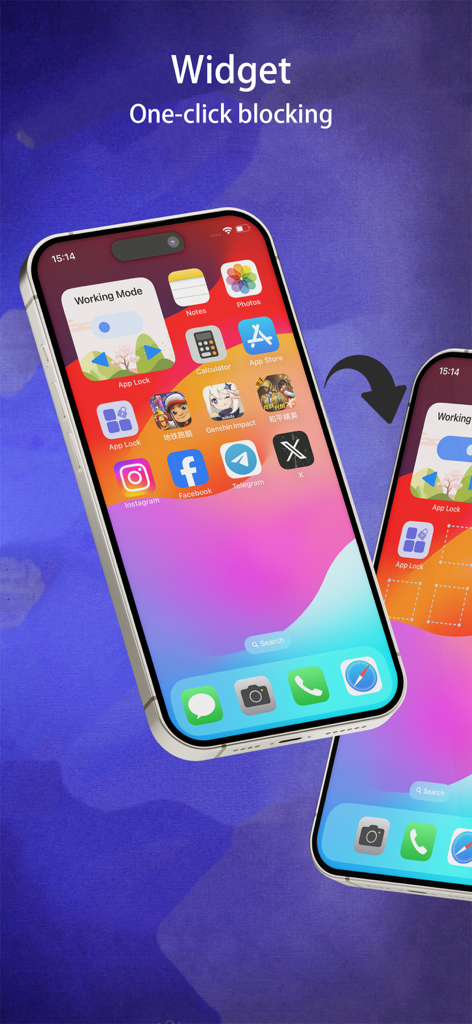
App Lock – Apps Blocker - App Lock widget on an iPhone home screen showing one click blocking for working mode
App Lock widget on an iPhone home screen showing one click blocking for working mode

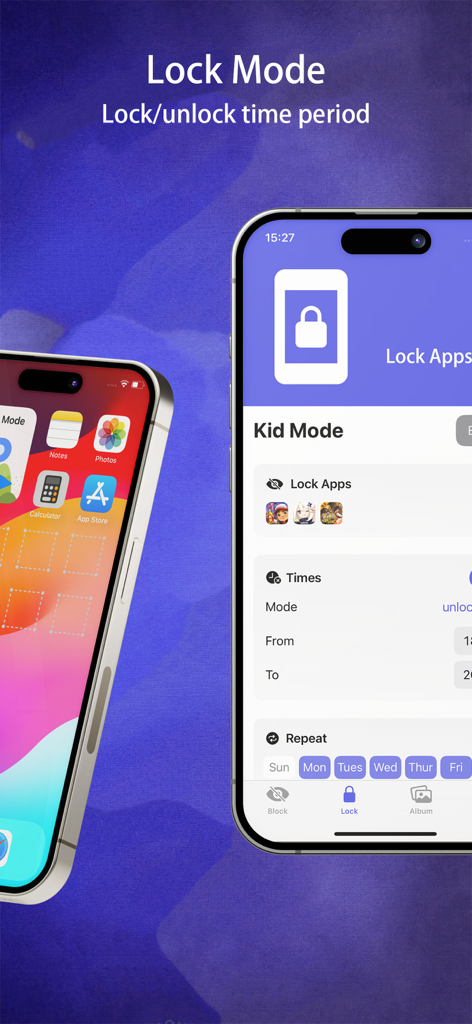
App Lock – Apps Blocker - iPhone screen showing Kid Mode settings in the App Lock app for scheduling app blocking and parental control.
iPhone screen showing Kid Mode settings in the App Lock app for scheduling app blocking and parental control.

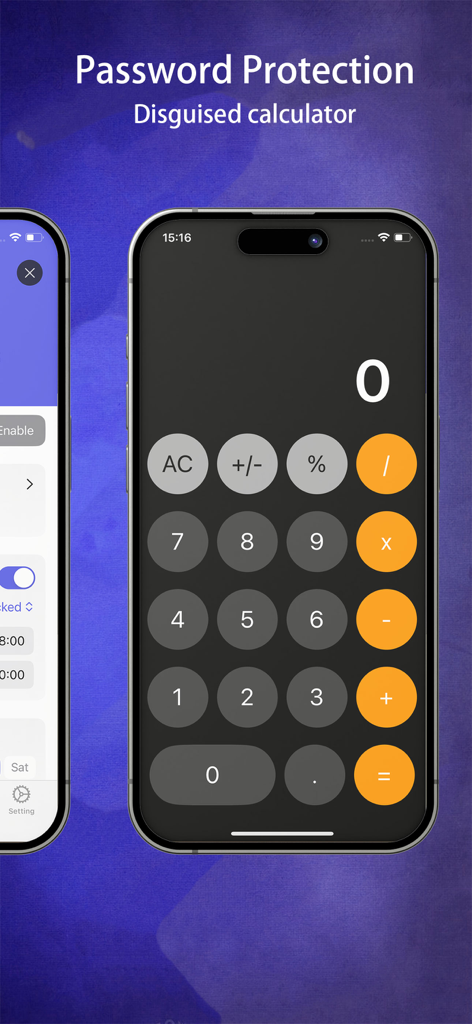
App Lock – Apps Blocker - Disguised calculator interface for app lock password protection
Disguised calculator interface for app lock password protection

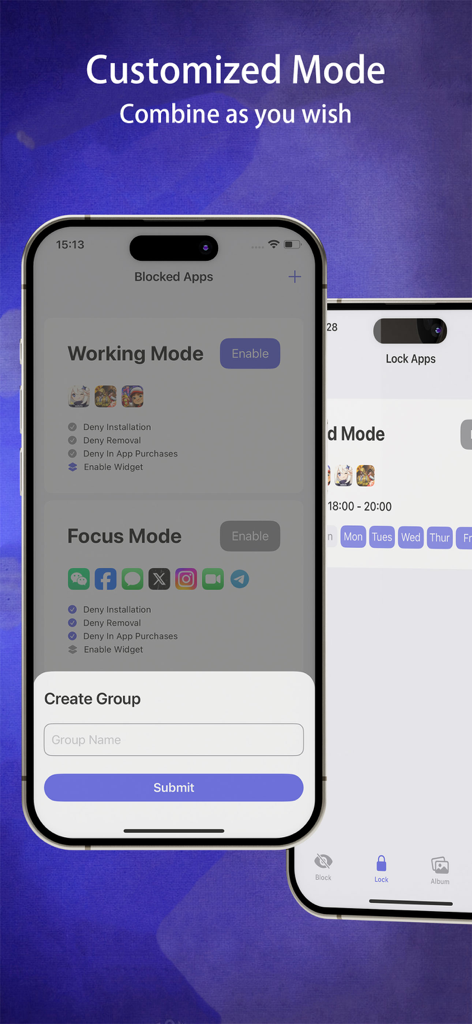
App Lock – Apps Blocker - Smartphone interface showing customizable Working Mode and Focus Mode settings with options to deny app installations and removals.
Smartphone interface showing customizable Working Mode and Focus Mode settings with options to deny app installations and removals.

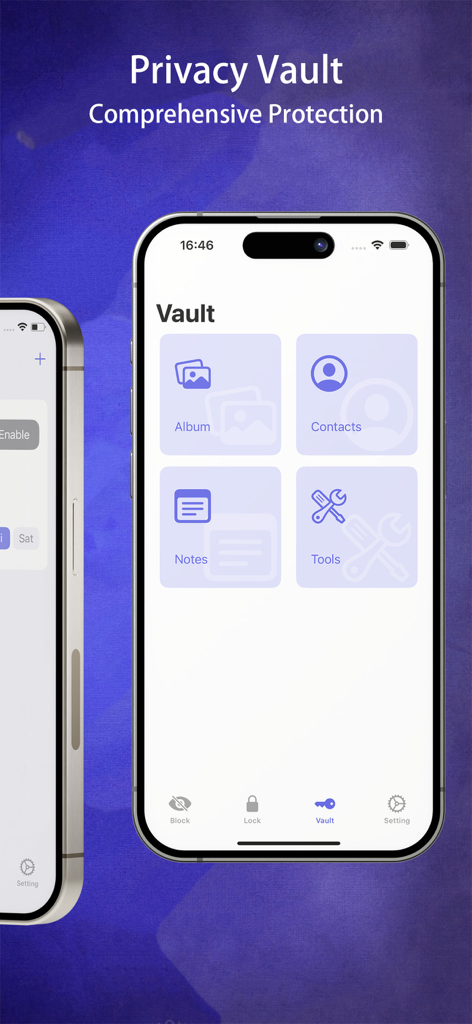
App Lock – Apps Blocker - The Private Vault screen within the App Lock application showing options to secure albums, contacts, and notes.

The Private Vault screen within the App Lock application showing options to secure albums, contacts, and notes.

Description

App Lock is an application focused on family control, privacy protection, and personalized management. It aims to help parents effectively implement parental control while offering a range of powerful privacy protection features to ensure the security and manageability of the family's digital life. Have you ever encountered the following situations? · Children addicted to smartphones: Kids are addicted to smartphones, unable to pull away, and struggling with time management. · Receiving personal notifications at work: You receive personal notifications while using your smartphone at work, leading to embarrassing moments. · Constant interruptions from your phone: When you're focused on something, your phone keeps interrupting your attention. · Needing to lend your phone temporarily: You need to lend your phone to someone, but want to protect certain personal usage records. App Lock can solve these problems, offering the following features: Main Features: - Screen Time Management: During your child's study time, you can easily lock gaming apps to ensure they stay focused on learning. - Widget Activation: With the new widget feature, you can easily enable modes with one tap on the home screen, instantly protecting your privacy. - App Control: The app restriction feature prevents children from adding or deleting apps, ensuring that the apps on the device remain under your supervision. - Private Vault: Provides users with one-stop privacy protection, including private contacts, photo albums, and notebooks, ensuring that this personal information is not leaked under any circumstances, helping users safeguard important private data. - Privacy Protection: Designed specifically for temporary loan scenarios, the privacy protection mode allows users to quickly block or lock specific apps and personal content, ensuring that personal privacy remains intact even when the phone is lent to others. - Focus on Work: In a work environment, you can use the app blocking feature to prevent entertainment apps, helping you stay focused on completing your tasks. - Custom Mode: App Lock also offers a custom mode, allowing you to set specific family control and privacy protection rules according to your needs. - iPad Compatibility: Now optimized for iPad, offering a larger screen to ensure you can easily protect your apps and privacy on both iPhone and iPad. App Lock provides comprehensive family control and privacy protection features, while also offering personalized management options to meet various family and individual needs. The goal of this app is to provide families with a secure and manageable digital experience, allowing you to maintain control in all situations. Terms of Use: https://app.dingdot.cn/Terms_of_Use.html Privacy Policy: https://app.dingdot.cn/Privacy_Policy.html

Download

Download on App Store

This page is not an official page of the app or its developer, but an independent editorial publication created for informational and commentary purposes. Unless expressly stated otherwise, neither the app nor its developer is affiliated with, endorsed by, sponsored by, authorized by, or otherwise officially connected with MWM, Apple, Google Play, the app publisher, or the app's developer, and nothing on this page implies that the app was developed using MWM's services. Any trademarks, logos, screenshots, and other content remain the property of their respective owners.








