
This page is not an official page of the app or its developer, but an independent editorial publication created for informational and commentary purposes. Unless expressly stated otherwise, neither the app nor its developer is affiliated with, endorsed by, sponsored by, authorized by, or otherwise officially connected with MWM, Apple, Google Play, the app publisher, or the app's developer, and nothing on this page implies that the app was developed using MWM's services. Any trademarks, logos, screenshots, and other content remain the property of their respective owners.

小布咕国际版
Bring the world of BabyBus to life with immersive Mandarin and English audio. Perfect for heritage families and screen-conscious parents, our app syncs seamlessly with your Talking Pen to deliver safe, educational stories and bedtime songs without the screen time.
Downloads
3M+User Rating
Total Ratings
4K+Publisher
Category
BooksLocales
3Latest Version
5.5.3Size
197.9 MBFirst Released
Dec 18, 2018Nurture Growth Through the Power of Sound
The ultimate screen-free companion for bilingual families, offering curated Mandarin and English stories, songs, and safety lessons designed to grow with your child.
Master Mandarin Naturally
Immerse your child in native-level stories and rhythmic poems that build fluency and cultural heritage without the need for traditional lessons.
Smart Screen-Free Play
Seamlessly control the BabyBus Talking Pen via the app to protect your child's eyesight while encouraging imaginative, audio-based learning.
Frequently Asked Questions
Everything you need to know about 小布咕国际版
What is Little Cuckoo?
Little Cuckoo is an official BabyBus app providing comprehensive original audio content for children. It features popular stories like "Sheriff Labrador" and "Inspector Chimp," alongside music, bedtime stories, and educational content.
Which hardware devices does Little Cuckoo support?
Little Cuckoo supports binding with the BabyBus Talking Pen G4 and BabyBus Go. It offers intelligent management functions, including remote control and pushing audio content to these devices.
Can I remotely control the BabyBus Talking Pen G4 with Little Cuckoo?
Yes, Little Cuckoo offers real-time remote control for the BabyBus Talking Pen G4. Users can adjust light, volume, playback, set child lock, and configure timed shutdown directly from the app.
Does Little Cuckoo offer custom playlists for audio content?
Yes, Little Cuckoo allows users to create custom playlists. These playlists can be pre-selected and downloaded to the reading pen for direct access via a button, without parental operation.
How does Little Cuckoo help children's development?
Little Cuckoo's "Sound" growth system provides age-appropriate audio content to foster language acquisition and knowledge mastery. It supports children's development in health, science, society, and art through a rich audio environment.
Can I delete my account in Little Cuckoo?
Yes, Little Cuckoo provides an account deletion function. Users can delete their account and all associated personal data by navigating to "My - Device - Log out account" within the app.
What kind of stories are available on Little Cuckoo?
Little Cuckoo provides popular stories such as "Sheriff Labrador" and "Inspector Chimp." It also offers bedtime stories, traditional Chinese culture enlightenment, safety knowledge, and popular science knowledge.
Does Little Cuckoo provide content for specific age groups?
Yes, Little Cuckoo provides audio content tailored for children at different growth stages. The app's interface specifically shows content categorized for "0-2 years old," aligning with language development.
The following screenshots and description are sourced directly from the app's official store listing and are the property of the app developer.
App Store
Screenshots
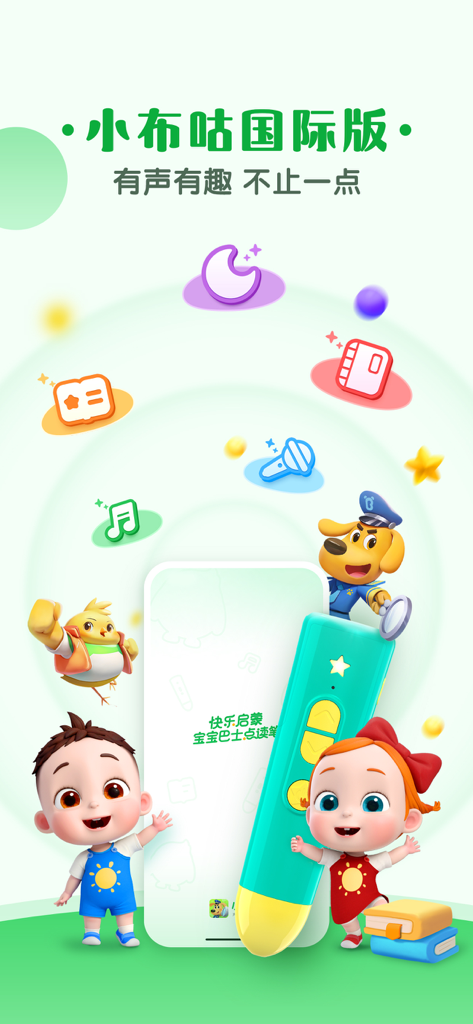
Promotional banner for Little Cuckoo International Edition featuring BabyBus characters and a talking pen
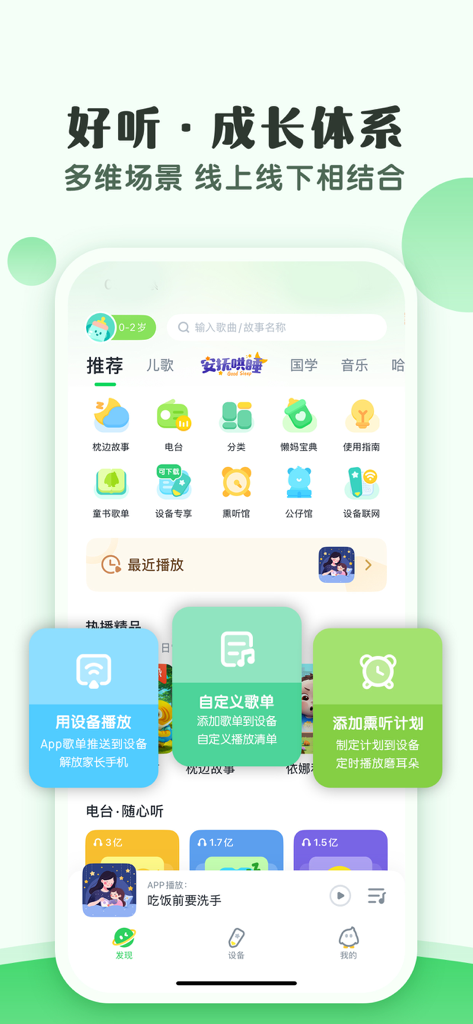
Little Cuckoo app interface showing educational audio categories and device control features for children
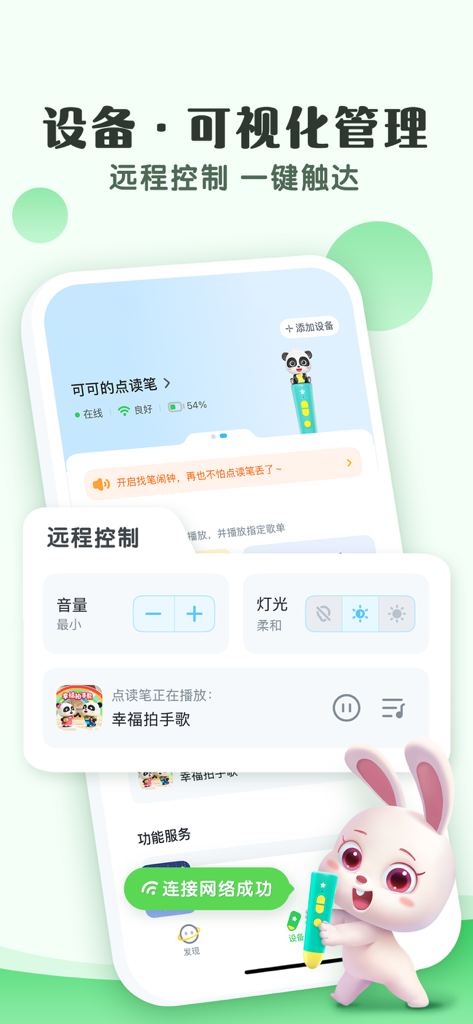
Remote control interface of the Little Cuckoo app for managing the BabyBus talking pen settings like volume and light
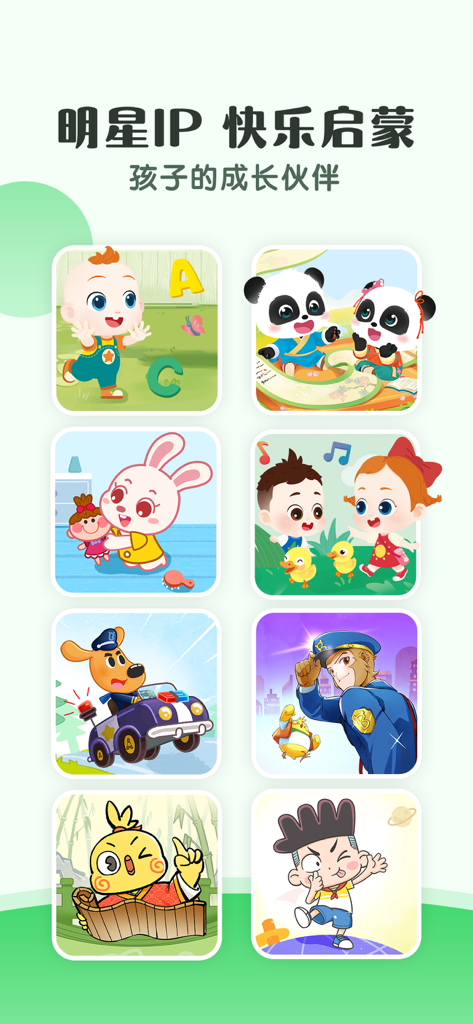
A grid of various popular BabyBus cartoon characters including Sheriff Labrador and panda mascots used for educational stories
Description
Download
More Like This
Apps with similar features and user experience

作业帮智能
Guangzhou Polar Future Culture Technology Co., Ltd

Prodigy for Parents
Prodigy Education Inc.

小寻
Zhenshi

Garmin Jr.™
Garmin International
360儿童卫士
Beijing Qihoo Technology Co Ltd

tonies
tonies GmbH
MyFaba – Il tuo Raccontastorie
FABA S.R.L.

Lunii
Lunii

MyGabb
Gabb Wireless, Inc.
This page is not an official page of the app or its developer, but an independent editorial publication created for informational and commentary purposes. Unless expressly stated otherwise, neither the app nor its developer is affiliated with, endorsed by, sponsored by, authorized by, or otherwise officially connected with MWM, Apple, Google Play, the app publisher, or the app's developer, and nothing on this page implies that the app was developed using MWM's services. Any trademarks, logos, screenshots, and other content remain the property of their respective owners.