
This page is not an official page of the app or its developer, but an independent editorial publication created for informational and commentary purposes. Unless expressly stated otherwise, neither the app nor its developer is affiliated with, endorsed by, sponsored by, authorized by, or otherwise officially connected with MWM, Apple, Google Play, the app publisher, or the app's developer, and nothing on this page implies that the app was developed using MWM's services. Any trademarks, logos, screenshots, and other content remain the property of their respective owners.


ArrangeUs
Formation planning usually sucks. ArrangeUs makes choreographers look like gods.
Downloads
250k+User Rating
Total Ratings
14.0KPublisher
Category
ProductivityLocales
10Latest Version
2.17Size
44.7 MBFirst Released
Jul 6, 2020An analytical overview of key features designed to streamline formation design and visualization for dance professionals.
Core Capabilities of ArrangeUs for Performance Choreography
Music Integration
The app allows users to synchronize performance formations with accompanying music, ensuring precise timing and rhythmic accuracy.
Animated Transitions
The app provides dynamic visual playback of formation changes, allowing choreographers to assess flow and timing.
Dancer Personalization
It allows users to assign unique names and color codes to individual dancers, improving clarity in complex formations.
Custom Stage Layouts
The app enables users to tailor the performance space with various settings, including size, to accurately reflect real-world stages.
Formation Comments
This tool features the ability to add specific notes or instructions to each dancer's position within a formation, aiding in detailed guidance.
Reusable Formation Presets
This tool features the ability to save and organize frequently used or favorite formation ideas into a collection for quick access and reuse.
Frequently Asked Questions
Everything you need to know about ArrangeUs
What is ArrangeUs?
Yes, ArrangeUs is a mobile application designed to help choreographers easily plan and manage dance formations, transitioning from paper-based methods to a digital format.
Who is the target audience for the ArrangeUs app?
Yes, choreographers use ArrangeUs to simplify formation planning. The app helps them move their performance designs from paper to a digital platform with various customization options and tools.
Can I customize dancer appearance in ArrangeUs?
Yes, ArrangeUs allows users to name dancers, change their colors, and customize their shapes within formations. This feature helps distinguish individuals or groups on stage.
Does ArrangeUs support animated transitions between formations?
Yes, ArrangeUs provides the functionality to watch animated transitions between different formations. This helps choreographers visualize the flow of their performances.
Can I change the stage settings in the ArrangeUs app?
Yes, ArrangeUs enables users to customize the stage by changing its size and appearance. This includes selecting different backgrounds like a basketball court or mat layouts.
Is it possible to sync formations with music in ArrangeUs?
Yes, ArrangeUs allows users to synchronize their performance formations with music. The app provides controls for aligning formations to specific points in an audio track.
How can I add notes to formations in ArrangeUs?
Yes, ArrangeUs offers a feature to leave comments for each position or add notes to entire formations. This helps choreographers document specific instructions or ideas.
Does ArrangeUs offer a 3D view of dance formations?
Yes, ArrangeUs provides a 3D view feature, allowing users to examine their formations from various angles. This enhances the visualization and planning process for choreography.
Can I add props to my stage formations in ArrangeUs?
Yes, ArrangeUs allows users to add various props, such as rectangles, ellipses, or triangles, onto the stage. This enables comprehensive planning that includes physical elements.
Can I save my formation ideas in the ArrangeUs app?
Yes, ArrangeUs allows users to save their best formation ideas in a Presets collection. It also keeps all created choreographies accessible for future use and organization.
Can I share my choreography work with others using ArrangeUs?
Yes, ArrangeUs enables users to share their choreography works with others. This feature facilitates collaboration and distribution of planned performances.
How many users does ArrangeUs have globally?
ArrangeUs has over 750,000 users worldwide. This indicates a large and active community utilizing the application for choreography planning.
The following screenshots and description are sourced directly from the app's official store listing and are the property of the app developer.
App Store
Screenshots
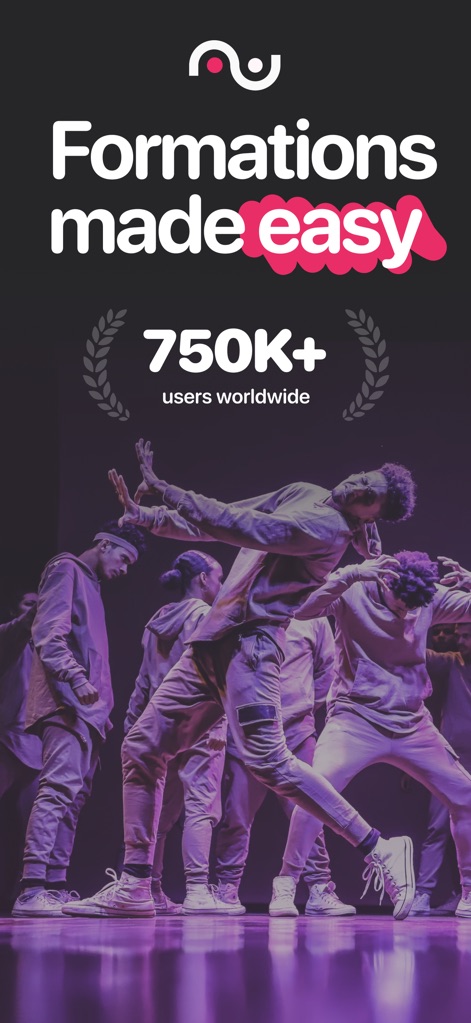
The app simplifies complex staging, as showcased by the "Formations made easy" tagline and the impressive "750K+ users worldwide" count.
Formations Made Easy
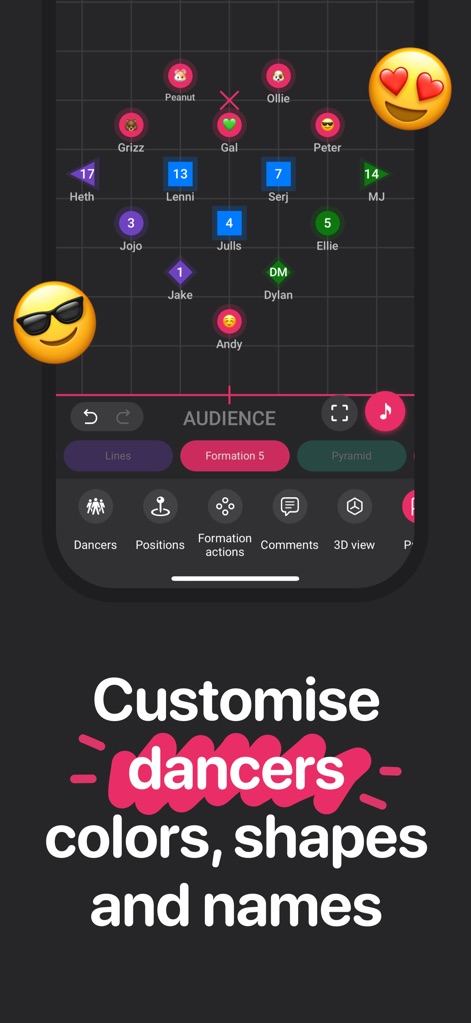
Users can effortlessly customize performer attributes, visible through the colored dancer icons and the option to "name your dancers and change their colors".
Dancer Personalization
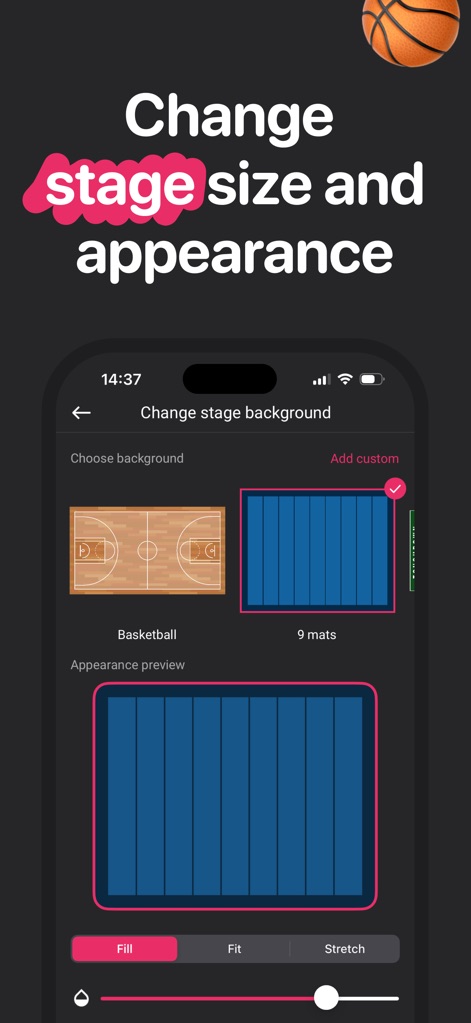
This tool allows for comprehensive stage customization, including selecting various "background" options like a "Basketball" court and adjusting the overall stage "size".
Dynamic Stage Settings
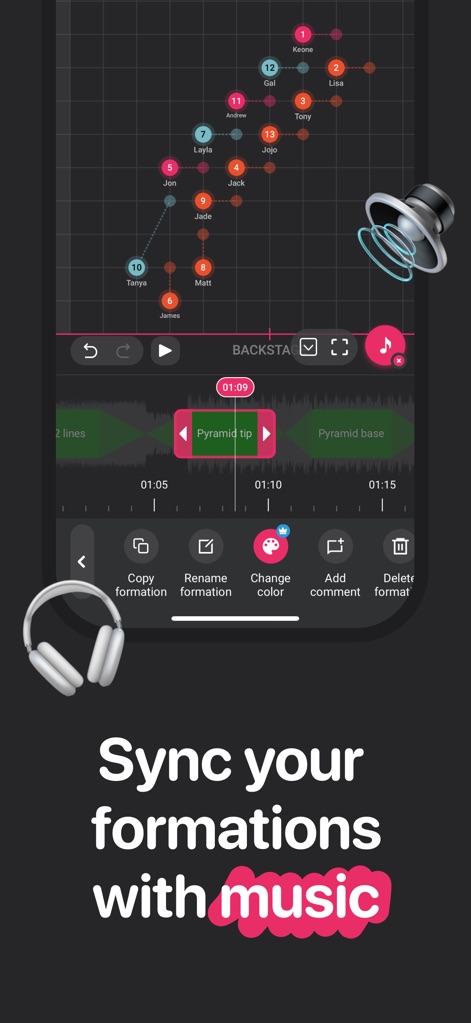
The app enables precise synchronization of movements, evident from the "BACKSTAGE" timeline interface and the "Pyramid tip" and "Pyramid base" markers aligning with music.
Choreography Timeline Sync
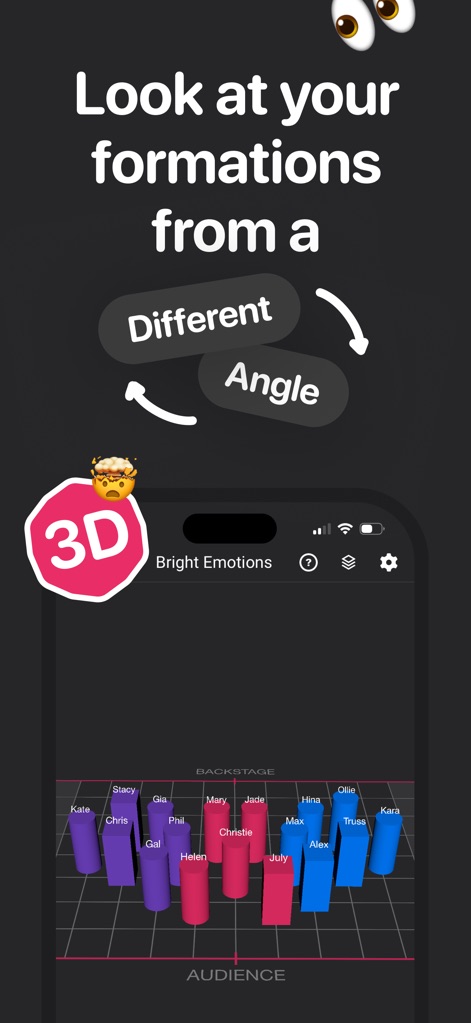
Get a new dimension of visualization; users can observe formations from a "Different Angle" with the engaging "3D" view of the stage.
Immersive 3D Perspective
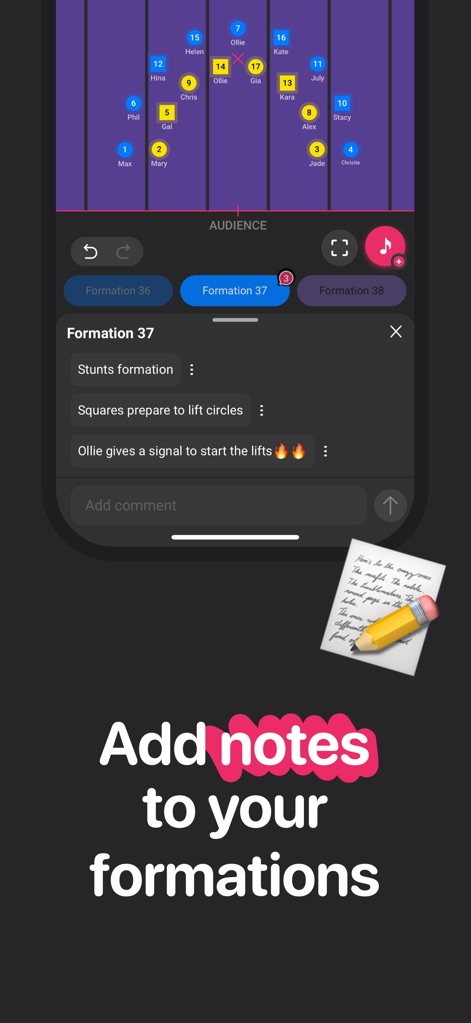
Facilitate clear communication within formations by adding "comments for each position" and organizing "Formation 36" with descriptive notes.
Collaborative Notations
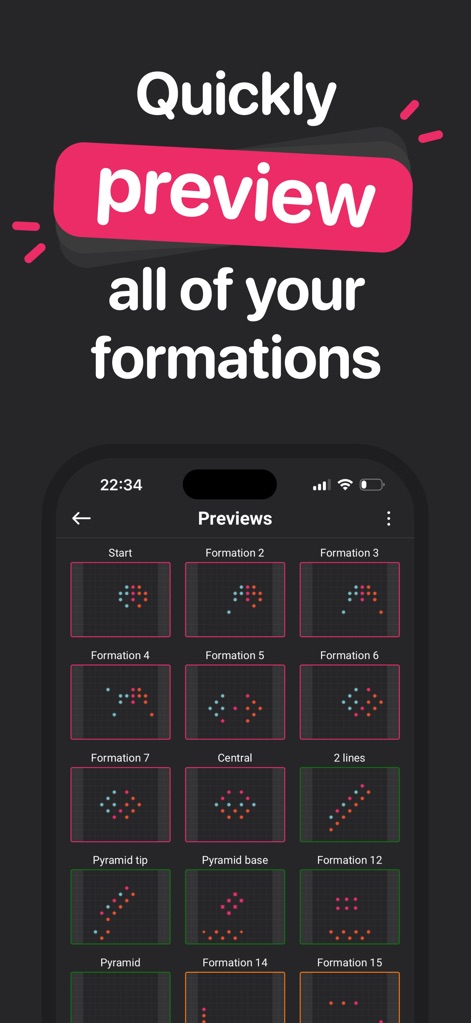
Rapidly review all choreographic sequences, as demonstrated by the grid of "Previews" displaying "Formation 1" through "Formation 15" thumbnails.
Formation Overview
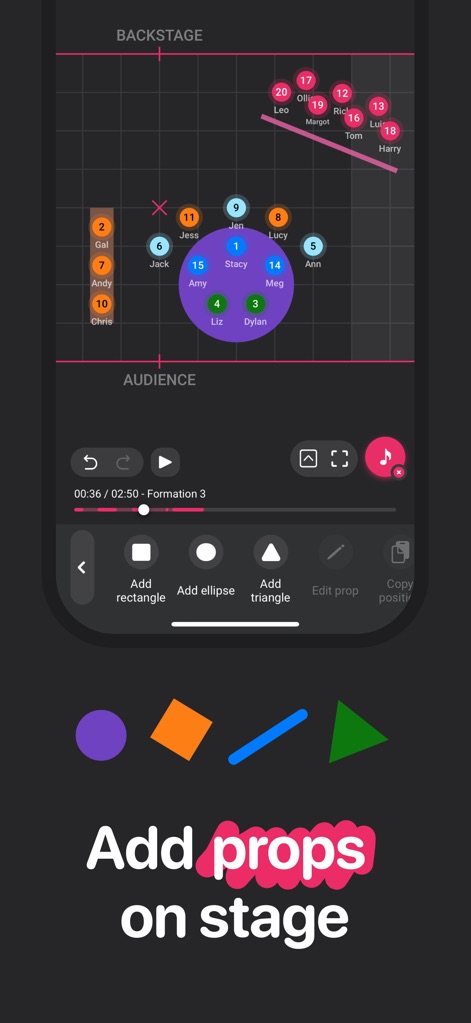
Enhance stage design with diverse elements, allowing users to "Add rectangle" or "Add ellipse" and other geometric "props on stage".
Stage Element Integration
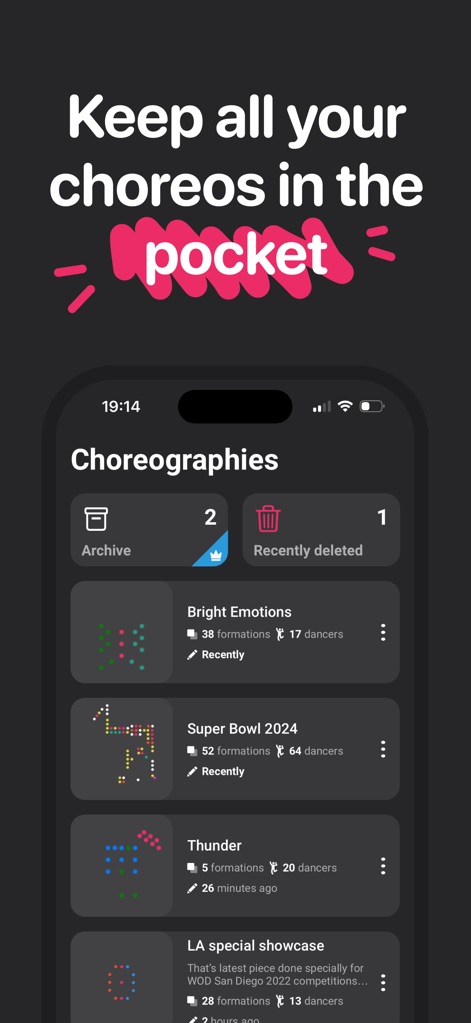
Maintain an organized collection of all dance routines, evidenced by the "Choreographies" list showing "Bright Emotions" and "Super Bowl 2024" projects.
Centralized Choreography Library
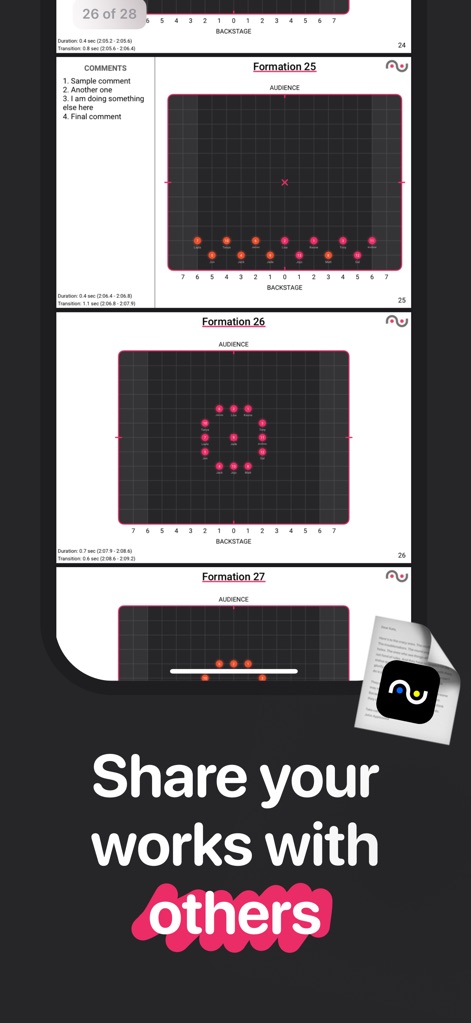
Effortlessly distribute creative works, as highlighted by the multiple "formation" displays and the prominent "Share your works with others" feature.
Seamless Sharing Capabilities
Description
Download
More Like This
Apps with similar features and user experience

TacticalPad Coach's Whiteboard
F Closs Servicos em Tecnologia da Informacao EIRELI ME

The Hoops Geek | Play Designer
Andreas Rauh
Tactics Board - Soccer
ANDREAROSARIO CENSABELLA
Coach Tactic Board: Soccer
Grzegorz Kipa
Coach Tactic Board: Basket
Grzegorz Kipa

Cadrage Director's Viewfinder
Cadrage GmbH

Flag Football Playmaker X
True Partners, LLC

Basketball Coach: Elite Hoops
Day Well Spent LLC
Coach Tactic Board: Soccer++
Grzegorz Kipa
This page is not an official page of the app or its developer, but an independent editorial publication created for informational and commentary purposes. Unless expressly stated otherwise, neither the app nor its developer is affiliated with, endorsed by, sponsored by, authorized by, or otherwise officially connected with MWM, Apple, Google Play, the app publisher, or the app's developer, and nothing on this page implies that the app was developed using MWM's services. Any trademarks, logos, screenshots, and other content remain the property of their respective owners.