Cadrage Director's Viewfinder
Download on App Store

This page is not an official page of the app or its developer, but an independent editorial publication created for informational and commentary purposes. Unless expressly stated otherwise, neither the app nor its developer is affiliated with, endorsed by, sponsored by, authorized by, or otherwise officially connected with MWM, Apple, Google Play, the app publisher, or the app's developer, and nothing on this page implies that the app was developed using MWM's services. Any trademarks, logos, screenshots, and other content remain the property of their respective owners.


Logo of Cadrage Director's Viewfinder
Download on App Store

Cadrage Director's Viewfinder

Eliminate guesswork on set by simulating thousands of professional camera and lens combinations. From location scouting to tech scouts, bridge the gap between your vision and the final frame with pixel-perfect accuracy.

Key Figures

Downloads

384K+

User Rating

4.7/5

Total Ratings

2K+

Publisher

Cadrage GmbH

Category

Photo & Video

Locales

2

Latest Version

5.7.1

Size

50.7 MB

First Released

Jan 19, 2014
Features

Precision Pre-Production Tools

The industry-standard digital viewfinder designed for directors and cinematographers who demand surgical accuracy and seamless on-set communication.

Professional Camera Database

Get mathematically accurate previews for thousands of camera and lens combinations, including ARRI, RED, and Sony, to ensure your framing is perfect every time.

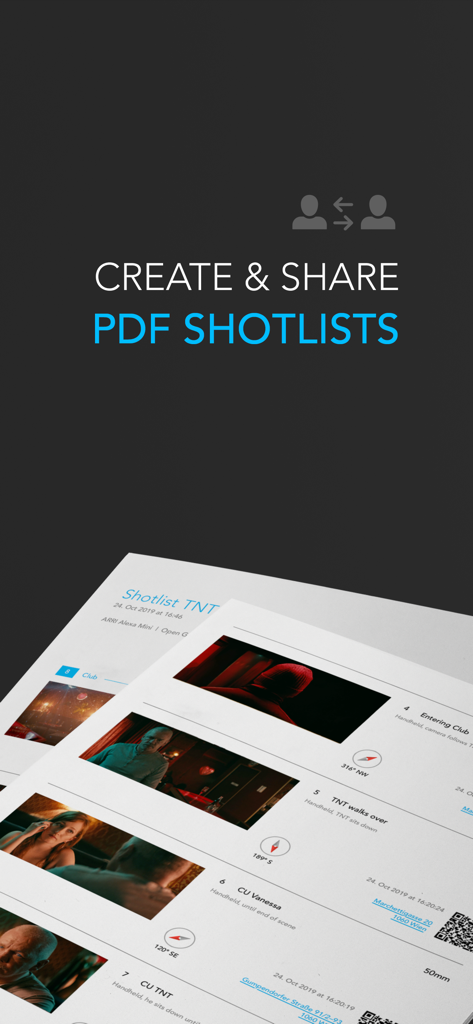
Automated PDF Shotlists

Streamline your workflow by instantly generating professional shotlists with technical metadata and direct export to Dropbox to keep your crew in sync.

The following screenshots and description are sourced directly from the app's official store listing and are the property of the app developer.

App Store

Screenshots
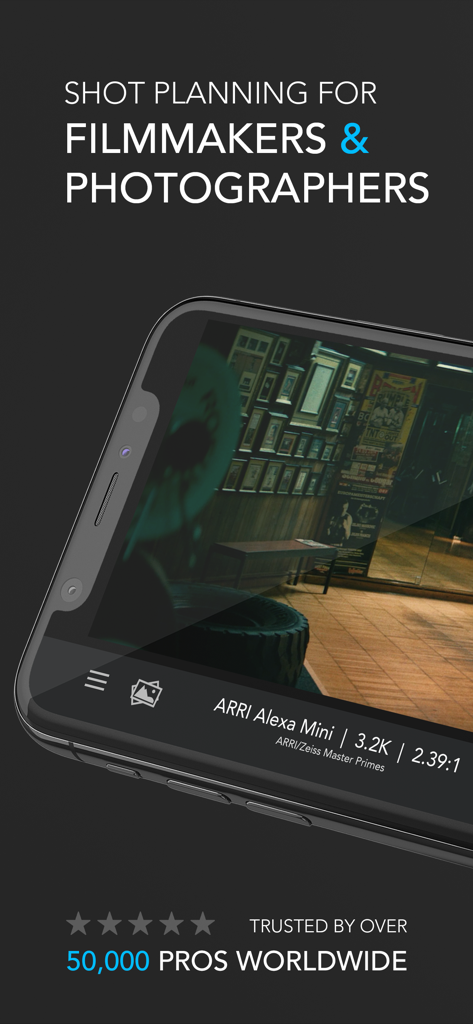
Cadrage Director's Viewfinder - Cadrage Director's Viewfinder app screenshot showing shot planning for filmmakers and photographers with ARRI Alexa Mini camera settings
Cadrage Director's Viewfinder app screenshot showing shot planning for filmmakers and photographers with ARRI Alexa Mini camera settings

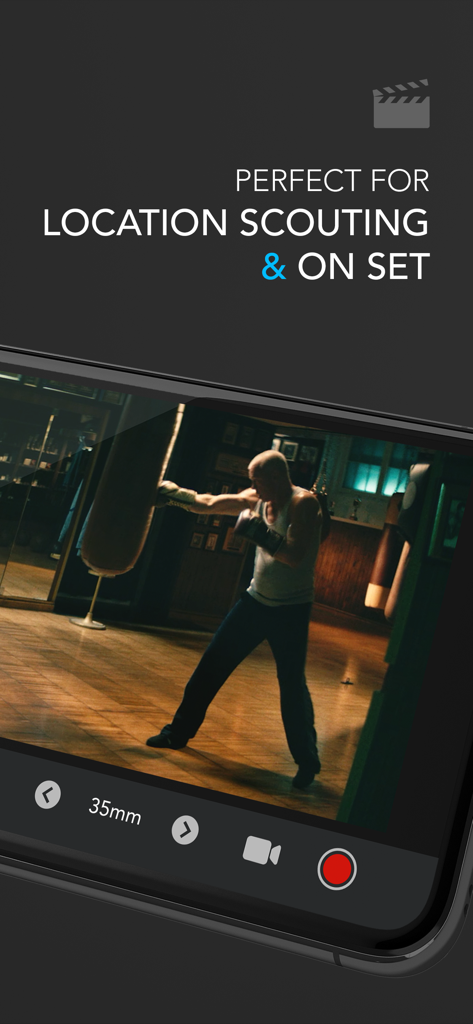
Cadrage Director's Viewfinder - Cadrage Director's Viewfinder app screen showing 35mm lens framing for location scouting.
Cadrage Director's Viewfinder app screen showing 35mm lens framing for location scouting.

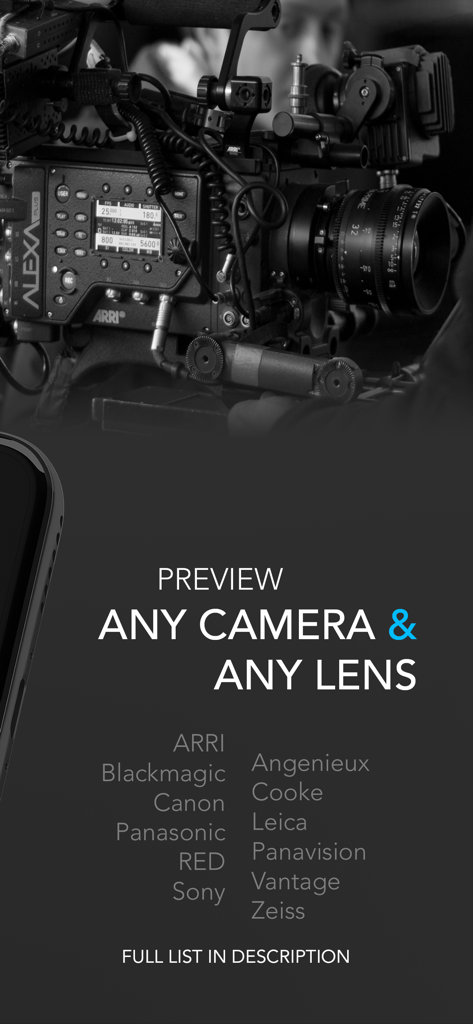
Cadrage Director's Viewfinder - Cadrage app screen showing compatibility with professional cinema cameras and lenses like ARRI RED and Sony
Cadrage app screen showing compatibility with professional cinema cameras and lenses like ARRI RED and Sony

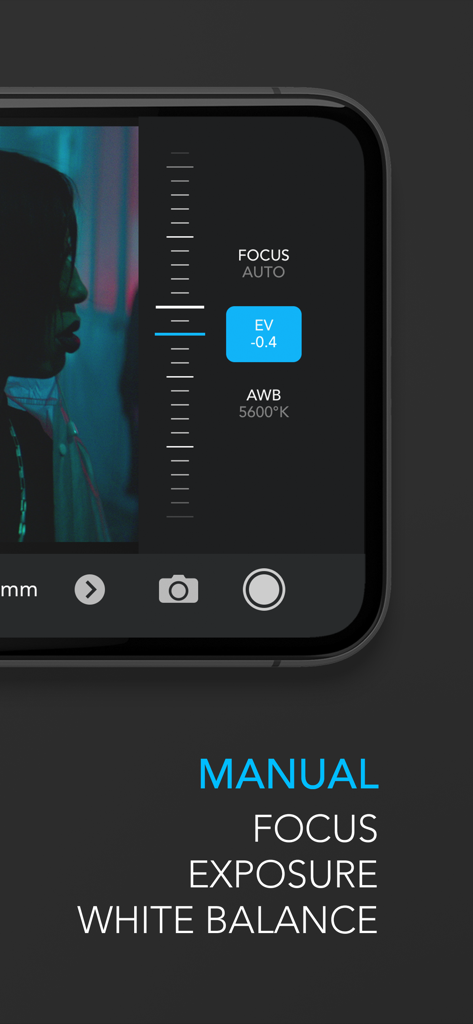
Cadrage Director's Viewfinder - Smartphone screen showing manual adjustments for focus exposure and white balance within the Cadrage app interface
Smartphone screen showing manual adjustments for focus exposure and white balance within the Cadrage app interface

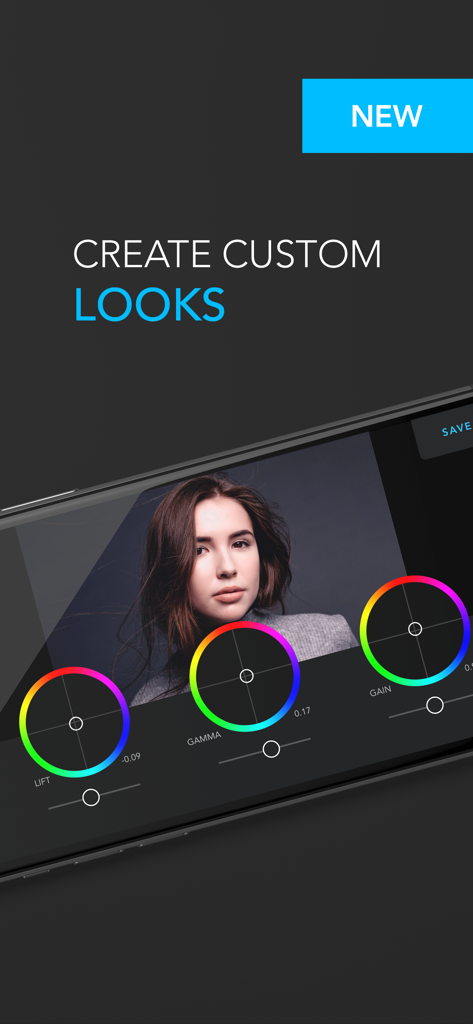
Cadrage Director's Viewfinder - A mobile screen showing the 3-way color correction interface in Cadrage Director's Viewfinder to create custom visual looks.
A mobile screen showing the 3-way color correction interface in Cadrage Director's Viewfinder to create custom visual looks.

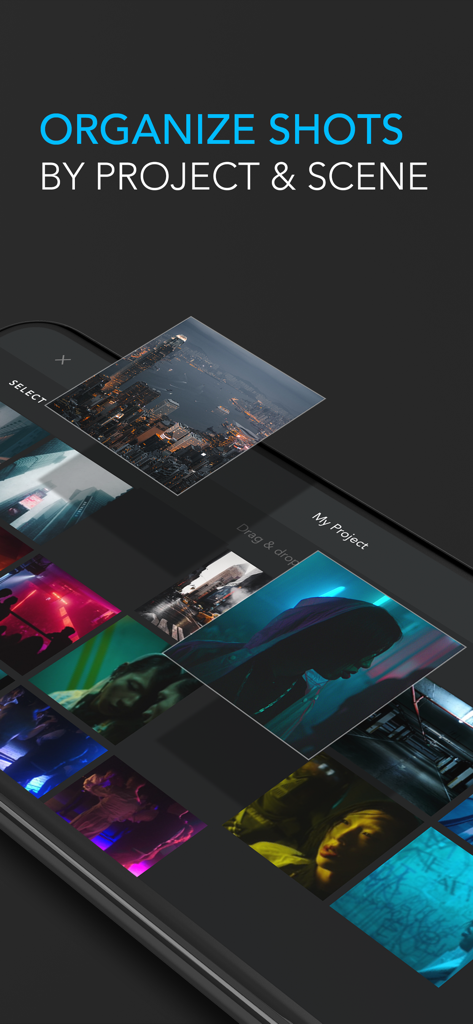
Cadrage Director's Viewfinder - Mobile interface of Cadrage app showing a gallery of cinematic shots organized by project and scene
Mobile interface of Cadrage app showing a gallery of cinematic shots organized by project and scene

Cadrage Director's Viewfinder - A professional PDF shotlist document generated by the Cadrage app showing camera angles and technical details

A professional PDF shotlist document generated by the Cadrage app showing camera angles and technical details

Description

Cadrage Director's Viewfinder - the app that will transform the way you work. Cadrage allows you to line up your shots with precise framing previews of any professional camera/lens combination and make sure everybody is on the same page during preproduction and on set. ◈◈◈ Planning your shoot has never been easier. Download Cadrage now and see how it will change the way you work. ◈◈◈ FEATURES ● Accurate previews for thousands of cameras and lenses ● Save photos and record videos ● Add custom framelines in any aspect ratio ● Built-in gallery & project manager ● Create neat PDF shotlists and directly upload to Dropbox or send via email ● Manually control exposure, focus & white balance ● Professional 3-way color correction to pre-visualize the final look ● Supports dual and triple camera devices ◈◈◈ Communicate your vision to your team. Download Cadrage now and get the most out of your shooting day. ◈◈◈ ◆ CINE CAMERAS ◆ AJA Cion ARRI Alexa 35, Alexa 65, Alexa Classic, Alexa LF, Alexa Mini, Alexa Mini LF, Alexa SXT, Alexa XT, Amira, D-21 Blackmagic Cinema Camera, Micro Cinema Camera, Micro Studio Camera 4K, Pocket Cinema Camera, Pocket Cinema Camera 4K, Pocket Cinema Camera 6K, Pocket Cinema Camera 6K Pro, Production Camera 4K, Studio Camera 4K, Studio Camera HD, URSA, URSA (Broadcast), URSA 4.6K, URSA Mini 4.6K, URSA Mini 4K, URSA Mini Pro, URSA Mini Pro 12K, URSA Mini Pro 4.6K G2 Canon C100, C100 Mark II, C200, C300, C300 Mark II, C300 Mark III, C500, C500 Mark II, C70, C700 Digital Bolex DJI Zenmuse X7 Film 16mm, 35mm, 65mm/70mm, 8mm Freefly Systems Wave Generic Broadcast Ikonoskop A-cam dII Kinefinity KineMAX, KineMini, Mavo, Mavo Edge, Mavo LF, TERRA Panasonic AF101, BGH1, EVA1, HDX 900, VariCam 35, VariCam LT Panavision DXL, DXL2, Genesis Phantom 65, Flex, Flex4K, HD GOLD, Miro LC321S, v2640 ONYX, VEO4K-PL PS-CAM X35 RED Dragon-X, Epic Dragon, Epic-W (Helium), Epic-X, Gemini, Komodo, Monstro-VV, One, Ranger (Gemini), Ranger (Helium), Ranger (Monstro), Raven, Scarlet-W (Dragon), Scarlet-X, Weapon (Dragon-VV), Weapon (Helium) Silicon Imaging SI-2K Sony F23, F3, F35, F5, F55, F65, F900, FS100, FS5, FS5 Mark II, FS7, FS7 Mark II, FS700, FX3, FX6, FX9, HDC-1500R, Venice Weisscam HS-2 Z CAM E2, E2-F6, E2-F8, E2-M4, E2-S6, E2G ◆ PHOTO CAMERAS ◆ Canon 1000D/XS, 100D, 10D, 1100D/T3, 1200D/T5, 1300D/T6, 1D, 1D C, 1D Mark II, 1D Mark III, 1D Mark IV, 1D X, 1D X Mark II, 1D X Mark III, 1Ds, 1Ds Mark II, 1Ds Mark III, 200D/SL2, 20D, 30D, 350D/XT, 400D/XTi, 40D, 450D/XSi, 500D/T1i, 50D, 550D/T2i, 5D, 5D Mark II, 5D Mark III, 5D Mark IV, 5DS, 600D/T3i, 60D, 650D/T4i, 6D, 6D Mark II, 700D/T5i, 70D, 750D/T6i, 760D/T6s, 77D, 7D, 7D Mark II, 800D/T7i, 80D, 850D/T8i, 90D, M50, R, R5, R6, Ra, RP Film (Still) 35mm (135), APS, Large Format, Medium Format, XPan Fujifilm GFX 100, GFX 100S, GFX 50R, GFX 50S, X-A7, X-H1, X-Pro2, X-Pro3, X-S10, X-T2, X-T200, X-T3, X-T4, X100V Hasselblad Digital Medium Format Leica CL, M10/M10-R, M8/M8.2, M9/M9-P, S, S2, SL, SL2, SL2-S Mamiya Leaf Credo Series Nikon D1, D100, D1H, D1x, D200, D2H, D2Hs, D2x, D3, D300, D3000, D300s, D3100, D3200, D3300, D3400, D3s, D3x, D4, D40, D40X, D4s, D50, D500, D5000, D5100, D5300, D5500, D5600, D60, D600, D610, D70, D700, D7000, D70s, D7100, D7200, D750, D7500, D80, D800, D810, D850, D90, DF, Z50, Z6, Z7 Olympus E Series Panasonic GH1, GH2, GH3, GH4, GH5, GH5S, S1, S1H, S1R, S5 Pentax 645D, 645Z, K Series Phase One Achromatic+, IQ Series, P 30+, P 40+, P 45+, P 65+ Sigma fp, fp L, SD1, SD15 Sony A290, A390, A450, A580, A6000, A6300, A6500, A6600, A7 III, A7C, A7r II, A7r III, A7r IV, A7s, A7s II, A7s III, A850, A9, A9 II, A900, A99, SLT-A37K, SLT-A57, SLT-A65, SLT-A77

Download

Download on App Store

This page is not an official page of the app or its developer, but an independent editorial publication created for informational and commentary purposes. Unless expressly stated otherwise, neither the app nor its developer is affiliated with, endorsed by, sponsored by, authorized by, or otherwise officially connected with MWM, Apple, Google Play, the app publisher, or the app's developer, and nothing on this page implies that the app was developed using MWM's services. Any trademarks, logos, screenshots, and other content remain the property of their respective owners.