Authenticator - 2FA App

Authenticator - 2FA App

Download on App Store
Logo of Authenticator - 2FA App

Authenticator - 2FA App: Your Secure Vault for Total Peace of Mind

The professional choice for dual-layer protection. Sync your codes across all your Apple devices with encrypted cloud backup and biometric security, ensuring you're never locked out again.

Download on App Store

Publisher

Vitalii Kuprenko

Category

Utilities

Downloads

1M+

User Rating

4.7/5

Total Ratings

12K+

Locales

6

Security at a Glance

Discover the interface used by 1M+ users.
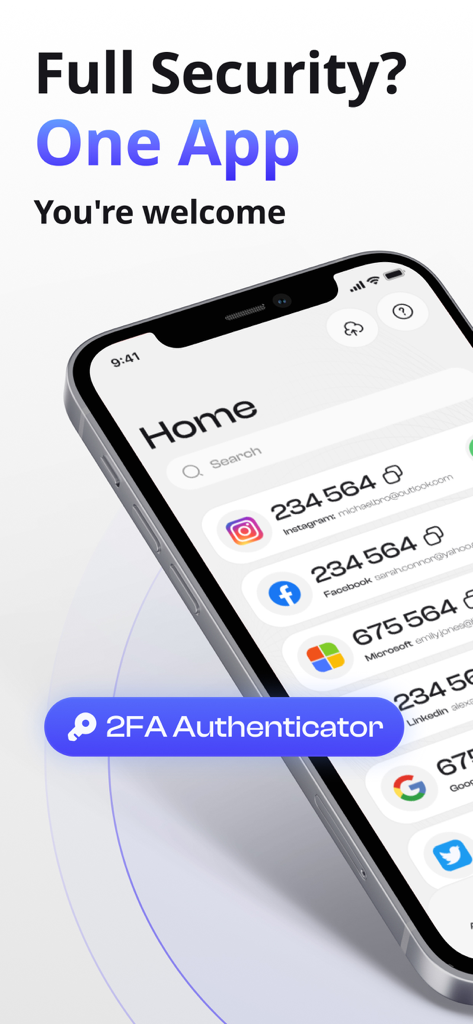
Smartphone screen showing the home page of the Authenticator 2FA app with multiple account security codes.

Smartphone screen showing the home page of the Authenticator 2FA app with multiple account security codes.

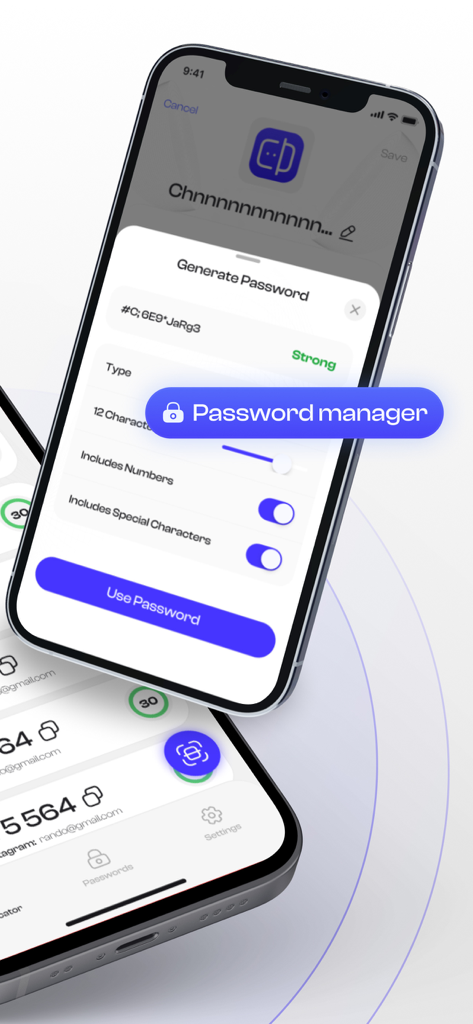
Interface of the Authenticator 2FA app showing a strong password generator with customization options for length and character types.

Interface of the Authenticator 2FA app showing a strong password generator with customization options for length and character types.

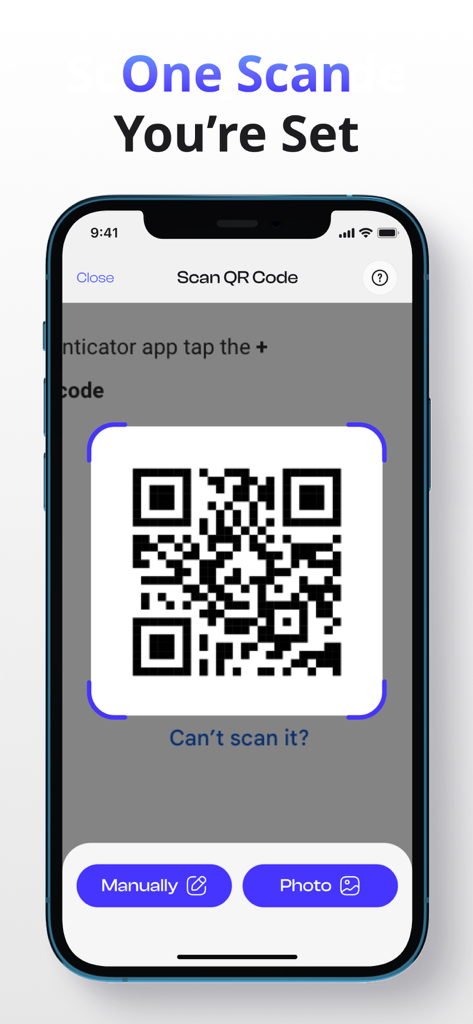
A smartphone displaying the Authenticator app interface for scanning a QR code to enable two-factor authentication.

A smartphone displaying the Authenticator app interface for scanning a QR code to enable two-factor authentication.

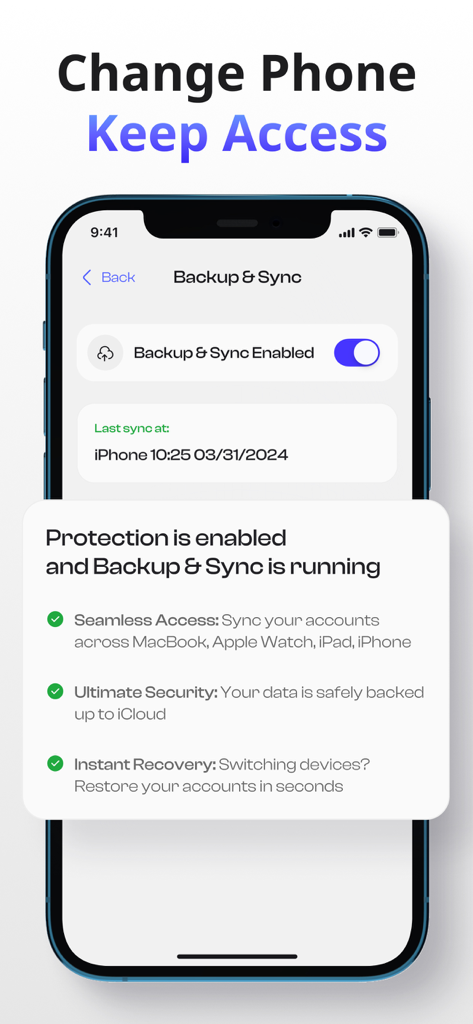
Authenticator app interface showing backup and sync feature enabled for account recovery

Authenticator app interface showing backup and sync feature enabled for account recovery

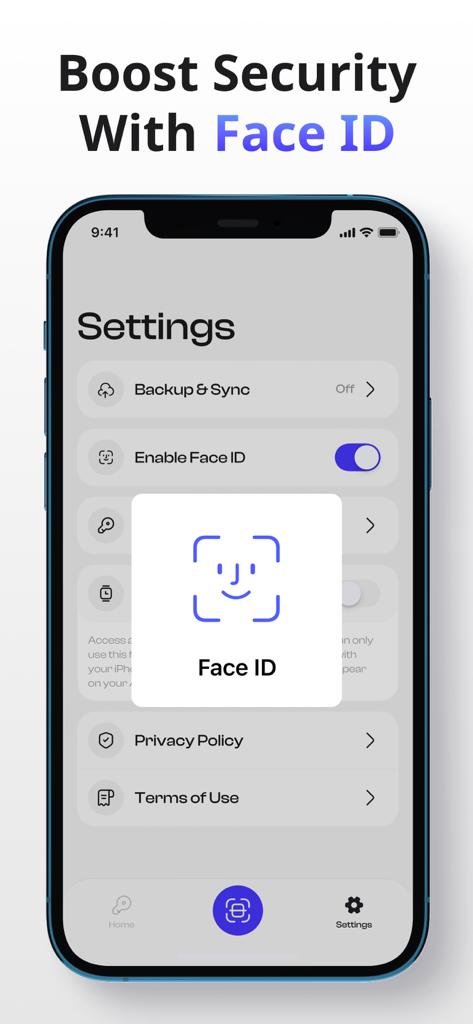
Smartphone screen displaying the Face ID security feature in the Authenticator 2FA app settings

Smartphone screen displaying the Face ID security feature in the Authenticator 2FA app settings

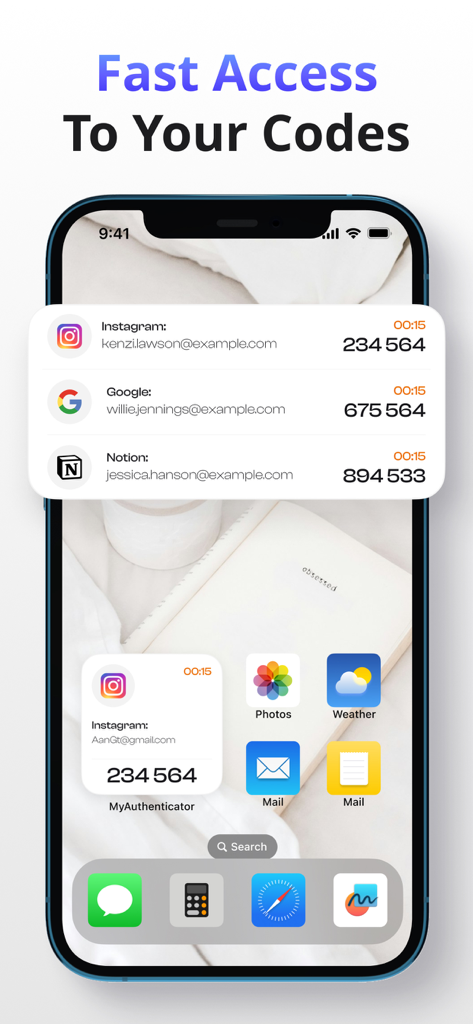
iPhone home and lock screen showing 2FA codes for Instagram and Google from the Authenticator app.

iPhone home and lock screen showing 2FA codes for Instagram and Google from the Authenticator app.

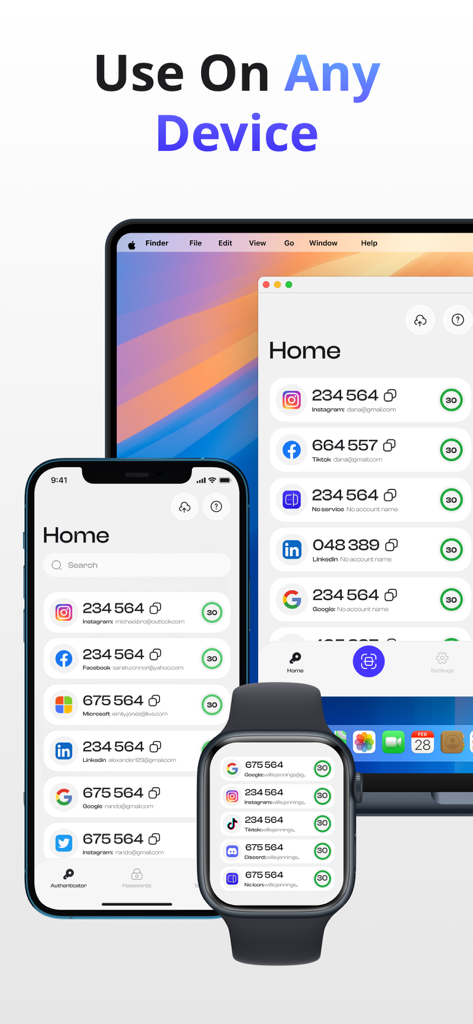
Authenticator 2FA app interface showing synchronized codes on iPhone, Apple Watch, and Mac

Authenticator 2FA app interface showing synchronized codes on iPhone, Apple Watch, and Mac

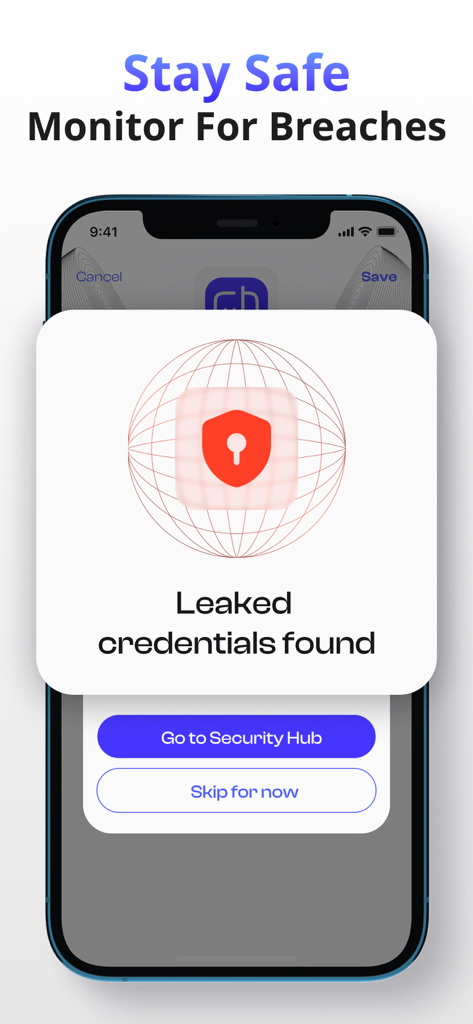
An iPhone screen displaying a security alert for leaked credentials found by the Authenticator 2FA App.

An iPhone screen displaying a security alert for leaked credentials found by the Authenticator 2FA App.

Fortify Your Digital Identity

The tools that make this app stand out, trusted by 1M+ users.

🔄

Cloud Sync & Recovery

Eliminate the fear of being locked out. Your encrypted codes are automatically synced via iCloud, ensuring seamless access across your iPhone and iPad.

👤

Instant Biometric Security

Experience frictionless protection. Access your secure vault in seconds using Face ID or Touch ID, keeping your sensitive data private and accessible only to you.

Apple Watch Integration

Stay efficient with codes on your wrist. Authenticate logins instantly without reaching for your phone—the ultimate tool for the modern professional.

About the app

Everything you need to know about Authenticator - 2FA App.

Description

Protect your online accounts with two-factor authentication (2FA) using Authenticator, a reliable way to generate and store secure codes. Just scan the QR code or enter the details manually to generate a one-time code and access your favorite service. Why Choose Authenticator? - Quick & Easy Setup: Enable 2FA for your account instantly by scanning a QR code - Broad Compatibility: Works with thousands of popular services, making it easy to connect and streamline your login process. - Sleek Design: Features a modern, user-friendly interface that simplifies managing your 2FA codes. Features: - HOTP & TOTP Support: Manage both time-based and counter-based one-time passwords for a wide range of services with ease. - Cloud Backup & Sync: Securely back up your 2FA codes to the cloud. Enjoy seamless synchronization across all your devices, so you’re never locked out. - Biometric Security: Unlock the app with Face ID or Touch ID, ensuring quick and secure access to your codes. - Secure and Private: Your data is always protected, including when stored in iCloud, ensuring only you can access it. - Ad-Free Experience: Enjoy a smooth, ad-free 2FA experience. Subscription Information: Payment will be charged to your iTunes Account upon purchase confirmation. Subscriptions automatically renew unless you turn off auto-renewal at least 24 hours before the current period ends. Your account will be charged for renewal within 24 hours before the end of the current period. Manage your subscriptions and disable auto-renewal in your Account Settings. When you use a trial subscription, you will be charged the full subscription price for the selected period after it expires. Please cancel your subscription at least 24 hours before the end of the trial period. This app is not connected to, endorsed by, or affiliated with any third-party platforms or services it is compatible with. Privacy Policy: http://pp.myauthenticator.pro/ Terms of Use: http://tou.myauthenticator.pro/ For support or inquiries, please email us at: kuprenkovitalii@gmail.com

Latest Version

2.6.0

Size

175.8 MB

First Released

Sep 17, 2024

Take Control of Your Digital Security Today

Join over 1 million professionals who protect their digital assets with encrypted cloud sync, biometric security, and a seamless Apple Watch experience.

Download on App Store
FAQ

Frequently Asked Questions

Everything you need to know about Authenticator - 2FA App

What is Authenticator - 2FA App?

Authenticator - 2FA App protects online accounts using two-factor authentication (2FA) by generating and storing secure one-time codes. Users scan QR codes or enter details manually for setup.

Does Authenticator - 2FA App support HOTP and TOTP?

Yes, Authenticator - 2FA App supports both Time-based One-time Passwords (TOTP) and HMAC-based One-time Passwords (HOTP). This allows users to manage a wide range of services with the app.

Does Authenticator - 2FA App offer cloud backup and sync?

Yes, Authenticator - 2FA App offers secure cloud backup and seamless synchronization across all user devices. This ensures account access and data restoration, even when switching devices.

Can I use Face ID or Touch ID with Authenticator - 2FA App?

Yes, Authenticator - 2FA App includes biometric security features. Users can unlock the app and access their codes quickly and securely using Face ID or Touch ID.

Is Authenticator - 2FA App ad-free?

Yes, Authenticator - 2FA App provides a modern, user-friendly interface and delivers an ad-free experience. This ensures a smooth and focused two-factor authentication process.

Does Authenticator - 2FA App include a password manager?

Yes, Authenticator - 2FA App includes a password manager feature. This allows users to generate strong passwords and manage them directly within the application.

Does Authenticator - 2FA App monitor for data breaches?

Yes, Authenticator - 2FA App monitors for breaches, alerting users if leaked credentials are found. This feature enhances security by proactively identifying compromises.

Is Authenticator - 2FA App compatible with many services?

Yes, Authenticator - 2FA App supports broad compatibility with thousands of popular services. It connects easily and streamlines the login process for various platforms.

How do subscriptions work for Authenticator - 2FA App?

Subscriptions for Authenticator - 2FA App automatically renew unless disabled at least 24 hours before the current period ends. Payment is charged to the iTunes Account upon purchase confirmation.

How can I manage my Authenticator - 2FA App subscription?

Users manage Authenticator - 2FA App subscriptions and disable auto-renewal directly in their iTunes Account Settings. Charges for renewal occur within 24 hours before the period ends.

Is Authenticator - 2FA App affiliated with other services?

No, Authenticator - 2FA App is not connected to, endorsed by, or affiliated with any third-party platforms or services it is compatible with. It operates independently to provide 2FA.

Is my data secure and private with Authenticator - 2FA App?

Yes, Authenticator - 2FA App states that user data is always protected. It ensures privacy, including when codes are stored in iCloud, ensuring only the user can access it.

App information, icons, screenshots, and descriptions displayed on this page are sourced from the Apple App Store and are the property of their respective developers. Download estimates and rankings are based on MWM's proprietary models and may not reflect actual figures. This page is provided for informational and analytical purposes only.

Believe this page infringes your intellectual property? File a dispute