Authenticator App 2

Authenticator App 2

Logo of Authenticator App 2

Authenticator App 2: Secure, Elegant, and Organized 2FA for Power Users

Protect your digital world with a professional-grade authenticator. Enjoy offline privacy, pin your most-used accounts, and scan QR codes directly from your photos—all within a beautiful, modern interface.

Publisher

Velto Rise LLC

Category

Productivity

Downloads

0

User Rating

1.0/5

Total Ratings

0

Locales

1

Security Made Beautiful

Discover the interface used by 0 users.
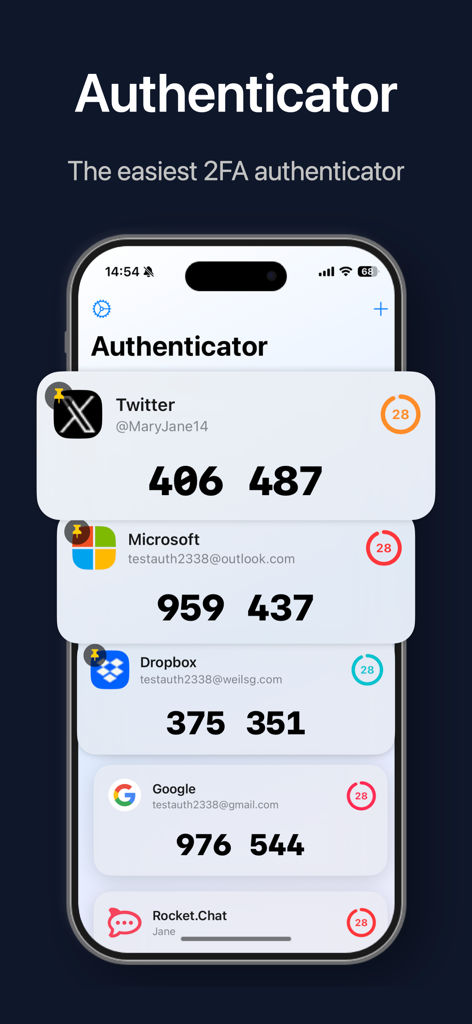
Main interface of Authenticator App 2 displaying 2FA verification codes for Twitter, Microsoft, and Dropbox accounts on an iPhone.

Main interface of Authenticator App 2 displaying 2FA verification codes for Twitter, Microsoft, and Dropbox accounts on an iPhone.

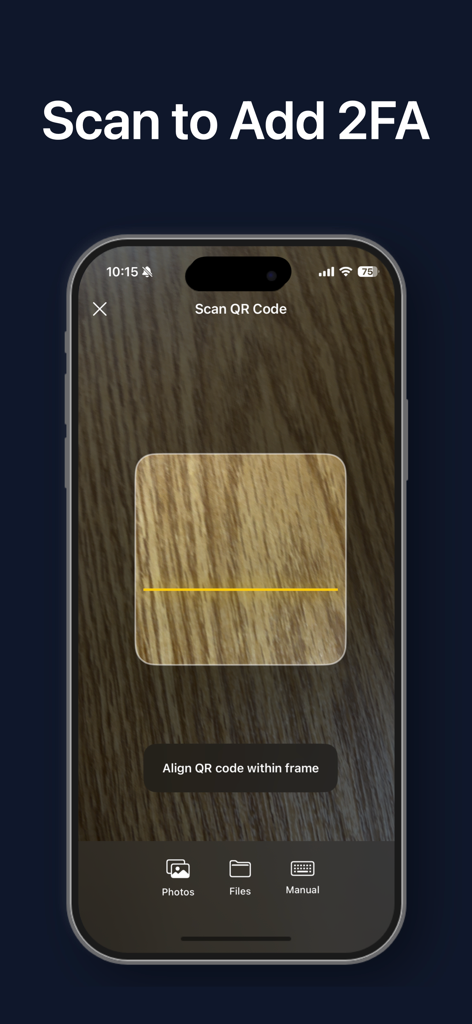
Interface of Authenticator App 2 showing the camera view for scanning a QR code to add two-factor authentication

Interface of Authenticator App 2 showing the camera view for scanning a QR code to add two-factor authentication

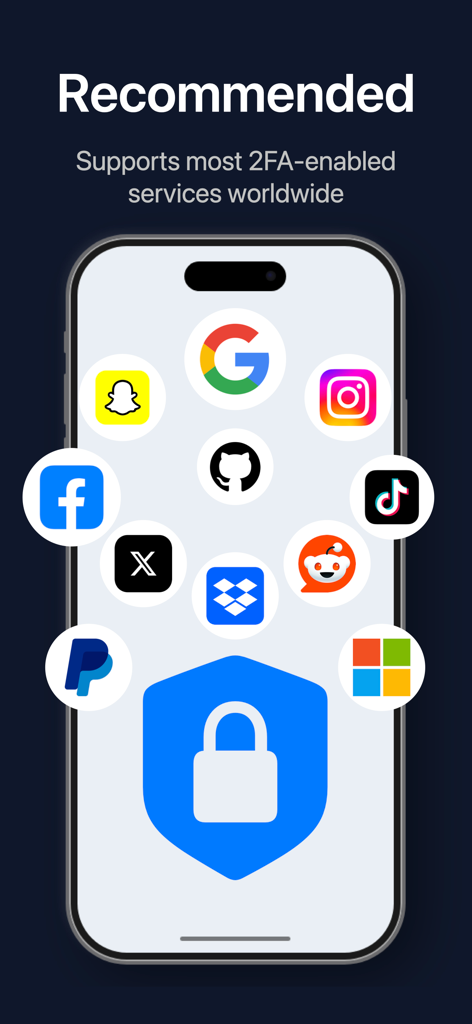
Smartphone screen showing Authenticator App 2 compatibility with major services like Google Instagram and Facebook

Smartphone screen showing Authenticator App 2 compatibility with major services like Google Instagram and Facebook

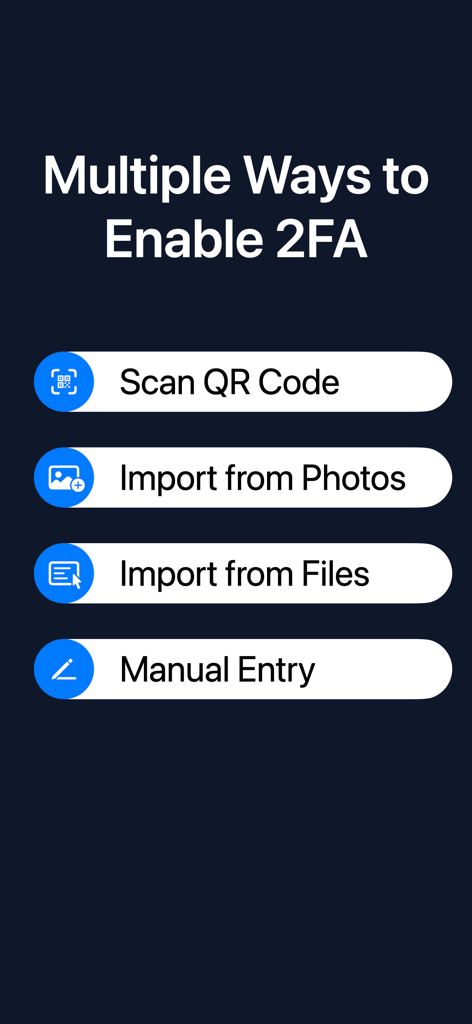
Interface showing options to enable 2FA including Scan QR Code, Import from Photos, Import from Files, and Manual Entry

Interface showing options to enable 2FA including Scan QR Code, Import from Photos, Import from Files, and Manual Entry

Master Your Digital Security with Precision

The tools that make this app stand out, trusted by 0 users.

📌

Priority Access with Pinning

Eliminate scroll fatigue by pinning your most-used accounts to the top. Access your work Slack or Google codes in a single tap.

🔒

Total Offline Privacy

Your data never leaves your device. Enjoy 100% on-device storage with no cloud tracking, keeping your secret keys truly yours.

📸

Seamless Photo Import

No second screen required. Set up new accounts by importing QR code screenshots directly from your Photos app or camera roll.

About the app

Everything you need to know about Authenticator App 2.

Description

Add an extra layer of protection to your online accounts with this simple, secure, and powerful verification app. Authenticator generates dynamic verification codes to ensure that only you can access your accounts, keeping your personal data safe. Key Features: Scan to Add Accounts Setup is effortless. Simply scan a QR code with your camera to add an account instantly. We also support importing QR codes directly from your Photos or Files app. Pin to Top Keep your most frequently used accounts right where you need them. With the "Pin" feature, you can stick important accounts (like Google, Microsoft, or GitHub) to the top of your list for quick and easy access. Manual Entry Support Have a service that doesn't provide a QR code? No problem. Our intuitive manual entry mode allows you to easily input the account details and secret key to get set up. Universal Compatibility Works perfectly with most major online services, including Google, Facebook, Instagram, GitHub, Dropbox, Microsoft, Rocket.Chat, and any other service that supports standard Two-Factor Authentication (2FA). Modern & Clean Interface Enjoy a beautiful, card-based user interface with clear countdown indicators. Managing your security codes has never looked this good. Private & Secure: Your data belongs to you. All your verification tokens are stored securely on your device. The app works completely offline, ensuring your keys never leave your possession. Disclaimer: This application is an independent third-party tool and is not affiliated with, endorsed by, or sponsored by Google, Microsoft, Facebook, or any other third-party service providers mentioned herein. All trademarks and brand names are the property of their respective owners. Users are solely responsible for backing up their recovery keys or codes. The developer shall not be held liable for any data loss resulting from device loss, app uninstallation, or failure to backup data.

Latest Version

1.1

Size

2.1 MB

First Released

Mar 17, 2026

Secure Your Digital World with Style

Experience the professional-grade 2FA app designed for efficiency and privacy. Pin your most used accounts, keep your data offline, and never lose access again.

App information, icons, screenshots, and descriptions displayed on this page are sourced from the Apple App Store and are the property of their respective developers. Download estimates and rankings are based on MWM's proprietary models and may not reflect actual figures. This page is provided for informational and analytical purposes only.

Believe this page infringes your intellectual property? File a dispute