Authenticator App ©

Authenticator App ©

Download on App Store
Logo of Authenticator App ©

Authenticator App ©: Secure Your Digital World with Effortless 2FA

Protect your financial, social, and work accounts from hacking. Enjoy peace of mind with encrypted iCloud backups, biometric security, and seamless sync across all your devices.

Publisher

Yiwu Xiaobu Trading Co., Ltd.

Category

Productivity

Downloads

988K+

User Rating

3.4/5

Total Ratings

700

Locales

13

Security at a Glance

Discover the interface used by 988K+ users.
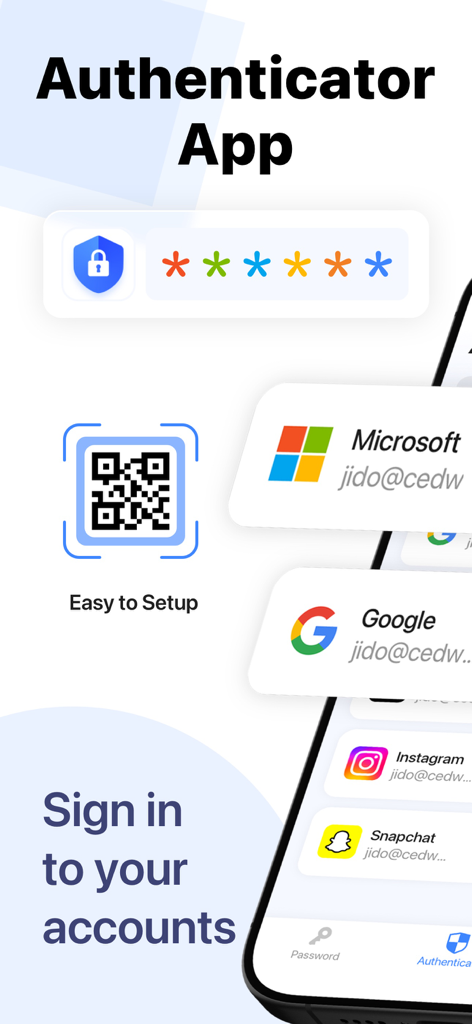
Authenticator App interface showing QR code scanning and social media account integration for security

Authenticator App interface showing QR code scanning and social media account integration for security

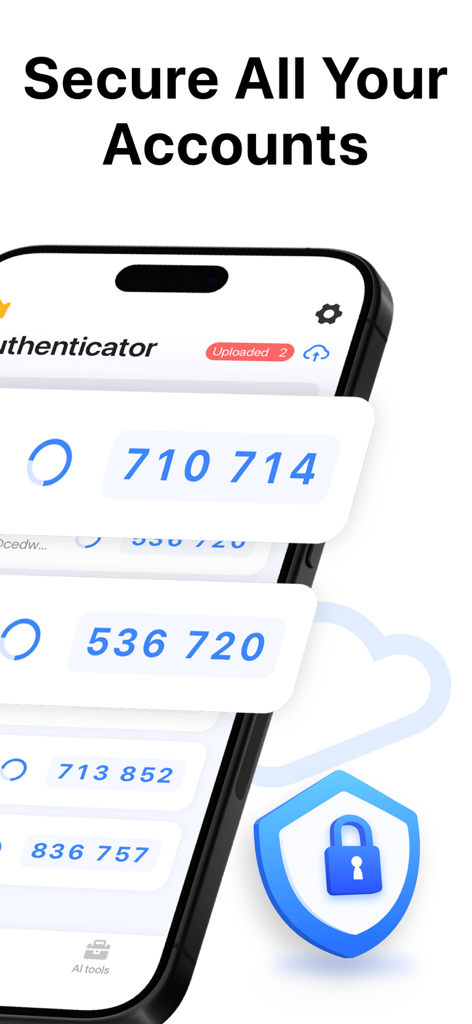
Smartphone displaying 2FA codes and a shield icon representing secure account protection

Smartphone displaying 2FA codes and a shield icon representing secure account protection

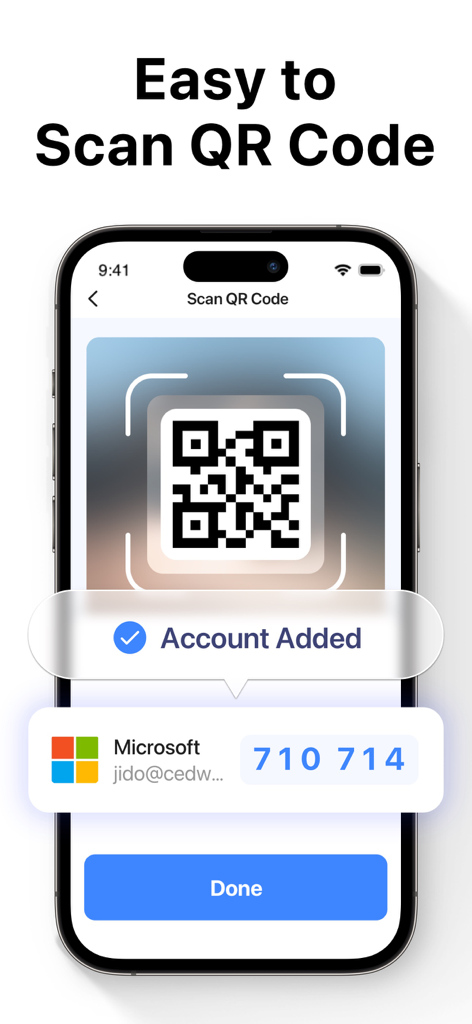
iPhone screen showing the Authenticator App scanning a QR code to add a Microsoft account for two factor authentication

iPhone screen showing the Authenticator App scanning a QR code to add a Microsoft account for two factor authentication

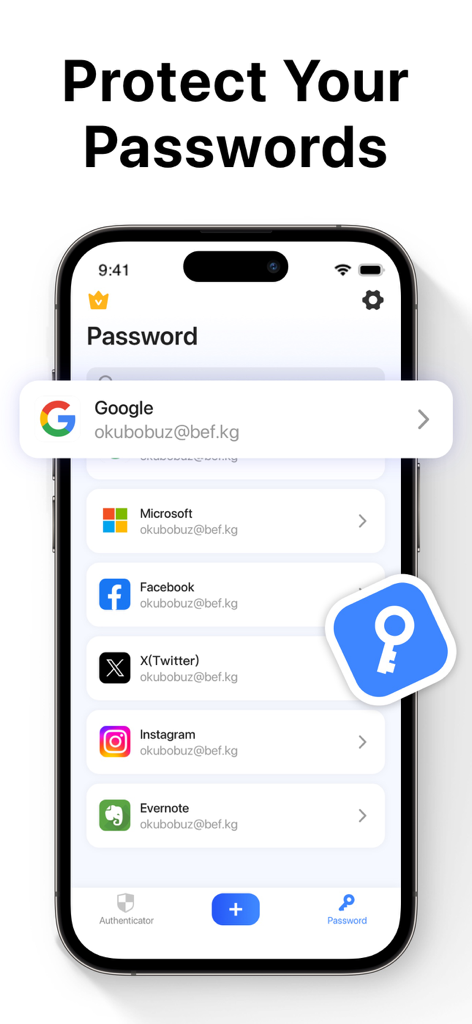
A smartphone screen displaying the Authenticator App's password manager feature with a list of saved social media and work accounts.

A smartphone screen displaying the Authenticator App's password manager feature with a list of saved social media and work accounts.

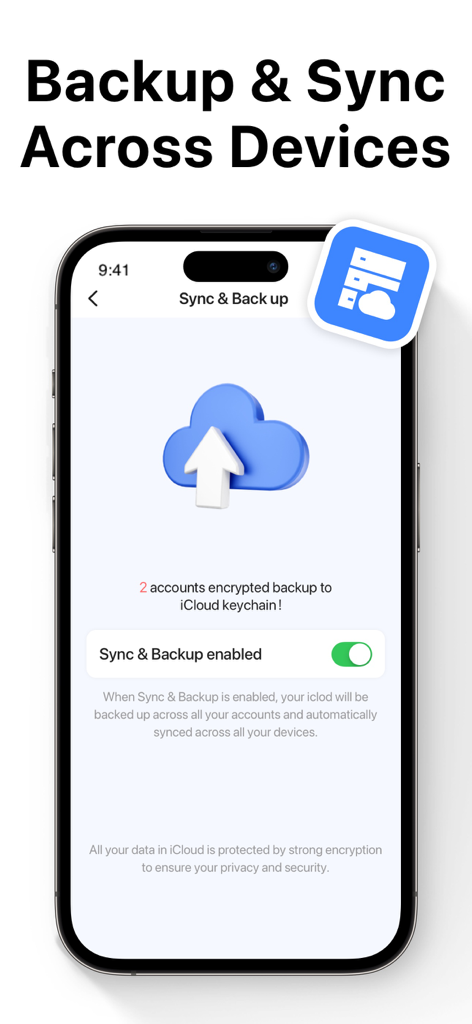
Authenticator App screen showing the backup and sync feature enabled for secure cloud storage

Authenticator App screen showing the backup and sync feature enabled for secure cloud storage

Ultimate Account Security Made Effortless

The tools that make this app stand out, trusted by 988K+ users.

🛡️

Advanced 2FA Protection

Stop hackers in their tracks with time-based one-time passwords (TOTP) that add a critical second layer of defense to all your sensitive logins.

🔄

Seamless iCloud Sync

Never worry about losing access. Your tokens are fully encrypted and automatically synchronized across all your iOS devices for easy upgrades.

🆔

Biometric Instant Access

Unlock your vault with the speed of Face ID or Touch ID. Get your secure codes instantly without sacrificing convenience or privacy.

About the app

Everything you need to know about Authenticator App ©.

Description

Two Factor Authenticator is a simple and secure Mobile Authentication app (2FA Authenticator) that generates Time-based One-time authentication Passwords (TOTP). Authenticator App to help keep your online accounts secure on supporting TOTP websites. This Authenticator app makes your login more secure! By automatically scanning a QR code, this authenticator app generates a one-time password (OTP) for two-factor authentication (2FA) or multi-factor authentication (MFA), to protect your log-in and accounts from hacking. All commonly used online services like Google, Facebook, Github, LinkedIn, Dropbox, and thousands of other cloud applications can log in using the 2FA token generated by this authenticator app. With this authenticator, you can easily log into all your online accounts without having to remember various passwords. Authenticator app features: -Easy and user friendly No account setup is required, automatically scan QR Code with this authenticator and get a one-time password to enable 2FA/MFA authentication for your login. -Secure & Private Authy Authenticate All data stored in Authenticator is always encrypted, even when it's stored in iCloud to ensure that you are the only one who can access your data with 2-step authorization. - Protect your passwords Manage & Storage your account passwords, and keeps them safe and secure behind the one password that only you know. - Backup & Sync : In 2FA Authenticator, you can always make a secure encrypted backup, in case you lose your device or switch to a new one. With Autentifikator all your tokens will automatically synchronize across all devices. -Authorize with Touch ID or Face ID Confirm your identity with the application using Touch ID or Face ID and generate one-time tokens required to log in to your online accounts. - All Popular Accounts: We support verification (but are not associated with) the most popular services including Facebook, Google Chrome, Coinbase, Binance Playstation, Steam, Amazon, Paypal, Gmail, MS Microsoft, Instagram, Discord, Epic Roblox, and thousands of other providers. Information about the auto-renewal of subscription: – Payment will be charged to iTunes Account at confirmation of purchase. – Subscription automatically renews unless auto-renew is turned off at least 24 hours before the end of the current period. – Account will be charged for renewal within 24 hours before the end of the current period. The cost depends on the selected plan. – Subscriptions may be managed by the user and auto-renewal may be turned off by going to the user's Account Settings after purchase. Privacy Policy: https://inis.inislab.com/log/inislab/page?k=privepolicy Terms of Use: https://inis.inislab.com/log/inislab/page?k=termsofuse

Latest Version

2.0

Size

36.5 MB

First Released

Dec 30, 2022

Secure Your Digital World Today

Join 988K+ professionals who trust our encrypted cloud backup and Face ID protection to keep their financial, work, and social accounts safe. Download the ultimate security companion now.

Download on App Store
FAQ

Frequently Asked Questions

Everything you need to know about Authenticator App ©

What is the Authenticator App ©?

The Authenticator App © is a secure mobile authentication app that generates Time-based One-time authentication Passwords (TOTP). It enables two-factor authentication (2FA) for various online accounts to enhance security.

Does the Authenticator App © support QR code scanning for account setup?

Yes, the Authenticator App © simplifies setup by automatically scanning QR codes. This process generates a one-time password (OTP) for enabling 2FA or MFA authentication for your logins.

How does the Authenticator App © ensure data security and privacy?

The Authenticator App © secures accounts by encrypting all stored data, even when backed up to iCloud. This robust encryption ensures that only the authorized user can access their data with 2-step authorization.

Can the Authenticator App © manage and protect passwords?

Yes, the Authenticator App © offers a feature to manage and store your account passwords securely. It keeps them protected behind a single password that only you know.

Does the Authenticator App © offer backup and sync functionality for authentication tokens?

Yes, the Authenticator App © allows secure, encrypted backups of all your tokens to iCloud. It automatically synchronizes these tokens across all your devices once the feature is enabled.

Can users authorize within the Authenticator App © using Touch ID or Face ID?

Yes, the Authenticator App © supports authorization using Touch ID or Face ID. This allows users to confirm their identity and generate one-time tokens with biometric security.

Which popular online services are supported by the Authenticator App ©?

Yes, the Authenticator App © supports a wide range of popular services, including Google, Facebook, Github, LinkedIn, Dropbox, and thousands of other cloud applications for 2FA and MFA.

How are subscriptions handled for the Authenticator App ©?

Authenticator App © subscriptions automatically renew unless auto-renew is turned off at least 24 hours before the current period ends. Payment is charged to your iTunes Account upon purchase.

App information, icons, screenshots, and descriptions displayed on this page are sourced from the Apple App Store and are the property of their respective developers. Download estimates and rankings are based on MWM's proprietary models and may not reflect actual figures. This page is provided for informational and analytical purposes only.

Believe this page infringes your intellectual property? File a dispute