Authenticator App ∞

Authenticator App ∞

Download on App Store
Logo of Authenticator App ∞

Authenticator App ∞: Your All-in-One Digital Fortress for Advanced Security

Go beyond 2FA. Protect your accounts, detect risky links, and manage private notes with seamless device sync and military-grade encryption.

Publisher

Small Steps LLC

Category

Productivity

Downloads

241K+

User Rating

4.1/5

Total Ratings

900

Locales

12

Security, Simplified.

Discover the interface used by 241K+ users.

A professional woman looking at her smartphone with a green security shield icon and a one million users trust badge.

A professional woman looking at her smartphone with a green security shield icon and a one million users trust badge.

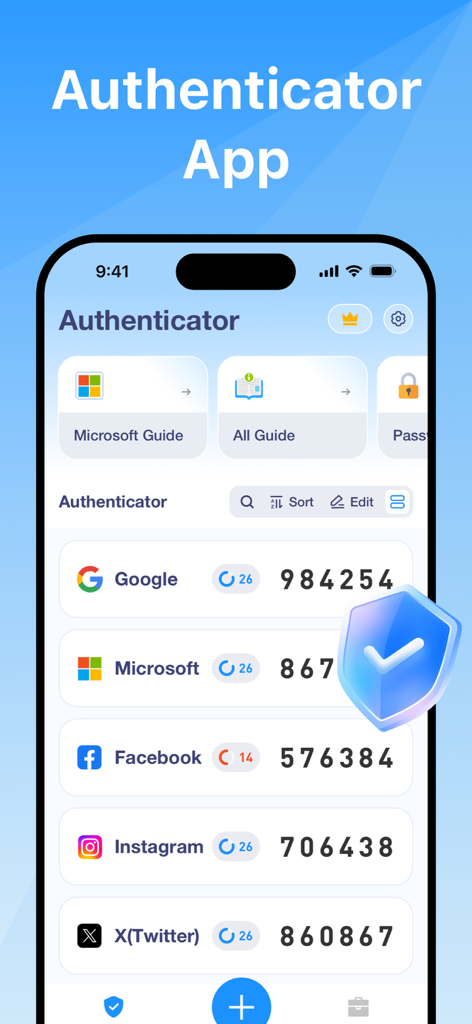
Smartphone screen showing the Authenticator App with 2FA codes for various online services.

Smartphone screen showing the Authenticator App with 2FA codes for various online services.

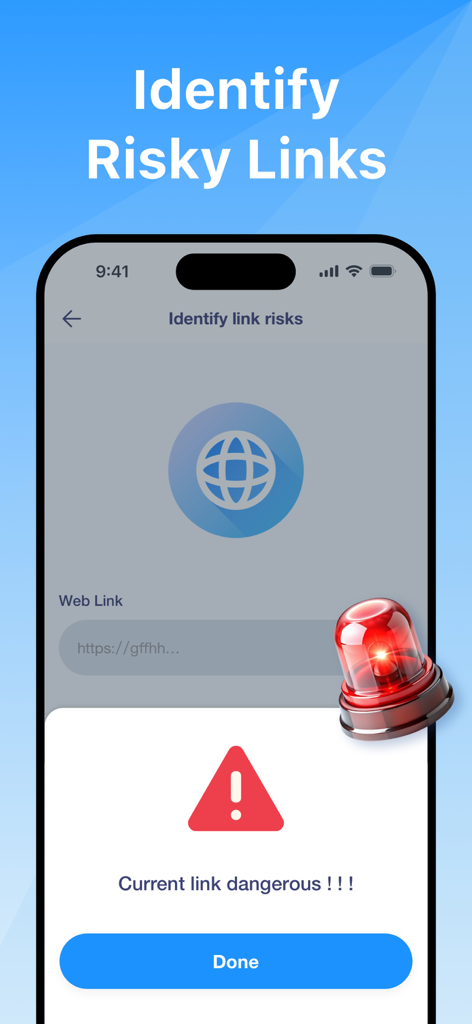
Authenticator app screen showing a security warning for a dangerous web link

Authenticator app screen showing a security warning for a dangerous web link

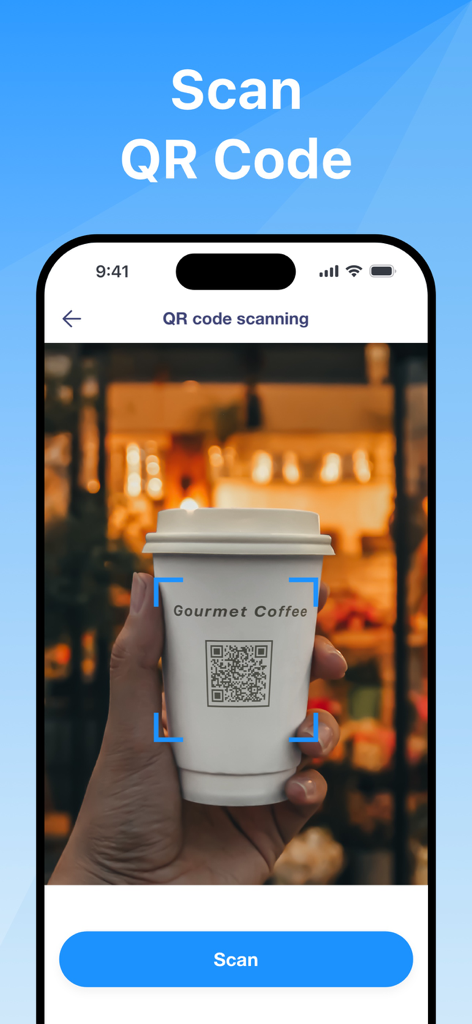
Authenticator App interface showing a QR code being scanned from a coffee cup for secure account setup

Authenticator App interface showing a QR code being scanned from a coffee cup for secure account setup

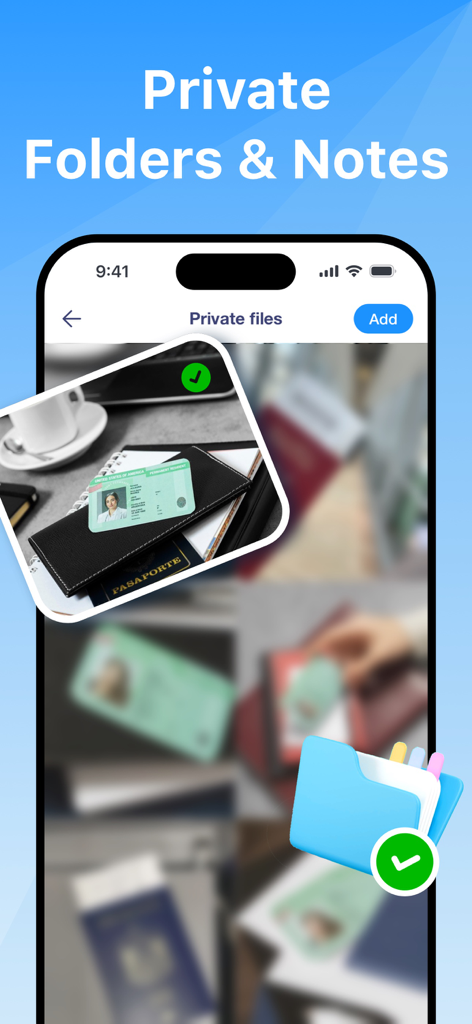
Screenshot of the private folders and notes feature for secure document storage in the Authenticator App.

Screenshot of the private folders and notes feature for secure document storage in the Authenticator App.

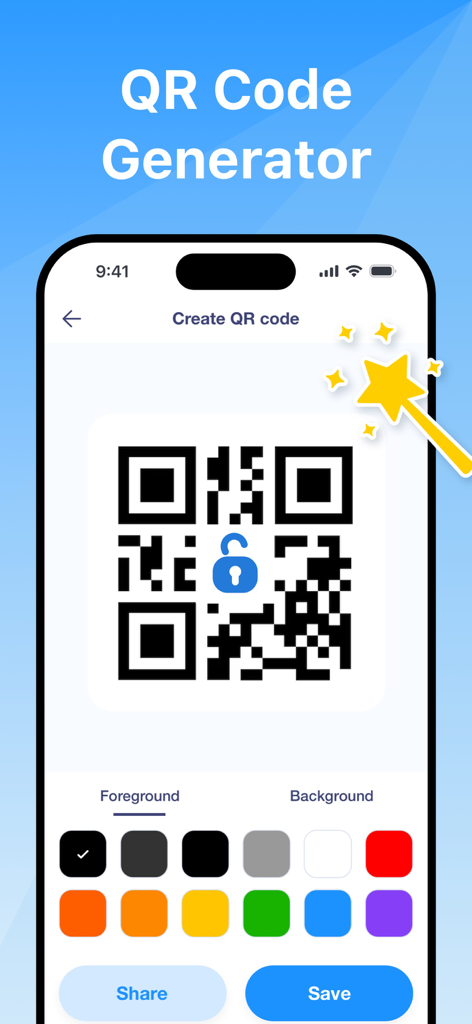
Interface for generating custom QR codes with color selection and sharing options

Interface for generating custom QR codes with color selection and sharing options

Comprehensive Protection for Your Digital Life

The tools that make this app stand out, trusted by 241K+ users.

🔒

Smart 2FA Management

Effortlessly secure your accounts with encrypted code generation that works offline and syncs across your iPhone and iPad.

🛡️

Threat & Link Detection

Stay one step ahead of hackers with advanced scanning that identifies risky links and protects you from online threats.

📄

Private Vault & OCR

Keep sensitive notes and files encrypted while using smart text extraction to digitize important documents on the fly.

About the app

Everything you need to know about Authenticator App ∞.

Description

Enhance the security of your online accounts with our state-of-the-art Authenticator App. Designed to provide advanced protection, our app not only generates secure two-factor authentication (2FA) codes but also includes a suite of additional features to safeguard your personal data. -Effortless 2FA Management Easily set up your secure tokens by scanning QR codes. Input the one-time password (OTP) generated by the app into your chosen service for seamless 2FA verification. - Comprehensive Security Features * Secure Code Generation and Storage All 2FA codes are encrypted, ensuring that your sensitive information is safe and accessible only to you, even when stored in the cloud. *QR Code Scanning and Generation Quickly scan QR codes to capture important information or generate your own for easy sharing. *Image Text Extraction Extract text from images efficiently, supporting multiple languages to enhance productivity. *Risky Link Detection Identify and alert against potentially malicious links to protect you from online threats. *Private Files and Notes Securely store and manage private files and notes, keeping your sensitive information encrypted and easily accessible. *Seamless Device Sync Synchronize your accounts across all your devices effortlessly. *Offline Functionality Generate 2FA codes without an internet connection, ensuring continuous protection under any circumstances. *Wide Service Compatibility Compatible with numerous popular services, making it easy to integrate your security measures seamlessly. Choose our Authenticator App for a comprehensive security tool that balances simplicity with powerful protection features. About subscriptions - Payment will be charged to iTunes Account at confirmation of purchase. - Subscription automatically renews unless auto-renew is turned off at least 24-hours before the end of the current period. - Account will be charged for renewal within 24-hours before the end of the current period, and identify the cost of the renewal. - Subscriptions may be managed by the user and auto-renewal may be turned off by going to the user's Account Settings after purchase. - Any unused portion of a free trial period, if offered, will be forfeited when the user purchases a subscription to that publication, where applicable. Terms of Use: https://xb.xiaobutechs.com/log/xiaobutechs/page?k=termsofuse Privacy Policy: https://xb.xiaobutechs.com/log/xiaobutechs/page?k=privepolicy

Latest Version

1.2

Size

17.5 MB

First Released

Feb 18, 2025

Secure Your Digital Identity in Seconds

Join over 241,000 professionals who trust Authenticator App ∞ for advanced 2FA, encrypted storage, and real-time threat detection across all their devices.

Download on App Store
FAQ

Frequently Asked Questions

Everything you need to know about Authenticator App ∞

What is the Authenticator App ∞?

The Authenticator App ∞ generates secure two-factor authentication (2FA) codes. It provides advanced protection for online accounts, including features like risky link detection and private file storage.

Does the Authenticator App ∞ generate 2FA codes?

Yes, the Authenticator App ∞ supports generating two-factor authentication (2FA) codes. It helps protect online accounts by providing one-time passwords (OTP).

Can the Authenticator App ∞ generate codes offline?

Yes, the Authenticator App ∞ offers offline functionality. It generates 2FA codes without an internet connection, ensuring continuous protection under any circumstances.

Does Authenticator App ∞ detect risky links?

Yes, the Authenticator App ∞ includes Risky Link Detection. It identifies and alerts users against potentially malicious links to protect them from online threats.

Are 2FA codes stored securely in the Authenticator App ∞?

Yes, all 2FA codes generated by the Authenticator App ∞ are encrypted. This ensures that sensitive information is safe and accessible only to the user, even when stored in the cloud.

Can I store private files and notes in Authenticator App ∞?

Yes, the Authenticator App ∞ allows secure storage and management of private files and notes. It keeps sensitive information encrypted and easily accessible within the app.

How do subscriptions work for the Authenticator App ∞?

The Authenticator App ∞ subscription payment is charged to the iTunes Account upon purchase. It automatically renews unless auto-renew is turned off 24 hours before the current period ends.

Does the Authenticator App ∞ scan QR codes?

Yes, the Authenticator App ∞ supports QR code scanning. Users can quickly scan QR codes to capture important information or to set up 2FA tokens.

Can I generate QR codes with the Authenticator App ∞?

Yes, the Authenticator App ∞ allows users to generate their own QR codes. This feature provides easy sharing and customization options for foreground and background elements.

Does Authenticator App ∞ sync across multiple devices?

Yes, the Authenticator App ∞ offers seamless device synchronization. Users can effortlessly synchronize their accounts across all their devices for consistent access and protection.

App information, icons, screenshots, and descriptions displayed on this page are sourced from the Apple App Store and are the property of their respective developers. Download estimates and rankings are based on MWM's proprietary models and may not reflect actual figures. This page is provided for informational and analytical purposes only.

Believe this page infringes your intellectual property? File a dispute