Authenticator App ∙

Authenticator App ∙

Download on App Store
Logo of Authenticator App ∙

Authenticator App ∙: Total Security for Your Digital World

Move beyond simple 2FA. Protect your accounts, encrypt sensitive files, and audit app privacy with an all-in-one security suite built for your peace of mind.

Publisher

INIS TECHNOLOGY LIMITED

Category

Productivity

Downloads

12K+

User Rating

4.3/5

Total Ratings

100

Locales

34

A Preview of Total Protection

Discover the interface used by 12K+ users.
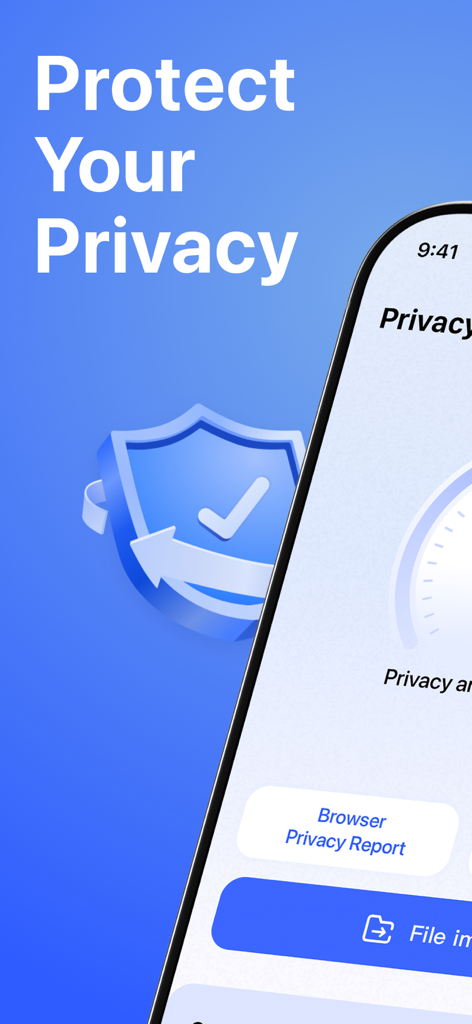
Mobile app interface displaying privacy protection features and smart privacy report options.

Mobile app interface displaying privacy protection features and smart privacy report options.

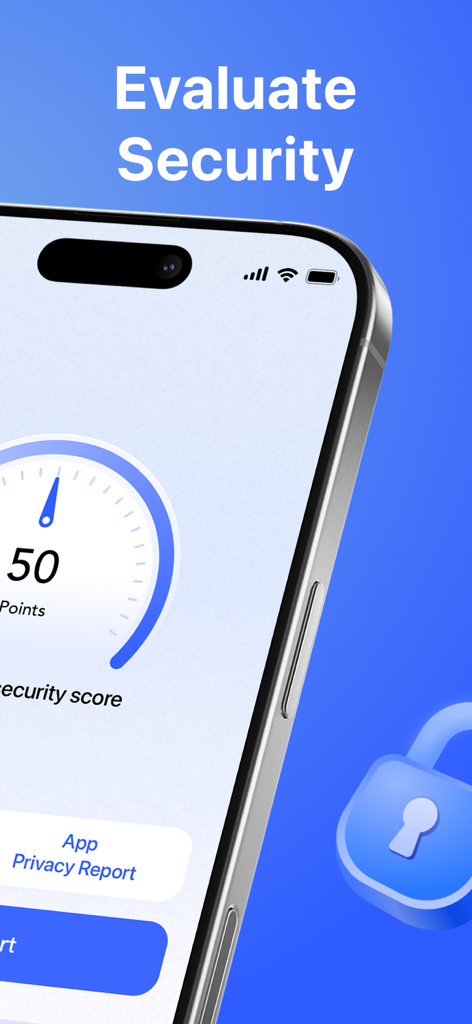
Smartphone screen displaying a security score gauge and app privacy report button

Smartphone screen displaying a security score gauge and app privacy report button

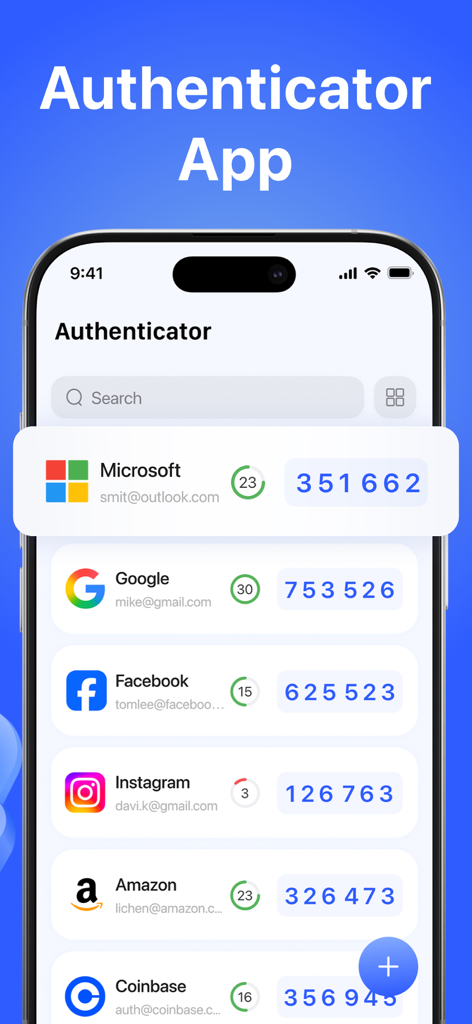
Authenticator App interface displaying two factor authentication codes for multiple accounts like Google and Microsoft

Authenticator App interface displaying two factor authentication codes for multiple accounts like Google and Microsoft

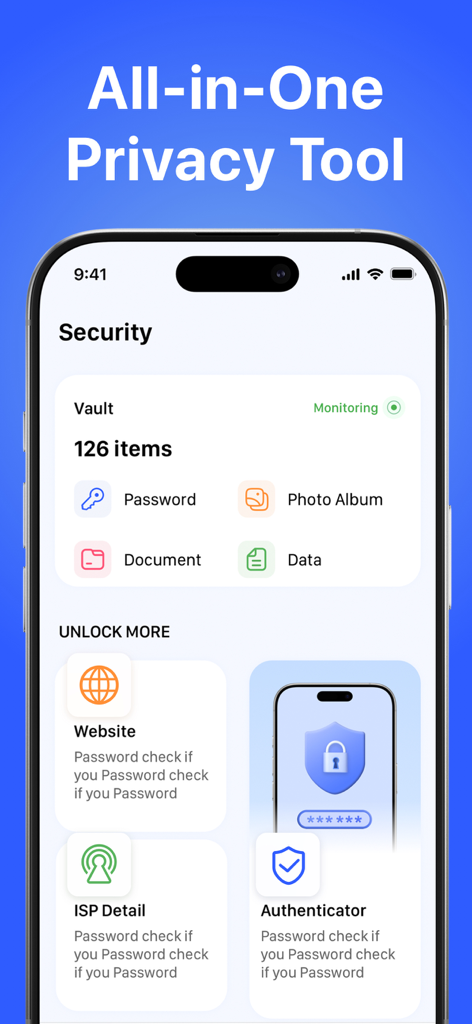
Security dashboard of the Authenticator App showing vault items and privacy tools.

Security dashboard of the Authenticator App showing vault items and privacy tools.

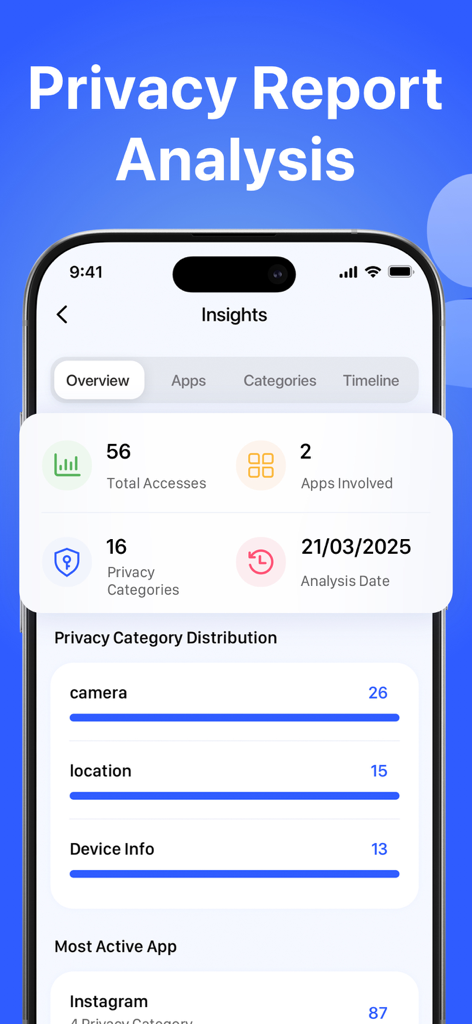
Mobile dashboard showing privacy insights and app data access history for camera and location.

Mobile dashboard showing privacy insights and app data access history for camera and location.

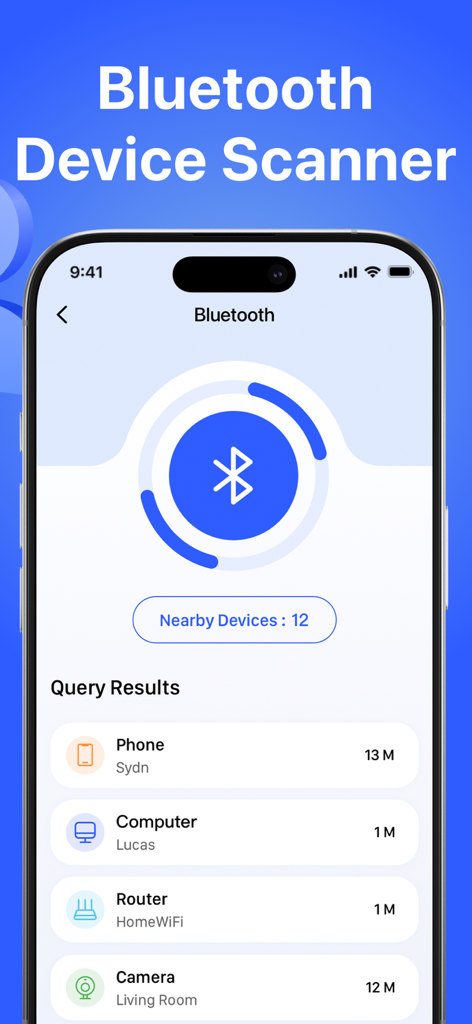
Interface of the Bluetooth device scanner feature showing a list of nearby detected devices like phones and computers

Interface of the Bluetooth device scanner feature showing a list of nearby detected devices like phones and computers

Pro-Grade Digital Protection

The tools that make this app stand out, trusted by 12K+ users.

🛡️

Encrypted 2FA Security

Lockdown your accounts with military-grade encryption and biometric access that keeps your codes private and local.

🕵️

Smart Privacy Intelligence

Automatically detect which apps are secretly using your camera or mic with AI-driven risk reports and recommendations.

🛰️

Live Threat Monitoring

Travel with confidence by scanning for hidden Bluetooth trackers and verifying links to prevent phishing and malware.

About the app

Everything you need to know about Authenticator App ∙.

Description

Take full control of your digital security with our powerful Authenticator App. Secure your accounts with encrypted 2FA codes, analyze your device privacy with Smart Privacy Report, scan for threats, and monitor suspicious app behavior—all in one lightweight, secure app. Whether you're online or offline, your authentication and digital safety are always protected. Features: - Authenticator Add secure two-factor authentication (TOTP) to your accounts for enhanced protection. All codes are encrypted and stored locally on your device. Even if your password is compromised, 2FA ensures only you can access your accounts. Supports standard OTP protocols, biometric unlock, and encrypted backups. - Smart Privacy Report Analysis Understand which apps are accessing your location, photo album, microphone, or contacts in the background. AI-powered privacy analysis intelligently generates risk reports and provides personalized privacy protection recommendations, allowing you to easily manage your data usage. - File Vault Access encrypted photos, videos, and documents with a passcode or biometrics. Even if you lose your phone, your sensitive files remain locked and inaccessible. - ISP Checker View your IP address, internet service provider (ISP), and location data. This gives you insight into your network connection, which is especially useful while traveling or using public networks. - Bluetooth Scanner Detect nearby Bluetooth devices and hidden connections. Protect yourself from unwanted pairing, tracking, or eavesdropping. - Website Checker Instantly scan any URL for phishing, malware, or blacklisted content. Avoid risky links from QR codes, emails, or unknown sources. About Subscriptions - Auto-renew subscriptions unlock all features. You can cancel your subscription at any time through your iTunes account settings. - Payment will be charged to your iTunes account upon confirmation. - Subscriptions automatically renew unless canceled at least 24 hours before the end of the period. - Free trials (if applicable) will convert to paid subscriptions unless canceled before the end of the trial period. Terms of Use: https://auth.inismobile.com/terms Privacy Policy: https://auth.inismobile.com/privacy

Latest Version

1.2

Size

24.6 MB

First Released

Aug 9, 2025

Secure Your Digital World in One Tap

Join thousands of security-conscious professionals. Get the ultimate protection stack with encrypted 2FA, AI-powered privacy audits, and local file vaulting today.

Download on App Store
FAQ

Frequently Asked Questions

Everything you need to know about Authenticator App ∙

What is the primary function of the Authenticator App?

The Authenticator App secures your accounts with encrypted two-factor authentication (2FA) codes. It supports standard OTP protocols, biometric unlock, and encrypted backups for enhanced digital protection.

Does the Authenticator App protect my accounts if my password is compromised?

Yes, the Authenticator App protects your accounts even if your password is compromised. Its 2FA feature ensures that only you can access your accounts, adding an essential layer of security.

How does the Authenticator App help analyze device privacy?

The Authenticator App offers a Smart Privacy Report Analysis. It identifies which apps access your location, photos, microphone, or contacts in the background, generating risk reports and personalized protection recommendations.

Can I secure sensitive files with the Authenticator App?

Yes, the Authenticator App includes a File Vault feature. This allows you to access encrypted photos, videos, and documents using a passcode or biometrics, keeping your sensitive files locked and inaccessible if your phone is lost.

What information does the ISP Checker feature in the Authenticator App provide?

The ISP Checker feature in the Authenticator App provides insights into your network connection. It displays your IP address, internet service provider (ISP), and location data.

How does the Bluetooth Scanner feature in the Authenticator App work?

The Authenticator App's Bluetooth Scanner detects nearby Bluetooth devices and hidden connections. This feature helps protect you from unwanted pairing, tracking, or eavesdropping by identifying potential risks.

Does the Authenticator App scan websites for threats?

Yes, the Authenticator App features a Website Checker. It instantly scans any URL for phishing, malware, or blacklisted content, helping you avoid risky links from QR codes, emails, or unknown sources.

How do I cancel my Authenticator App subscription?

You can cancel your Authenticator App subscription at any time through your iTunes account settings. Subscriptions automatically renew unless canceled at least 24 hours before the end of the period.

When is payment charged for the Authenticator App subscription?

Payment for the Authenticator App subscription is charged to your iTunes account upon confirmation. Subscriptions automatically renew unless canceled at least 24 hours before the end of the period.

What happens after a free trial of the Authenticator App ends?

If applicable, free trials of the Authenticator App will convert to paid subscriptions. You must cancel before the trial period ends to avoid being charged.

App information, icons, screenshots, and descriptions displayed on this page are sourced from the Apple App Store and are the property of their respective developers. Download estimates and rankings are based on MWM's proprietary models and may not reflect actual figures. This page is provided for informational and analytical purposes only.

Believe this page infringes your intellectual property? File a dispute