Authy Authenticator

Authy Authenticator

Download on App Store
Logo of Authy Authenticator

Authy Authenticator: Secure 2FA for the Apple Ecosystem

Protect your digital life with encrypted iCloud backups and instant Apple Watch access. Experience seamless, ad-free authentication designed to keep your online accounts safe across all your devices.

Publisher

ERSIN GIDA TARIM URUNLERI SERACILIK AMBALAJ VE NAKLIYAT HIZMETLERI SANAYI TICARET LTD. STI.

Category

Productivity

Downloads

13K+

User Rating

4.6/5

Total Ratings

100

Locales

24

Security in Sight

Discover the interface used by 13K+ users.
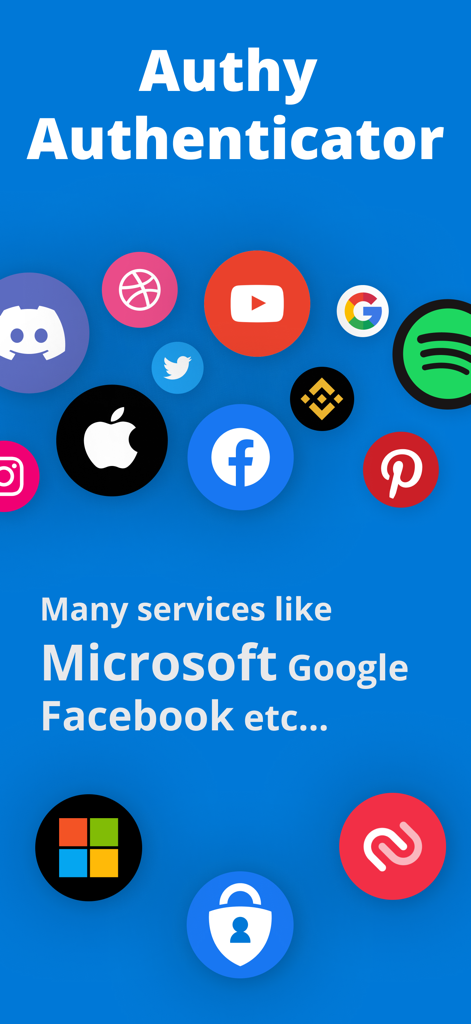
Authy Authenticator screen showing logos of supported services like Google and Facebook

Authy Authenticator screen showing logos of supported services like Google and Facebook

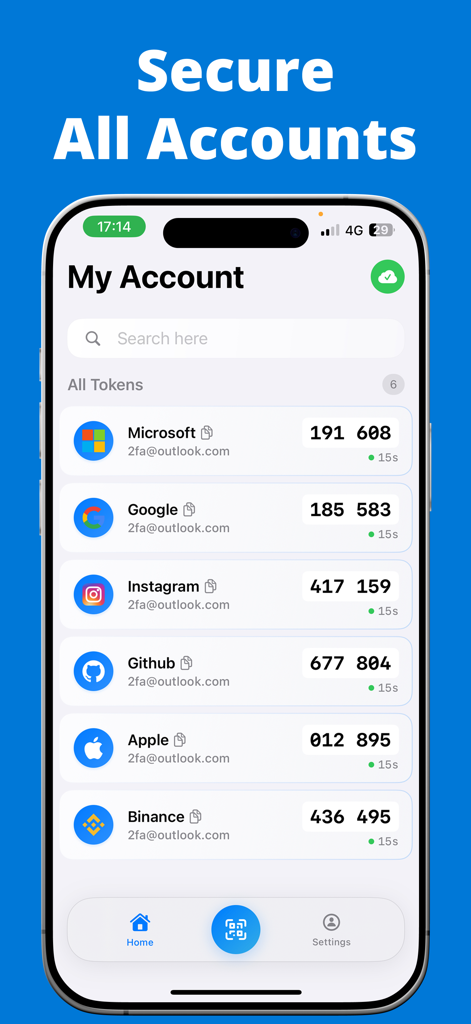
Authy Authenticator app My Account screen showing 2FA security codes for multiple online platforms

Authy Authenticator app My Account screen showing 2FA security codes for multiple online platforms

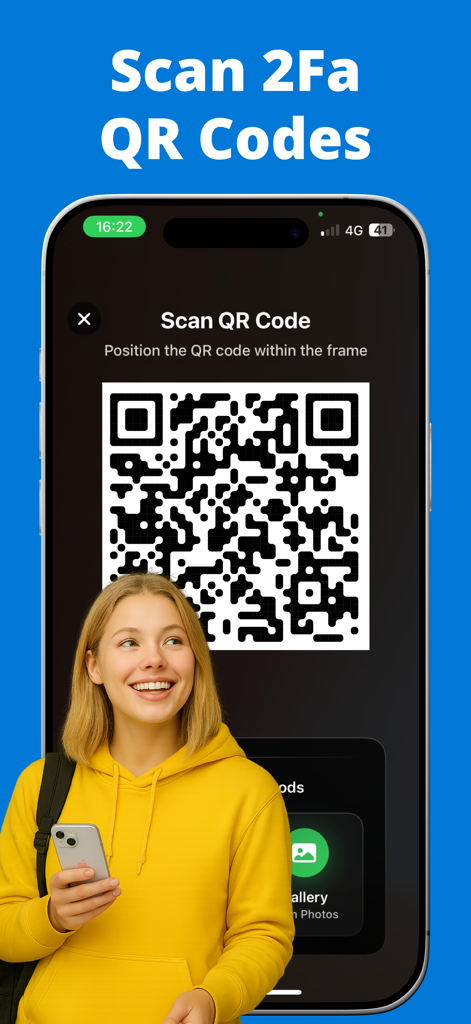
A young woman scanning a 2FA QR code using the Authy Authenticator app interface on an iPhone.

A young woman scanning a 2FA QR code using the Authy Authenticator app interface on an iPhone.

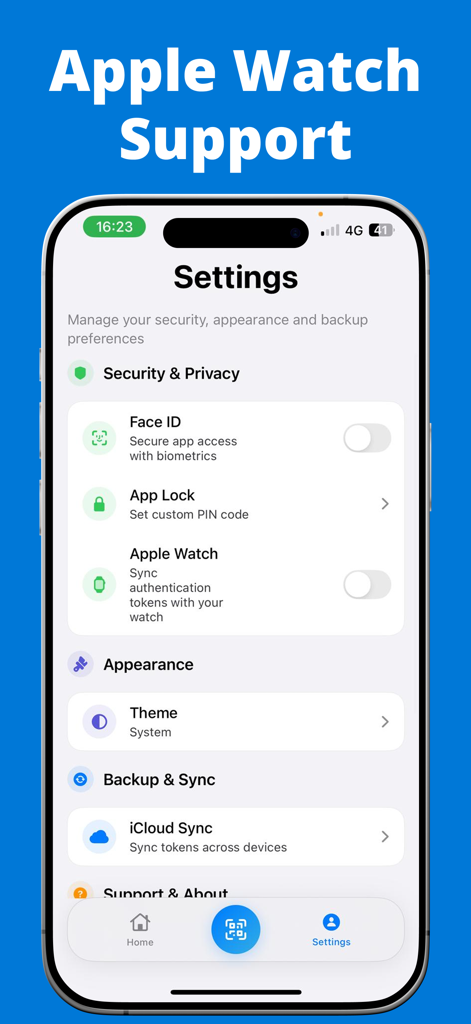
Authy Authenticator settings menu featuring Apple Watch sync and Face ID biometrics

Authy Authenticator settings menu featuring Apple Watch sync and Face ID biometrics

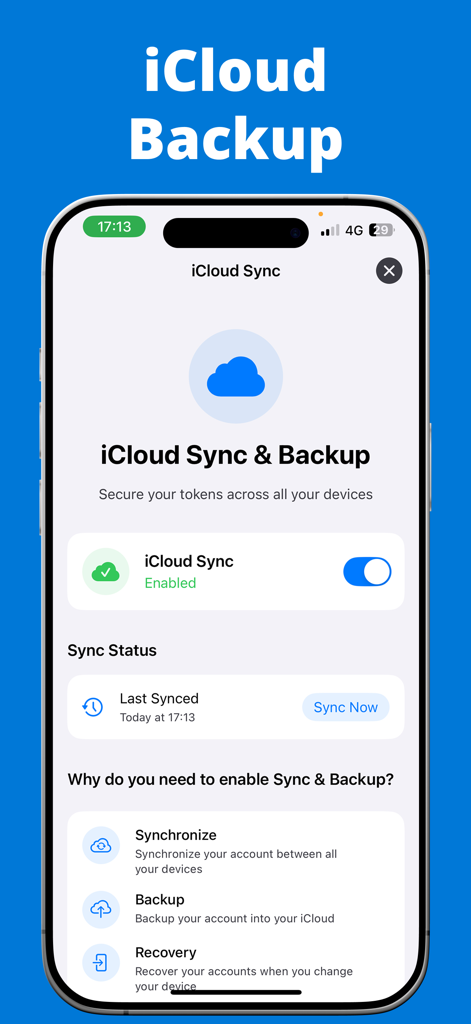
Authy Authenticator app interface showing iCloud sync and backup settings for secure 2FA tokens

Authy Authenticator app interface showing iCloud sync and backup settings for secure 2FA tokens

Advanced Security Made Effortless

The tools that make this app stand out, trusted by 13K+ users.

☁️

iCloud Encrypted Backups

Never worry about losing access again. Your 2FA tokens are automatically backed up to iCloud, ensuring a seamless recovery if you lose or upgrade your device.

Apple Watch Integration

Speed up your workflow by viewing verification codes directly on your wrist. Log into your favorite platforms without ever reaching for your iPhone.

🛡️

Biometric Privacy

Lock your codes behind Face ID or Touch ID. Experience a 100% private, ad-free environment where your sensitive security data never leaves your control.

About the app

Everything you need to know about Authy Authenticator.

Description

Authy Authenticator – Secure 2FA with iCloud Backup & Apple Watch Support Strengthen your account protection with Authy Authenticator, the fast, reliable, and secure Two-Factor Authentication (2FA) app trusted by thousands of users. Generate time-based one-time passwords (TOTP) and keep your online accounts safe from unauthorized access. Whether you're securing your Google, Facebook, Instagram, Microsoft, Amazon, or other important accounts, Authy Authenticator offers an easy, secure, and convenient way to manage all your 2FA codes. Powerful Features of Authy Authenticator: * iCloud Encrypted Backup 
Securely store your 2FA accounts with automatic iCloud backup. Recover your codes anytime, even if you lose or change your device. * Apple Watch Support 
View your verification codes right from your Apple Watch — instant access without pulling out your phone. * Multi-Device Sync 
 Seamlessly sync your 2FA accounts across multiple Apple devices, ensuring you’re always connected. * Offline Access Anywhere
 Generate one-time passwords even when offline or traveling — no internet connection required. * Quick & Easy Setup
 Add accounts via QR code scan or manual key entry in seconds. * Biometric & PIN Lock Protection 
Keep your codes safe with Face ID, Touch ID, or a secure PIN. * Works with All Popular Platforms
Compatible with Google, Facebook, Instagram, Microsoft, Amazon, Twitter, LinkedIn, GitHub, Dropbox, and any app or service supporting TOTP 2FA. * Time-Based One-Time Password (TOTP) Security 
Industry-standard TOTP algorithm ensures your codes refresh automatically every 30 seconds for strong, reliable protection. * No Ads, Fully Private 
Ad-free, privacy-first design — your information stays with you. Why risk your accounts?
Get Authy Authenticator today — the trusted, feature-packed 2FA app with iCloud Backup, Apple Watch support, and multi-device sync. Information About Subscription You can cancel your subscription or free trial anytime by cancelling your subscription through your iTunes account settings, or it will automatically renew. This must be done 24 hours before the end of the free trial or any subscription period to avoid being charged. Subscription with a free trial period will automatically renew to a paid subscription. Please note: any unused portion of a free trial period (if offered) will be forfeited when you purchase a premium subscription during the free trial period. Subscription payments will be charged to your iTunes account at confirmation of your purchase and upon commencement of each renewal term. For more information, please see our Privacy Policy and Terms of Use. Terms of Use: https://sites.google.com/view/auth-terms/ Privacy Policy: https://sites.google.com/view/auth-privacy/

Latest Version

1.2

Size

20.1 MB

First Released

Mar 27, 2021

Never Lose Access to Your Accounts Again

Join thousands of professionals securing their digital life with encrypted iCloud backups and instant Apple Watch codes. Experience frictionless security across all your Apple devices today.

Download on App Store

App information, icons, screenshots, and descriptions displayed on this page are sourced from the Apple App Store and are the property of their respective developers. Download estimates and rankings are based on MWM's proprietary models and may not reflect actual figures. This page is provided for informational and analytical purposes only.

Believe this page infringes your intellectual property? File a dispute