Autodesk Vault Mobile

Autodesk Vault Mobile


Download on App Store
Logo of Autodesk Vault Mobile

Autodesk Vault Mobile: Your Engineering Data, Anywhere You Need It

Bridge the gap between the office and the field. View 3D designs, manage change orders, and access your single source of truth directly from your iPhone or iPad.

Download on App Store

Publisher

Autodesk

Category

Productivity

Downloads

0

User Rating

4.7/5

Total Ratings

0

Locales

14

Precision at Your Fingertips

Discover the interface used by 0 users.
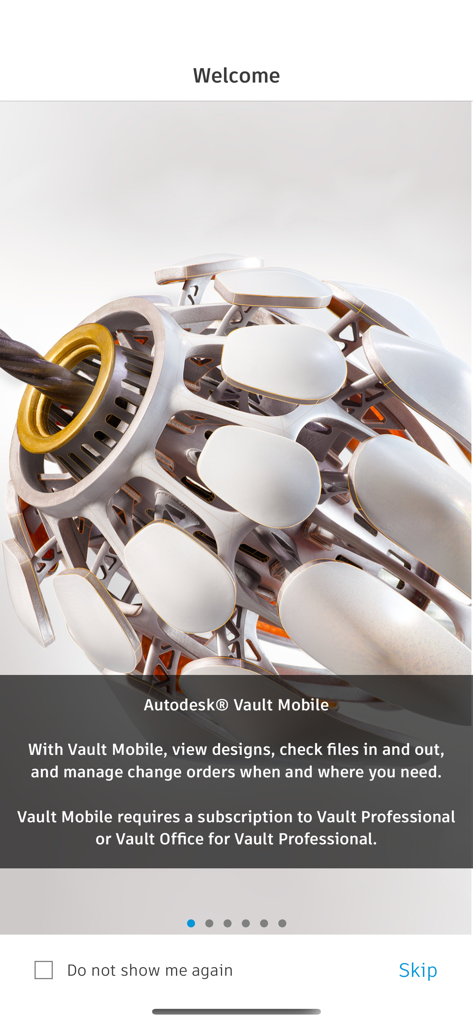
Welcome screen of the Autodesk Vault Mobile app showing a 3D mechanical model and feature description

Welcome screen of the Autodesk Vault Mobile app showing a 3D mechanical model and feature description

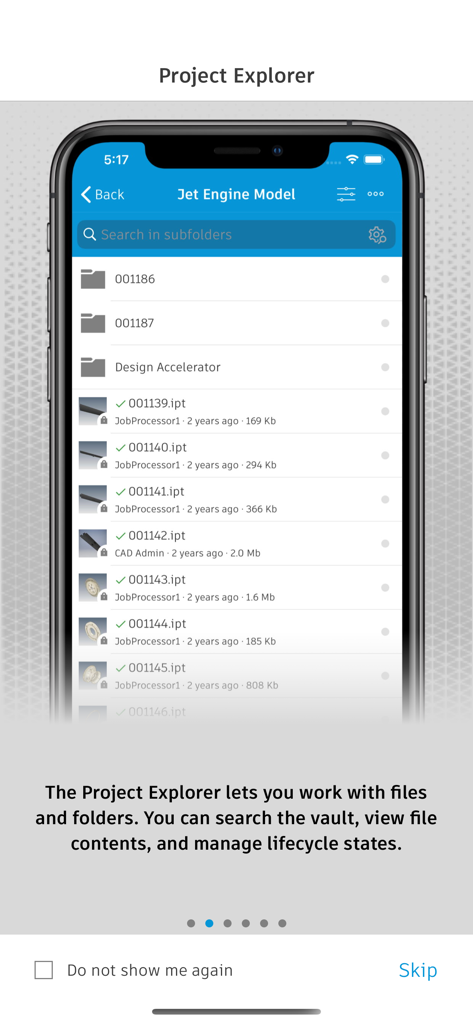
Screenshot of the Project Explorer in the Autodesk Vault Mobile app displaying a file list and folders for a jet engine model.

Screenshot of the Project Explorer in the Autodesk Vault Mobile app displaying a file list and folders for a jet engine model.

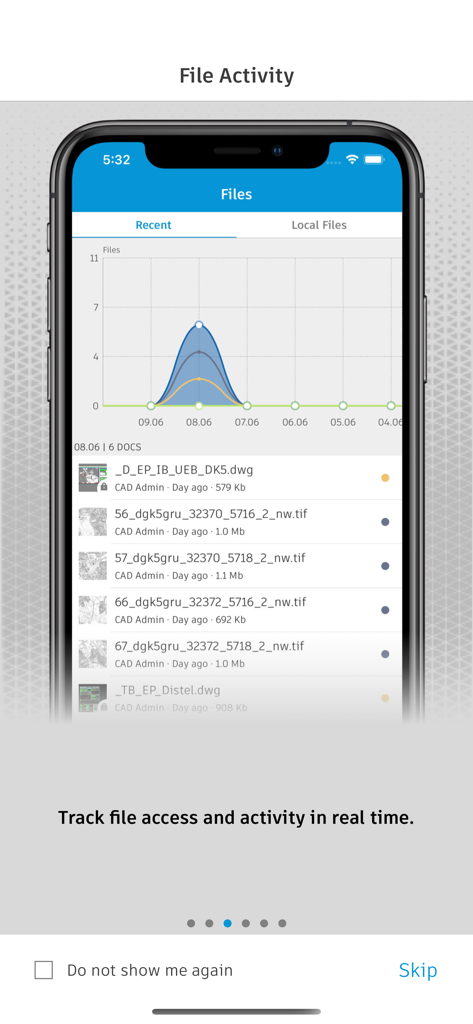
Autodesk Vault Mobile screen displaying file activity and real-time document tracking

Autodesk Vault Mobile screen displaying file activity and real-time document tracking

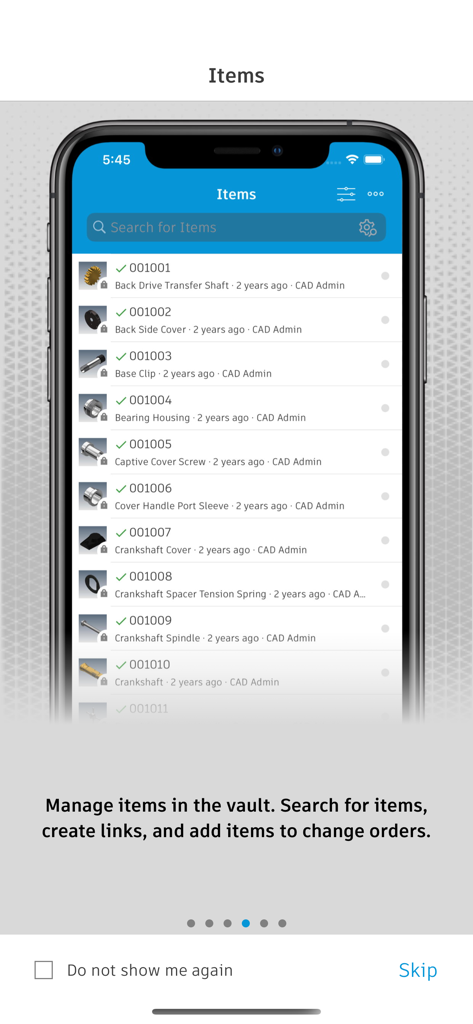
Manage and search for engineering items in the Autodesk Vault Mobile app

Manage and search for engineering items in the Autodesk Vault Mobile app

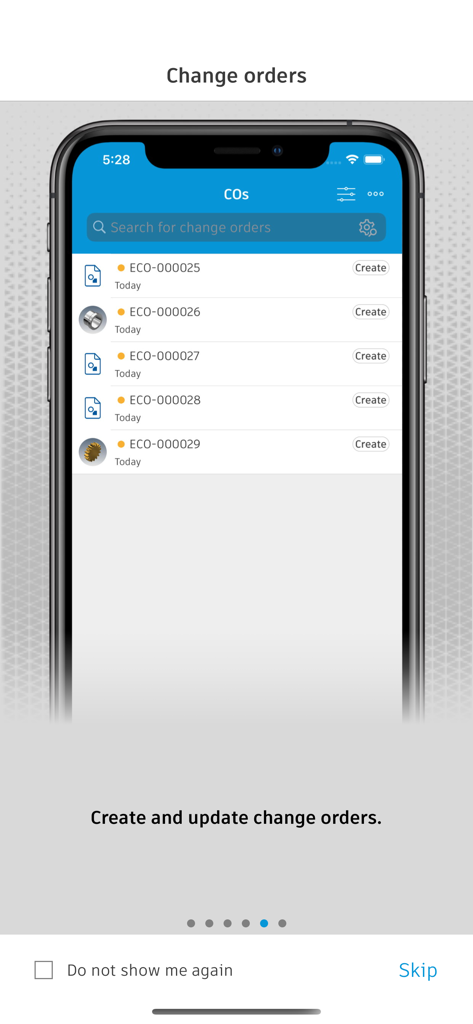
Autodesk Vault Mobile interface showing a list of engineering change orders on a smartphone screen

Autodesk Vault Mobile interface showing a list of engineering change orders on a smartphone screen

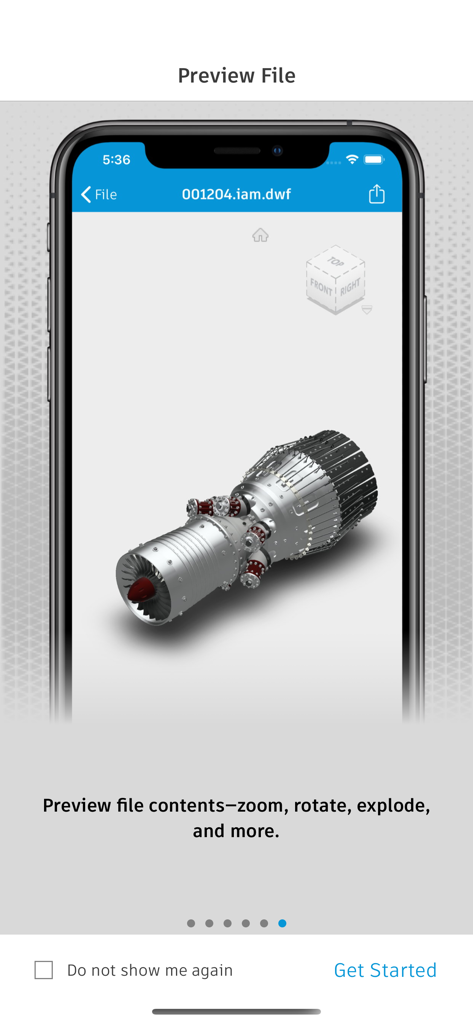
Autodesk Vault Mobile app displaying a 3D mechanical engine model preview on a smartphone

Autodesk Vault Mobile app displaying a 3D mechanical engine model preview on a smartphone

Engineering Intelligence in Your Pocket

The tools that make this app stand out, trusted by 0 users.

📐

Desktop-Grade 3D Visualization

View complex 2D and 3D designs in over 100 formats with high-fidelity previews optimized for your mobile device.

✍️

Accelerated Project Approvals

Sign documents and manage change orders on the go to eliminate bottlenecks and keep your production lines running.

📲

Instant Shop Floor Insights

Use QR and barcode scanning to instantly pull up the digital twin, history, and specifications for any physical part on-site.

About the app

Everything you need to know about Autodesk Vault Mobile.

Description

Autodesk® Vault for iPhone and iPad allows you to work with your design and engineering data on your mobile device. You can use the Vault mobile app to view 2D and 3D designs, check non-CAD files in and out, approve and sign documents, create and participate in change orders, perform QR, barcode, simple and extended data searches, and more. Supporting over 100 file formats, the Vault mobile app makes it easy to stay up to date on your projects and collaborate with others anytime, anywhere. The mobile app works in conjunction with its companion desktop product, Autodesk® Vault product data management software. To use the Vault mobile app for iPhone and iPad, you will need to sign in with your Vault account information. Capabilities: File Workflows: Properties, History, Uses, Where Used, & Attachments Add to Change Order Send Link, or File Change Lifecycle State Check-in\Check-out non-CAD files Set Favorites Save files locally Preview Capabilities: View DWF files with a new viewing experience Ability to submit a job to create the visualization file Preview images, PDF & Office files Change Order Capabilities: Create New Change Orders for Files or Items View User Worklist View Details Edit State View Comments Add Records & Attachments View Records &Attachments Add to Favorites Item Capabilities: View All Items View Details Edit Item Lifecycle State View Versions & Revisions View Bill of Materials (BOM) Search Capabilities: Search files, items and change orders Advanced Search Saved Searches QR & Bar code Search capability Files Capabilities: Recent Files List Insights on file activities in Vault Local File Storage List Favorites: Select Favorites for Files, Items Change Orders View Favorites for Files, Items & Change Orders

Latest Version

1.12.0

Size

70.3 MB

First Released

Aug 25, 2020

Empower Your Engineering Workflow, Anywhere

Access your CAD data, manage change orders, and keep production moving directly from your iPhone or iPad. Download Autodesk Vault Mobile today.

Download on App Store

App information, icons, screenshots, and descriptions displayed on this page are sourced from the Apple App Store and are the property of their respective developers. Download estimates and rankings are based on MWM's proprietary models and may not reflect actual figures. This page is provided for informational and analytical purposes only.

Believe this page infringes your intellectual property? File a dispute