
This page is not an official page of the app or its developer, but an independent editorial publication created for informational and commentary purposes. Unless expressly stated otherwise, neither the app nor its developer is affiliated with, endorsed by, sponsored by, authorized by, or otherwise officially connected with MWM, Apple, Google Play, the app publisher, or the app's developer, and nothing on this page implies that the app was developed using MWM's services. Any trademarks, logos, screenshots, and other content remain the property of their respective owners.


Autofirma App
No more ink. This app makes official digital signatures a reality, freeing users from paper-based bureaucracy.
Downloads
750k+User Rating
Total Ratings
1.8KPublisher
Category
LifestyleLocales
5Latest Version
1.9Size
34.9 MBFirst Released
Oct 12, 2013An analysis of key features enabling secure electronic signatures for Spanish administrative and professional use cases.
Autofirma App: Core Capabilities for Digital Signing
Secure Electronic Signature for Official Procedures
The app provides secure and legally recognized electronic signing capabilities for administrative procedures and digital transactions, which is essential for interaction with public administration in Spain.
Digital Certificate Management
This tool features the ability to install and manage recognized digital certificates (e.g., from PKCS#12 or PFX files), which are mandatory for generating legally binding signatures in Spain.
PDF Document Signing (Local & Cloud)
It allows users to digitally sign various PDF documents stored locally on their device or accessed via cloud storage, offering versatility for personal and professional document handling.
Broad iOS & Web Browser Compatibility
The app ensures broad accessibility by being compatible with iOS devices running version 17 or higher and functioning across any web browser, facilitating seamless integration with existing workflows.
Frequently Asked Questions
Everything you need to know about Autofirma App
What is Autofirma App used for?
Autofirma App enables electronic signatures for web procedures and PDF documents. Users sign securely and legally using their digital certificate or electronic DNI.
How does Autofirma App enable electronic signatures?
Autofirma App enables electronic signatures by allowing users to install recognized digital certificates (PKCS#12 or PFX). It integrates with compatible web procedures and facilitates signing PDF documents stored on the device.
What are the compatibility requirements for Autofirma App?
Autofirma App is compatible with any iOS device running version 17 or higher. It functions with any web browser, allowing flexible use for electronic signatures.
How do users install digital certificates in Autofirma App?
Users install digital certificates in Autofirma App from a PKCS#12 or PFX file. The application's help section provides instructions for installation. Certificates must be obtained from a certification service provider.
Can Autofirma App sign PDF documents stored on the device?
Yes, Autofirma App signs PDF documents directly from the device's icon. It accesses files located in local storage or cloud services for electronic signatures.
Does Autofirma App support signing with an electronic DNI (DNIe)?
Yes, Autofirma App supports DNIe signing. The process requires users to enter the CAN number from their DNI and then their PIN, utilizing NFC for DNI reading.
How can users test the functionality of Autofirma App for web signing?
Users verify the proper functioning of Autofirma App for web-based signing by visiting the official test page: https://valide.redsara.es/firmaMovil/demo.html. This page confirms invocation from a compatible website.
Where can users find more information about Autofirma App?
Users find more information on the Portal de Administración Electrónica website and the Centro de Transferencia Tecnológica repository. These sources provide comprehensive details about Autofirma App.
Is Autofirma App a secure platform for electronic signatures?
Yes, Autofirma App provides secure and legal electronic signatures. It identifies users using their digital certificate or electronic DNI, ensuring the integrity and authenticity of signed documents.
The following screenshots and description are sourced directly from the app's official store listing and are the property of the app developer.
App Store
Screenshots
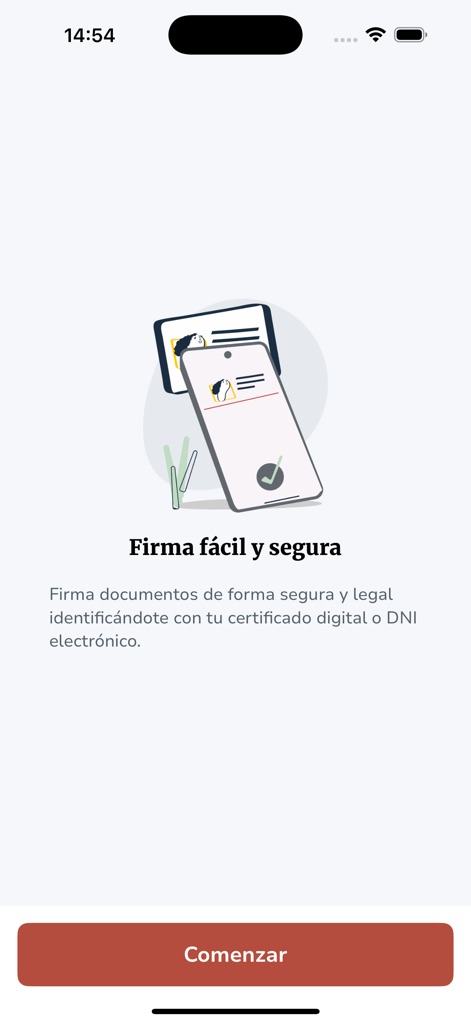
See how the app presents a clear 'Firma fácil y segura' security message and a prominent 'Comenzar' button to initiate the signing process.
Secure Signing Start
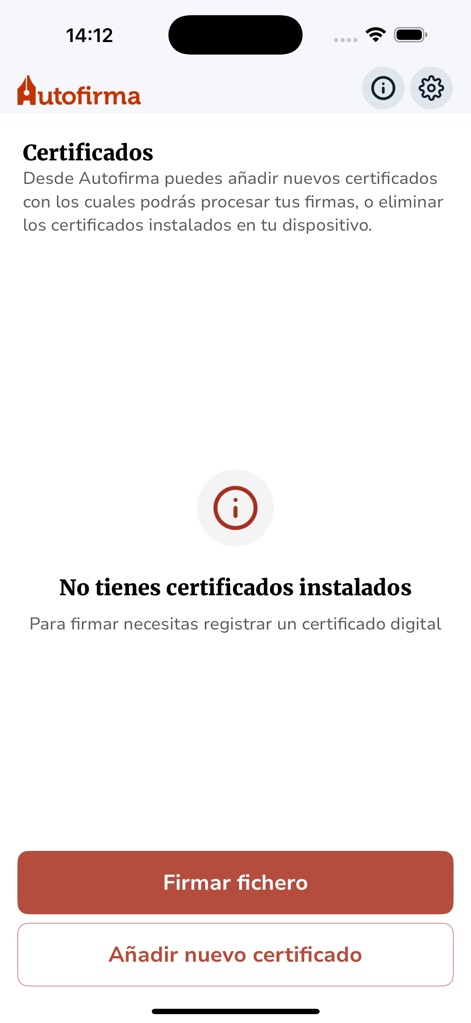
Users can view the certificate status with a 'No tienes certificados instalados' warning and easily add new certificates via the dedicated button.
Certificate Management
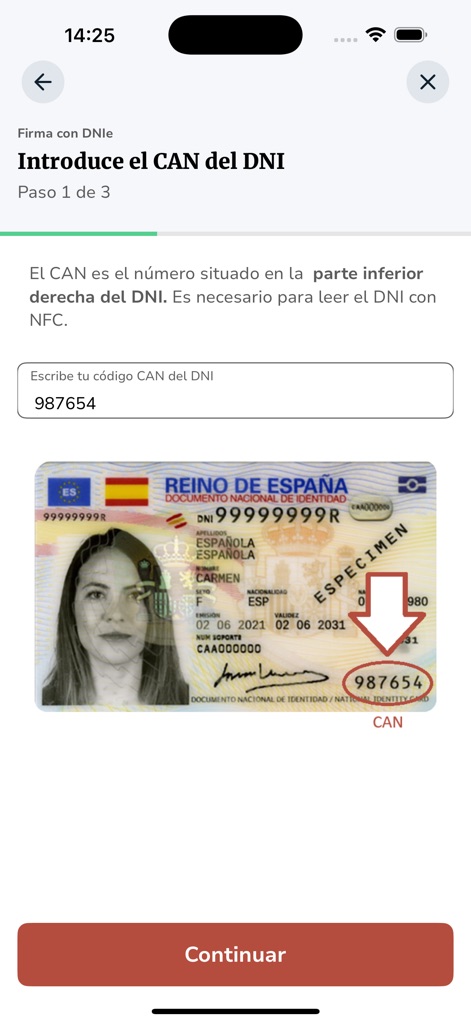
This screen guides users to enter their DNIe's CAN number, featuring a helpful visual of the DNI card and a dedicated input field for security.
DNIe Integration
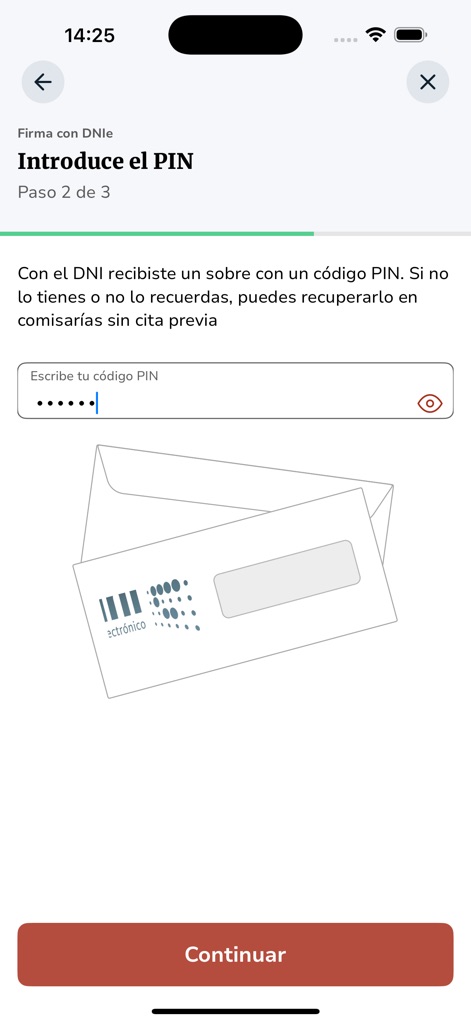
The app prompts for the DNIe PIN, providing a secure masked input field and an illustrative envelope to recall the PIN's origin.
Secure PIN Entry
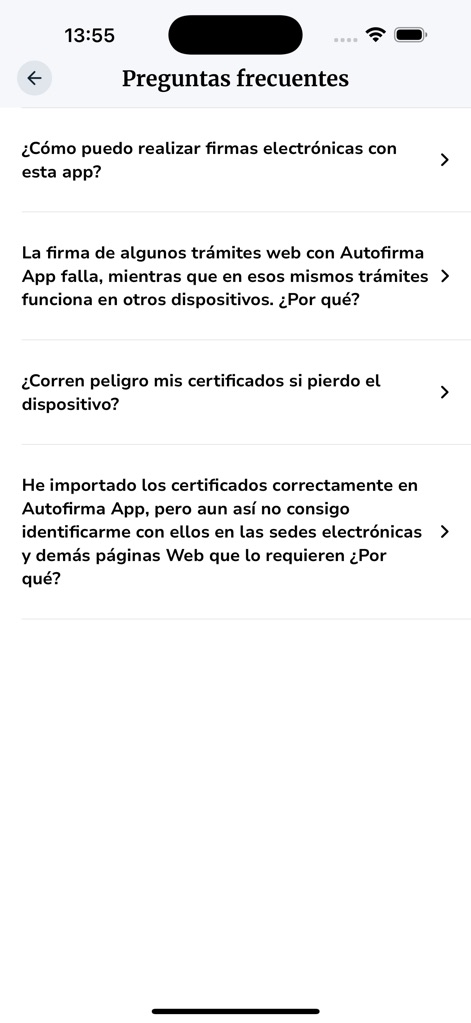
Users can access comprehensive support through a list of 'Frequent questions' with expandable arrow icons for easy navigation and troubleshooting.
Support & FAQs
Description
Download
More Like This
Apps with similar features and user experience

itsme
Belgian Mobile ID SA

myDSS 2.0
SafeTech Ltd

SİMA - Rəqəmsal İmza
Data Processing Center of the Ministry of Communications and High Technologies

Singpass
Government Technology Agency

SoyYo - Identidad Digital
Servicios de Identidad Digital SAS

VIDaaS
valid certificadora digital ltda

TrustMe: Your Digital Identity
A3BC GROUP

Bird ID
Vault Id Solucoes em Criptografia e Identificacao Ltda ME
eDO App
Polska Wytwornia Papierow Wartosciowych S.A.
This page is not an official page of the app or its developer, but an independent editorial publication created for informational and commentary purposes. Unless expressly stated otherwise, neither the app nor its developer is affiliated with, endorsed by, sponsored by, authorized by, or otherwise officially connected with MWM, Apple, Google Play, the app publisher, or the app's developer, and nothing on this page implies that the app was developed using MWM's services. Any trademarks, logos, screenshots, and other content remain the property of their respective owners.