BASIC - Programming Language
Download on App Store

This page is not an official page of the app or its developer, but an independent editorial publication created for informational and commentary purposes. Unless expressly stated otherwise, neither the app nor its developer is affiliated with, endorsed by, sponsored by, authorized by, or otherwise officially connected with MWM, Apple, Google Play, the app publisher, or the app's developer, and nothing on this page implies that the app was developed using MWM's services. Any trademarks, logos, screenshots, and other content remain the property of their respective owners.


Logo of BASIC - Programming Language
Download on App Store

BASIC - Programming Language

Rediscover the nostalgia of classic coding with a powerful interpreter in your pocket. From 10 PRINT to custom graphics and sound, experience the pure joy of programming.

Key Figures

Downloads

4K+

User Rating

2.6/5

Total Ratings

0

Publisher

俊 姜

Category

Education

Locales

1

Latest Version

1.6

Size

11.7 MB

First Released

Sep 15, 2016
Features

Unlock the Power of Retro Coding

Experience the simplicity and nostalgia of the BASIC language, designed for modern learners and vintage tech enthusiasts alike.

Authentic Retro Experience

Step back into the 80s with classic line-numbered programming and syntax that captures the feel of the golden age of home computing.

Instant Creative Feedback

Bring your code to life immediately by rendering geometric art and composing 8-bit piano tones using simple graphics and sound commands.

The following screenshots and description are sourced directly from the app's official store listing and are the property of the app developer.

App Store

Screenshots
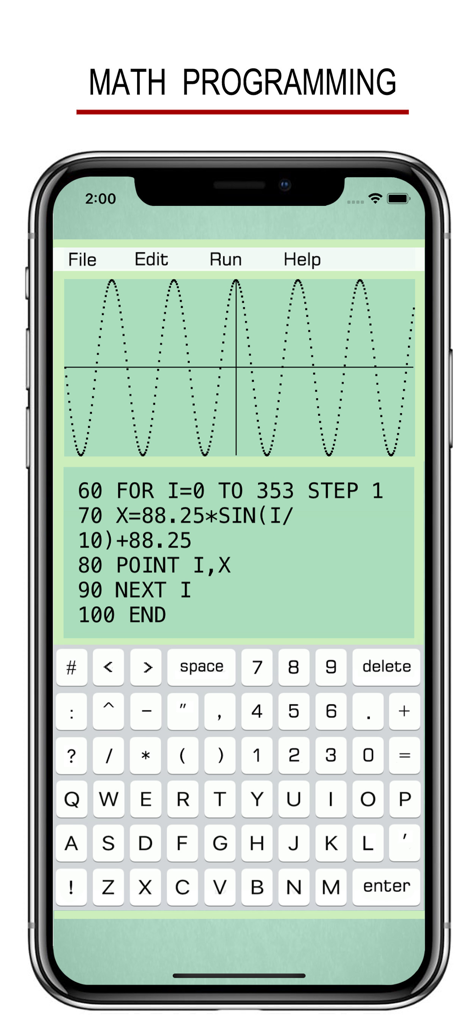
BASIC - Programming Language - BASIC programming app interface showing math code and a sine wave graph
BASIC programming app interface showing math code and a sine wave graph

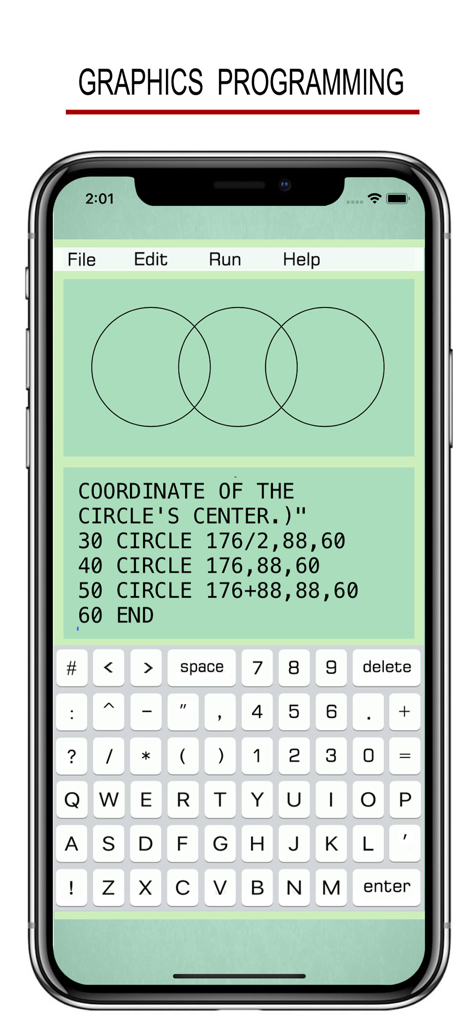
BASIC - Programming Language - BASIC programming app interface showing code for drawing three overlapping circles on a green background.
BASIC programming app interface showing code for drawing three overlapping circles on a green background.

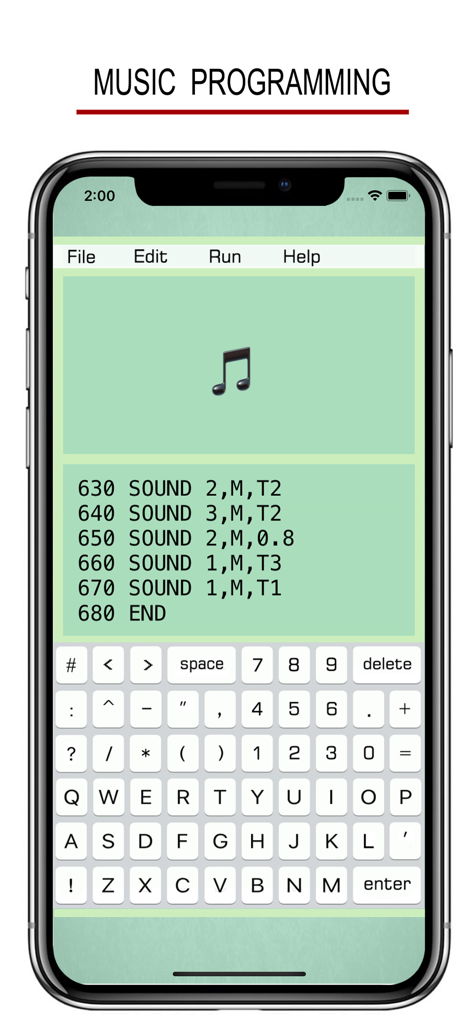
BASIC - Programming Language - Mobile app screenshot showing music programming using BASIC language with sound commands and a music note icon
Mobile app screenshot showing music programming using BASIC language with sound commands and a music note icon

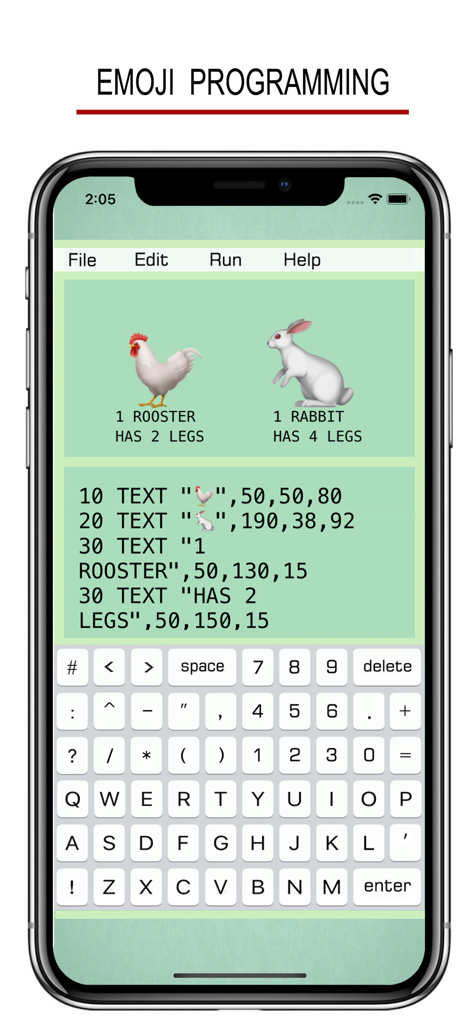
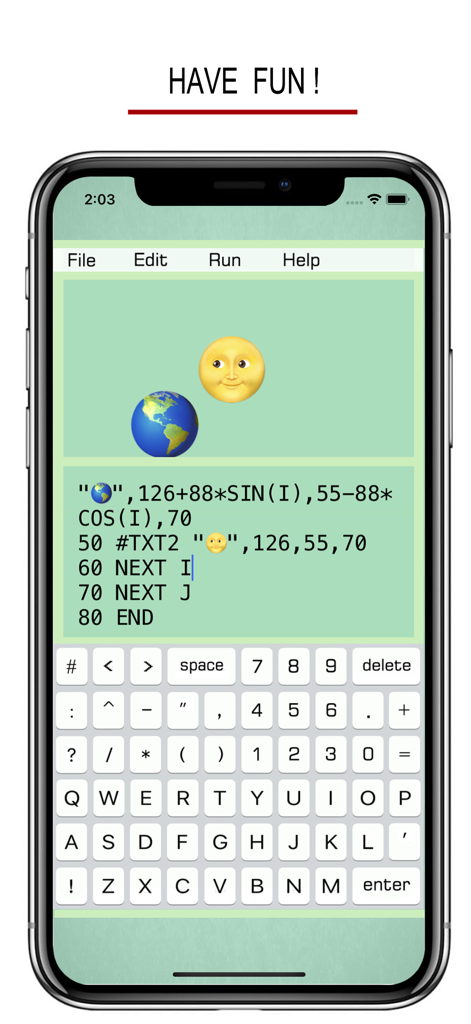
BASIC - Programming Language - Mobile app interface showing BASIC programming code with emojis and graphical output
Mobile app interface showing BASIC programming code with emojis and graphical output

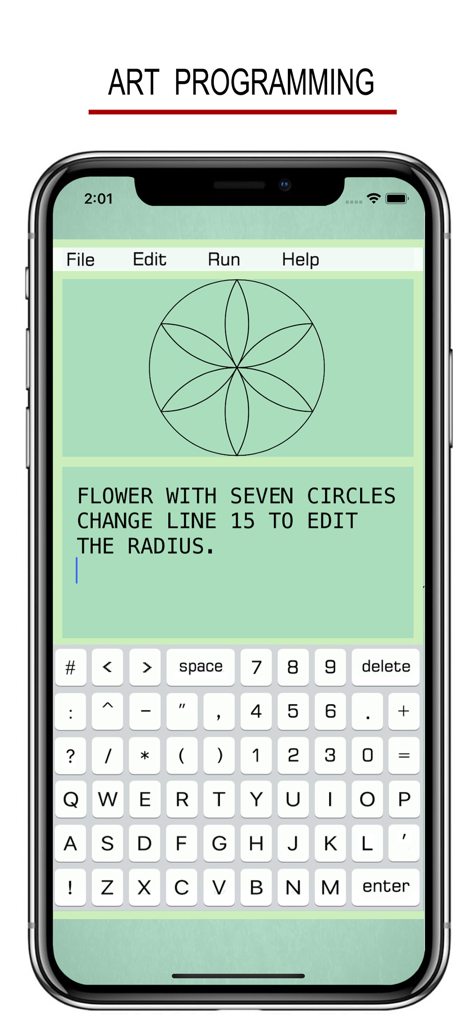
BASIC - Programming Language - BASIC programming app displaying a geometric flower design created using code
BASIC programming app displaying a geometric flower design created using code

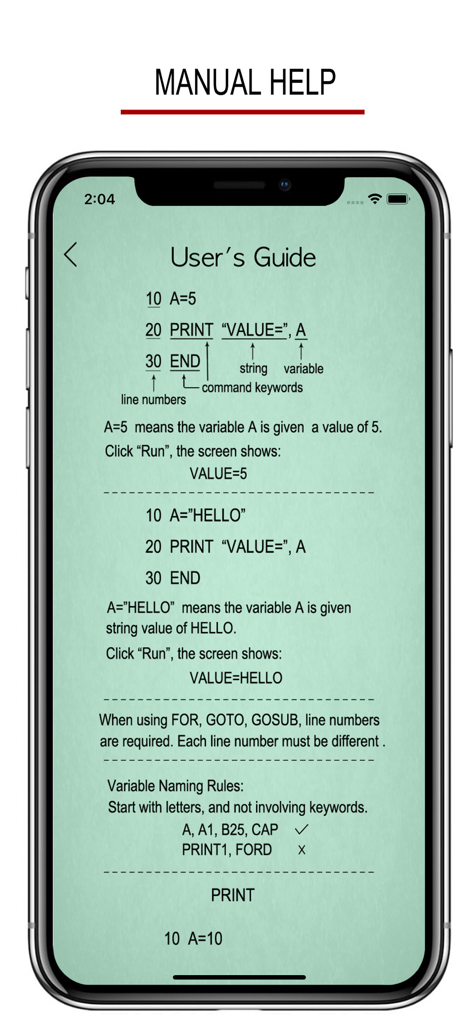
BASIC - Programming Language - A screenshot of the BASIC programming app users guide showing code syntax line numbers and variable naming rules on an iPhone
A screenshot of the BASIC programming app users guide showing code syntax line numbers and variable naming rules on an iPhone

BASIC - Programming Language - A mobile app screenshot showing a BASIC code editor with an Earth and Moon emoji visual display and a custom programming keyboard.

A mobile app screenshot showing a BASIC code editor with an Earth and Moon emoji visual display and a custom programming keyboard.

Description

BASIC: THE FEELING OF THE GOOD OLD TIMES ! 10 INPUT A 20 B = SIN(A) 30 PRINT "ANSWER: ", B 40 END BASIC USER'S GUIDE: • PRINT 10 PRINT "HELLO WORLD !" 20 END • INPUT 10 INPUT “A=”, A 20 PRINT A 30 END • IF...THEN... Number Comparison: 10 INPUT A 20 IF A>90 THEN B=“A” 30 PRINT B 40 END Conditional Operators: > greater than < less than >= greater than or equal to => equal to or greater than <= less than or equal to =< equal to or less than = equal to == equal to <> not equal to != not equal to THEN can be followed by GOTO, GOSUB, INPUT, PRINT. String Comparison: 10 INPUT A 20 IF A=“TOM” THEN PRINT “BOY” 30 END Conditional Operators: = is == is <> is not != is not • FOR...NEXT... 10 FOR I=1 TO 4 STEP 2 20 PRINT “HELLO”, I 30 NEXT I 40 END STEP specifies the counter increment for each loop. If STEP doesn’t exit, the default increment is 1. FOR...NEXT... loop can be nested. 10 FOR I=1 TO 5 20 FOR J=1 TO 4 30 PRINT I, J 40 NEXT J 50 NEXT I 60 END • GOTO 10 ... 20 ... 30 ... 40 GOTO 10 50 ... • GOSUB 10 PRINT “H” 20 GOSUB 100 30 PRINT “L” 40 END 100 PRINT “A” 110 RETURN • SOUND 10 SOUND C, M, 0.5 The line 10 plays Middle C piano note for 0.5 seconds. Note: C, C#, D, D#, E, F, F#, G, G#, A, A#, B Pitch Range: L (low), M (middle), H (high) Lasting Time: specifies how long a note lasts. C, D, E, F, G, A, B can also be labeled as 1, 2, 3, 4, 5, 6, 7. (C# as 1#). • TEXT 10 TEXT “HELLO”, x, y, size (x,y): position of the string “HELLO”. • CIRCLE 10 CIRCLE x, y, radius (x,y): the center of the circle. • RECTANGLE 10 RECT x, y, width, height (x,y): top-left point of the rectangle. • LINE 10 LINE x1, y1, x2, y2 (x1,y1): the starting point of the line. (x2,y2): the ending point of the line. • POINT 10 POINT x, y (x,y): the position of the point. • CLR: clear the edit window. • CLS: clear the graph window. • DELAY 10 DELAY 0.5 0.5:lasting time in seconds This function is used to suspend execution of a program for a particular time. • CURVE 10 CURVE x, y, radius, 0, PI 0: starting angle PI: ending angle The curve draws clockwise with center (x,y). • Mathematical Functions: SIN(X), COS(X), TAN(X), COT(X), ASIN(X), ACOS(X), ATAN(X), SINH(X), COSH(X), TANH(X), ASINH(X), ACOSH(X), ATANH(X). SQR(X): square root of x. ABS(X): absolute value of x. FCT(X): x factorial. LOG(X): natural logarithm of x. LOG10(X): base-10 logarithm of x. LOG2(X) :base-2 logarithm of x. EXP(X): base-e exponential of x. ERF(X): the error function of x. ERFC(X): the complementary error function of x. ROUND(X) :integral nearest to x. CEIL(X): the smallest integral that is not less than x. FLOOR(X): the largest integral that is not greater than x. TGAMMA(X): the gamma function of x. LGAMMA(X): the natural logarithm of the absolute value of the gamma function of x. • Reserved Variables: INKEY : once a key is pressed, the value of INKEY changes. RND : a random number. PI : π • Some Tips: 1. Undo & Redo typing on iPhone with a shake. 2. Copy an Emoji or some character from other places (like Notes), then paste them on the edit window. 3. Exponentiation is expressed as X^Y.

Download

Download on App Store

This page is not an official page of the app or its developer, but an independent editorial publication created for informational and commentary purposes. Unless expressly stated otherwise, neither the app nor its developer is affiliated with, endorsed by, sponsored by, authorized by, or otherwise officially connected with MWM, Apple, Google Play, the app publisher, or the app's developer, and nothing on this page implies that the app was developed using MWM's services. Any trademarks, logos, screenshots, and other content remain the property of their respective owners.








