
This page is not an official page of the app or its developer, but an independent editorial publication created for informational and commentary purposes. Unless expressly stated otherwise, neither the app nor its developer is affiliated with, endorsed by, sponsored by, authorized by, or otherwise officially connected with MWM, Apple, Google Play, the app publisher, or the app's developer, and nothing on this page implies that the app was developed using MWM's services. Any trademarks, logos, screenshots, and other content remain the property of their respective owners.


BeautyUp-AI Face & Body Editor
Its core power: complete digital reinvention for your online presence. This app delivers an idealized aesthetic, perfect for the curated feeds of social media.
Downloads
2.5M+User Rating
Total Ratings
55.6KPublisher
Category
Photo & VideoLocales
18Latest Version
2.427.0Size
409.7 MBFirst Released
Feb 17, 2023A comprehensive overview of essential functionalities designed for social media presence enhancement.
Key Feature Analysis: BeautyUp-AI Face & Body Editor
Auto Background Removal
It allows users to automatically remove the background from any photo, facilitating easy subject isolation for creative edits and diverse sharing options.
Object Remover
The app provides a tool to effortlessly eliminate unwanted elements from photos with a simple swipe, ensuring a clean and polished appearance for social media sharing.
Frequently Asked Questions
Everything you need to know about BeautyUp-AI Face & Body Editor
What is BeautyUp-AI Face & Body Editor?
BeautyUp is an AI Face & Body Editor and powerful photo editor designed to help users create perfect selfies. It offers tools for object removal, background blurring, and comprehensive body and face reshaping.
Can BeautyUp remove unwanted objects from photos?
Yes, BeautyUp includes a "Remover" feature that allows users to effortlessly remove unwanted objects from their photos with a simple swipe. This helps declutter backgrounds.
Does BeautyUp automatically remove backgrounds or blur them?
Yes, BeautyUp offers a "Remove BG" feature for automatic background removal and a "Blur" feature to easily blur any object or background in photos.
Is BeautyUp a subscription-based application?
Yes, BeautyUp Pro is a subscription service. It provides monthly or annual auto-renewable access to all exclusive features within the BeautyUp application.
How do I pay for a BeautyUp Pro subscription?
Payment for BeautyUp Pro is charged to your iTunes account immediately upon confirmation of purchase. The subscription automatically renews at the end of each period.
How can I manage my BeautyUp Pro subscription?
Users can manage their auto-renewal options for BeautyUp Pro through their Apple ID account settings. This can be done at any time after the initial purchase.
How do I cancel BeautyUp Pro auto-renewal?
To cancel the auto-renewal for BeautyUp Pro, you must do so at least 24 hours prior to the end of your current subscription period, through your Apple ID account settings.
What happens to my free trial if I purchase a BeautyUp Pro subscription?
Any unused portion of a free trial period, if offered, will be forfeited immediately upon the purchase of a BeautyUp Pro subscription.
Where can I find BeautyUp's Terms of Service?
BeautyUp's Terms of Service are available for review on the official website at https://www.exitek.io/terms.
Does BeautyUp have a Privacy Policy?
Yes, BeautyUp has a Privacy Policy, which users can access and review at the following address: https://www.exitek.io/privacy.
What body editing features does BeautyUp provide?
BeautyUp's body editor features include reshaping and redefining options. Specific tools allow adjustments for Waist, Reshape, Taller, and Arms, alongside an Auto option.
Can BeautyUp reshape facial features?
Yes, BeautyUp allows reshaping of facial features such as Width, Jaw, Slim, Sharp, and Size. Users can also edit Lips, Nose, Eyes, and Eyebrows to emphasize or minimize features.
Does BeautyUp offer makeup editing tools?
BeautyUp includes a variety of makeup editing tools under "Trendy Makeup." These allow users to apply enhancements like Contour, Blush, Lipstick, Eyebrow, and Eyelash effects.
What skin retouching features are available in BeautyUp?
BeautyUp offers skin retouching options like Smooth, Brighten, Eyebrows, Dark Circles, and Acne removal for selfies. It also features "Smooth Skin" for skin or wrinkled clothing.
Can BeautyUp whiten teeth in photos?
Yes, BeautyUp features a dedicated "Whiten Teeth" tool. This allows users to brighten their smile and whiten teeth directly within their photos.
Does BeautyUp offer AI photo enhancement?
Yes, BeautyUp features an "AI Enhancer" that intelligently enhances photos. This tool improves image quality, transforming ordinary pictures into masterpieces, potentially up to 4K quality.
The following screenshots and description are sourced directly from the app's official store listing and are the property of the app developer.
App Store
Screenshots

Explore how the app offers precise tools for reshaping the waist and adjusting arm contours, enabling users to achieve their desired body aesthetics.
Body Reshaping Tools
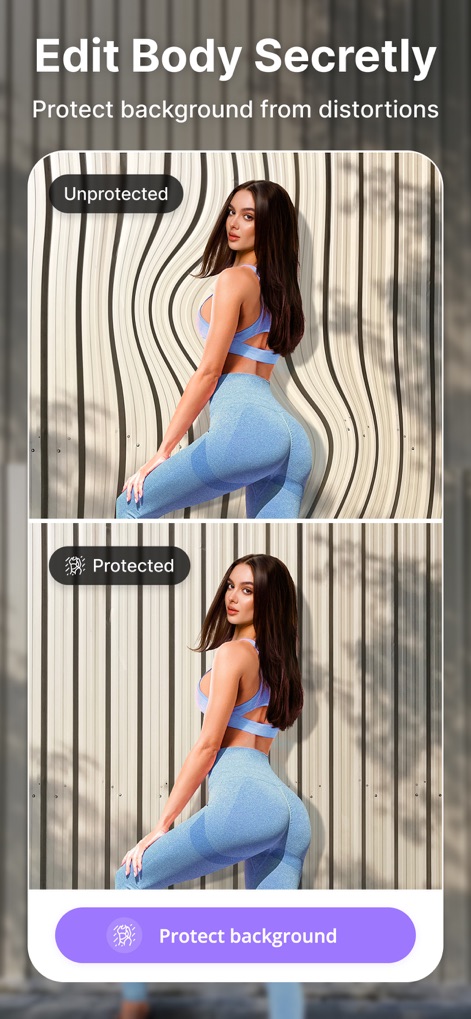
Observe the app's intelligent background protection feature, preventing distortions while reshaping and ensuring a natural-looking edit.
Background Protection
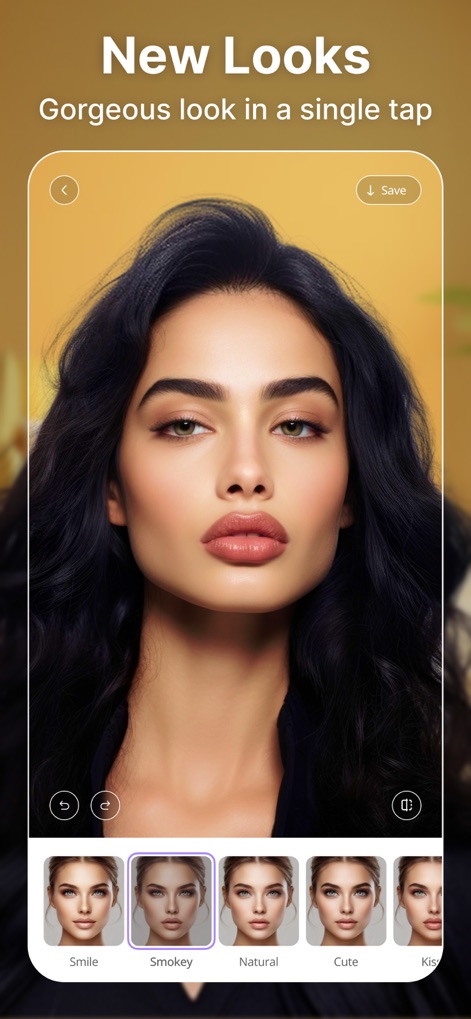
Discover the app's 'New Looks' feature, providing instant makeovers through diverse style presets and a single-tap application for a fresh appearance.
Instant Style Presets
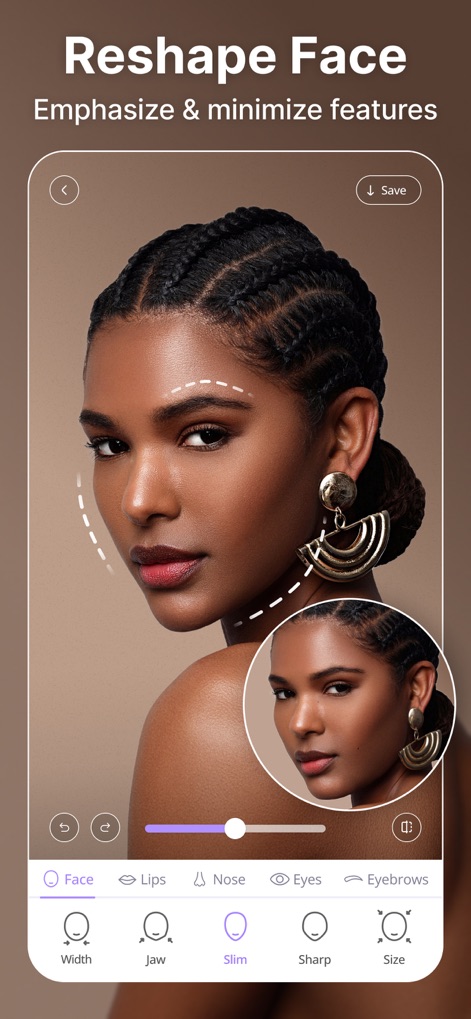
Examine the intuitive interface for reshaping faces, offering precise controls for jawline adjustments and emphasizing or minimizing specific features with ease.
Refine Facial Features
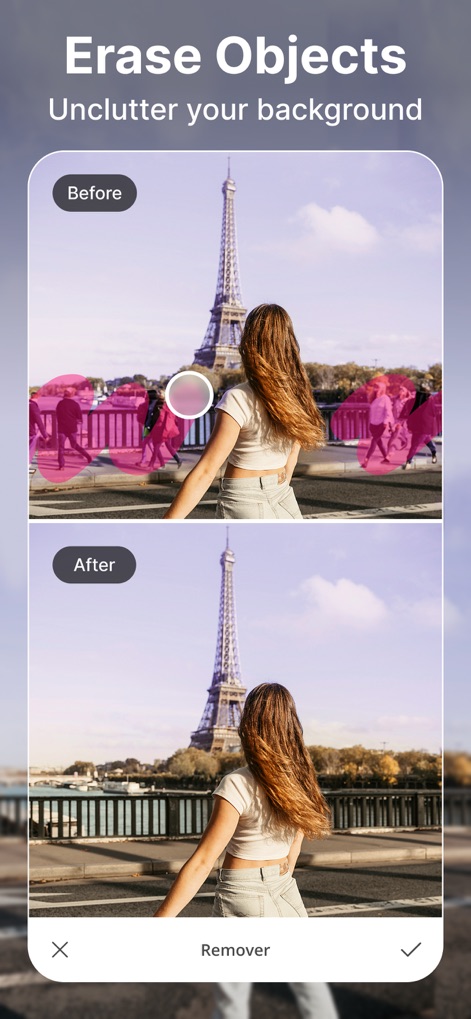
Witness the powerful 'Remover' tool in action, effortlessly erasing unwanted objects and decluttering backgrounds for a pristine image.
Object Removal Magic
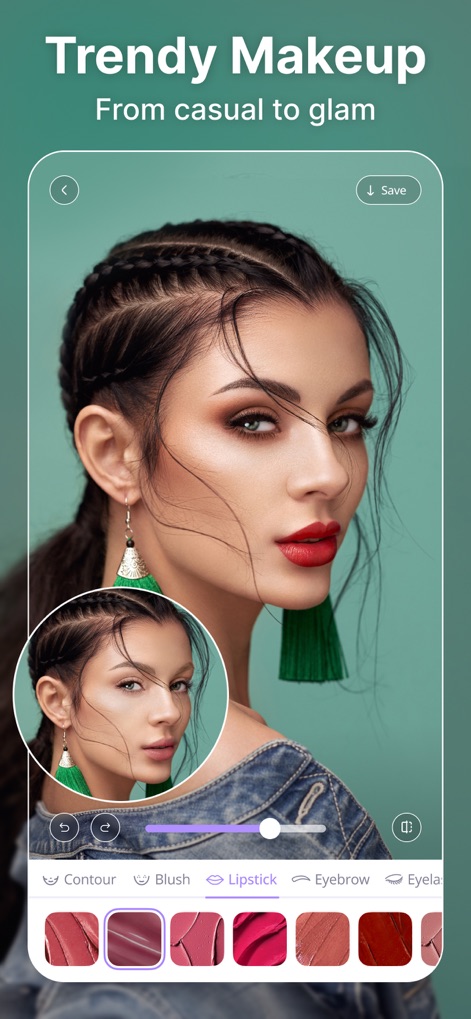
Dive into the 'Trendy Makeup' section, where users can experiment with diverse lipstick shades and define eyebrow styles to perfect their look.
Virtual Makeup Studio

Uncover the app's dedicated selfie retouching capabilities, including options to brighten complexion and seamlessly remove dark circles for a flawless finish.
Selfie Perfection Tools
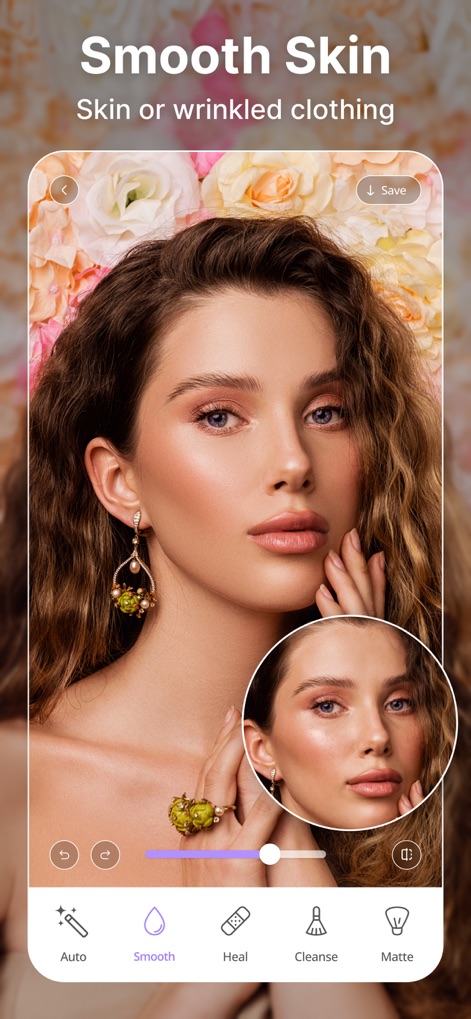
Experience the 'Smooth Skin' function, which allows users to effortlessly achieve smooth complexions and refine details, from skin texture to clothing.
Flawless Skin Editor
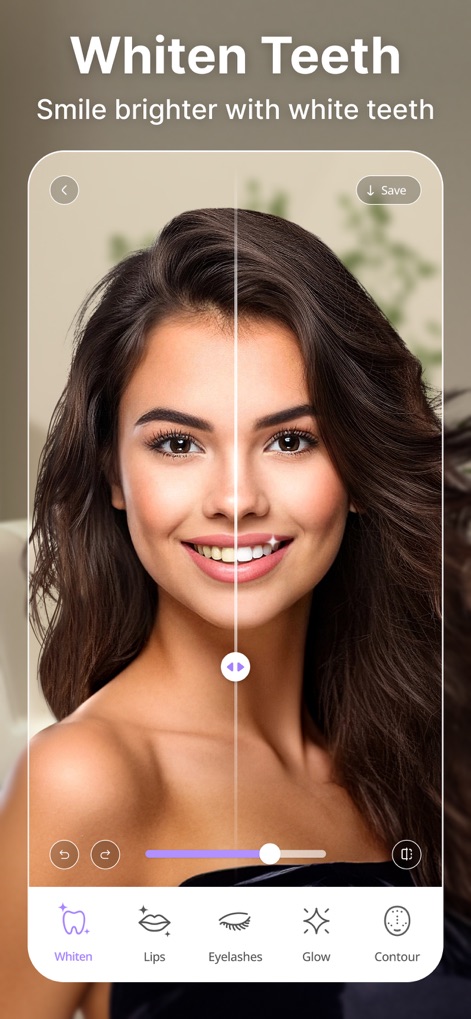
See how easily the app enhances smiles with its teeth whitening feature, offering simple adjustments alongside other facial enhancements like defining lips.
Brighten Your Smile
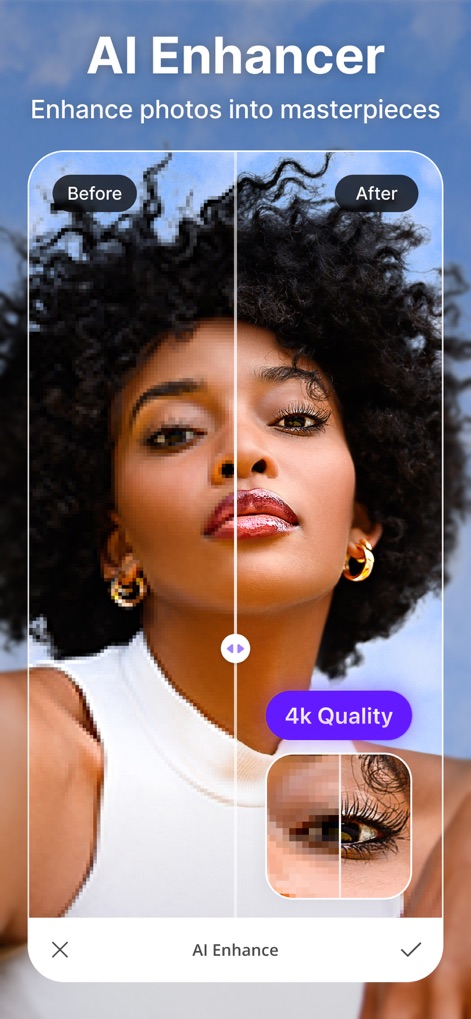
Explore the 'AI Enhancer' tool, capable of transforming lower-resolution photos into stunning 4K quality and bringing out intricate details in features like eyelashes.
AI Image Enhancement
Description
Download
More Like This
Apps with similar features and user experience

Meitu- AI Photo & Video Editor
Xiamen Meitu Technology Co., Ltd.
BeautyCam-AI Photo Editor
Xiamen Meitu Technology Co., Ltd.

BeautyPlus-Selfie Photo Editor
PIXOCIAL TECHNOLOGY (SINGAPORE) PTE. LTD.

Peachy - AI Face & Body Editor
SHANTANU PTE. LTD.

Airbrush: Face Photo Editor
PIXOCIAL TECHNOLOGY (SINGAPORE) PTE. LTD.
YouCam Perfect AI Photo Editor
PERFECT MOBILE CORP.

Persona: AI Beauty Editor
TICKET TO THE MOON, INC.

Wuta Camera - Nice Shot Always
Shanghai Benqumark Network Tech Co., Ltd.

Perfect365 Makeup Photo Editor
Perfect365, Inc.
This page is not an official page of the app or its developer, but an independent editorial publication created for informational and commentary purposes. Unless expressly stated otherwise, neither the app nor its developer is affiliated with, endorsed by, sponsored by, authorized by, or otherwise officially connected with MWM, Apple, Google Play, the app publisher, or the app's developer, and nothing on this page implies that the app was developed using MWM's services. Any trademarks, logos, screenshots, and other content remain the property of their respective owners.