Best Shopping List Pro: To-do

Best Shopping List Pro: To-do

Download on App Store
Logo of Best Shopping List Pro: To-do

Best Shopping List Pro: To-do: Simplify Your Shopping and Master Your Household Budget

Replace paper lists with a professional budget-tracking tool. Sync across your iPhone and Apple Watch to shop faster, track real-time expenses with tax, and never forget an item again.

Publisher

倩 赵

Category

Productivity

Downloads

108K+

User Rating

4.2/5

Total Ratings

200

Locales

20

Smarter Shopping, Visualized

Discover the interface used by 108K+ users.
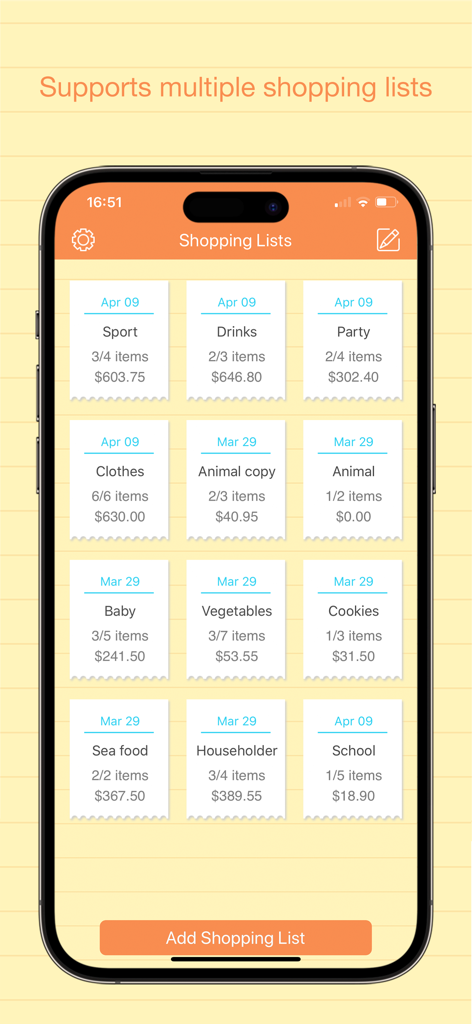
iPhone screen displaying multiple categorized shopping lists with item counts and total expenses

iPhone screen displaying multiple categorized shopping lists with item counts and total expenses

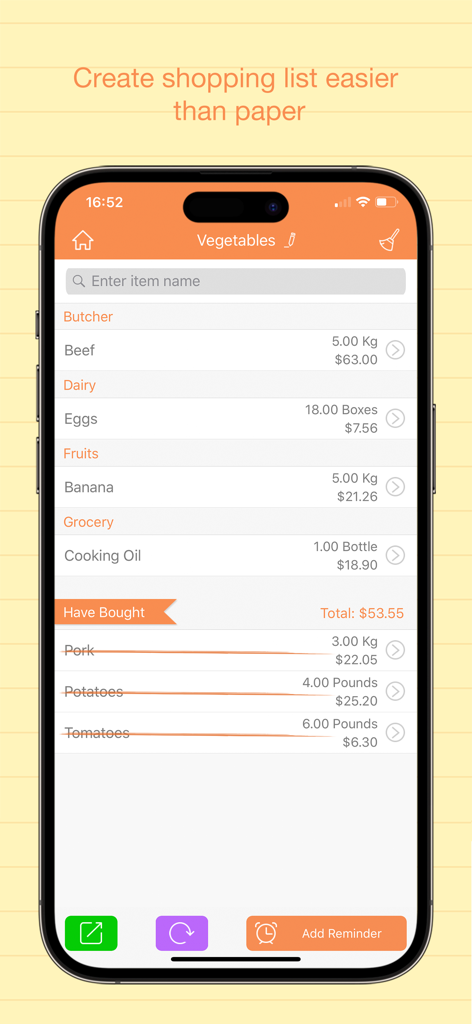
Categorized shopping list app interface showing item prices and quantities on iPhone

Categorized shopping list app interface showing item prices and quantities on iPhone

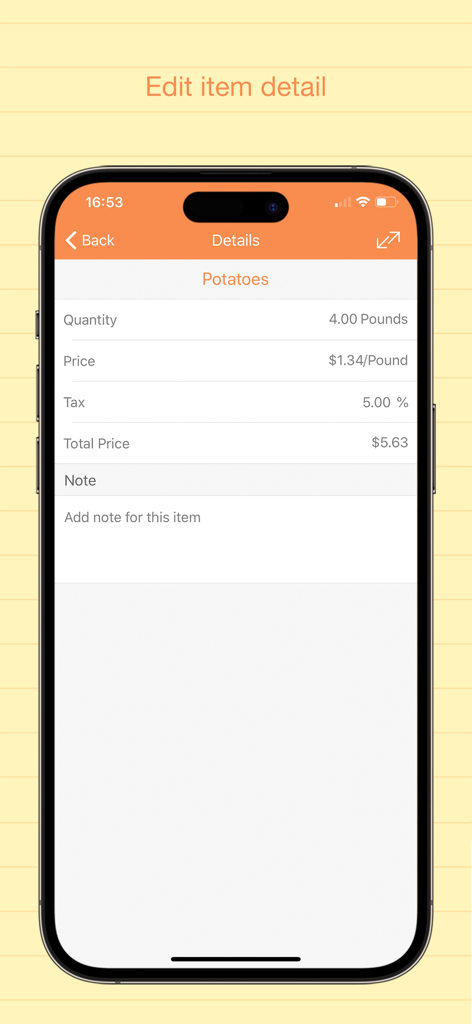
Item detail screen showing quantity price and tax for a grocery list item

Item detail screen showing quantity price and tax for a grocery list item

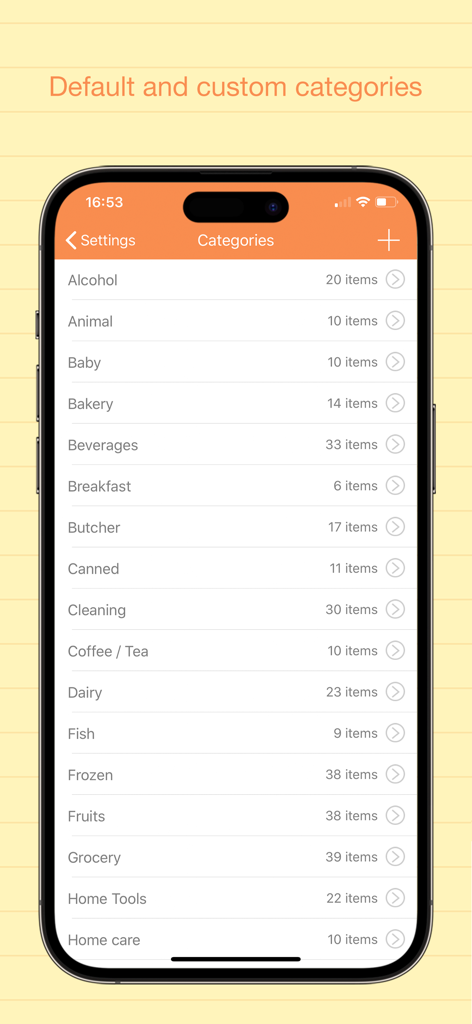
A list of shopping categories in the Best Shopping List Pro app including baby bakery and dairy

A list of shopping categories in the Best Shopping List Pro app including baby bakery and dairy

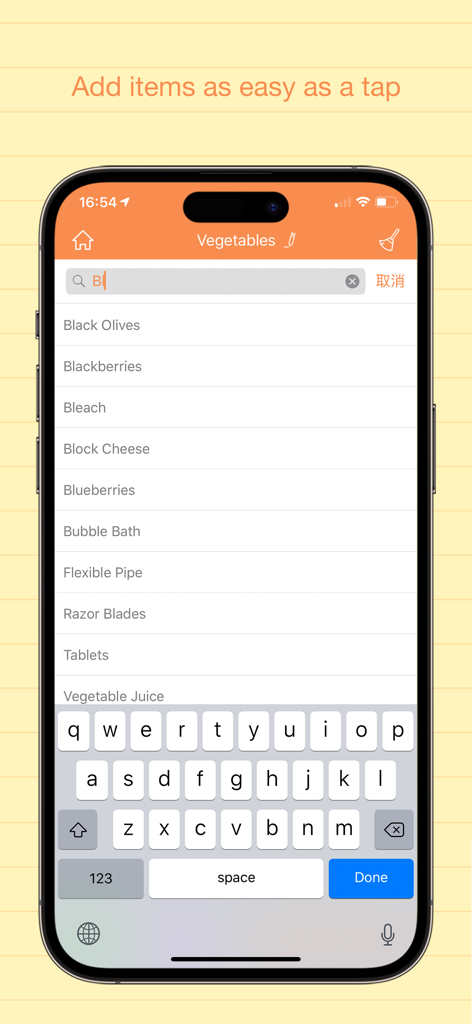
Interface of the Best Shopping List Pro app showing a searchable item list on an iPhone

Interface of the Best Shopping List Pro app showing a searchable item list on an iPhone

Shop Smarter, Save More

The tools that make this app stand out, trusted by 108K+ users.

💰

Real-Time Expense Tracking

Know your total before you reach the checkout. Add prices, quantities, and tax rates to stay perfectly on budget every trip.

Hands-Free Apple Watch Sync

Check off items directly from your wrist. Navigate busy aisles with your hands on the cart and your phone safely in your pocket.

📂

Smart Store Categorization

Organize lists by store or aisle. Group your items into custom categories to optimize your route and finish shopping in record time.

About the app

Everything you need to know about Best Shopping List Pro: To-do.

Description

Best Shopping List is a very handy app to replace your paper and pen. Use this app to make sure never forget to buy another item. Add items you need to buy to it, and mark item as bought by a tap. Best Shopping List shows you clearly which items are need to be bought and which have been bought. Key Features: ⁃ Multiple shopping lists. ⁃ Add item to a list easily. ⁃ Add tax rate for item. ⁃ Mark an item as bought by a tap. ⁃ Transfer an item to another list. ⁃ Show list name, total items and total expense. ⁃ Show quantity, price, and total price of an item and add note to it. ⁃ Add reminder to each list. ⁃ Share list via email. ⁃ Share list by message. ⁃ Supports AirPrint to print the lists directly. ⁃ Default and Custom categories. ⁃ Default and Custom units. ⁃ Default items under categories and you can add your own custom ones. ⁃ Password protection. ⁃ Set your own currency. ⁃ Badge to show number of items you haven’t bought. ⁃ Supports Dropbox backup & restore. ⁃ Supports WiFi Backup & Restore. ⁃ Supports transfereing data from free version. ⁃ Supports Apple Watch version. ⁃ Supports both iPhone and iPad. Please feel free to contact us if you have any question or suggestion by this email: userfeed@vip.tom.com.

Latest Version

6.1

Size

17.0 MB

First Released

Nov 2, 2012

Ready to Shop Smarter and Save More?

Join over 108,000 household managers who have ditched paper for precision. Download Best Shopping List Pro today to master your budget and sync your lists across your iPhone, iPad, and Apple Watch.

Download on App Store

App information, icons, screenshots, and descriptions displayed on this page are sourced from the Apple App Store and are the property of their respective developers. Download estimates and rankings are based on MWM's proprietary models and may not reflect actual figures. This page is provided for informational and analytical purposes only.

Believe this page infringes your intellectual property? File a dispute