
This page is not an official page of the app or its developer, but an independent editorial publication created for informational and commentary purposes. Unless expressly stated otherwise, neither the app nor its developer is affiliated with, endorsed by, sponsored by, authorized by, or otherwise officially connected with MWM, Apple, Google Play, the app publisher, or the app's developer, and nothing on this page implies that the app was developed using MWM's services. Any trademarks, logos, screenshots, and other content remain the property of their respective owners.


Blood Sugar Monitor Glucobyte
The all-in-one companion for proactive health management. Effortlessly sync your glucose, A1C, and insulin data through Apple Health, analyze trends with intuitive reports, and share professional PDFs with your doctor.
Downloads
205K+User Rating
Total Ratings
1K+Publisher
Category
MedicalLocales
18Latest Version
4.1Size
182.7 MBFirst Released
Oct 24, 2020Smart Management for Your Metabolic Health
Glucobyte simplifies diabetes management by turning complex data into actionable insights, helping you stay within your target range every day.
Seamless Apple Integration
Automatically sync glucose data from Dexcom and other CGMs via HealthKit for a truly hands-free tracking experience.
Insightful Progress Tracking
Visualize your A1C, GKI, and glucose trends with intuitive, color-coded charts designed for proactive health optimization.
Frequently Asked Questions
Everything you need to know about Blood Sugar Monitor Glucobyte
What is Blood Sugar Monitor Glucobyte?
Blood Sugar Monitor Glucobyte is an all-in-one diabetes app designed for pre-diabetics and Type 1 or 2 diabetics. It allows users to record, track, analyze, and share blood glucose data, supporting comprehensive health management.
How does Glucobyte track blood glucose levels?
Glucobyte tracks blood glucose levels by allowing manual entry or syncing data with Apple Health. A separate blood glucose meter is required to measure levels for Apple Health sync or manual input.
Does Glucobyte integrate with Apple Health?
Yes, Glucobyte integrates with Apple Health. This feature allows users to sync their blood glucose information with HealthKit and compatible glucose meters like Dexcom, Accu-Chek, One Drop, OneTouch, and Contour.
What types of health data can Glucobyte record?
Glucobyte records blood glucose, A1C, insulin, medication, ketone levels, carbs, and weight. It also calculates Estimated A1C and Glucose Ketone Index (GKI) to provide comprehensive health insights.
Can I share my diabetes reports from Glucobyte?
Yes, Glucobyte allows users to share reports. You can export blood glucose reports in PDF format to share with doctors and family, and also share via email or other nearby devices.
Does Glucobyte provide A1C tracking and analysis?
Yes, Glucobyte provides A1C tracking and analysis. It calculates an Estimated A1C and displays it on the dashboard, allowing users to review their A1C for various time periods.
How does Glucobyte ensure data security?
Glucobyte ensures data security. It protects user data with TouchID, FaceID, or Pin keypad protection, safeguarding sensitive health information on the device.
Can Glucobyte manage multiple user profiles?
Yes, Glucobyte manages multiple user profiles. This feature allows users to track and manage data for several individuals from a single app or device.
Does Glucobyte offer cloud backup for data?
Yes, Glucobyte offers optional cloud backup. Users can securely store their data across multiple devices using Glucobyte Cloud, ensuring data persistence and accessibility.
Can Glucobyte connect with Bluetooth blood glucose monitors?
Yes, Glucobyte connects with Bluetooth blood glucose monitors. It offers seamless Bluetooth integration to easily transfer data from popular monitors for efficient tracking.
The following screenshots and description are sourced directly from the app's official store listing and are the property of the app developer.
App Store
Screenshots
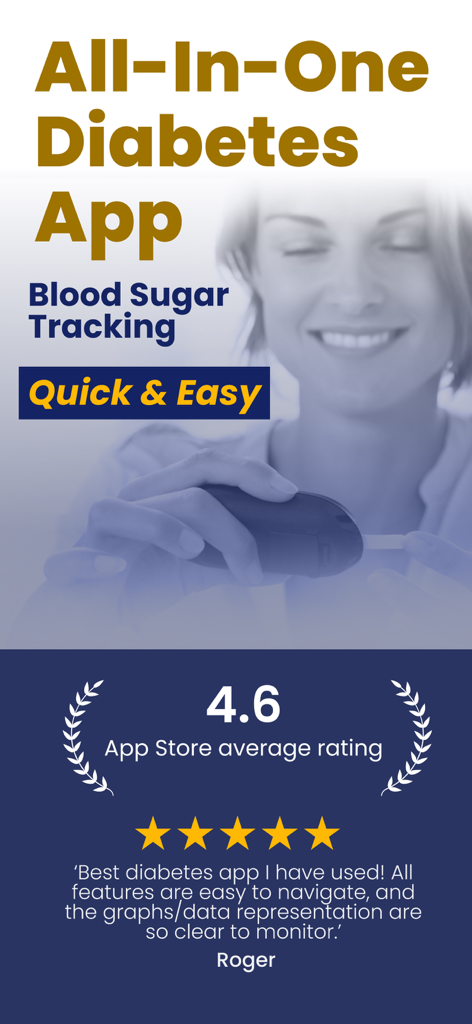
Glucobyte diabetes tracking app promotion showing 4.6 star rating and positive user review
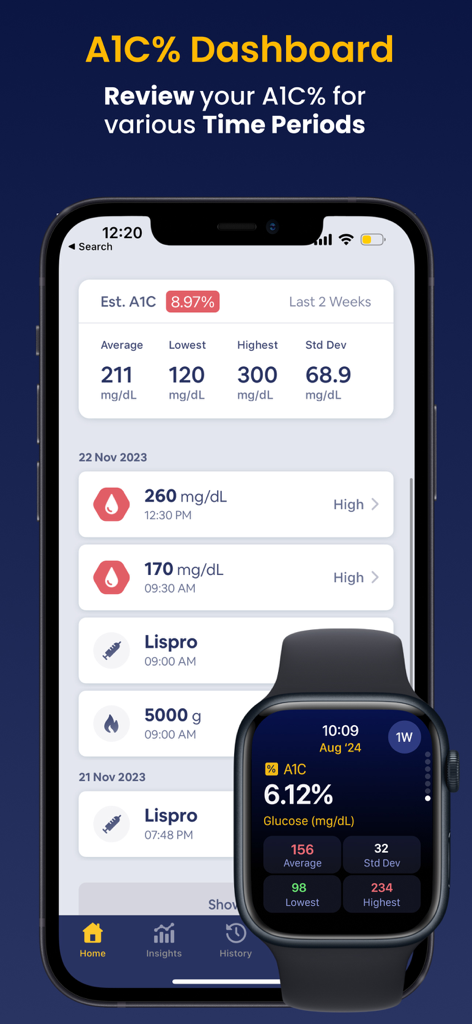
Glucobyte app dashboard showing A1C levels and blood sugar tracking on iPhone and Apple Watch.
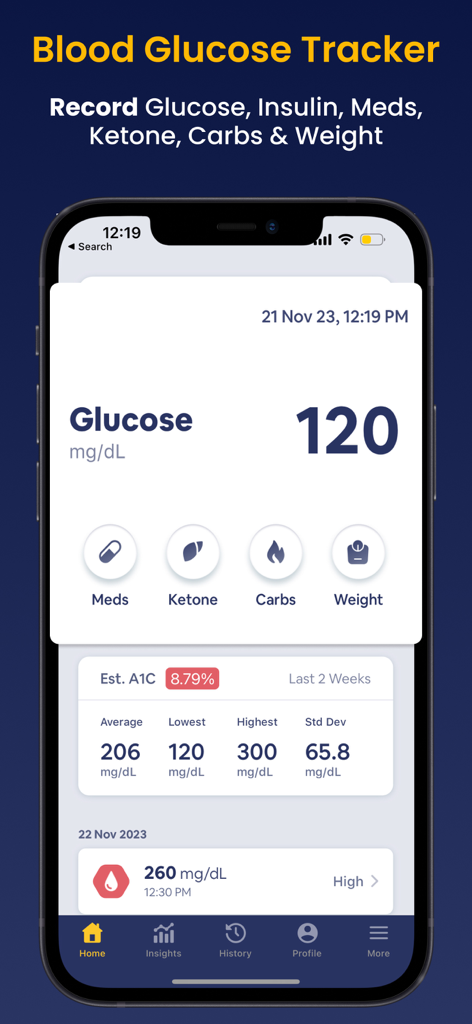
Glucobyte app home screen displaying blood glucose levels and A1C estimation
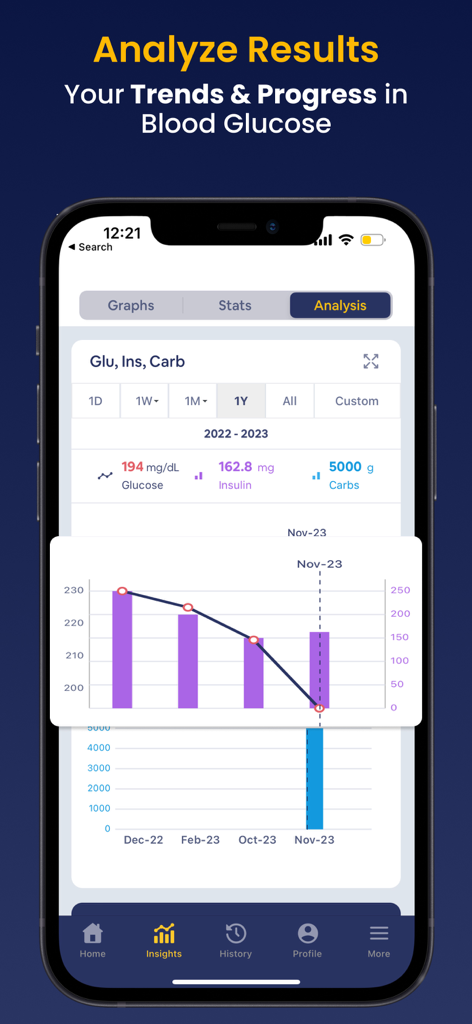
Glucobyte app analysis screen showing blood glucose and insulin trends over time with a chart
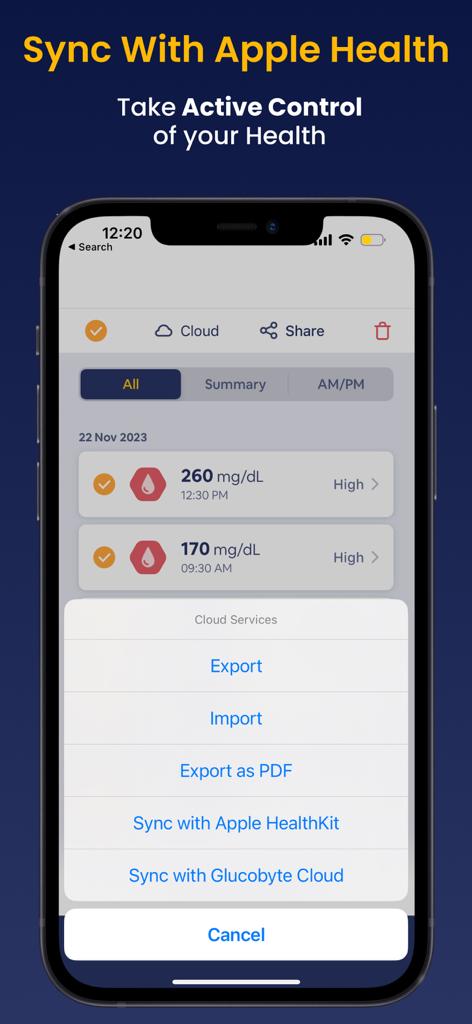
Glucobyte mobile app interface showing blood glucose logs and Apple Health integration settings
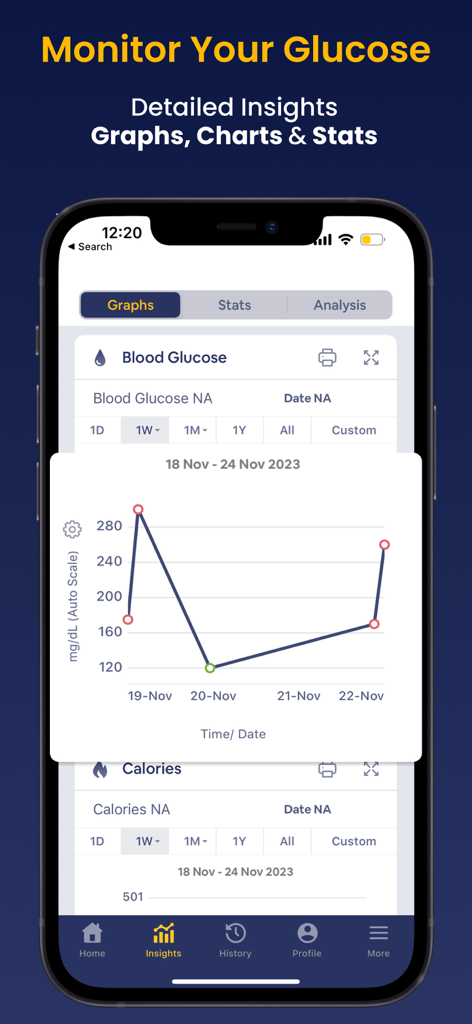
A detailed line graph in the Glucobyte app showing blood glucose levels with color-coded data points over a one-week period.
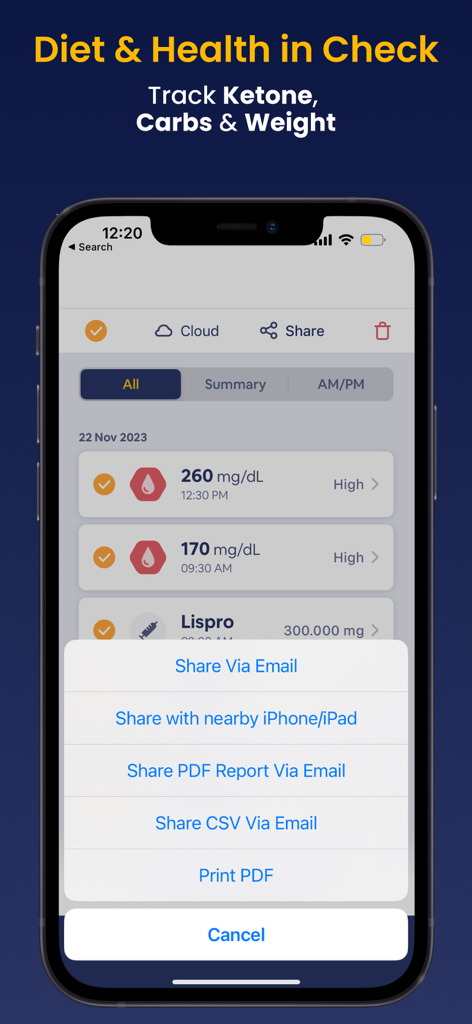
iPhone screen displaying Glucobyte blood sugar logs and data sharing options
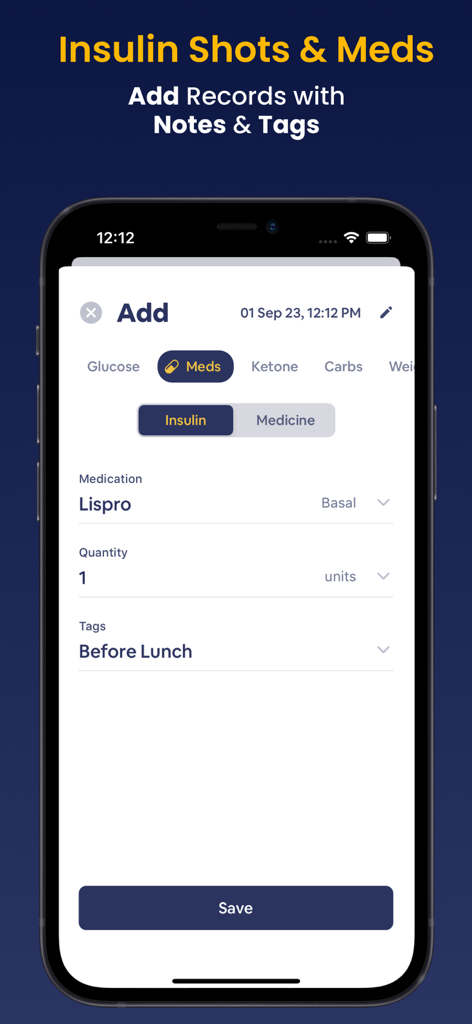
Glucobyte app screen for adding insulin and medication records with custom tags
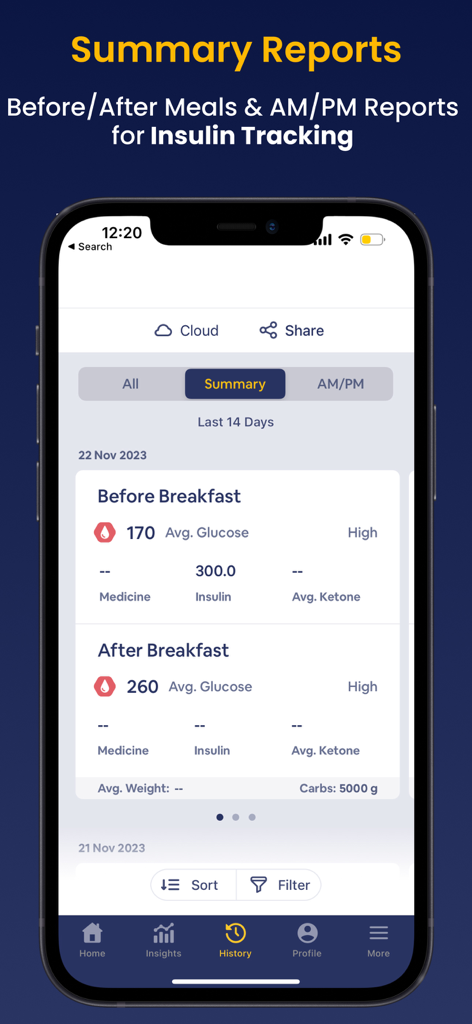
A smartphone display showing the Glucobyte app summary report with before and after meal blood glucose and insulin tracking data.
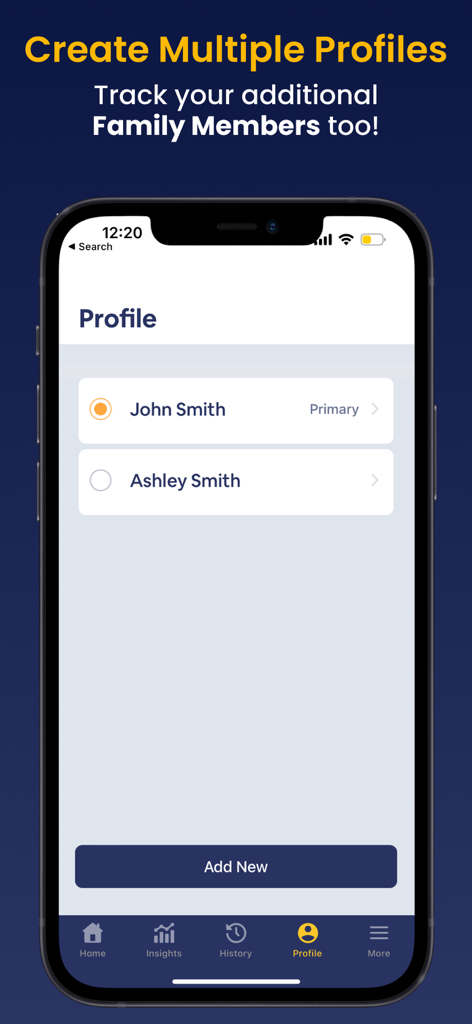
Interface of Glucobyte app showing the create multiple profiles feature to track health data for family members
Description
Download
More Like This
Apps with similar features and user experience

OneTouch Reveal® app
LifeScan, Inc.

Libre by Abbott
Abbott Diabetes Care Inc

mySugr - Diabetes Tracker Log
mySugr GmbH

GoCoCo - Diabetes Food Tracker
Coco positivo SL

Dexcom Clarity
DexCom, Inc.

Glucose | Blood Sugar Tracker
App Sub 1 LLC

Glooko - Track Diabetes Data
Glooko, Inc.

Glucose Buddy Diabetes Tracker
Azumio Inc.

Health2Sync - Diabetes Tracker
H2 Inc.
This page is not an official page of the app or its developer, but an independent editorial publication created for informational and commentary purposes. Unless expressly stated otherwise, neither the app nor its developer is affiliated with, endorsed by, sponsored by, authorized by, or otherwise officially connected with MWM, Apple, Google Play, the app publisher, or the app's developer, and nothing on this page implies that the app was developed using MWM's services. Any trademarks, logos, screenshots, and other content remain the property of their respective owners.