
This page is not an official page of the app or its developer, but an independent editorial publication created for informational and commentary purposes. Unless expressly stated otherwise, neither the app nor its developer is affiliated with, endorsed by, sponsored by, authorized by, or otherwise officially connected with MWM, Apple, Google Play, the app publisher, or the app's developer, and nothing on this page implies that the app was developed using MWM's services. Any trademarks, logos, screenshots, and other content remain the property of their respective owners.


BlueDriver OBD2 Scan Tool
No more garage guesswork. It delivers professional diagnostics directly to your phone.
Downloads
1M+User Rating
Total Ratings
17.1KPublisher
Category
ProductivityLocales
1Latest Version
8.9.2Size
271.6 MBFirst Released
Jul 6, 2011An Analytical Overview for Informed Vehicle Maintenance
BlueDriver OBD2 Scan Tool: Key Diagnostic Capabilities
Comprehensive Code Reading & Clearing
The app provides the ability to read and clear a wide array of trouble codes, including those from the Check Engine Light, ABS, airbag, and transmission systems, allowing users to understand and address vehicle issues independently.
Subscription-Free Operation
This tool offers full diagnostic functionality without requiring any recurring subscription fees, providing a cost-effective solution for long-term vehicle maintenance and monitoring.
Professional Repair Reports
It allows users to generate, save, and share professional-grade repair reports that are specific to their vehicle's year, make, and model, complete with likely fixes explained in plain language.
Enhanced Manufacturer Diagnostics
The app features extensive enhanced diagnostic coverage for various vehicle manufacturers, enabling deeper insights into systems beyond standard OBD2, such as ABS and airbag codes.
Extensive Real-World Fix Database
This tool leverages a database containing millions of real-world fixes, ensuring that the repair suggestions and information provided are accurate and proven solutions for vehicle issues.
Live Data & Interactive Graphing
It provides the capability to view real-time vehicle performance data with multi-PID interactive graphing, offering crucial insights for monitoring vehicle health and diagnosing intermittent problems.
Wireless Bluetooth Connectivity
The app enables wireless scanning of the vehicle via Bluetooth connection to the BlueDriver sensor, offering a convenient and cable-free diagnostic experience.
Smog Readiness & Freeze Frame Data
It allows users to check their vehicle's smog readiness status and access freeze frame data, which captures a snapshot of operating conditions at the time a fault code was set, assisting in both compliance and diagnosis.
Frequently Asked Questions
Everything you need to know about BlueDriver OBD2 Scan Tool
What is the BlueDriver OBD2 Scan Tool?
BlueDriver® transforms your iPhone or iPad into an OBD2 scan tool. It helps read codes, diagnose issues, and fix your car by connecting wirelessly via the BlueDriver Bluetooth® Sensor.
Does the BlueDriver app require a subscription?
No, the BlueDriver app itself does not require a subscription. The app is free to install, but it requires the BlueDriver Bluetooth Sensor, which is sold separately, to function.
Can the BlueDriver OBD2 Scan Tool clear my check engine light?
Yes, BlueDriver can read and clear trouble codes, including check engine lights, ABS, airbag, and transmission codes. This functionality is a core feature of the BlueDriver OBD2 Scan Tool.
How does BlueDriver connect to a vehicle?
The BlueDriver Sensor plugs into your vehicle’s data port (OBD2 port, found in cars built since 1996). It connects to the BlueDriver app on your iPhone or iPad wirelessly via Bluetooth® for full diagnostic functionality.
Does BlueDriver provide vehicle repair information?
Yes, BlueDriver provides professional-grade Repair Reports specific to your vehicle’s year, make, and model. These reports offer likely fixes for issues, explained in plain language, and link to parts.
Can I view live engine data with the BlueDriver app?
Yes, the BlueDriver app allows users to view live data with multi-PID interactive graphing. This includes information like vehicle speed, RPM, engine load, and temperature.
What vehicles support enhanced diagnostics with BlueDriver?
BlueDriver offers enhanced diagnostics for GM, Ford, Chrysler, Toyota, Nissan, Mazda, Mercedes (2005+), Mitsubishi (2008+), Hyundai/Kia (2012+) globally. BMW/Mini, Honda/Acura, VW/Audi are available in North America, and Subaru in the US.
Does BlueDriver offer vehicle recall information?
Yes, BlueDriver provides access to important information such as potential recalls, service bulletins, vehicle specifications, and maintenance schedules directly within the app.
Can I preview a BlueDriver Repair Report without buying the Sensor?
Yes, you can preview a BlueDriver Repair Report without a Sensor by entering your vehicle's VIN and a trouble code directly into the app.
The following screenshots and description are sourced directly from the app's official store listing and are the property of the app developer.
App Store
Screenshots
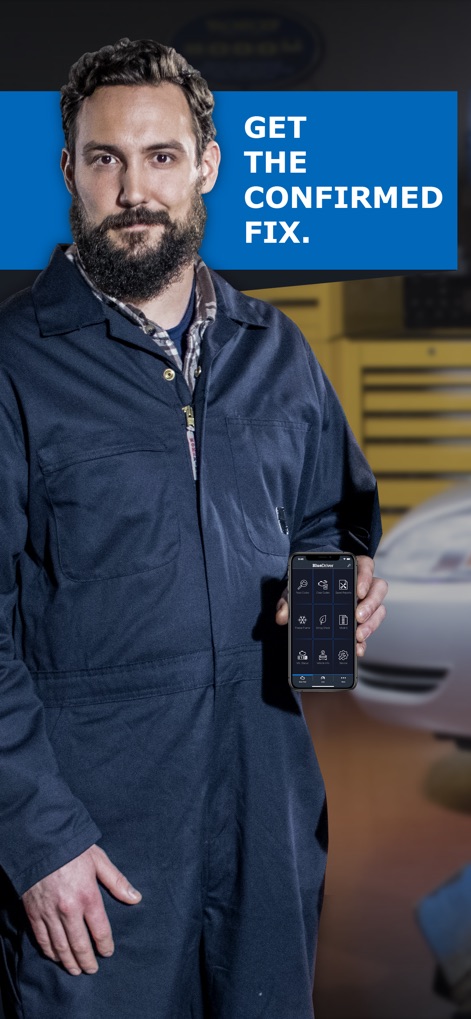
The app's intuitive interface provides a central hub for vehicle diagnostics, displaying a range of functions from check engine light analysis to detailed live data monitoring.
Your Digital Mechanic

This tool provides clear identification of 'Confirmed Trouble Codes' and offers the ability to 'Scan' and 'Clear' them directly from the app interface, streamlining vehicle diagnostics.
Code Clarity
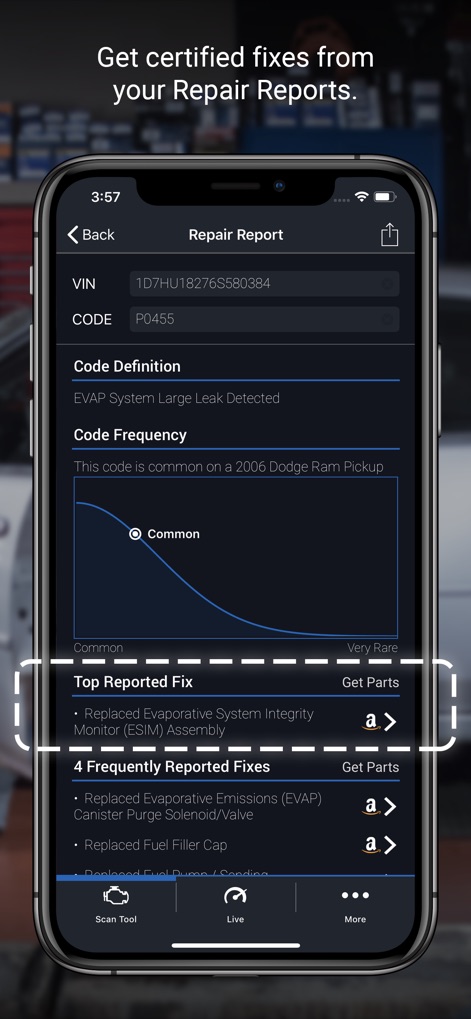
Users can access in-depth 'Repair Reports' that display a clear 'Code Frequency' graph and list 'Top Reported Fixes' with direct links for parts, simplifying vehicle maintenance.
Actionable Repairs
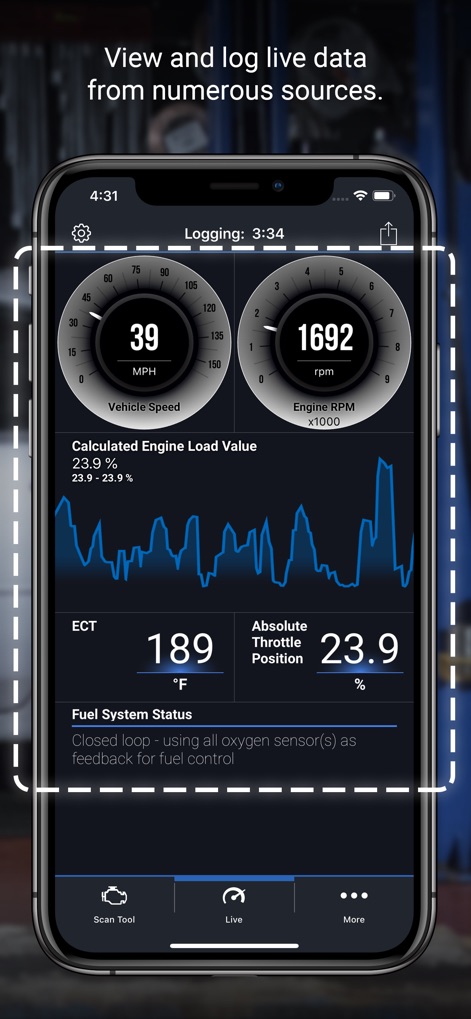
The app offers dynamic 'Live Data' monitoring, presenting critical metrics like 'Vehicle Speed (MPH)' and 'Engine RPM' through interactive gauges and real-time graphing for comprehensive analysis.
Real-time Vehicle Insights
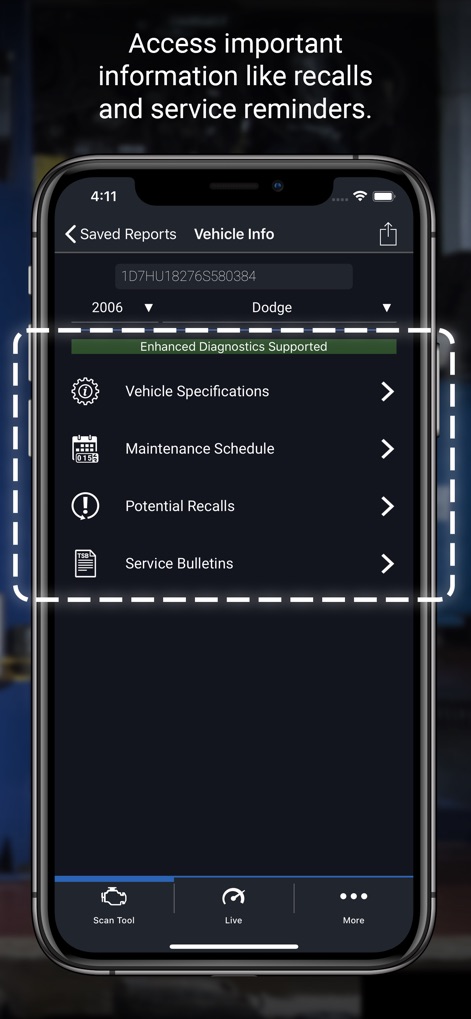
This tool provides essential 'Vehicle Info', allowing users to view 'Potential Recalls' and access a personalized 'Maintenance Schedule' to proactively manage their vehicle's health.
Vehicle Health Hub
Description
Download
More Like This
Apps with similar features and user experience

Car Scanner ELM OBD2
Stanislav Svistunov

RepairSolutions2
Innova Electronics

OBDLink
OBD Solutions LLC
Car Mate - OBD2 CAR Scanner
Ihar Katkavets

Carly — OBD2 car scanner
Carly Solutions GmbH Co KG

FIXD OBD2 Scanner
FIXD Automotive Inc

BimmerLink for BMW and MINI
SG Software GmbH & Co. KG
OBD2 Scanner: Torque ELM 327
MONIQ TAP COMPANY LIMITED

OBDeleven VAG Car diagnostics
OBDeleven UAB
This page is not an official page of the app or its developer, but an independent editorial publication created for informational and commentary purposes. Unless expressly stated otherwise, neither the app nor its developer is affiliated with, endorsed by, sponsored by, authorized by, or otherwise officially connected with MWM, Apple, Google Play, the app publisher, or the app's developer, and nothing on this page implies that the app was developed using MWM's services. Any trademarks, logos, screenshots, and other content remain the property of their respective owners.