
This page is not an official page of the app or its developer, but an independent editorial publication created for informational and commentary purposes. Unless expressly stated otherwise, neither the app nor its developer is affiliated with, endorsed by, sponsored by, authorized by, or otherwise officially connected with MWM, Apple, Google Play, the app publisher, or the app's developer, and nothing on this page implies that the app was developed using MWM's services. Any trademarks, logos, screenshots, and other content remain the property of their respective owners.

Car Mate - OBD2 CAR Scanner
Take control of your vehicle’s health. Instantly diagnose check engine lights, access real-time ECU data, and save hundreds on mechanic fees with a reliable, data-driven diagnostic tool.
Downloads
167K+User Rating
Total Ratings
600Publisher
Category
UtilitiesLocales
25Latest Version
1.8.2Size
21.1 MBFirst Released
Aug 27, 2022Take Full Control of Your Car's Health
Turn your iPhone into a professional-grade diagnostic tool and stop paying expensive shop fees just to find out why a dashboard light is on.
Instant Fault Diagnosis
Quickly scan multiple ECUs to identify the exact cause of your 'Check Engine' light and clear diagnostic trouble codes in seconds.
Seamless Wireless Link
Connect effortlessly via Bluetooth 4.0 LE or Wi-Fi. Optimized for ELM327 adapters to ensure a stable connection to your vehicle's computer.
Frequently Asked Questions
Everything you need to know about Car Mate - OBD2 CAR Scanner
What is Car Mate - OBD2 CAR Scanner?
Car Mate is a universal vehicle scanner application that operates according to the OBD2 standard. It allows scanning and diagnosing vehicle issues using compatible ELM327 adapters.
What type of adapter does Car Mate - OBD2 CAR Scanner require?
Car Mate requires an ELM327 Bluetooth 4.0 LE or Wi-Fi adapter to connect to a vehicle. Version 1.5 adapters are recommended over version 2.1 due to potential corruption issues.
Can Car Mate - OBD2 CAR Scanner clear trouble codes?
Yes, Car Mate - OBD2 CAR Scanner can clear trouble codes. The application displays found units and their respective trouble codes, and offers a function to clear them.
Does Car Mate - OBD2 CAR Scanner display live vehicle data?
Yes, Car Mate - OBD2 CAR Scanner displays live data such as calculated engine load, engine coolant temperature, engine RPM, speed, intake air temperature, and throttle position, which can be viewed in real-time graphs or gauges.
What vehicle information can Car Mate - OBD2 CAR Scanner access?
Car Mate - OBD2 CAR Scanner can access vehicle information including the Diagnostic protocol, OBD requirements, Vehicle Identification Number (VIN), Calibration Identifications, and Calibration Verification Numbers.
How do I set up the Car Mate - OBD2 CAR Scanner app with my ELM327 adapter?
First, download the app. Then, plug the ELM327 adapter into your vehicle's 16-pin diagnostic connector and switch on the ignition. Finally, discover and select the adapter in the app settings, then press 'Connect'.
Does Car Mate - OBD2 CAR Scanner perform readiness tests?
Yes, Car Mate performs readiness tests, including continuous tests like misfire monitoring and fuel system monitoring, and one-test-per-trip items such as catalyst monitoring and oxygen sensor monitoring.
Can Car Mate - OBD2 CAR Scanner perform on-board monitoring tests?
Yes, Car Mate - OBD2 CAR Scanner performs on-board monitoring tests, such as exhaust gas sensor monitoring, showing test results (e.g., "TEST PASSED") along with minimum, value, and maximum ranges.
The following screenshots and description are sourced directly from the app's official store listing and are the property of the app developer.
App Store
Screenshots
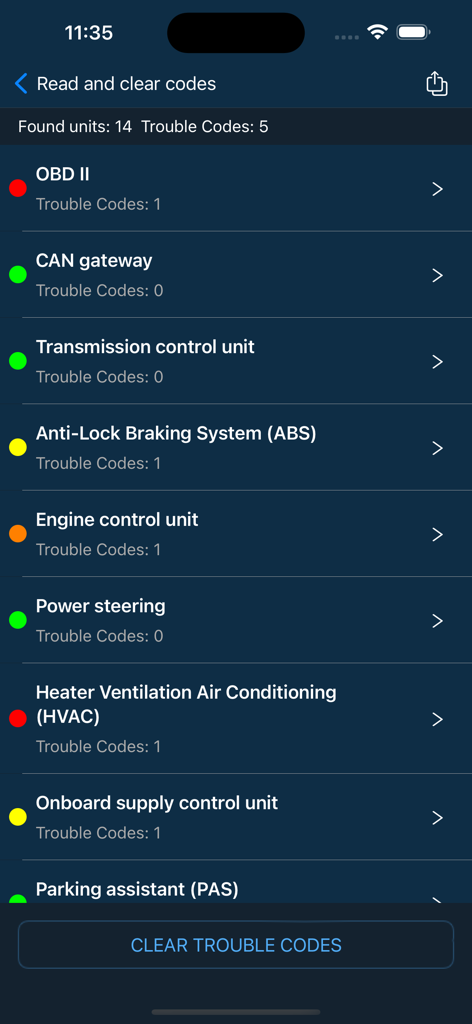
Car Mate app screen showing a list of car control units and their diagnostic trouble codes
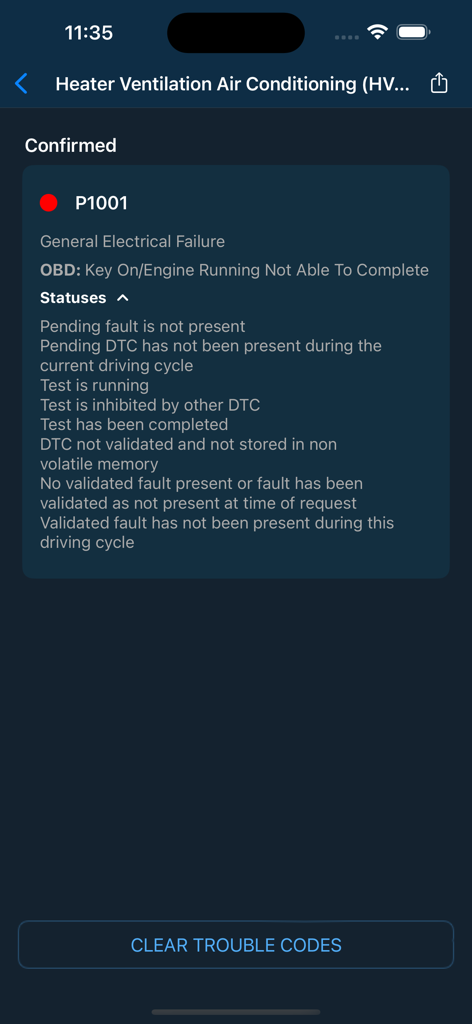
Car Mate app diagnostic screen showing a P1001 trouble code and details for HVAC electrical failure
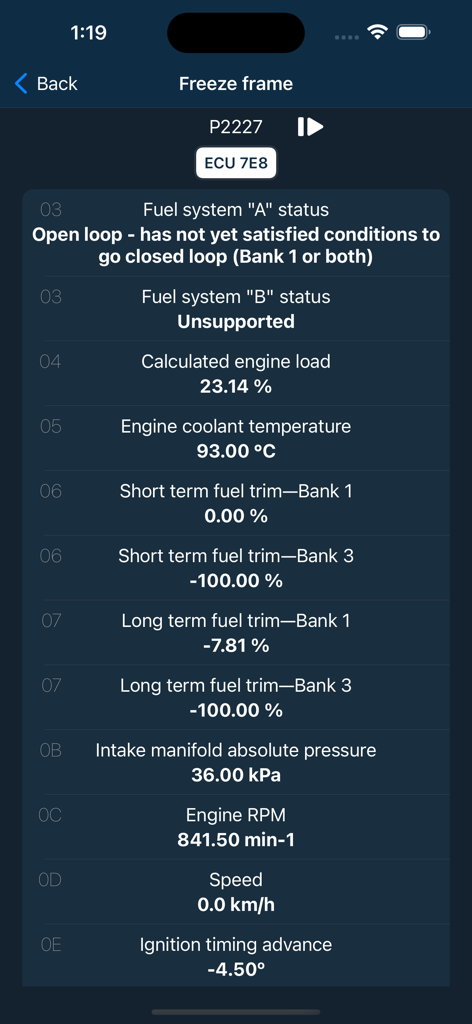
Car Mate OBD2 scanner app displaying vehicle freeze frame diagnostic data including engine load and coolant temperature
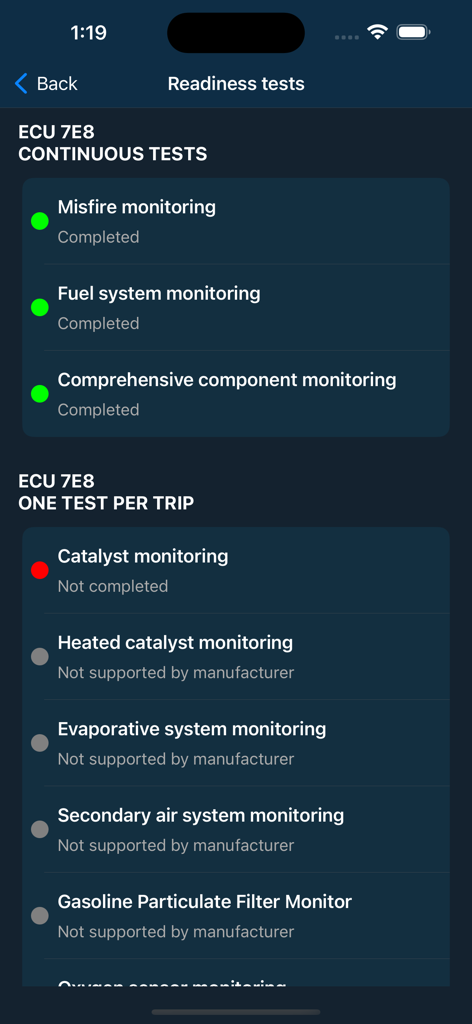
Screenshot of Car Mate app showing vehicle readiness tests including emissions and engine component monitoring
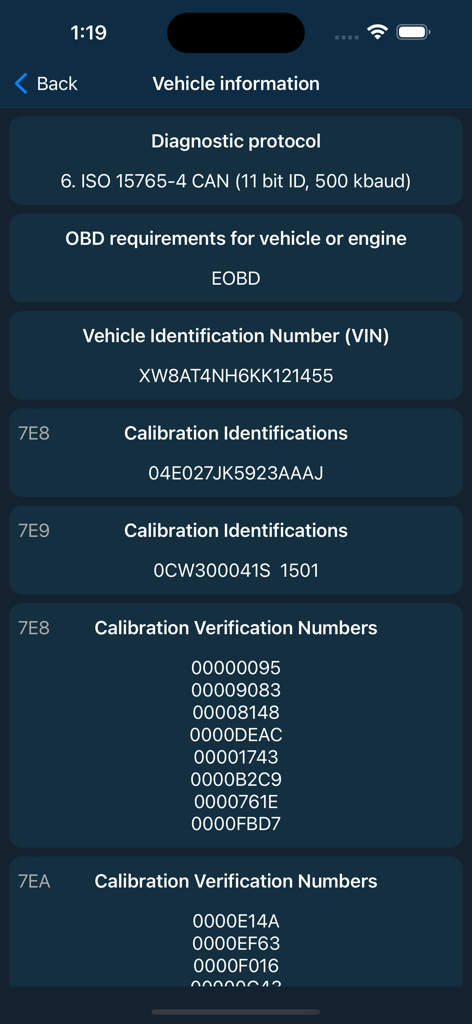
Car Mate app screen displaying vehicle information including VIN and diagnostic protocol
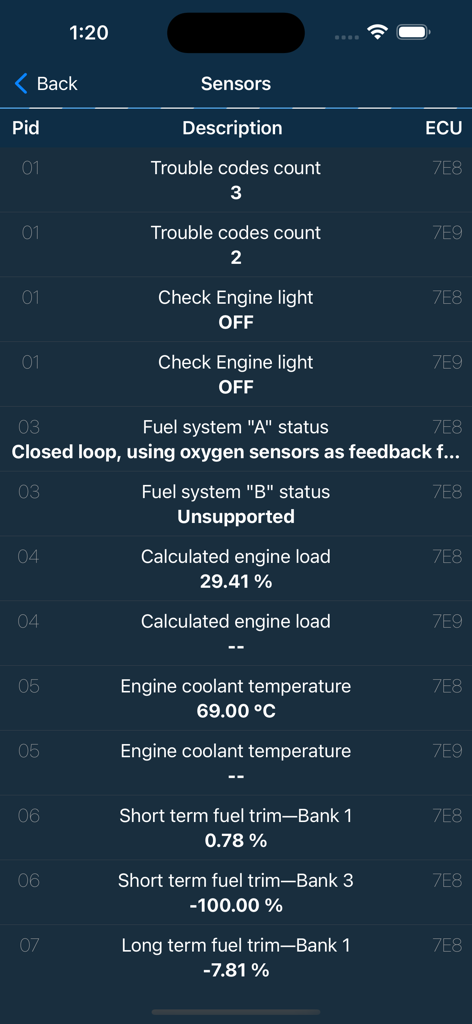
Real time vehicle diagnostic data and sensor readings on the Car Mate app interface
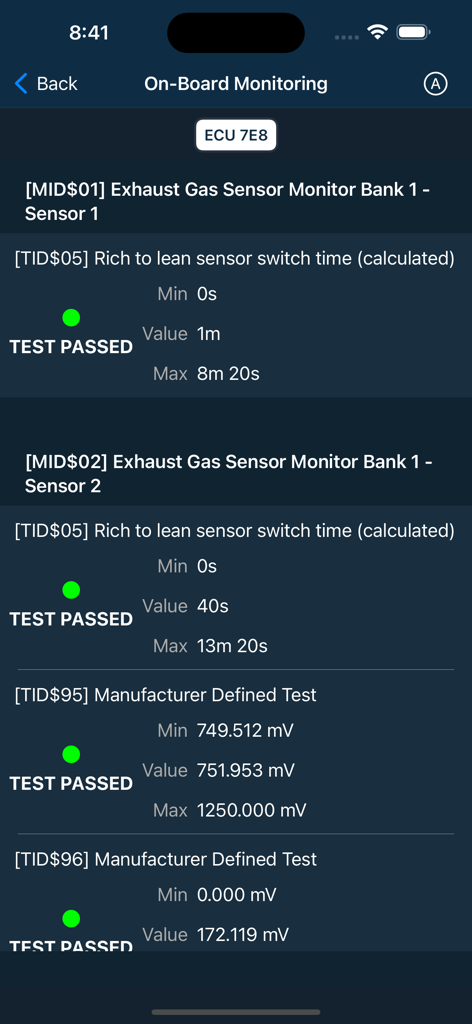
Car Mate app display showing successful on-board monitoring test results for vehicle exhaust gas sensors
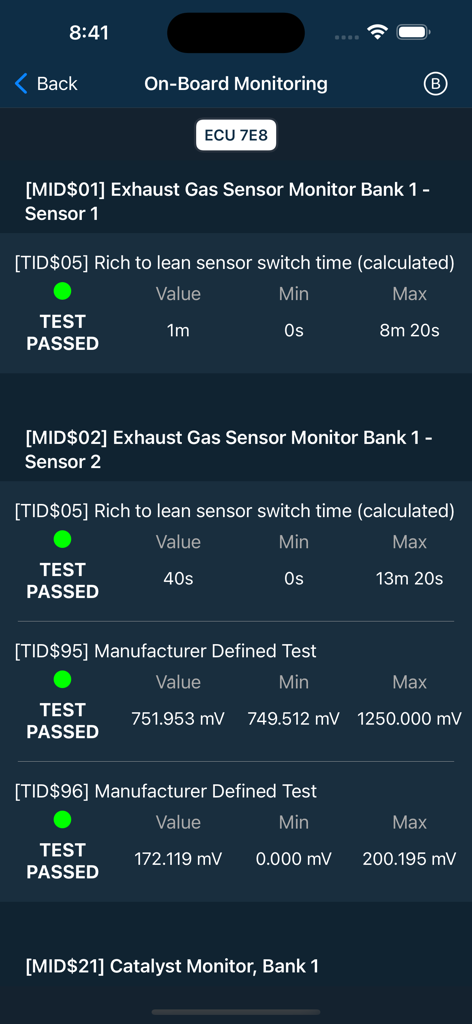
Car Mate app screen displaying on-board monitoring results and exhaust gas sensor diagnostic data
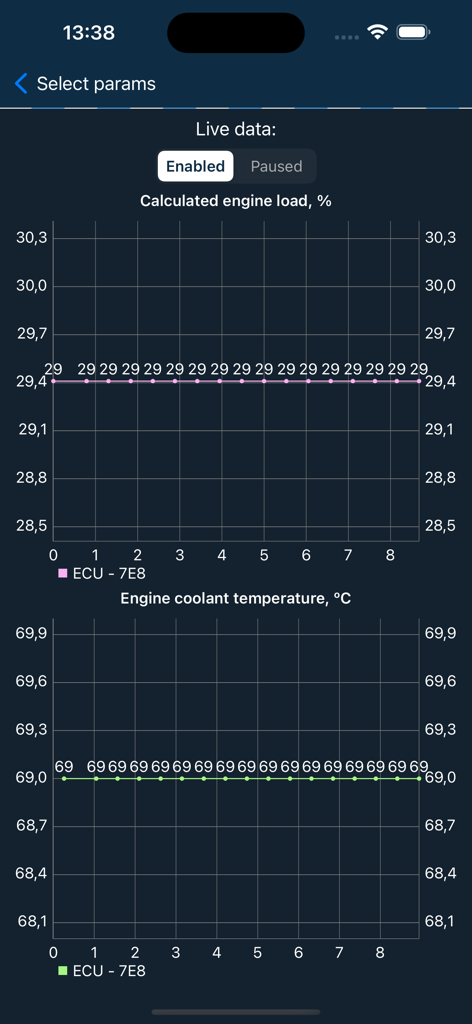
Live data graphs for engine load and coolant temperature on Car Mate OBD2 app.
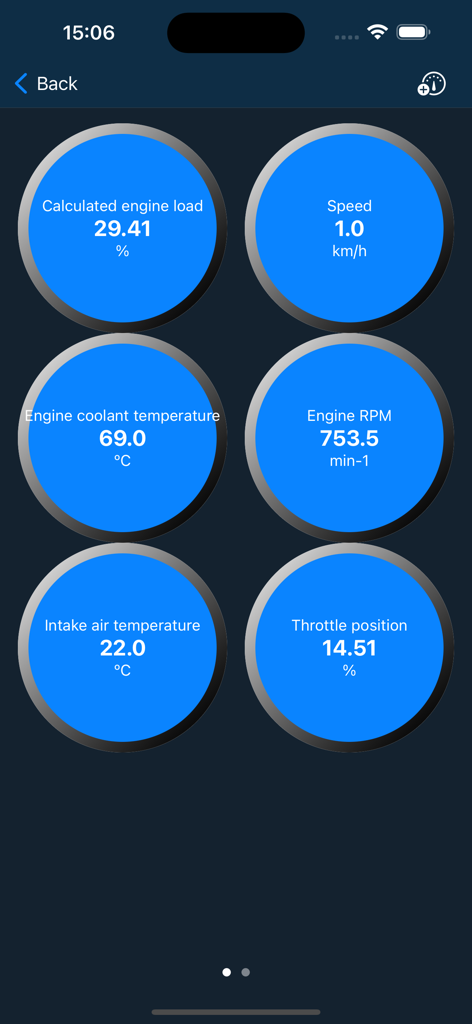
Real-time car diagnostic dashboard showing engine load speed coolant temperature and RPM data
Description
Download
More Like This
Apps with similar features and user experience

Car Scanner ELM OBD2
Stanislav Svistunov

RepairSolutions2
Innova Electronics

OBDLink
OBD Solutions LLC

Carly — OBD2 car scanner
Carly Solutions GmbH Co KG
BlueDriver OBD2 Scan Tool
Root Four Imagination Inc.

FIXD OBD2 Scanner
FIXD Automotive Inc

BimmerLink for BMW and MINI
SG Software GmbH & Co. KG
OBD2 Scanner: Torque ELM 327
MONIQ TAP COMPANY LIMITED

OBDeleven VAG Car diagnostics
OBDeleven UAB
This page is not an official page of the app or its developer, but an independent editorial publication created for informational and commentary purposes. Unless expressly stated otherwise, neither the app nor its developer is affiliated with, endorsed by, sponsored by, authorized by, or otherwise officially connected with MWM, Apple, Google Play, the app publisher, or the app's developer, and nothing on this page implies that the app was developed using MWM's services. Any trademarks, logos, screenshots, and other content remain the property of their respective owners.