Bluetooth Debugger & Inspector

Bluetooth Debugger & Inspector

Download on App Store
Logo of Bluetooth Debugger & Inspector

Bluetooth Debugger & Inspector: The Professional BLE Toolkit for IoT Developers

Analyze services, write raw data, and track real-time signal strength. A precision diagnostic tool designed for engineers, tinkerers, and smart home enthusiasts.

Publisher

小玲 王

Category

Developer Tools

Downloads

29K+

User Rating

4.6/5

Total Ratings

100

Locales

9

Precision Debugging Visualized

Discover the interface used by 29K+ users.
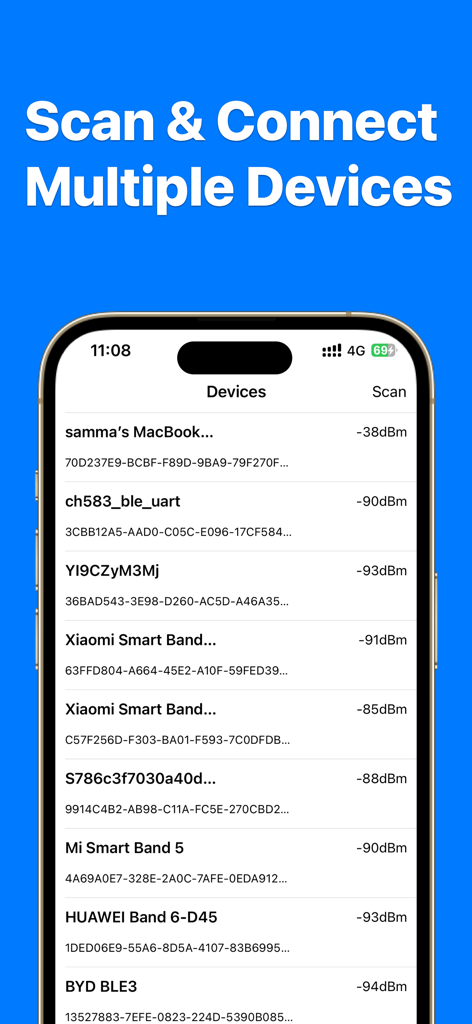
Mobile app screen showing a list of nearby Bluetooth devices with their signal strength in dBm

Mobile app screen showing a list of nearby Bluetooth devices with their signal strength in dBm

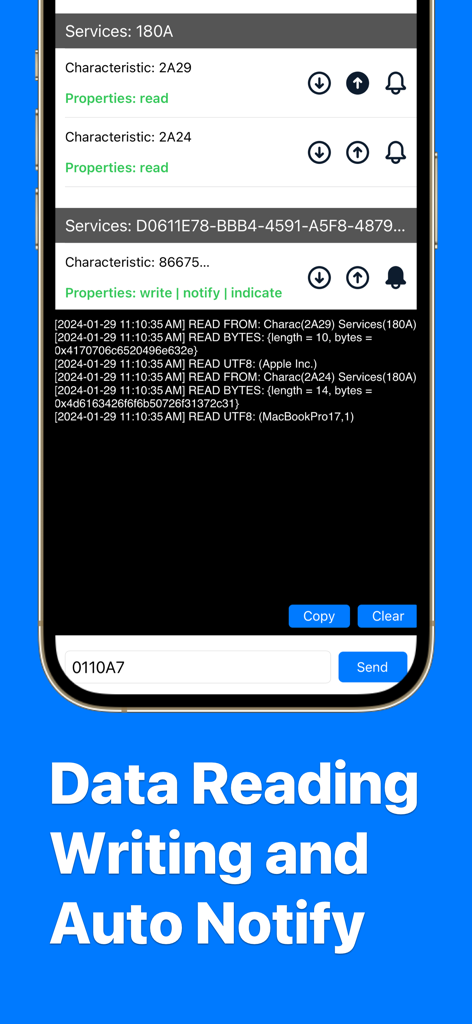
A screenshot of the Bluetooth Debugger app showing a log of read and write operations from a connected device including hex data and characteristic information

A screenshot of the Bluetooth Debugger app showing a log of read and write operations from a connected device including hex data and characteristic information

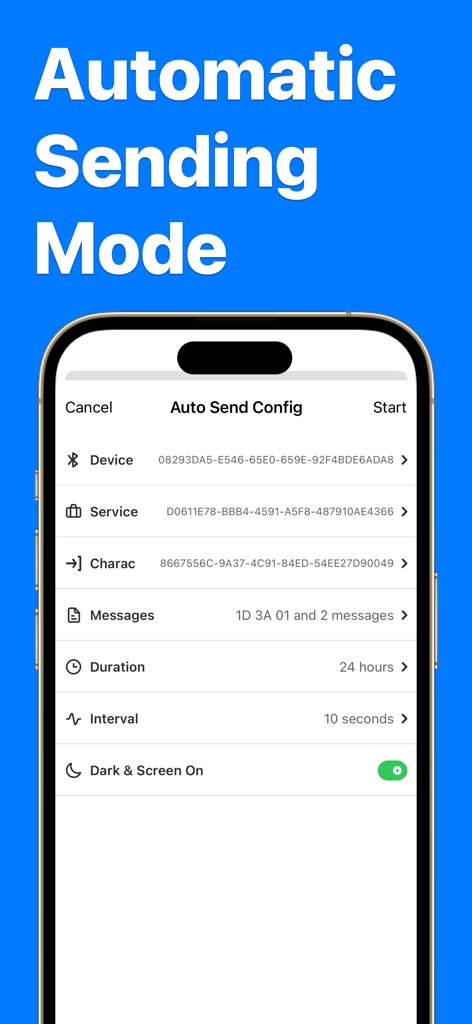
Interface of the Bluetooth Debugger app showing Auto Send Config settings for automated message transmission between BLE devices.

Interface of the Bluetooth Debugger app showing Auto Send Config settings for automated message transmission between BLE devices.

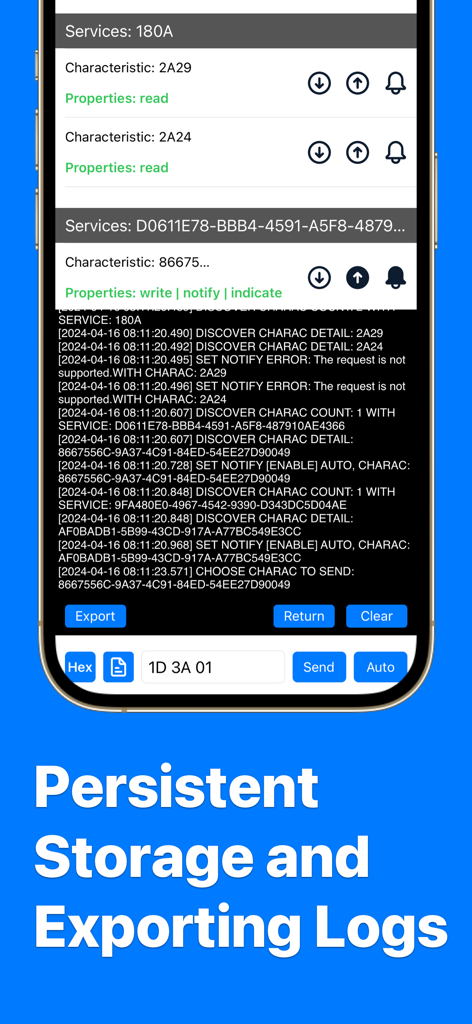
Bluetooth Debugger app screen showing real time device logs and data export options

Bluetooth Debugger app screen showing real time device logs and data export options

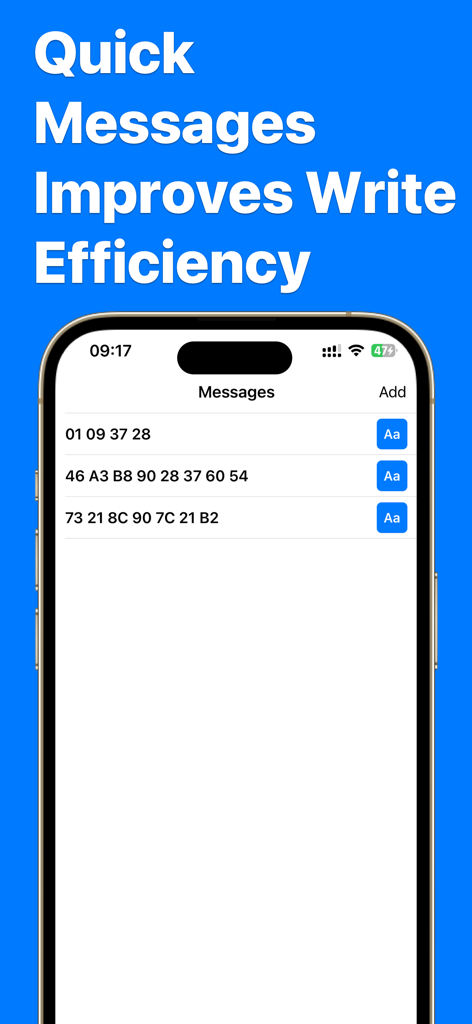
Interface for managing and sending quick hexadecimal messages to Bluetooth devices

Interface for managing and sending quick hexadecimal messages to Bluetooth devices

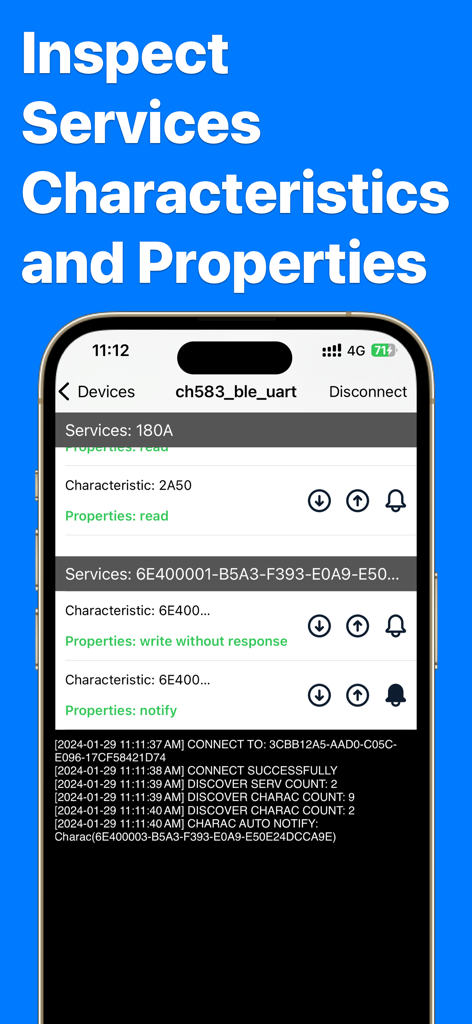
App interface showing detailed Bluetooth services and characteristics for developer debugging.

App interface showing detailed Bluetooth services and characteristics for developer debugging.

The Ultimate Toolbox for BLE Development

The tools that make this app stand out, trusted by 29K+ users.

🔍

Deep Service Inspection

Unmask hidden services and characteristics. Explore UUIDs and real-time data to understand exactly how your IoT devices operate under the hood.

⚙️

Bidirectional Data Control

Test commands instantly by reading and writing values in Hex, String, or Integer formats—essential for rapid hardware prototyping and testing.

📊

Signal Analysis & Logging

Monitor RSSI signal strength in real-time and export detailed interaction logs to troubleshoot connectivity issues and document hardware bugs.

About the app

Everything you need to know about Bluetooth Debugger & Inspector.

Description

Bluetooth Debugger & Inspector can help you discover surrounding Bluetooth devices, connect and debug them. Discover nearby Bluetooth peripherals and inspect their services for information and characteristics. Key Features: • Device scan and find • Customized Device alias and icon • Record and show device locations • Auto send mode • Quick message management and using • Update device firmware • Signal strength detection • Device connection • Device information reading • Data reading & writing • Multiple write format(hex, integer, string, etc.) • Log data and export More detailes: • View information and signal strength for all peripherals and devices, updating in real time as you move around. • See model identification broadcast by devices around you • Extract software and firmware version strings from devices broadcasting this information. • Read any characteristic's value, even for services not well known and are custom to the device being interrogated. • Write characteristic values back to the peripheral as hex. • Log found peripherals, services, characteristics and values If you have any questions about the app, or requests for features you would like to see, just write a short review or use the button inside the app to contact me. Get more support on https://www.whalesgrowth.top Constant use of Bluetooth connectivity can drain your device's battery. Bluetooth connectivity is only used when this app is in the foreground and up to a few seconds after being backgrounded to safely disconnect from peripherals being interrogated. Bluetooth Debugger Pro Subscriptions You can subscribe for Bluetooth Debugger Pro Subscriptions to all features and content offered for purchase within the app. Bluetooth Debugger Pro offers subscriptions. The subscription prices are: (i) Weekly Subscription ($0.99 / Week) (ii) Monthly Subscription ($2.99 / Month) (iii) Yearly Subscription ($24.99 / Year) You can subscribe to a Weekly Subscription plan ($0.99 billed once a week), a Monthly Subscription plan ($2.99 billed once a month) or a Yearly Subscription plan ($24.99 billed once a year). Payment will be charged to iTunes Account at confirmation of purchase. Subscriptions automatically renew unless auto-renew is turned off at least 24-hours before the end of the current period. Account will be charged for renewal within 24-hours prior to the end of the current period, and identify the cost of the renewal. Subscriptions may be managed by the user and auto-renewal may be turned off by going to the user's Account Settings after purchase. The prices are in US dollars. Pricing in other countries may vary and actual charges may be converted to your local currency depending on the country of residence. Any unused portion of a free trial period, if offered, will be forfeited when the user purchases a subscription to that publication, where applicable. Our app is functional without purchasing an Auto-Renewable subscription, and you can use all the unlocked content after the subscription expires. Q: How do I restore the subscriptions on new devices? A: You can tap the 'Restore' button on the subscription page. Privacy Policy: https://www.whalesgrowth.top/pp/ Terms of Service: https://www.whalesgrowth.top/tos/

Latest Version

2.3.1

Size

13.1 MB

First Released

Jan 31, 2024

Ready to Master Your Bluetooth Data?

Join 29,000+ developers and engineers. Download the ultimate BLE toolkit to inspect, debug, and log every characteristic with professional-grade precision.

Download on App Store

App information, icons, screenshots, and descriptions displayed on this page are sourced from the Apple App Store and are the property of their respective developers. Download estimates and rankings are based on MWM's proprietary models and may not reflect actual figures. This page is provided for informational and analytical purposes only.

Believe this page infringes your intellectual property? File a dispute