
This page is not an official page of the app or its developer, but an independent editorial publication created for informational and commentary purposes. Unless expressly stated otherwise, neither the app nor its developer is affiliated with, endorsed by, sponsored by, authorized by, or otherwise officially connected with MWM, Apple, Google Play, the app publisher, or the app's developer, and nothing on this page implies that the app was developed using MWM's services. Any trademarks, logos, screenshots, and other content remain the property of their respective owners.


Expo Go
Skip the complex native setup and start building immediately. Preview your projects instantly on your physical device with live reloading and interactive gestures.
Downloads
2M+User Rating
Total Ratings
13K+Publisher
Category
Developer ToolsLocales
1Latest Version
54.0.2Size
71.7 MBFirst Released
Aug 17, 2015Build Faster, Code Smarter
Skip the native setup and focus on what matters most: your code. Expo Go provides the essential tools to turn your React ideas into native mobile experiences instantly.
Instant Live Reloading
Experience the magic of Hot Reloading—see every code change reflected on your physical device in real-time without waiting for builds.
Zero Native Tooling
Bypass the friction of Xcode and Android Studio. Use your existing web skills to write JavaScript and see it run as a native app immediately.
Frequently Asked Questions
Everything you need to know about Expo Go
What is Expo Go?
Expo Go is a developer tool for building projects using web technologies, specifically enabling interactive gestures and graphics with JavaScript and React on iOS devices.
Does Expo Go require programming experience?
Yes, Expo Go recommends that users have some programming experience. It functions as a developer tool utilizing JavaScript and React.
What version of React Native does Expo Go use?
Expo Go uses React Native version 0.81.1. This specific version is detailed in the app's technical specifications.
How do I sign in to my Expo account in Expo Go?
Users can sign in to their Expo account in Expo Go by pressing the designated sign-in area on the home screen to access their recent projects.
Can I manually enter a URL in Expo Go?
Yes, Expo Go provides an option to manually enter a URL. This feature is accessible directly from the application's home screen.
What types of projects can I build with Expo Go?
With Expo Go, users build projects utilizing web technologies. This includes creating experiences with interactive gestures and graphics using JavaScript and React.
The following screenshots and description are sourced directly from the app's official store listing and are the property of the app developer.
App Store
Screenshots
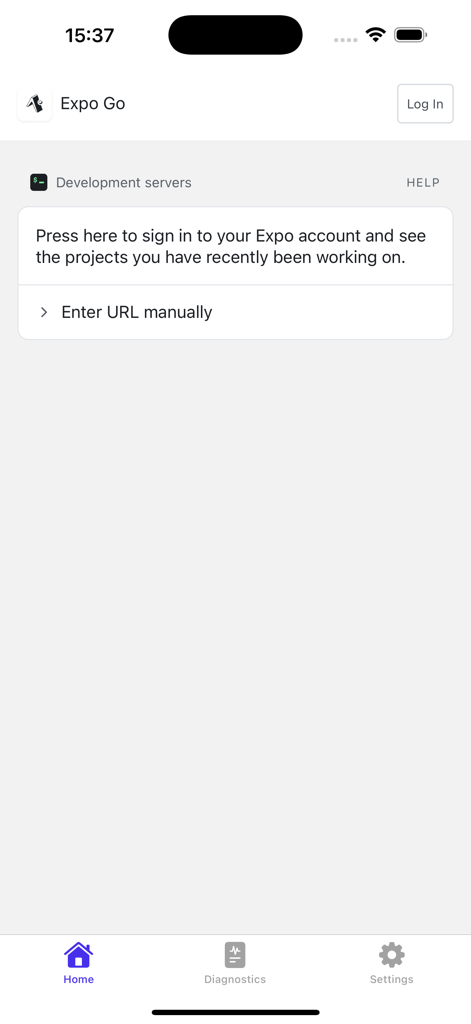
Home screen of the Expo Go app showing development server options and a sign in prompt.
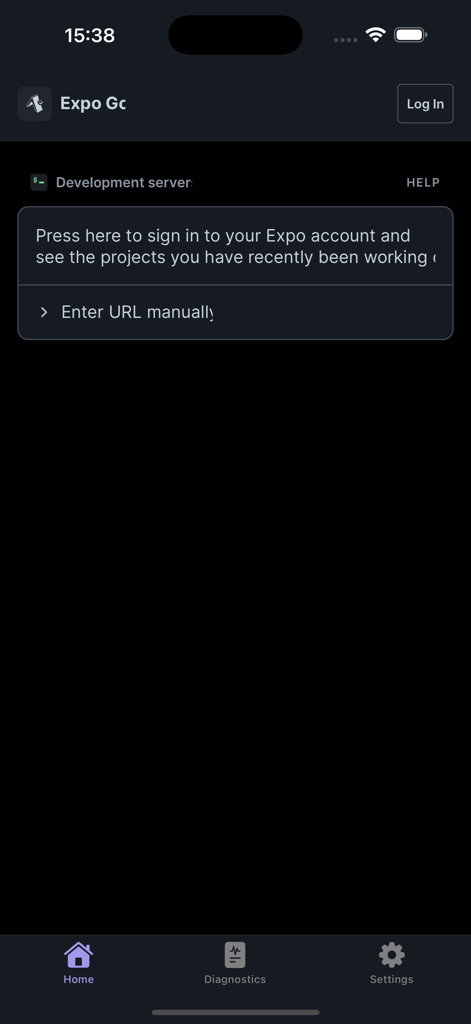
Expo Go app home screen showing the development server section with options to sign in or enter a project URL manually
Description
Download
More Like This
Apps with similar features and user experience


This page is not an official page of the app or its developer, but an independent editorial publication created for informational and commentary purposes. Unless expressly stated otherwise, neither the app nor its developer is affiliated with, endorsed by, sponsored by, authorized by, or otherwise officially connected with MWM, Apple, Google Play, the app publisher, or the app's developer, and nothing on this page implies that the app was developed using MWM's services. Any trademarks, logos, screenshots, and other content remain the property of their respective owners.