
This page is not an official page of the app or its developer, but an independent editorial publication created for informational and commentary purposes. Unless expressly stated otherwise, neither the app nor its developer is affiliated with, endorsed by, sponsored by, authorized by, or otherwise officially connected with MWM, Apple, Google Play, the app publisher, or the app's developer, and nothing on this page implies that the app was developed using MWM's services. Any trademarks, logos, screenshots, and other content remain the property of their respective owners.


GitHub
Stay in touch with your team, triage issues, and merge pull requests on the go with a beautifully native experience designed for modern developers.
Downloads
5M+User Rating
Total Ratings
89K+Publisher
Category
Developer ToolsLocales
7Latest Version
1.240.0Size
137.1 MBFirst Released
Mar 17, 2020Ship faster, anywhere
Manage your workflow without being chained to your desk. Stay connected, unblock your team, and keep projects moving forward with a beautifully native experience designed for micro-tasking.
Unblock Your Pipeline
Don't let your team wait. Review code, leave feedback, and merge pull requests on the go to keep your CI/CD flow moving seamlessly.
Frictionless Triage
Turn your commute into productive time. Quickly organize issues with labels, assignees, and projects to keep your roadmap clear and up to date.
Frequently Asked Questions
Everything you need to know about GitHub
What is GitHub for iOS?
GitHub for iOS allows users to manage development work, review code, triage issues, and merge directly from their mobile device. It provides a native experience for on-the-go productivity.
Can I browse my code and files using GitHub for iOS?
Yes, GitHub for iOS allows users to browse their files and code directly within the application. This feature supports reviewing specific changes within pull requests.
Does GitHub for iOS support merging Pull Requests?
Yes, GitHub for iOS enables users to review and merge Pull Requests directly from the app. This feature facilitates managing code changes on the go.
How do I organize issues in GitHub for iOS?
GitHub for iOS allows users to organize Issues using various tools including labels, assignees, and projects. This helps in efficient management and tracking of tasks.
Can I manage notifications in the GitHub iOS app?
Yes, users can browse and manage their latest notifications within the GitHub iOS app. The app also provides options to customize notification preferences.
Where can I find the Terms of Service for GitHub for iOS?
The Terms of Service for GitHub for iOS are available through a link provided in the app's description. The full URL is https://docs.github.com/en/github/site-policy/github-terms-of-service.
Is it possible to see discussions and organizations in GitHub for iOS?
Yes, the GitHub for iOS app includes dedicated sections for 'Discussions' and 'Organizations' on its home screen. Users can access and navigate these directly.
The following screenshots and description are sourced directly from the app's official store listing and are the property of the app developer.
App Store
Screenshots
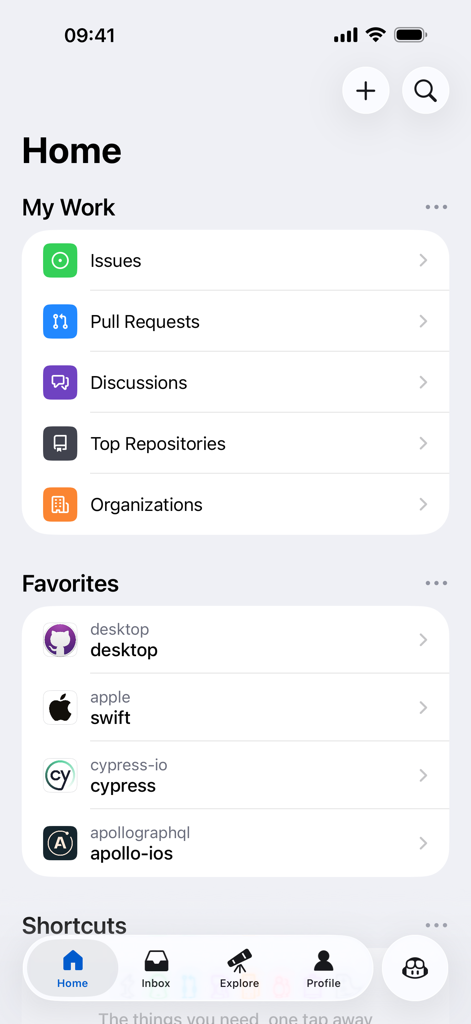
The home screen of the GitHub iOS app displaying sections for My Work, Favorites, and navigation shortcuts.
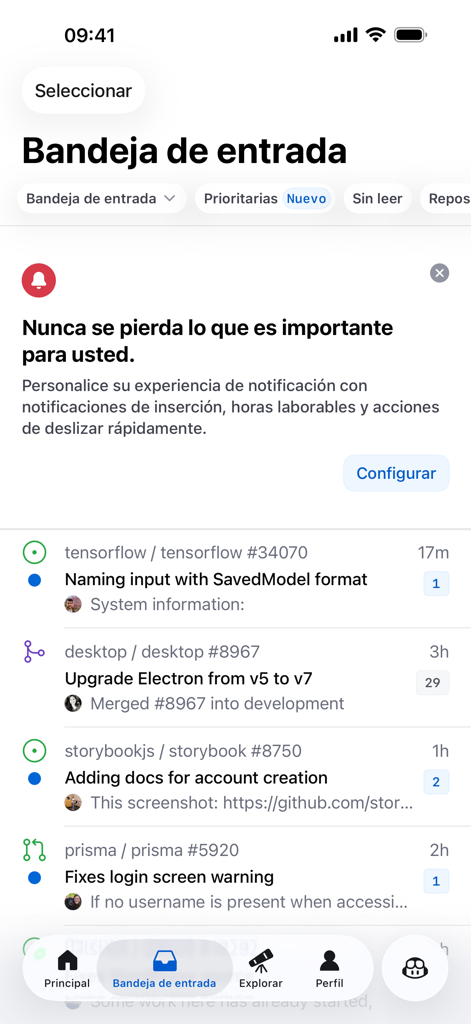
GitHub iOS app inbox screen showing a list of repository activity, issues, and pull requests.
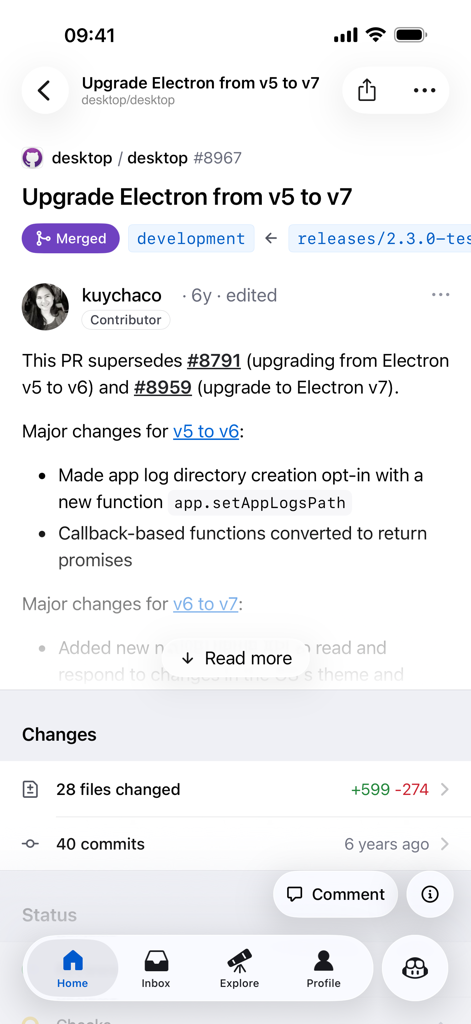
Merged pull request view on the GitHub mobile app showing repository details and code changes.
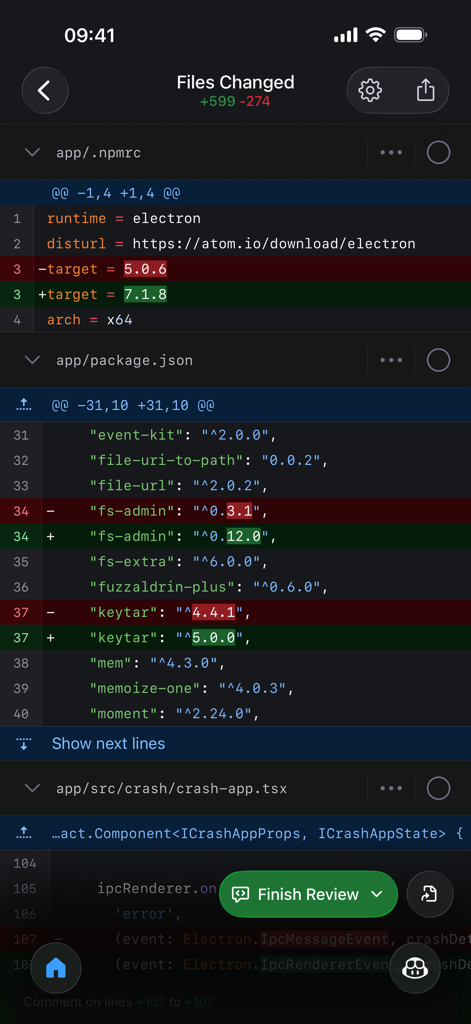
Screenshot of the GitHub iOS app displaying a code diff review in a dark mode interface
Description
Download
More Like This
Apps with similar features and user experience




This page is not an official page of the app or its developer, but an independent editorial publication created for informational and commentary purposes. Unless expressly stated otherwise, neither the app nor its developer is affiliated with, endorsed by, sponsored by, authorized by, or otherwise officially connected with MWM, Apple, Google Play, the app publisher, or the app's developer, and nothing on this page implies that the app was developed using MWM's services. Any trademarks, logos, screenshots, and other content remain the property of their respective owners.