
This page is not an official page of the app or its developer, but an independent editorial publication created for informational and commentary purposes. Unless expressly stated otherwise, neither the app nor its developer is affiliated with, endorsed by, sponsored by, authorized by, or otherwise officially connected with MWM, Apple, Google Play, the app publisher, or the app's developer, and nothing on this page implies that the app was developed using MWM's services. Any trademarks, logos, screenshots, and other content remain the property of their respective owners.

BNI SMS Banking
Securely transfer funds, pay family bills, and fulfill religious duties back home. Experience the convenience of Indonesian banking directly from your smartphone, wherever you are.
Downloads
358K+User Rating
Total Ratings
700Publisher
Category
FinanceLocales
1Latest Version
5.0.5Size
133.1 MBFirst Released
Apr 1, 2013Your Financial Link to Indonesia
Seamlessly manage your BNI accounts from the US with our secure SMS-based platform, designed specifically for the Indonesian Diaspora.
Effortless Money Transfers
Send funds instantly to BNI or other Indonesian bank accounts to support your family or investments from anywhere in the US.
Remote Utility Payments
Manage your properties in Indonesia by paying PLN, Telkom, and other local bills directly without needing a local presence.
Frequently Asked Questions
Everything you need to know about BNI SMS Banking
What is BNI SMS Banking?
BNI SMS Banking is an SMS-jacket application that enables users to perform banking transactions such as reloads, bill payments, credit card payments, and fund transfers directly from their cell phone.
How do I register for BNI SMS Banking?
To use the BNI SMS Banking application, you must first register as a user. Registration can be completed through any BNI ATM or by visiting any BNI Branch.
Can I transfer funds to other banks using BNI SMS Banking?
Yes, BNI SMS Banking allows financial registered users to conduct fund transfers to other BNI accounts and perform interbank fund transfers. This feature is also highlighted visually.
Which e-wallets can I top up with BNI SMS Banking?
BNI SMS Banking supports top-ups for various e-wallets, including TapCash, LinkAja, OVO, GOPAY, DANA, ShopeePay, and i.saku, making transactions easier.
Are there any SMS charges when using the BNI SMS Banking application?
Yes, SMS charges apply when using BNI SMS Banking. These charges are dependent on your cellular provider and their specific rates.
The following screenshots and description are sourced directly from the app's official store listing and are the property of the app developer.
App Store
Screenshots
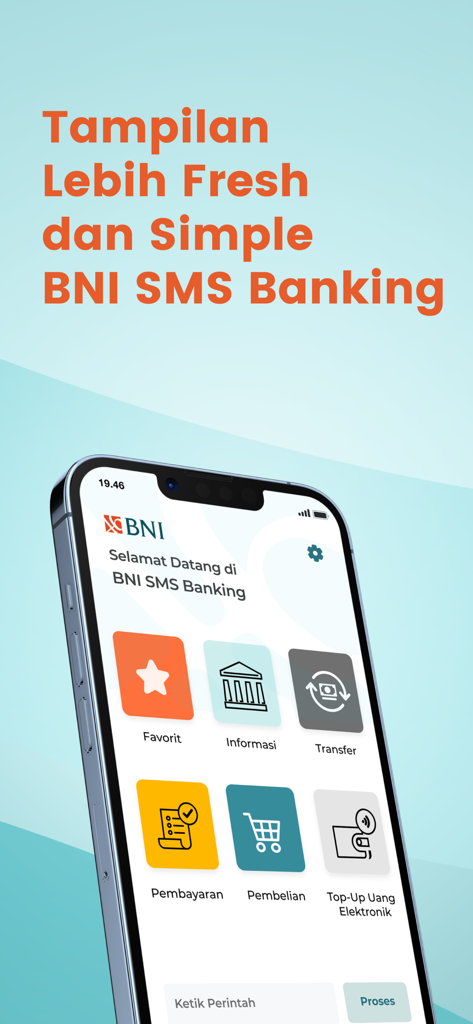
BNI SMS Banking app main menu showing options for transfers, bill payments, and top-ups on a smartphone.
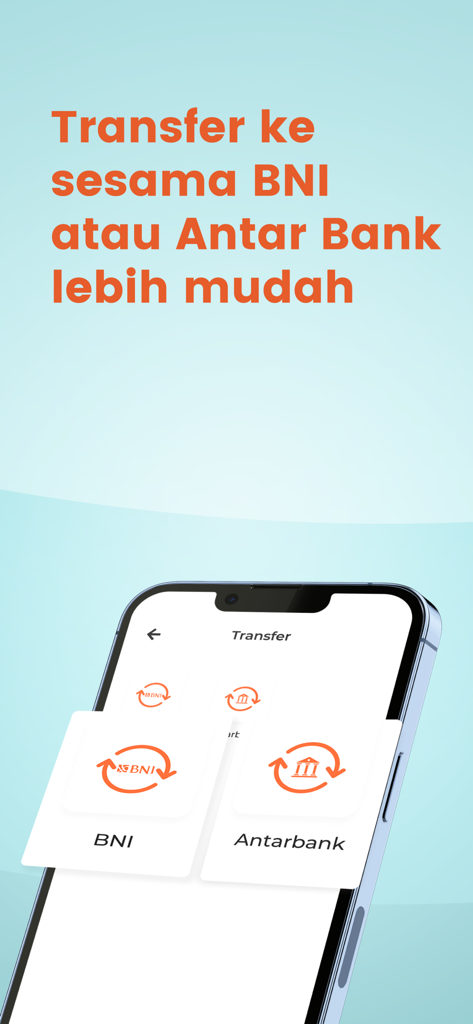
BNI SMS Banking app interface showing the transfer menu with options for BNI and interbank transfers
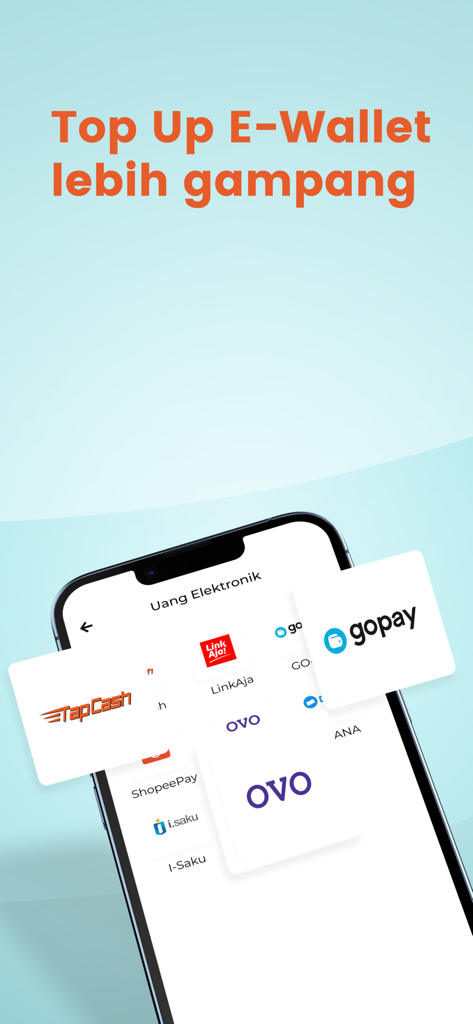
Mobile screen of BNI SMS Banking app displaying options to top up Indonesian e-wallets like GoPay and OVO
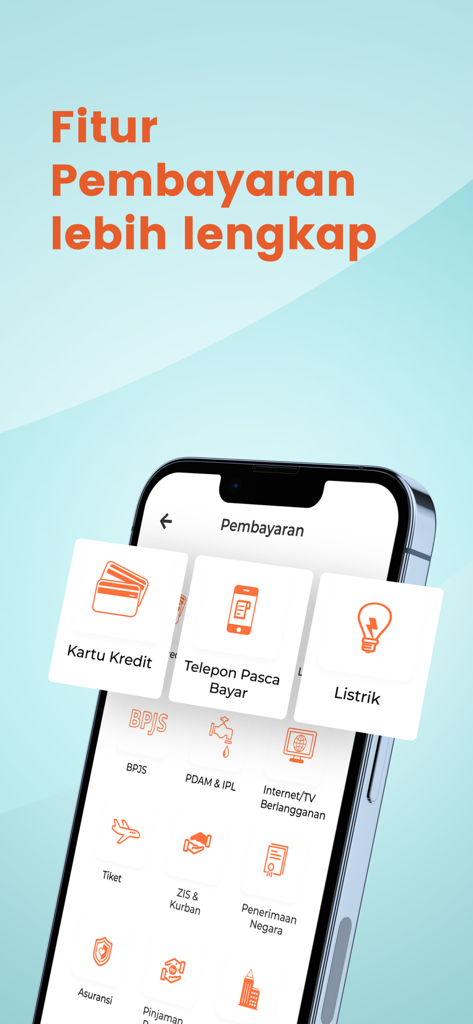
Interface of the BNI SMS Banking app displaying various payment categories including credit cards phone bills and utility payments
Description
Download
More Like This
Apps with similar features and user experience
This page is not an official page of the app or its developer, but an independent editorial publication created for informational and commentary purposes. Unless expressly stated otherwise, neither the app nor its developer is affiliated with, endorsed by, sponsored by, authorized by, or otherwise officially connected with MWM, Apple, Google Play, the app publisher, or the app's developer, and nothing on this page implies that the app was developed using MWM's services. Any trademarks, logos, screenshots, and other content remain the property of their respective owners.