
This page is not an official page of the app or its developer, but an independent editorial publication created for informational and commentary purposes. Unless expressly stated otherwise, neither the app nor its developer is affiliated with, endorsed by, sponsored by, authorized by, or otherwise officially connected with MWM, Apple, Google Play, the app publisher, or the app's developer, and nothing on this page implies that the app was developed using MWM's services. Any trademarks, logos, screenshots, and other content remain the property of their respective owners.

Book Creator One
The simplest way to create beautiful, multimodal ebooks on your iPad. Join millions of educators and parents transforming lessons into interactive stories, journals, and comics.
Downloads
1M+User Rating
Total Ratings
1K+Publisher
Category
EducationLocales
11Latest Version
5.5.6Size
179.3 MBFirst Released
Aug 15, 2013From Blank Page to Published Author
Transform student learning into creative masterpieces. Combine text, audio, and video to build interactive stories, journals, and portfolios in minutes.
Engage Every Learner
Support multimodal literacy by mixing text, 50+ fonts, and hand-drawn annotations with voice recordings and video.
Deceptively Simple Design
Drag, drop, and snap elements into place with an intuitive interface designed for students to focus on content, not tools.
Frequently Asked Questions
Everything you need to know about Book Creator One
What is Book Creator One used for?
Book Creator One is an iPad app for creating ebooks. It enables users to make children's picture books, photo books, comic books, journals, and textbooks.
How many books can I create with Book Creator One for free?
Book Creator One allows users to create one book for free. Unlimited books and comic templates are available through an in-app purchase within the app.
Does Book Creator One offer comic book templates?
Yes, Book Creator One offers comic book templates. These templates, along with unlimited book creation, are unlocked via an in-app purchase.
Can I add audio and video to books in Book Creator One?
Yes, Book Creator One allows users to add video and music. You can also record your voice to include narration in your books.
How can I share books created with Book Creator One?
Book Creator One provides multiple sharing options. Users can send books by email, AirDrop, or cloud services. Exporting as ePub, PDF, or video is also supported.
Is Book Creator One suitable for educational use in schools?
Yes, Book Creator One is highly suitable for education, being open-ended, creative, and cross-curriculum. The full "Book Creator for iPad" app is recommended for schools requiring unlimited books without in-app purchases.
Can Book Creator One publish books to the iBooks Store?
Yes, Book Creator One creates ebooks using the international ePub standard. Books are optimized for easy publishing directly to the iBooks Store.
Does Book Creator One support fixed layout ebooks?
Yes, Book Creator One supports iBooks' fixed layout format, which includes double page images and soundtracks. It is not suitable for creating text-heavy novels.
Can Siri read books aloud in Book Creator One?
Yes, Book Creator One features a Reading mode where Siri reads books to users. This functionality supports multiple languages.
What types of images can I add to books in Book Creator One?
Book Creator One allows users to add photos and images. These can come from the iPad's photo library, the web, or directly from the iPad's Camera.
The following screenshots and description are sourced directly from the app's official store listing and are the property of the app developer.
App Store
Screenshots
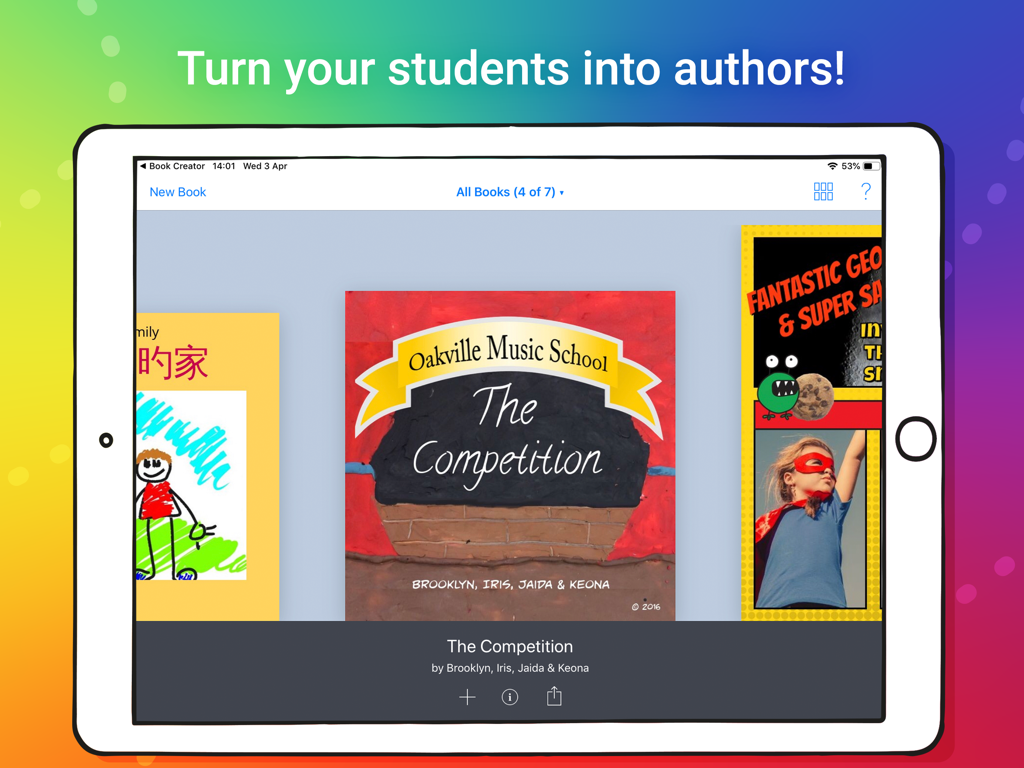
An iPad displaying a library of creative digital books made by students in the Book Creator One app
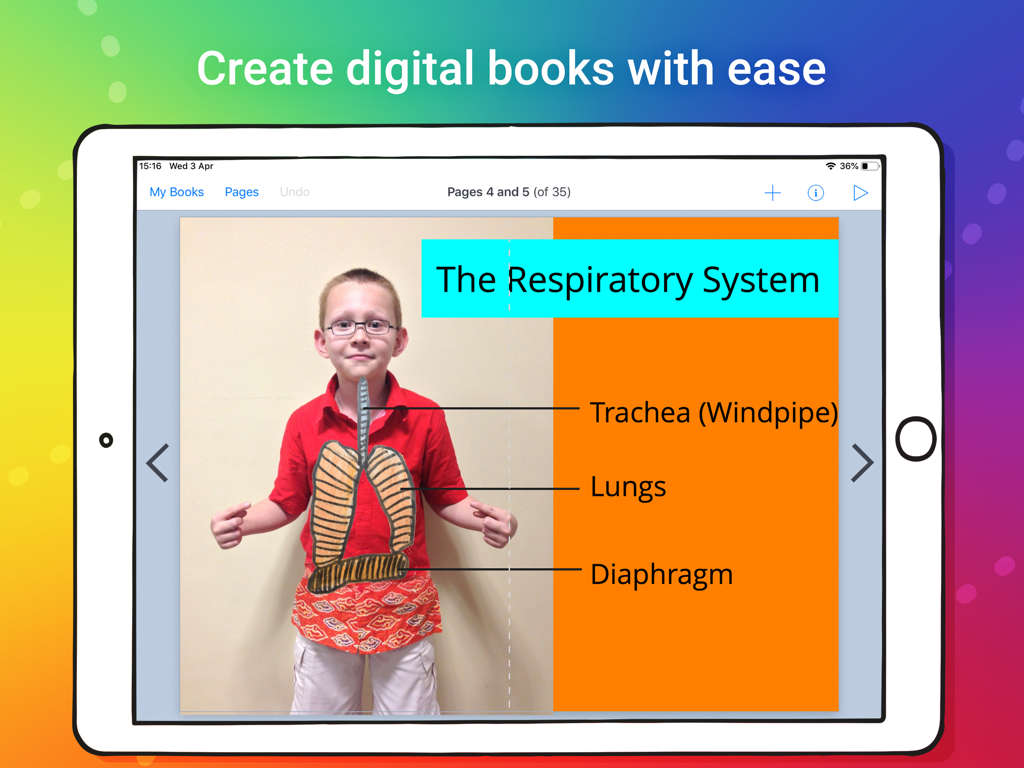
A student digital book about the respiratory system created with Book Creator One on iPad
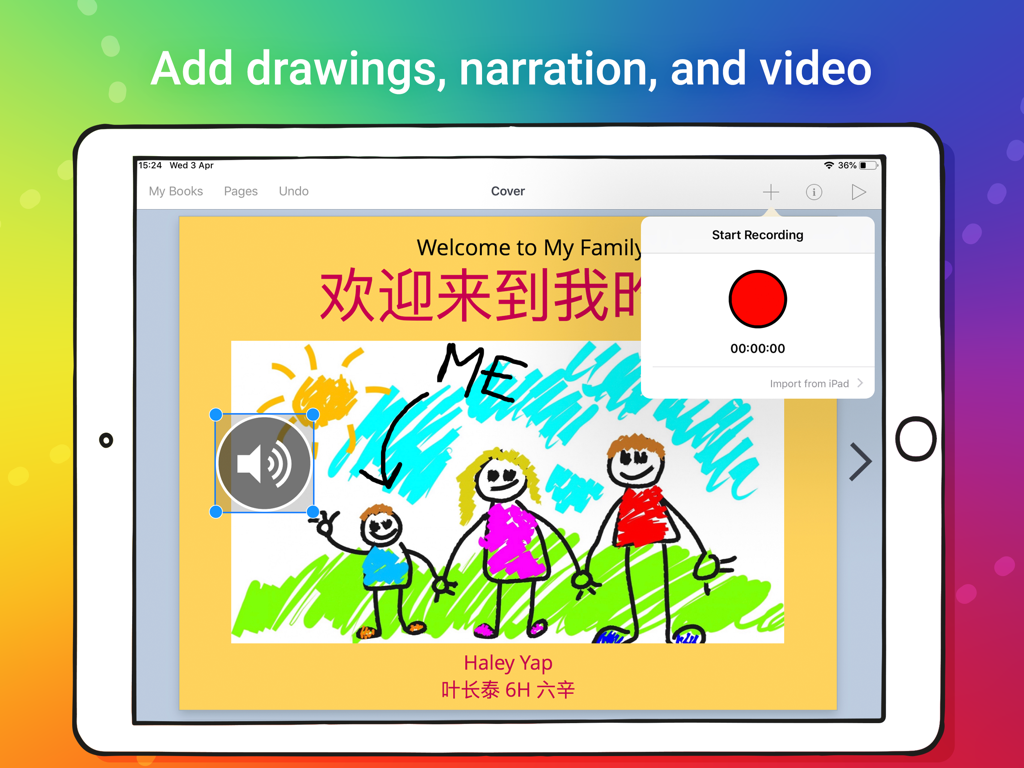
An iPad displaying a digital book page with a child's drawing and a voice recording interface
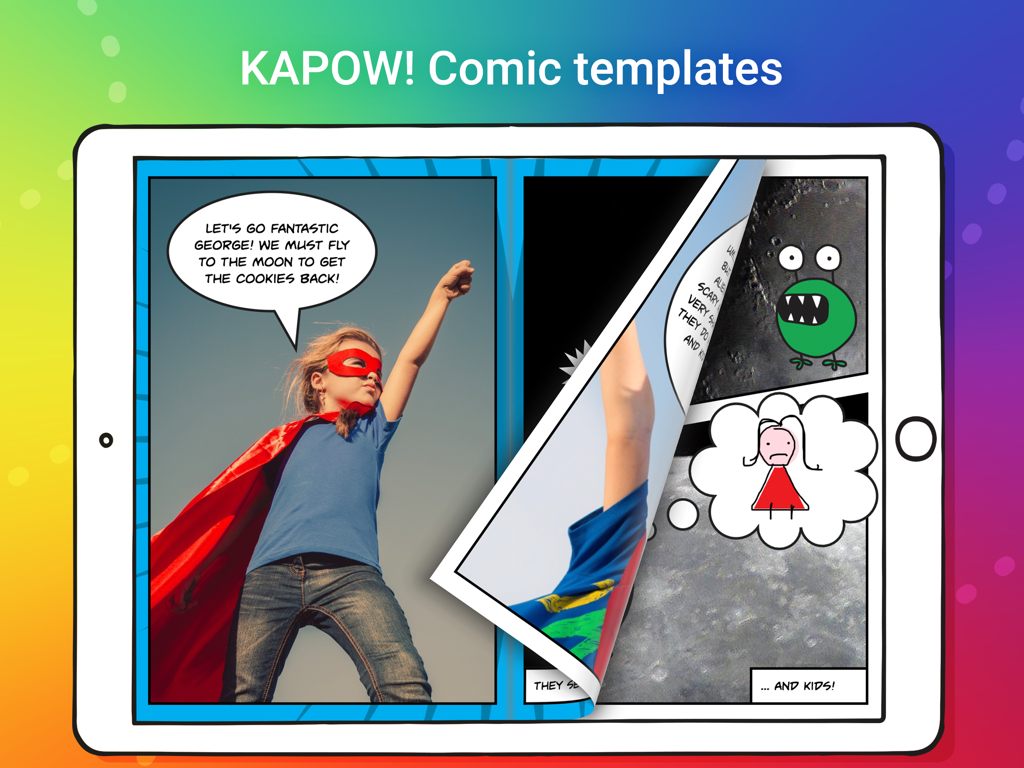
iPad screen displaying the Book Creator One app with a comic book template featuring a child superhero and speech bubbles
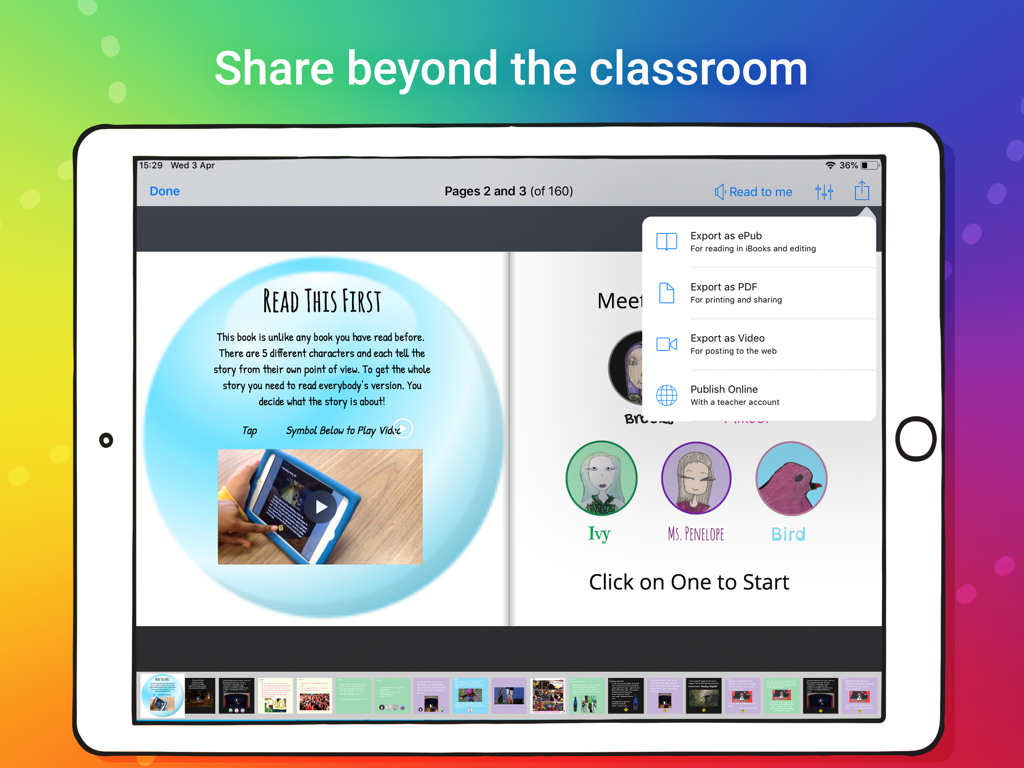
iPad screen showing the Book Creator One app with options to export a digital book as an ePub, PDF, or video.
Description
Download
More Like This
Apps with similar features and user experience

Affinity Publisher 2 for iPad
Serif (Europe) Ltd.

Brochure Maker, Pamphlet Maker
Bhavesh Gabani

Zine - Enjoy Writing
Aura Marker Studio Co., Ltd.
Pages: Create Documents
Apple Inc.

Price List & Menu Maker
Desygner Pty Ltd
Story Creator - Easy Story Book Maker for Kids
Innovative Mobile Apps Ltd

Book Creator for iPad
Tools for Schools Limited
This page is not an official page of the app or its developer, but an independent editorial publication created for informational and commentary purposes. Unless expressly stated otherwise, neither the app nor its developer is affiliated with, endorsed by, sponsored by, authorized by, or otherwise officially connected with MWM, Apple, Google Play, the app publisher, or the app's developer, and nothing on this page implies that the app was developed using MWM's services. Any trademarks, logos, screenshots, and other content remain the property of their respective owners.