
This page is not an official page of the app or its developer, but an independent editorial publication created for informational and commentary purposes. Unless expressly stated otherwise, neither the app nor its developer is affiliated with, endorsed by, sponsored by, authorized by, or otherwise officially connected with MWM, Apple, Google Play, the app publisher, or the app's developer, and nothing on this page implies that the app was developed using MWM's services. Any trademarks, logos, screenshots, and other content remain the property of their respective owners.

Brother P-touch Design&Print 2
From Pinterest-worthy pantries to professional small business branding, create custom labels and decorative ribbons right from your mobile device. Experience the perfect blend of style and organization with smart templates, OCR scanning, and seamless Bluetooth printing.
Downloads
1M+User Rating
Total Ratings
57K+Publisher
Category
LifestyleLocales
33Latest Version
2.6.0Size
289.9 MBFirst Released
Jul 30, 2020Transform Your Home and Business with a Touch of Style
Create beautiful, professional-grade labels and decorative ribbons directly from your iPhone. Perfect for home organization, creative crafting, and growing your small business.
Endless Creative Freedom
Choose from hundreds of stylish fonts, patterns, and frames to create labels that look like they were made by a professional designer.
Professional Business Tools
Elevate your brand by printing custom logos and QR codes on labels and satin ribbons—ideal for boutique packaging and Etsy shops.
Frequently Asked Questions
Everything you need to know about Brother P-touch Design&Print 2
What is Brother P-touch Design&Print 2?
Brother P-touch Design&Print2 is a free mobile application that allows users to design and print labels, decorative tapes, and satin ribbons from their iOS devices using compatible Brother label printers via Bluetooth.
Is the Brother P-touch Design&Print 2 app free?
Yes, Brother P-touch Design&Print2 is a free application. Users can download and use it to design and print labels without any cost.
Which devices are compatible with Brother P-touch Design&Print 2?
The Brother P-touch Design&Print2 app is compatible with iOS devices, including iPhone and iPad (using iPhone compatibility mode). It connects to specific Brother label printers via Bluetooth.
How does Brother P-touch Design&Print 2 connect to a printer?
Brother P-touch Design&Print2 connects to compatible Brother label printers via Bluetooth®. This enables wireless label printing directly from a mobile device.
What types of labels can I create with Brother P-touch Design&Print 2?
Users can create stylish and practical labels, decorative tapes, and satin ribbons. The app offers templates suitable for labeling, crafting, storage, retail, business, and gift wrapping needs.
Can I use templates in Brother P-touch Design&Print 2?
Yes, the Brother P-touch Design&Print2 app provides a variety of templates. These are grouped by popular categories like Office Organization, Shop, and Document Organization for easy selection.
Does Brother P-touch Design&Print 2 support QR code insertion?
Yes, Brother P-touch Design&Print2 supports inserting QR codes using the "Share label" feature. This functionality is available for P-touch CUBE XP and P-touch CUBE Plus printers.
Does Brother P-touch Design&Print 2 have a translation feature?
Yes, the Brother P-touch Design&Print2 app includes a Translation Function. It automatically translates scanned or typed text, which users can then add to their labels. This feature requires specific printer models.
What customization options are available in Brother P-touch Design&Print 2?
Brother P-touch Design&Print2 offers a wide variety of fonts, symbols, emoji, patterns, and frames. Users can also insert images and logos to customize their label designs.
Can I preview labels before printing with Brother P-touch Design&Print 2?
Yes, the Brother P-touch Design&Print2 app allows users to preview the final design before printing. This ensures accuracy and satisfaction with the label output.
The following screenshots and description are sourced directly from the app's official store listing and are the property of the app developer.
App Store
Screenshots
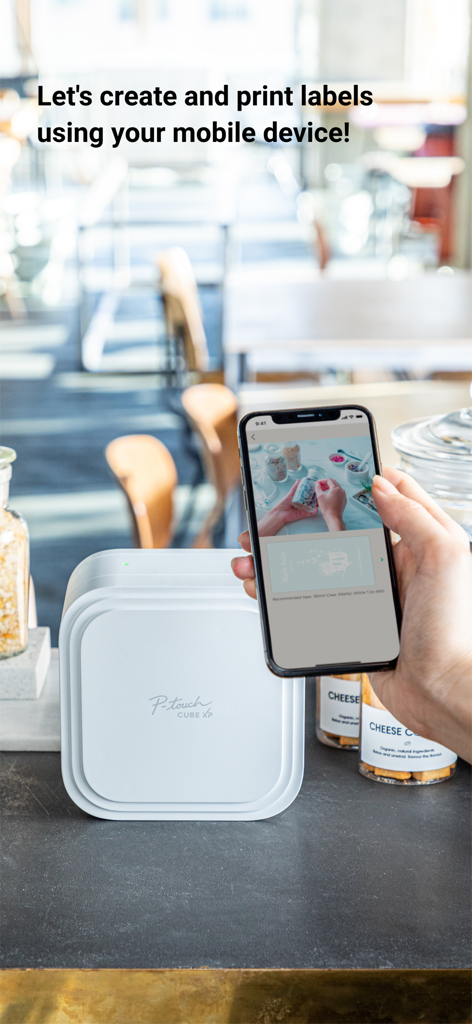
A person using the Brother P-touch Design and Print 2 app on a smartphone to design labels next to a P-touch CUBE XP printer.
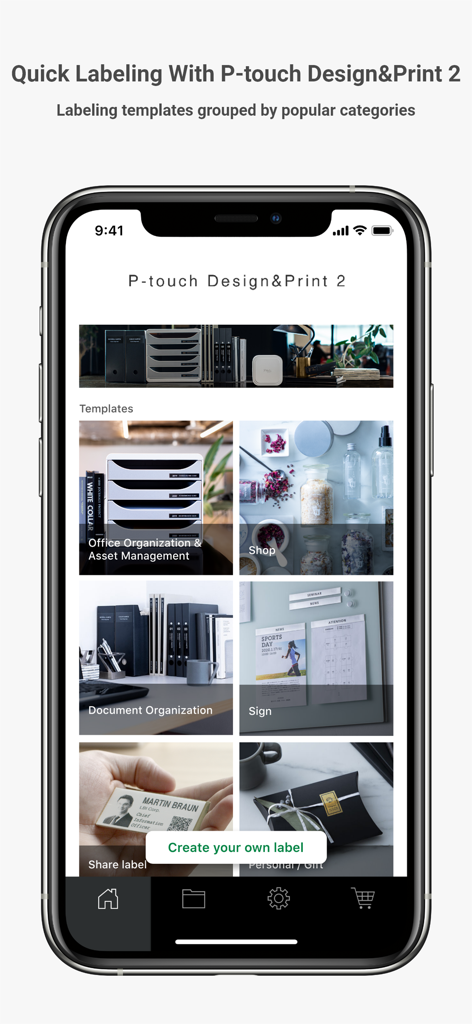
Brother P-touch Design and Print 2 app showing label template categories for office shop and gifts
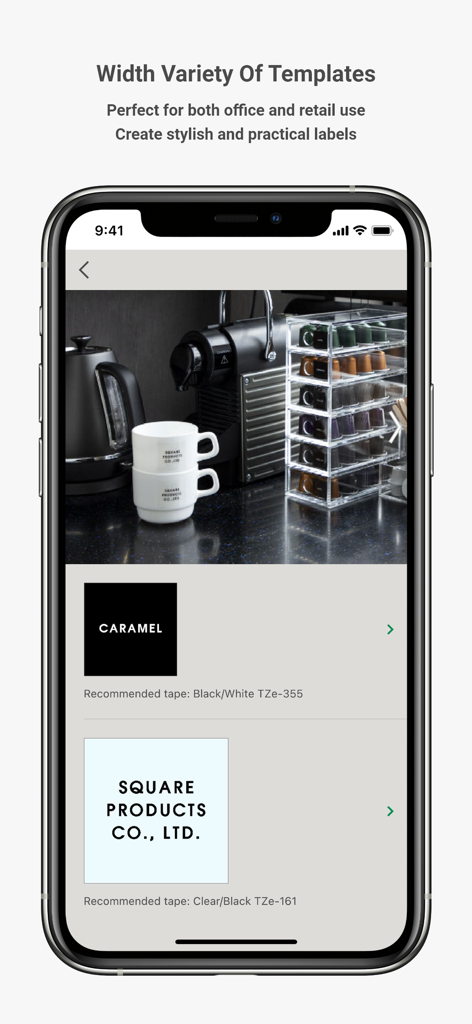
Brother P-touch Design and Print 2 app interface showing professional label templates for office and retail coffee organization
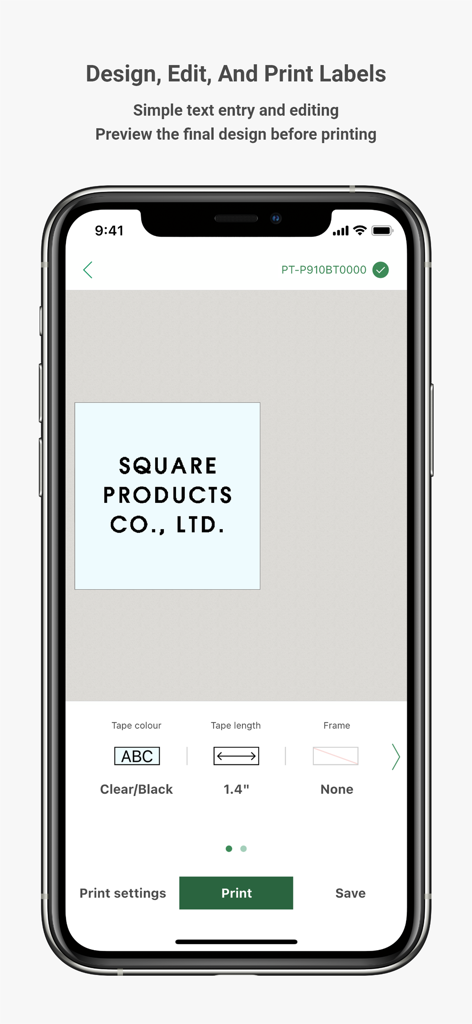
Brother P-touch Design and Print 2 app interface showing a custom label design for a business
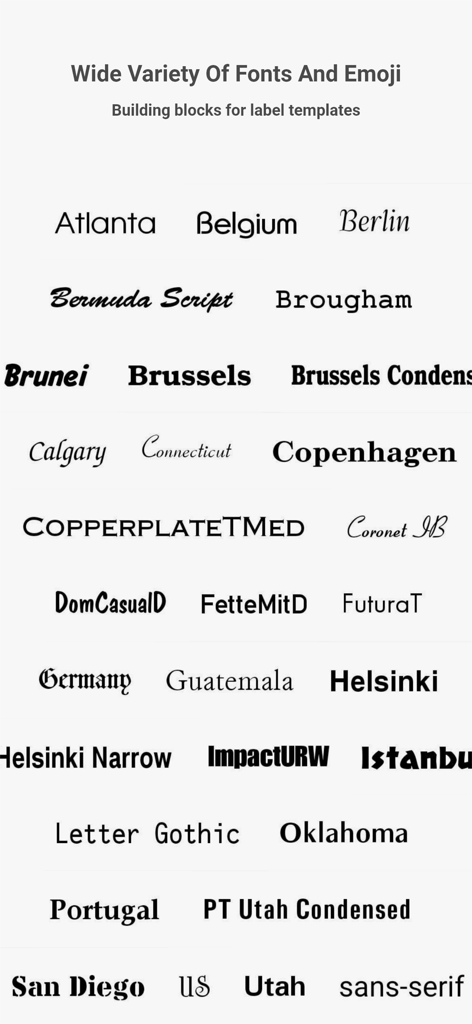
A wide variety of font styles and typography options available in the Brother P-touch Design and Print 2 app for custom label creation.
Description
Download
More Like This
Apps with similar features and user experience
NIIMBOT
WUHAN JINGCHEN INTELLIGENT IDENTIFICATION TECHNOLOGY CO., LTD
Nelko
E-z Ink Technology Co., Ltd

Print Master
PHOMEMO PTE. LTD.
Labelnize
E-z Ink Technology Co., Ltd
NIIM
WUHAN JINGCHEN INTELLIGENT IDENTIFICATION TECHNOLOGY CO., LTD
Jadens Printer
JADENS COMPANY LIMITED
Polaroid Hi·Print
Polaroid International B.V.
FlashLabel Pro
Xiamen Print Future Technology Co.Ltd.
Bluetooth Mini Thermal Printer
Mate Technologies
This page is not an official page of the app or its developer, but an independent editorial publication created for informational and commentary purposes. Unless expressly stated otherwise, neither the app nor its developer is affiliated with, endorsed by, sponsored by, authorized by, or otherwise officially connected with MWM, Apple, Google Play, the app publisher, or the app's developer, and nothing on this page implies that the app was developed using MWM's services. Any trademarks, logos, screenshots, and other content remain the property of their respective owners.