
This page is not an official page of the app or its developer, but an independent editorial publication created for informational and commentary purposes. Unless expressly stated otherwise, neither the app nor its developer is affiliated with, endorsed by, sponsored by, authorized by, or otherwise officially connected with MWM, Apple, Google Play, the app publisher, or the app's developer, and nothing on this page implies that the app was developed using MWM's services. Any trademarks, logos, screenshots, and other content remain the property of their respective owners.


Downloads
1M+User Rating
Total Ratings
4.1KPublisher
Category
EntertainmentLocales
9Latest Version
3.1.1Size
112.4 MBFirst Released
Sep 1, 2018An evaluation of core functionalities enhancing the ARMY concert and fan experience.
BTS OFFICIAL LIGHT STICK App: Key Features Analysis
Synchronized Concert Mode
The app provides a synchronized concert mode where, after registering ticket seat information, light sticks connect to create dynamic stage effects during live performances, immersing fans in a unified light show.
Personalized Light Stick Color Control
It allows users to customize their light stick's color directly from their smartphone via Bluetooth, enabling personal expression outside of official concert settings.
Seamless Bluetooth Connectivity
This tool features easy Bluetooth connectivity, enabling a quick and stable link between the light stick and the smartphone for all interactive functions.
Light Stick Battery Status Monitor
The app provides a convenient battery check feature, allowing users to monitor their light stick's power level to ensure it's ready for any event.
The following screenshots and description are sourced directly from the app's official store listing and are the property of the app developer.
App Store
Screenshots
The app immediately establishes its identity with the iconic BTS logo and explicit branding for the BTS OFFICIAL LIGHT STICK.
Official App Gateway
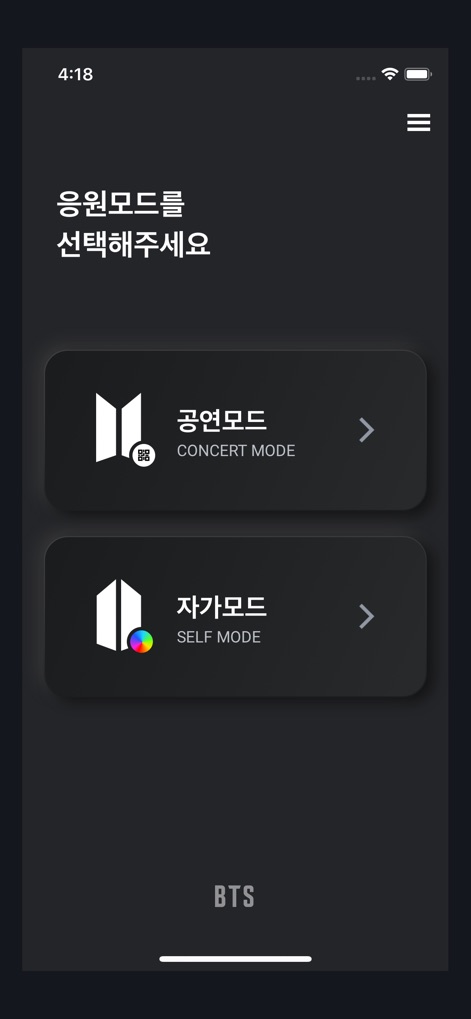
Users can navigate the primary functionalities via distinct 'CONCERT MODE' and 'SELF MODE' options, offering tailored fan experiences.
Dynamic Mode Selection

The tool ensures broad device support by allowing users to select between the 'SE' and 'VER.3' versions of the ARMY BOMB light stick.
Universal Compatibility

This screen provides clear visual guidance, instructing users to physically switch the light stick to 'BLUETOOTH MODE' for pairing.
Initiating Connectivity

The interface visually guides users to hold their smartphone close to the light stick, activating the seamless Bluetooth connection process.
Effortless Device Link
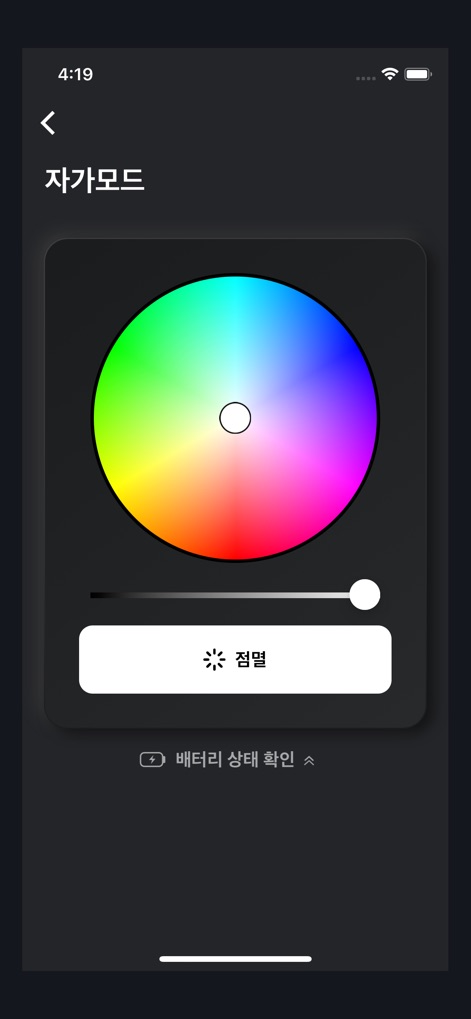
In 'SELF MODE', users gain creative control with an interactive color wheel for hue selection and a convenient battery level indicator.
Custom Light Experience
Description
Download
More Like This
Apps with similar features and user experience

Arntreal
ANDREA ALBRIZIO

Brickit App
Brickit inc

LEGO® Super Mario™
LEGO System A/S

Jurassic World Play
Mattel
LEGO® TECHNIC® CONTROL+
LEGO System A/S
SmartRace for Carrera Digital
Marc Bonsels

BABYMONSTER LIGHT STICK
FANLIGHT Co., Ltd
Fukuoka / Collecting Forest
teamLab Inc.

LEGO® DUPLO® Trains
LEGO System A/S
This page is not an official page of the app or its developer, but an independent editorial publication created for informational and commentary purposes. Unless expressly stated otherwise, neither the app nor its developer is affiliated with, endorsed by, sponsored by, authorized by, or otherwise officially connected with MWM, Apple, Google Play, the app publisher, or the app's developer, and nothing on this page implies that the app was developed using MWM's services. Any trademarks, logos, screenshots, and other content remain the property of their respective owners.