Business Card Scanner by Covve
Download on App Store

This page is not an official page of the app or its developer, but an independent editorial publication created for informational and commentary purposes. Unless expressly stated otherwise, neither the app nor its developer is affiliated with, endorsed by, sponsored by, authorized by, or otherwise officially connected with MWM, Apple, Google Play, the app publisher, or the app's developer, and nothing on this page implies that the app was developed using MWM's services. Any trademarks, logos, screenshots, and other content remain the property of their respective owners.

Logo of Business Card Scanner by Covve
Download on App Store

Business Card Scanner by Covve

Join 2 million professionals using the market's most accurate scanner to instantly sync contacts, research leads with AI, and automate your CRM workflow.

Key Figures

Downloads

119K+

User Rating

4.8/5

Total Ratings

3K+

Publisher

Covve Visual Network Limited

Category

Business

Locales

17

Latest Version

13.1

Size

80.3 MB

First Released

May 4, 2019
Features

Master Your Professional Network

Go beyond simple scanning with the world’s most accurate OCR and AI-driven intelligence designed for high-performance networking.

Unrivaled Scanning Accuracy

Experience market-leading precision in over 60 languages, instantly turning physical cards into digital leads without the hassle of manual data entry.

AI-Powered Lead Intelligence

Gain a competitive edge with instant background reports and AI summaries, providing the context you need for highly personalized follow-ups.

The following screenshots and description are sourced directly from the app's official store listing and are the property of the app developer.

App Store

Screenshots
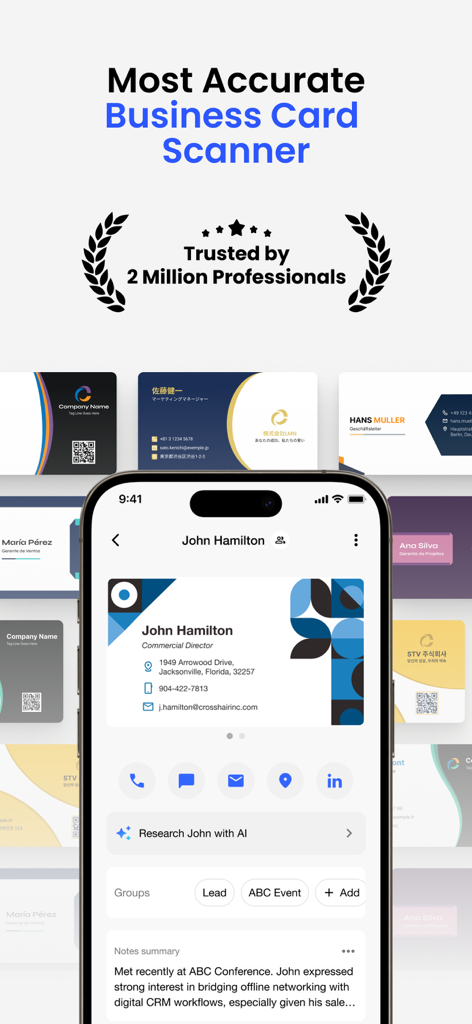
Business Card Scanner by Covve - Smartphone displaying the Covve business card scanner app interface with scanned contact details and AI research options
Smartphone displaying the Covve business card scanner app interface with scanned contact details and AI research options

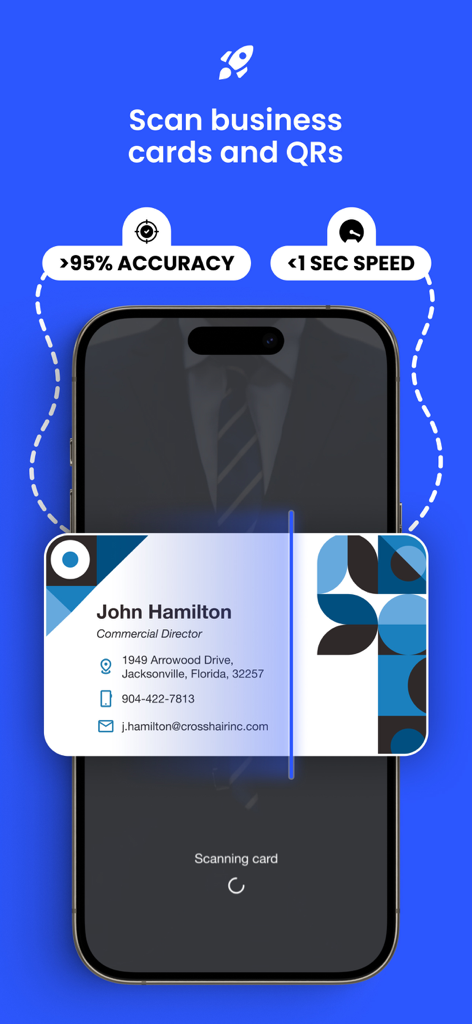
Business Card Scanner by Covve - Smartphone scanning a business card with text highlighting over 95 percent accuracy and less than 1 second speed.
Smartphone scanning a business card with text highlighting over 95 percent accuracy and less than 1 second speed.

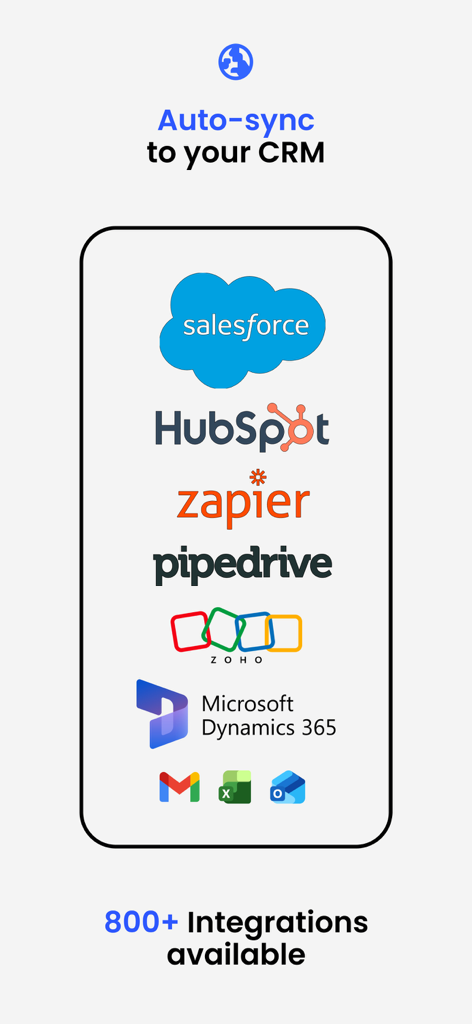
Business Card Scanner by Covve - Mobile app screen showing CRM integrations including Salesforce HubSpot and Zapier for auto-syncing business card data
Mobile app screen showing CRM integrations including Salesforce HubSpot and Zapier for auto-syncing business card data

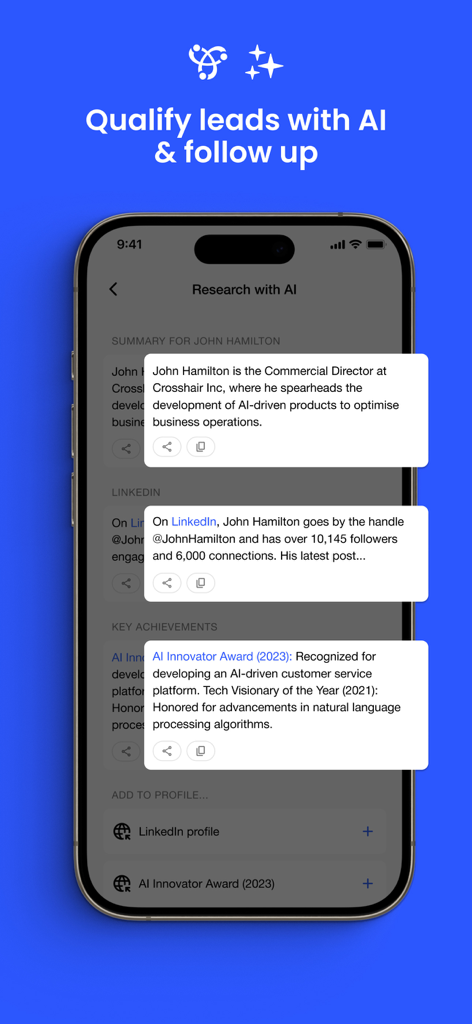
Business Card Scanner by Covve - Covve app interface showing AI powered contact research and lead qualification details
Covve app interface showing AI powered contact research and lead qualification details

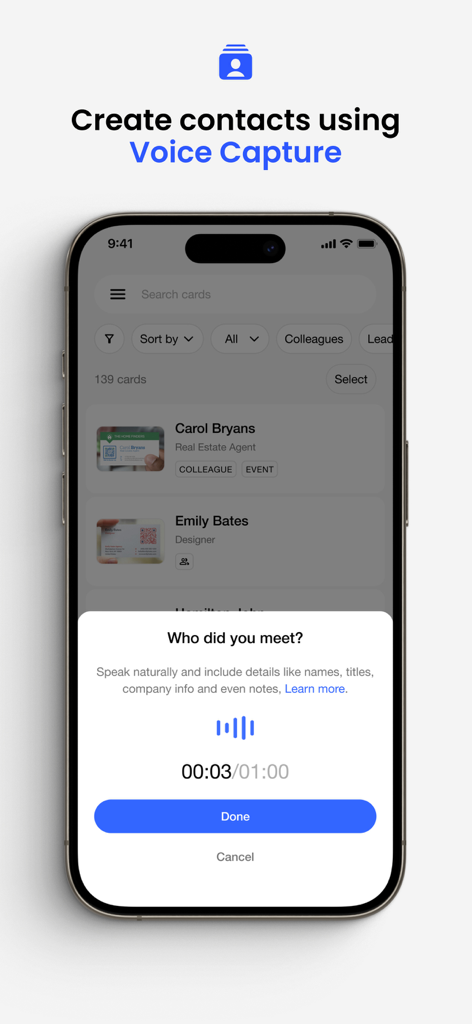
Business Card Scanner by Covve - The voice capture feature in the Covve app allowing professionals to create contacts by speaking naturally.
The voice capture feature in the Covve app allowing professionals to create contacts by speaking naturally.

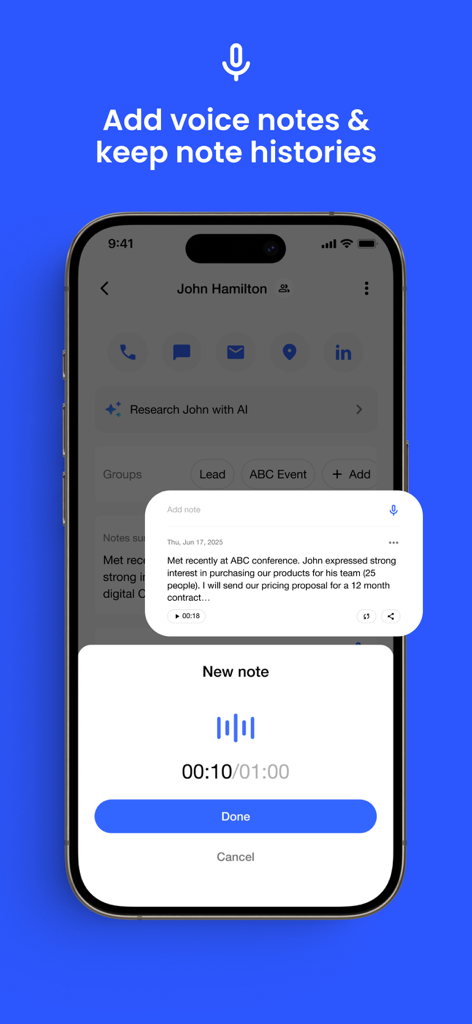
Business Card Scanner by Covve - Interface of the Business Card Scanner app showing the voice note recording feature for a contact

Interface of the Business Card Scanner app showing the voice note recording feature for a contact
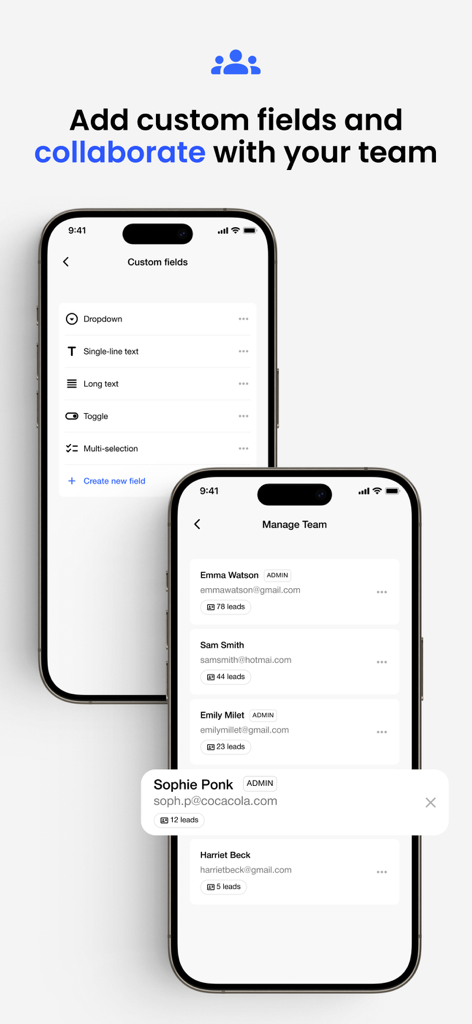
Business Card Scanner by Covve - Screens showing custom field configuration and team lead management in the Covve app.
Screens showing custom field configuration and team lead management in the Covve app.

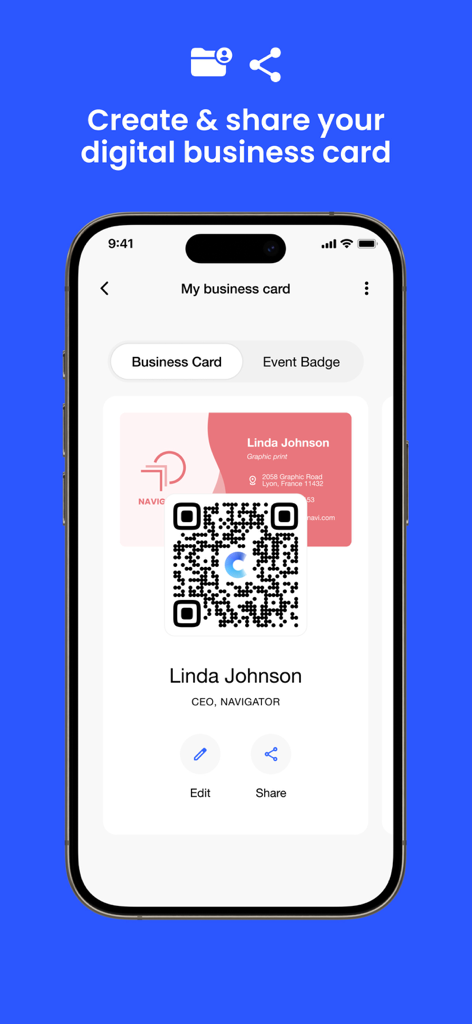
Business Card Scanner by Covve - Digital business card featuring a QR code on a smartphone screen.
Digital business card featuring a QR code on a smartphone screen.

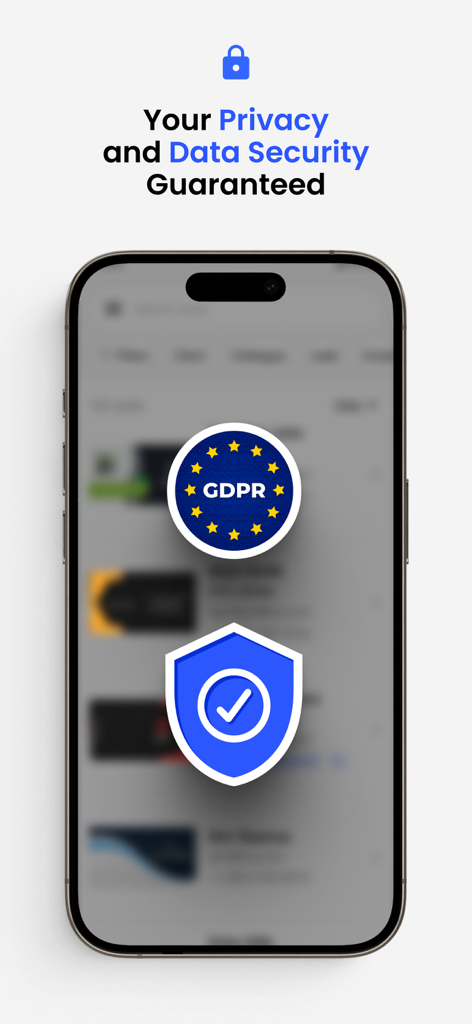
Business Card Scanner by Covve - A mobile phone screen showing GDPR compliance and data security for Covve Business Card Scanner
A mobile phone screen showing GDPR compliance and data security for Covve Business Card Scanner

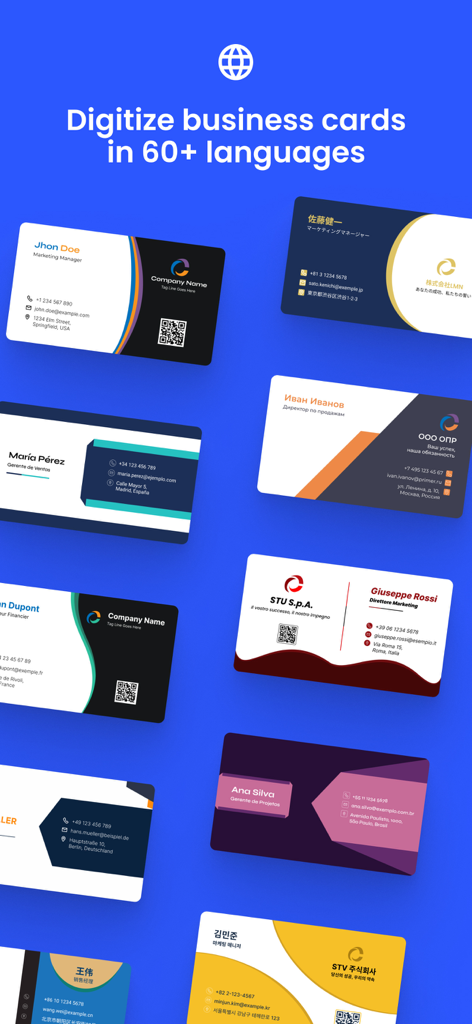
Business Card Scanner by Covve - Business cards in multiple languages being digitized with the Covve scanner app

Business cards in multiple languages being digitized with the Covve scanner app

Description

Scan business cards and QR with Covve — the fastest and most accurate business card scanner on the market, trusted by over 2 million professionals worldwide. Designed to support your networking efforts with precision, Covve lets you instantly capture leads from business cards, QR codes and LinkedIn profiles. ▶ Unrivaled Scanning Accuracy and Speed ◀ [Top-tier Accuracy and Rapid Processing] • Achieve market-leading scanning accuracy in over 60 languages, and experience the fastest scan times, significantly outperforming competitors like CamCard, ABBYY, and BizConnect. • Scan QR codes to digitize leads from online profiles, LinkedIn and more. [Enhanced Lead Management] • Add notes, groups, and locations to each scanned lead; easily organize and retrieve your business contacts by sorting them by date, name, or company. • Distill all your notes into a concise usable summary. [Digital Business Card] • Create and share your digital business card, making it easy to exchange contact information in-person, via email, on video calls, and more. ▶ Easy Export and Software Integrations ◀ [Versatile Export Options] • Instantly save and export scanned contacts to your phone's address book, Excel, Outlook, or Google Contacts, with CSV formatting options to meet diverse professional needs. [Comprehensive Sharing Features] • Share your scanned leads with colleagues or integrate them into your CRM systems like Salesforce, HubSpot, Pipedrive and other leading CRMs or any platform via Zapier, enabling connections to applications such as SuiteDash, Odoo, Marketo, and Agile CRM. ▶ Robust Data Management ◀ [Intelligent Export and Tagging] • Customize your export files and track your contacts with advanced control using tags leading to refined organization and targeted communication. [Research with AI] • Instantly get a background info report for anyone you meet and qualify them on the go. [Secure Cloud Backup & Restore] • Securely store your cards to the cloud with our backup feature and effortlessly restore them on any device. [Privacy and Compliance at the Core] • Experience secure data management - Covve Scan is GDPR compliant and made in Europe to ensure top-tier privacy and protection. [Multi-Language Recognition] • Automatically recognize and accurately scan business cards in 60+ languages. Unlock automation and agility with every lead captured. ▶ Engage and Collaborate with Ease ◀ [Team Collaboration] • All scanned leads are automatically shared with your team, amplifying collaboration and data sharing. [Integrate with your CRM] • Integrate with leading CRMs like Salesforce, HubSpot, Dynamics and 8,000 other tools to push captured leads into your workflows. [Efficient Communication Tools] • Share individual contacts as VCF files directly through email, SMS, WhatsApp, etc., leveraging standard file formats for electronic business cards. [Location Integration] • Tap to see your contact’s location on Google or Apple Maps, making it easier to plan in-person meetings. ▶ Trial and Subscription Options ◀ [Free Trial and Flexible Subscriptions] • Start with a 14-day free trial and choose between an annual subscription or a lifetime purchase for unlimited access and premium features to continue using the service. Covve Scan is more than a fast-scanning tool; it's a revolutionary platform for professional contact management and network development. Download Covve Scan now to start digitizing your business cards, QR codes and leads. For more details and support, visit our website at https://covve.com/cardscanner/. Terms: https://www.apple.com/legal/internet-services/itunes/dev/stdeula/

Download

Download on App Store

This page is not an official page of the app or its developer, but an independent editorial publication created for informational and commentary purposes. Unless expressly stated otherwise, neither the app nor its developer is affiliated with, endorsed by, sponsored by, authorized by, or otherwise officially connected with MWM, Apple, Google Play, the app publisher, or the app's developer, and nothing on this page implies that the app was developed using MWM's services. Any trademarks, logos, screenshots, and other content remain the property of their respective owners.