
This page is not an official page of the app or its developer, but an independent editorial publication created for informational and commentary purposes. Unless expressly stated otherwise, neither the app nor its developer is affiliated with, endorsed by, sponsored by, authorized by, or otherwise officially connected with MWM, Apple, Google Play, the app publisher, or the app's developer, and nothing on this page implies that the app was developed using MWM's services. Any trademarks, logos, screenshots, and other content remain the property of their respective owners.


CamCard AI Business Assistant
Networking is broken. This app fixes it by digitizing connections and surfacing insights you didn't know you needed.
Downloads
5M+User Rating
Total Ratings
356.7KPublisher
Category
BusinessLocales
7Latest Version
8.62.3Size
212.4 MBFirst Released
Feb 13, 2010An evaluation of key features driving professional networking and productivity for ambitious professionals.
CamCard AI Business Assistant: Core Capabilities Analysis
AI-Powered Business Insights
This tool features the ability to transform business cards into strategic opportunities by delivering comprehensive company overviews, financial snapshots, partnership potentials, and tailored conversation starters, significantly aiding competitive intelligence and rapport building.
High-Accuracy Business Card Recognition
The app provides near-perfect precision in scanning and digitizing physical business cards, effectively eliminating the need for manual data entry and ensuring reliable contact capture.
Integrated CRM & Contact Management
It allows users to efficiently organize professional contacts by adding notes and tags, and seamlessly syncs this data with major CRM systems like Salesforce, enhancing follow-up processes and information management.
Real-Time Voice Transcription & AI Summaries
This tool enables instant transcription of conversations, allowing professionals to concentrate on discussions while the app handles note-taking, complemented by AI-generated summaries for quick review of key points.
Customizable Digital Business Cards
The app provides functionality for users to design personalized digital business cards using logos, photos, and a variety of modern templates, presenting a professional and contemporary image.
Flexible Digital Card Sharing
It allows users to share their digital business cards through multiple convenient methods including QR codes, SMS, email, or a unique shareable link, facilitating adaptable networking interactions.
Multilingual Support
The app features expanded recognition capabilities for a wide array of global languages, enabling professionals to connect and network effectively across international borders.
Enterprise-Grade Security
This tool ensures the safety and privacy of user data through ISO/IEC 27001 certification, providing professionals with a secure environment for managing sensitive business information.
Audio File Transcription
It allows users to upload pre-recorded audio files for processing, offering rapid transcription services (e.g., one hour of audio transcribed in approximately five minutes), complementing its real-time capabilities.
Versatile Export & Sharing
The app provides options to export transcribed content in widely used formats such as TXT, DOCX, and PDF, and allows for easy sharing with teams or external partners via a dedicated link.
Frequently Asked Questions
Everything you need to know about CamCard AI Business Assistant
What is CamCard AI Business Assistant?
CamCard AI Business Assistant is an AI-powered tool for business card recognition, voice transcription, and contact management. It helps users digitize cards, transcribe meetings, and gain business insights.
Does CamCard offer a free trial for its transcription feature?
Yes, CamCard offers a free trial of 120 minutes for its voice transcription feature. Users can experience lightning-fast transcription and smart AI summaries during this period.
What is the accuracy rate of CamCard's AI business card recognition?
CamCard's AI business card recognition boasts a 99.99% accuracy rate. Its AI scans and digitizes business cards with near-perfect precision.
Can CamCard transcribe existing audio recordings?
Yes, CamCard can transcribe existing audio recordings. Users can upload audio files, and the app processes a 1-hour audio file in approximately 5 minutes.
What export formats does CamCard support for transcripts?
CamCard supports exporting transcripts in popular formats such as TXT, DOCX, and PDF. Users can also share transcripts via a shareable link.
Does CamCard provide AI summaries for transcribed conversations?
Yes, CamCard provides AI-generated summaries for transcribed conversations. These summaries help users quickly capture the key points from meetings or discussions.
How does CamCard help with business insights?
CamCard provides AI Business Insights from business cards, including company overview, financial snapshots, partnership potential, and conversation starters. This turns every card into an opportunity.
Is CamCard secure for managing contact data?
Yes, CamCard is secure by design. It is ISO/IEC 27001 certified, ensuring that user data is safe and private during business card management.
Can CamCard sync contacts with CRM systems?
Yes, CamCard Premium allows users to sync contacts with Salesforce and other major CRM systems. It also supports exporting contacts to Excel/VCF formats.
How can I share my digital business card using CamCard?
CamCard offers smart sharing options for digital business cards, including QR code, SMS, email, or a unique link. Users can also share via various social media platforms.
Does CamCard support multiple languages for recognition?
Yes, CamCard provides global language support for expanded recognition. This allows users to connect across borders and network internationally.
Where can I find CamCard's privacy policy?
The privacy policy for CamCard is available at https://static-cdn-p.camcard.com/policy/camcard_iOS/privacy_en-us.html. This link is provided within the app's description.
How do I manage my CamCard subscription?
Users can manage their CamCard subscriptions and turn off auto-renewal in their iTunes Account Settings after purchase. Payment is charged to the iTunes account upon confirmation.
The following screenshots and description are sourced directly from the app's official store listing and are the property of the app developer.
App Store
Screenshots
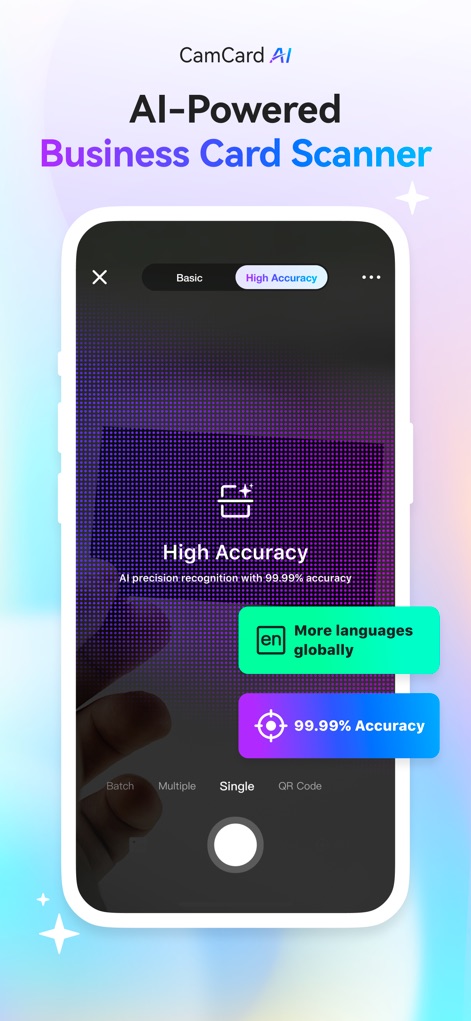
This tool showcases its advanced AI precision recognition and expanded global language support for effortless business card digitization.
Precision Card Capture
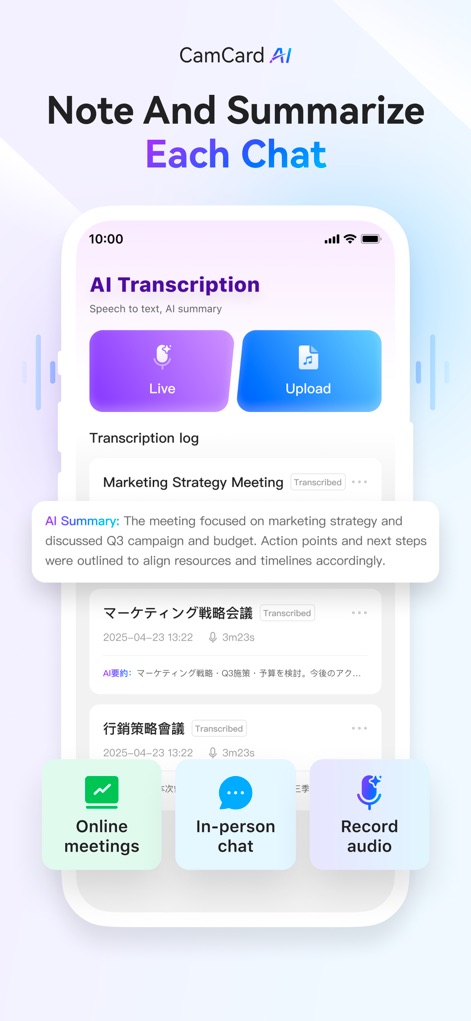
Users can transcribe conversations instantly with live recording or upload audio, while the app generates smart AI summaries for quick comprehension.
Intelligent Meeting Notes
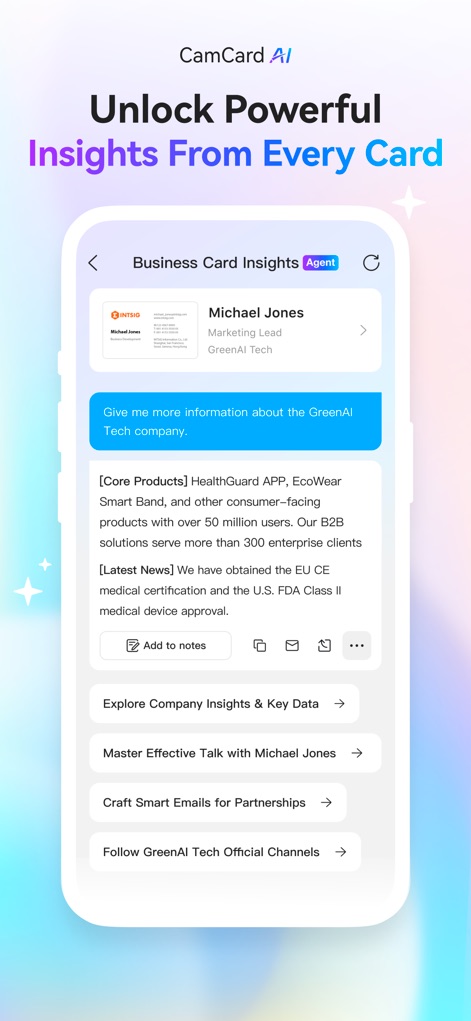
Discover how the app transforms business cards into opportunities, providing comprehensive company overviews and strategic conversation starters.
Deep Business Intelligence
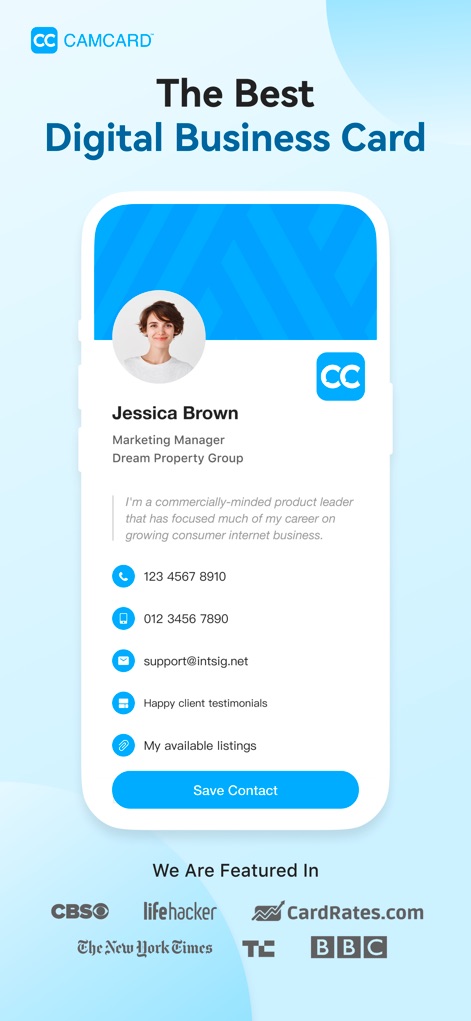
The app allows users to create custom digital business cards featuring professional photos and essential contact information for a strong first impression.
Personalized Digital Identity

This tool enables instant connection by generating a unique QR code for sharing and providing a clear preview of the digital business card.
Effortless Card Sharing

The app offers diverse sharing methods, including QR code sharing and direct options to popular platforms like LinkedIn and WhatsApp, ensuring broad reach.
Versatile Sharing Options

Users can enhance their professional communication by creating branded email footers with contact details and QR codes, compatible with major email providers.
Professional Email Signature

This tool facilitates seamless contact acquisition, allowing users to send their information and manage incoming connection requests efficiently.
Streamlined Contact Acquisition
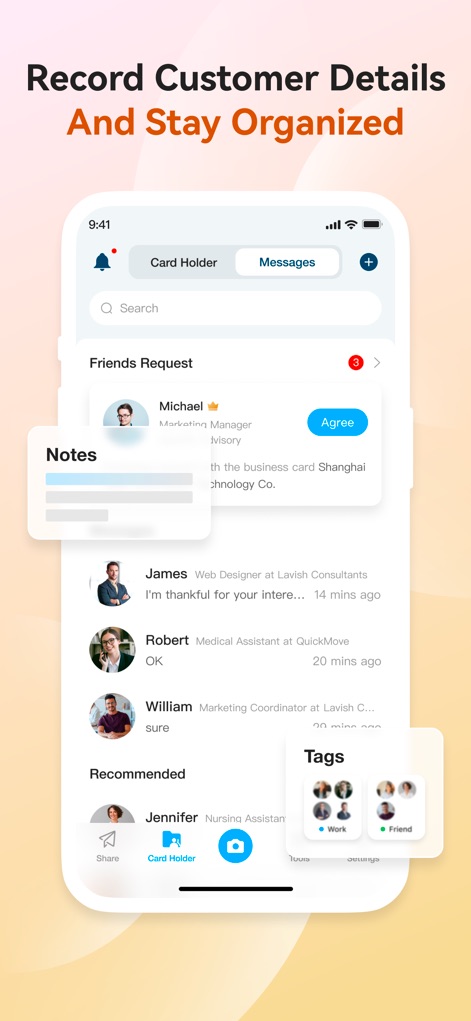
The app helps users stay organized by allowing them to add detailed notes and categorize contacts with customizable tags within the card holder.
Organized Contact Management

Users can efficiently manage their network by exporting contacts to various formats and seamlessly syncing with popular CRMs like Salesforce and Google.
Advanced Network Integration
Description
Download
More Like This
Apps with similar features and user experience

Blinq: Digital Business Card
Blinq Technologies Pty Ltd

HiHello: Digital Business Card
HiHello, Inc.

Popl: AI Lead Capture
Popl Co

Evernote Scannable
Evernote Corporation

Business Card Scanner by Covve
Covve Visual Network Limited

bCard: Digital Business Card
Oleksandr Solodkyi

BizConnect Card Scanner
ATMAS SOFTWARES PRIVATE LIMITED

DBC: Digital Business Card
IT FOR TOMORROW LTD
Digital Business Card Makerㅤㅤ
Tobias Kirkman
This page is not an official page of the app or its developer, but an independent editorial publication created for informational and commentary purposes. Unless expressly stated otherwise, neither the app nor its developer is affiliated with, endorsed by, sponsored by, authorized by, or otherwise officially connected with MWM, Apple, Google Play, the app publisher, or the app's developer, and nothing on this page implies that the app was developed using MWM's services. Any trademarks, logos, screenshots, and other content remain the property of their respective owners.