C Code Develop

C Code Develop

Download on App Store
Logo of C Code Develop

C Code Develop: Your Professional Mobile IDE for C and C++

Master Data Structures and build C99 projects anywhere. Run code offline with a full-featured debugger, auto-completion, and project management designed for students and hobbyists.

Publisher

铖 邢

Category

Developer Tools

Downloads

64K+

User Rating

4.6/5

Total Ratings

600

Locales

2

A Glimpse Inside the Lab

Discover the interface used by 64K+ users.
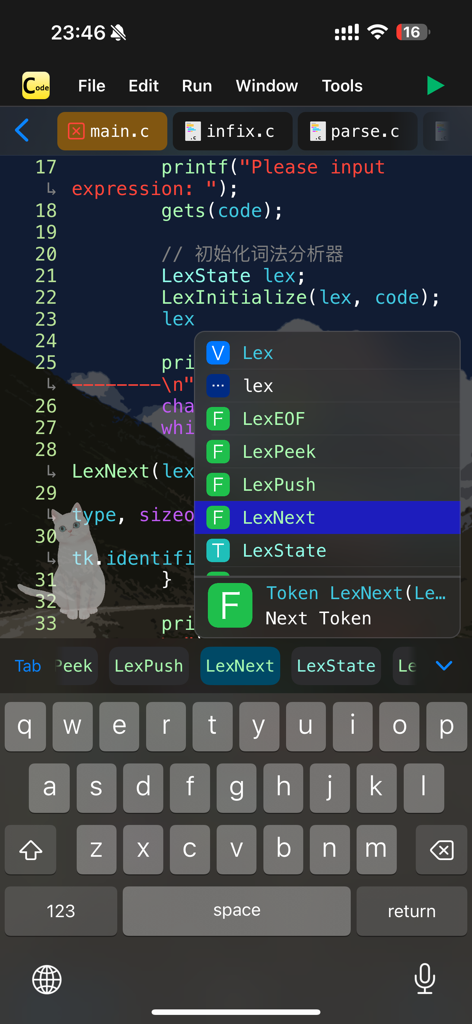
C Code Develop mobile app interface showing a code editor with an autocompletion menu for C programming.

C Code Develop mobile app interface showing a code editor with an autocompletion menu for C programming.

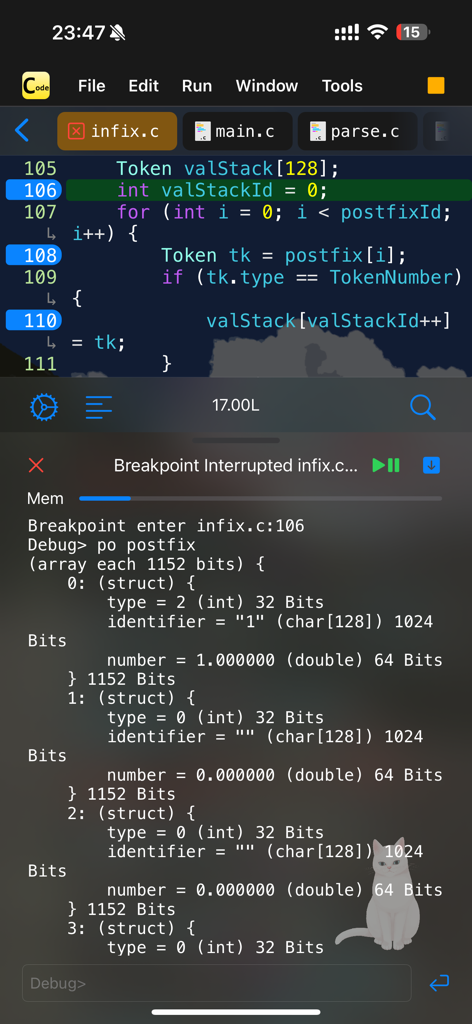
C Code Develop app interface showing code editor and debugger with breakpoints on a mobile device

C Code Develop app interface showing code editor and debugger with breakpoints on a mobile device

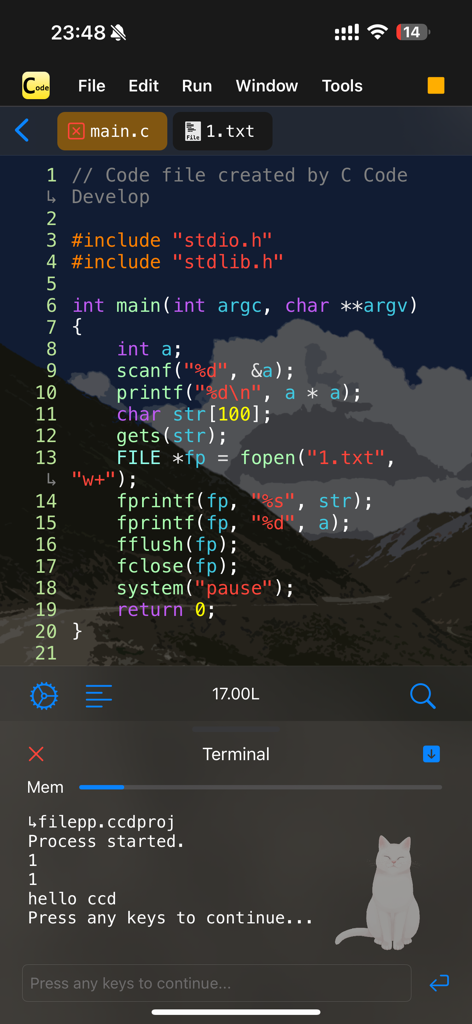
C Code Develop app interface showing code editor with syntax highlighting and terminal window.

C Code Develop app interface showing code editor with syntax highlighting and terminal window.

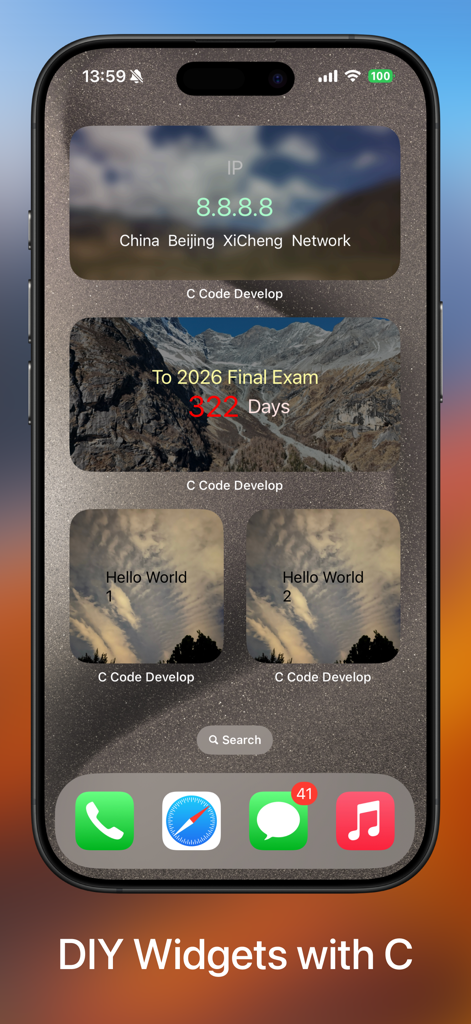
iPhone home screen with custom widgets created using C Code Develop

iPhone home screen with custom widgets created using C Code Develop

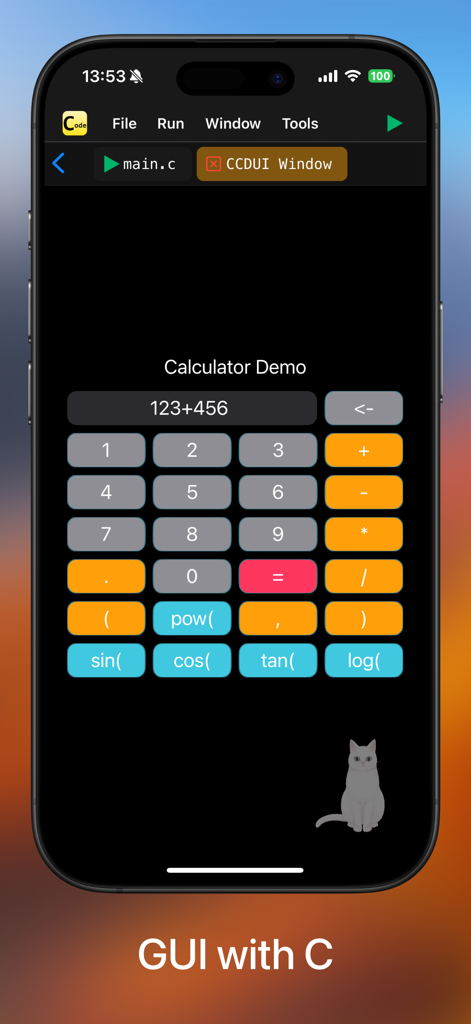
Interface of the C Code Develop app showing a calculator graphical user interface demo on an iPhone.

Interface of the C Code Develop app showing a calculator graphical user interface demo on an iPhone.

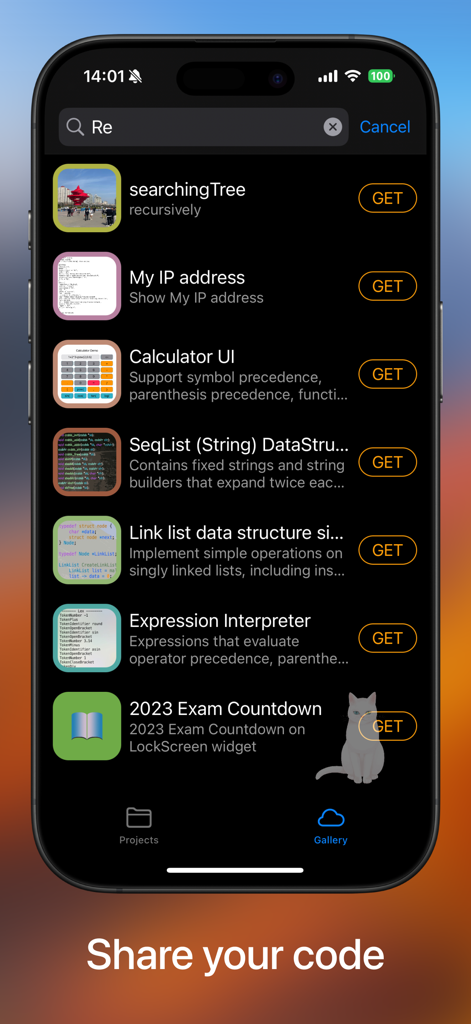
A screenshot of the gallery section in the C Code Develop app displaying a list of downloadable C programming projects and data structure examples.

A screenshot of the gallery section in the C Code Develop app displaying a list of downloadable C programming projects and data structure examples.

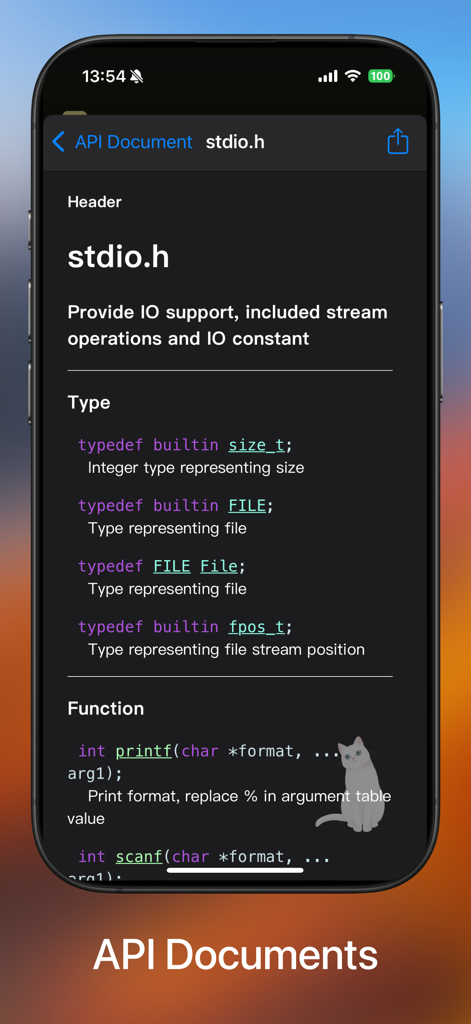
API documentation interface for stdio.h showing C programming functions and types

API documentation interface for stdio.h showing C programming functions and types

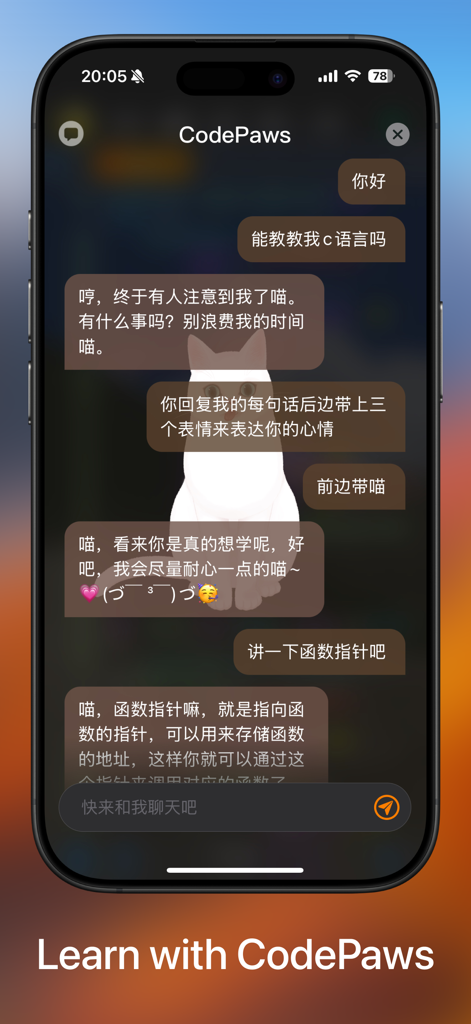
Chat interface of the C Code Develop app featuring CodePaws AI assistant explaining C programming concepts.

Chat interface of the C Code Develop app featuring CodePaws AI assistant explaining C programming concepts.

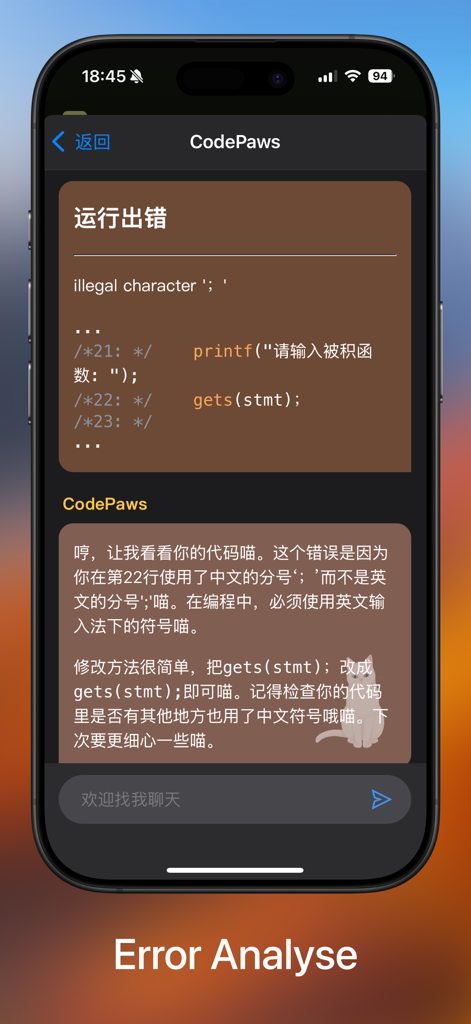
C Code Develop app error analysis screen featuring a code assistant for debugging

C Code Develop app error analysis screen featuring a code assistant for debugging

Desktop Power in Your Pocket

The tools that make this app stand out, trusted by 64K+ users.

🚀

Instant IDE Setup

Skip complex GCC configurations. Start coding C99 projects immediately with auto-completion and file management on your iPad or iPhone.

🐞

Integrated Debugger

Master your Data Structures assignments with real-time breakpoints and interactive terminal support to catch every logic error.

✈️

Productive Anywhere

Full offline support means you can code on the bus or in the library. Turn 'dead time' into study time with local execution and File IO.

About the app

Everything you need to know about C Code Develop.

Description

-- Support code auto completion and automatic code formatting; -- Support debugger (breakpoints); -- Run Offline & Support File IO & Support interaction & Support multi-processing; -- Support Project References; A tiny C language development environment, support project management and header file reference, support code executing. For Coding enthusiasts and Computer-Science students, some Data-Structure projects are included. You can use the tiny environment provided to run your project locally, or you can export the project to your computer to compile and run the project. The tiny environment includes a small C standard library that supports commonly used header files and most standard C99 library functions, and C Code Develop provides a easy access header file ccd.h, also some C++ features like argument reference, iostream(cin and cout) are supported. For safety reasons, inline assembly and some other unsafe syntax are not supported. *1. Editor Support auto completion, auto format, long-press to document and other efficient features. *2. Terminal (stdin and stdout) is fully supported, and also you can open *.txt file in project use fopen(), because of the app now only support view and edit text file, you can't open file without .txt suffix or other suffix, or use binary (b) as open mode is not currently supported.

Latest Version

4.1.1

Size

74.4 MB

First Released

Jan 6, 2021

Master C Fundamentals on Your Terms

The portable IDE designed for Computer Science students. Compile, debug, and practice Data Structures offline—no bulky setup required.

Download on App Store

App information, icons, screenshots, and descriptions displayed on this page are sourced from the Apple App Store and are the property of their respective developers. Download estimates and rankings are based on MWM's proprietary models and may not reflect actual figures. This page is provided for informational and analytical purposes only.

Believe this page infringes your intellectual property? File a dispute