Calendar+

Calendar+

Download on App Store
Logo of Calendar+

Calendar+: The Fluid, Aesthetic Timeline for Your Daily Schedule

Stop fighting clunky default apps. Experience a seamless, scrollable overview of your life with deep personalization, gesture-driven navigation, and effortless sync for all your calendars.

Download on App Store

Publisher

Alien Toes AB

Category

Productivity

Downloads

0

User Rating

4.4/5

Total Ratings

0

Locales

35

Experience the Flow

Discover the interface used by 0 users.
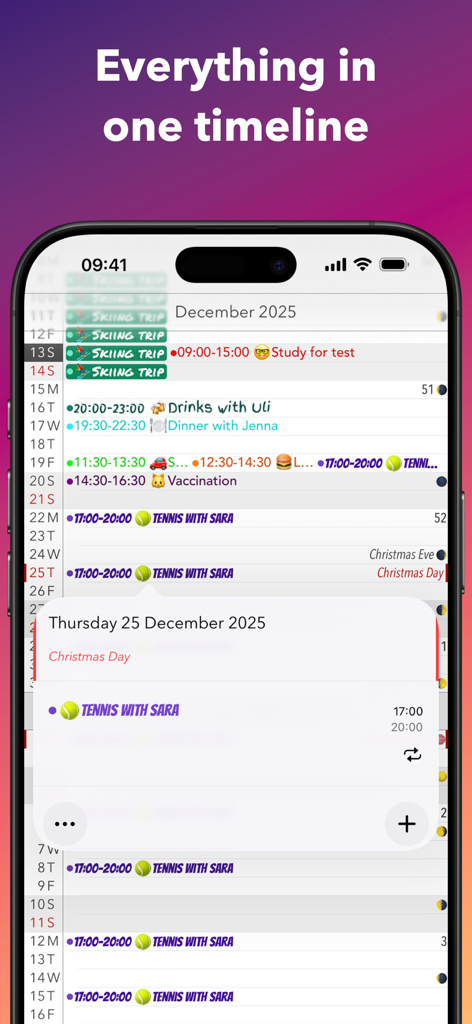
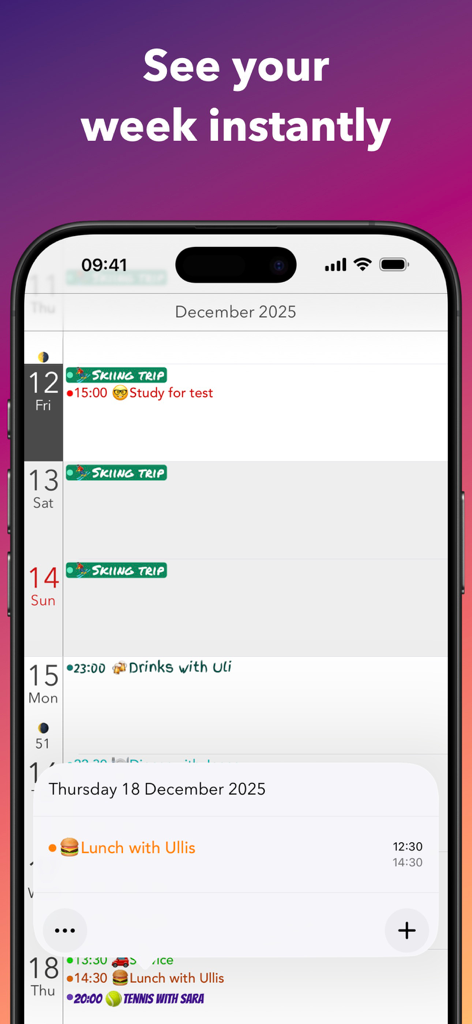
A mobile screenshot of Calendar+ app showing a vertical scrolling schedule with colorful event labels and emojis in a timeline view

A mobile screenshot of Calendar+ app showing a vertical scrolling schedule with colorful event labels and emojis in a timeline view

Weekly timeline view in Calendar plus app featuring colorful personalized events and emojis

Weekly timeline view in Calendar plus app featuring colorful personalized events and emojis

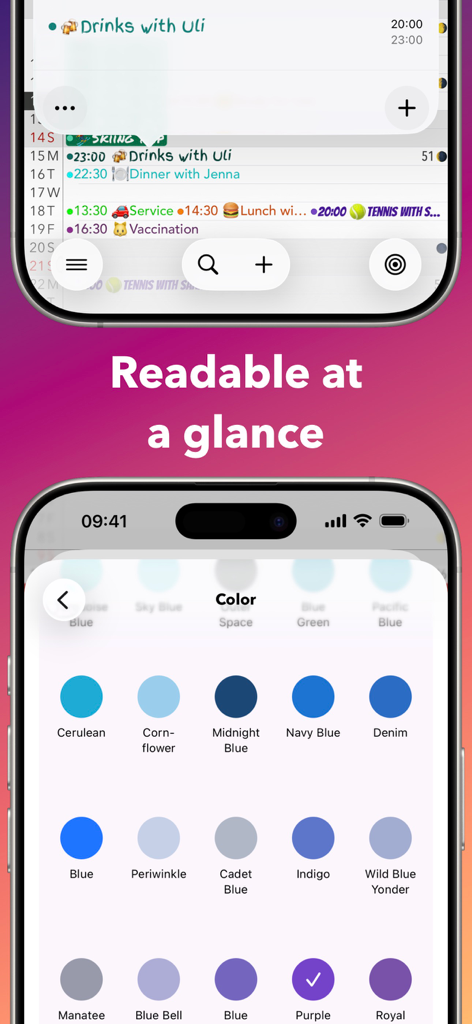
A phone screen showcasing the Calendar Plus app with a focus on readability and a menu for selecting various color themes like Cerulean and Navy Blue.

A phone screen showcasing the Calendar Plus app with a focus on readability and a menu for selecting various color themes like Cerulean and Navy Blue.

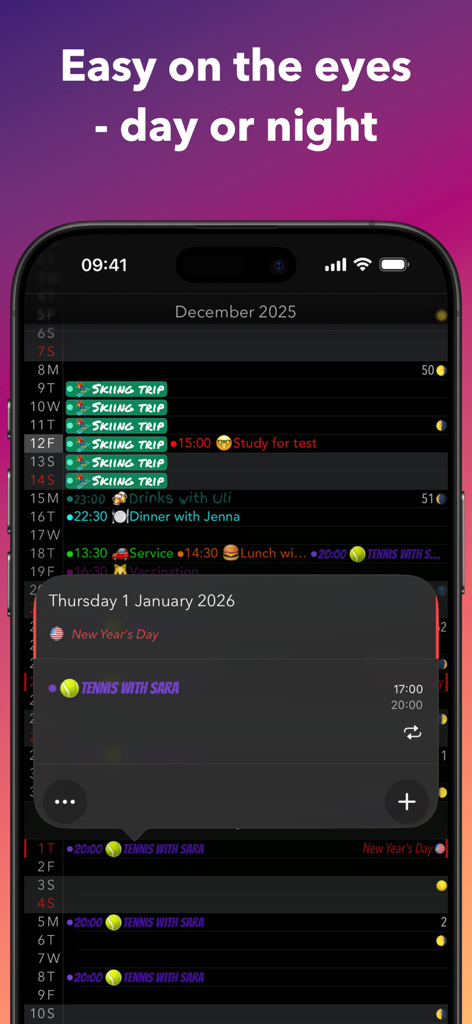
Calendar plus app displaying a dark mode timeline with personalized color coded events and moon phases

Calendar plus app displaying a dark mode timeline with personalized color coded events and moon phases

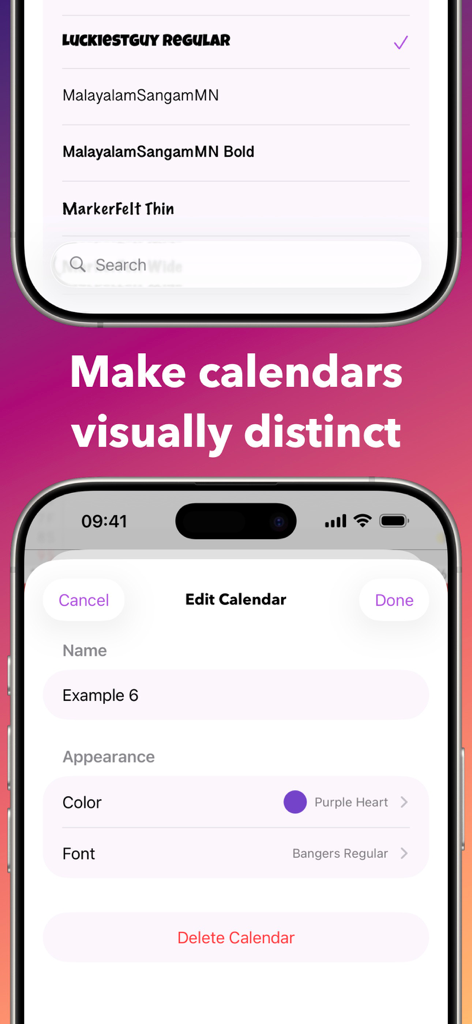
Interface of the Calendar+ app showing options to customize calendar colors and fonts.

Interface of the Calendar+ app showing options to customize calendar colors and fonts.

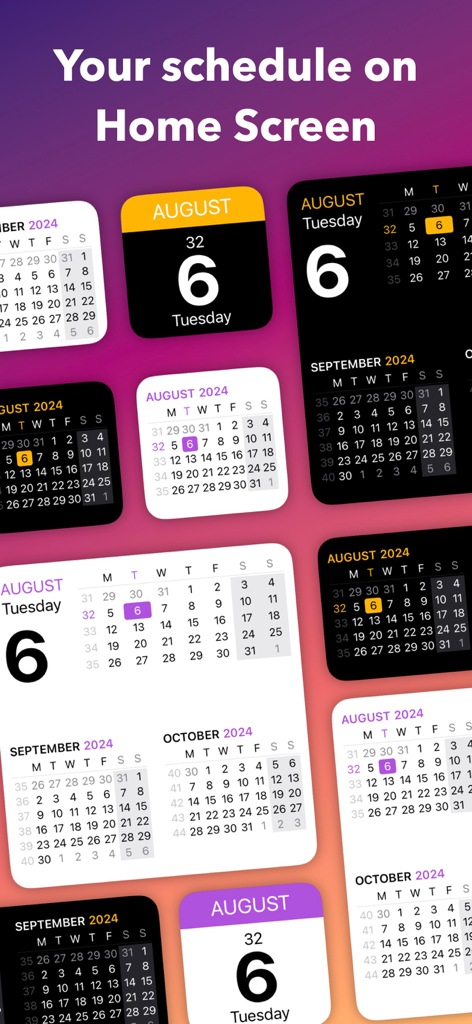
A collection of customizable calendar widgets in various colors and styles for the iOS home screen.

A collection of customizable calendar widgets in various colors and styles for the iOS home screen.

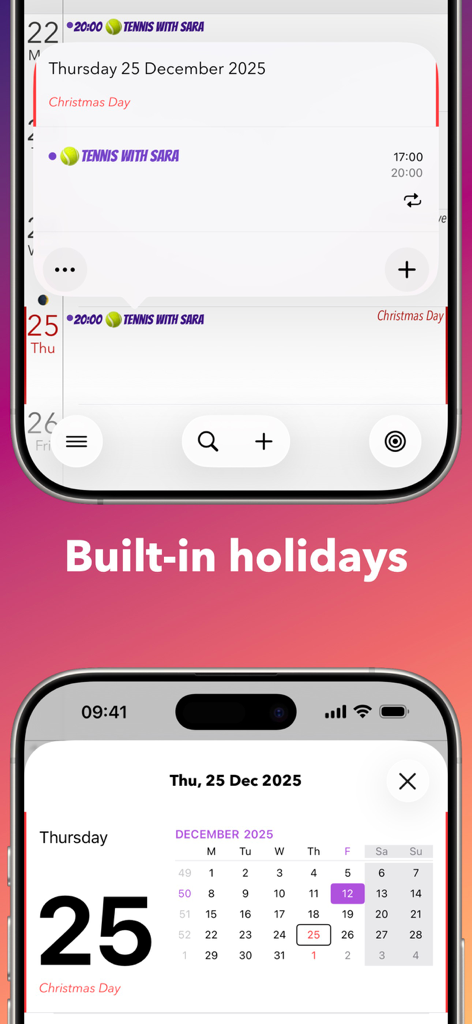
Calendar plus app interface highlighting built in holiday tracking feature

Calendar plus app interface highlighting built in holiday tracking feature

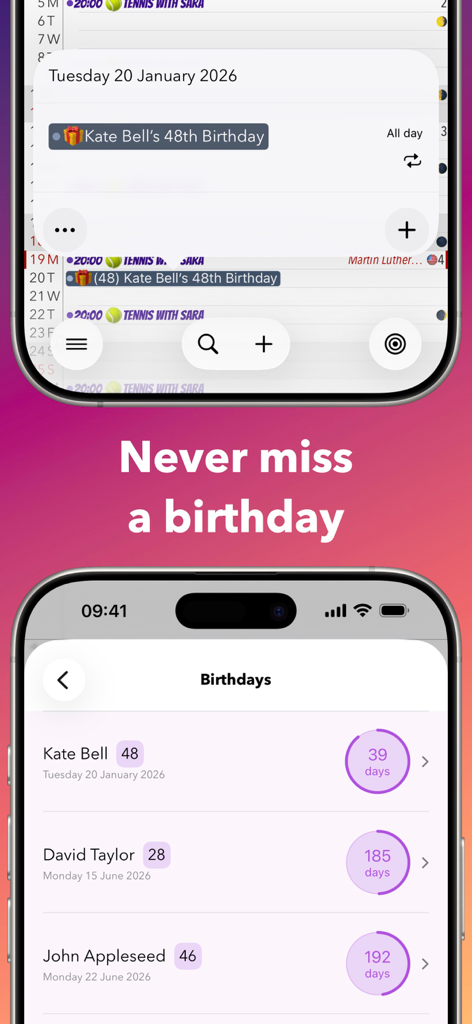
A mobile screen showing a list of birthdays with countdown timers and calendar event details

A mobile screen showing a list of birthdays with countdown timers and calendar event details

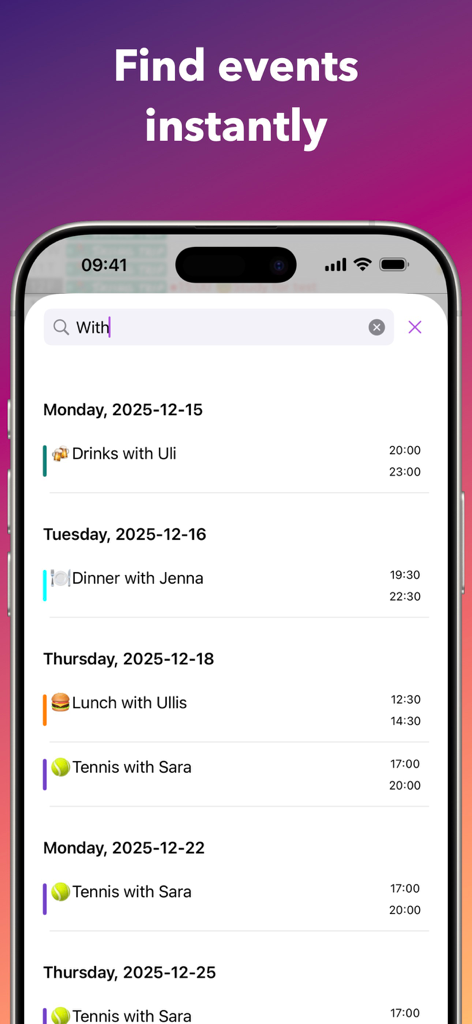
A screenshot of the Calendar+ app showing search results for events in a clean chronological timeline view.

A screenshot of the Calendar+ app showing search results for events in a clean chronological timeline view.

Elevate Your Daily Planning

The tools that make this app stand out, trusted by 0 users.

Infinite Fluid Scrolling

Ditch the page-turning. Experience your schedule as a continuous timeline that flows as naturally as your favorite social feeds.

🎨

Aesthetic Customization

Personalize every detail with pro themes, custom fonts, and unique colors to create a workspace that reflects your personal style.

Intuitive Gesture Control

Pinch to zoom and swipe to manage events. Optimized for high-speed, one-handed navigation so you can stay productive on the go.

About the app

Everything you need to know about Calendar+.

Description

Scroll through your schedule like it’s a timeline — fast, fluid, and always in context. Calendar+ is built for people who want a clean overview, quick edits, and better-looking calendars without fighting the default app. Why Calendar+? • Seamless scrolling through days, weeks, and months • Day / Week / Month views with great overview • Add, edit, and delete events quickly • Syncs with your existing calendars (iCloud, Google, Outlook/Exchange, CalDAV, ICS subscriptions, and more) • Jump to any date instantly • Week numbers • Built-in holidays for many countries • Built-in flag days for selected countries • Built-in name days for many countries • Calendar selection & filtering – show only what you want • Dedicated “Scroll to Today” button • Portrait + landscape support Personalize Everything (Pro) • Make calendars stand out with unique colors and fonts across all views • App theme colors • All widgets • Moon phases for the full year • Birthday + name day countdowns • Support an indie developer (me) Settings You’ll Actually Use • Text size control (month/week independently) • Toggle holidays + name days on/off • App icon badge options (day in month, day in year, or week number) • Default event settings (reminders, calendar, etc.) • Fine-grained event display options (dots, times, titles, weekend shading, contrast, truncation behavior) Gestures • Swipe left/right to switch views • Pinch to zoom between month and week • Tap & hold on a day to create an event • Swipe to delete in day view Support & Feedback I’d genuinely love to hear from you. • In Calendar+ → Ideas (submit and vote) • In Calendar+ → Support/Feedback • Email: support@alientoes.se • Website: https://www.alientoes.se/support What’s New in 8.0 • Ideas (new!) – Suggest new features, browse what others want, and vote on what matters most. • Revamped Calendar Editor – Create and edit calendars in a more intuitive way. • App Color Themes (Pro) – Pick a theme that matches your style. • Calendar Fonts (Pro) – Choose from beautiful fonts to personalize your calendar. • Moon Phases (Pro) – See the moon phases for the entire year at a glance. • Birthdays & Name Days (Pro) – Countdowns so you don’t miss important days. Terms: https://www.alientoes.se/terms Privacy: https://www.alientoes.se/privacy-policy

Latest Version

8.0.5

Size

52.6 MB

First Released

Jul 8, 2011

Make Your Schedule Your Own.

Join the community of digital planners who’ve traded cluttered stock apps for a fluid, personalized timeline. Experience a better way to scroll through your day.

Download on App Store

App information, icons, screenshots, and descriptions displayed on this page are sourced from the Apple App Store and are the property of their respective developers. Download estimates and rankings are based on MWM's proprietary models and may not reflect actual figures. This page is provided for informational and analytical purposes only.

Believe this page infringes your intellectual property? File a dispute